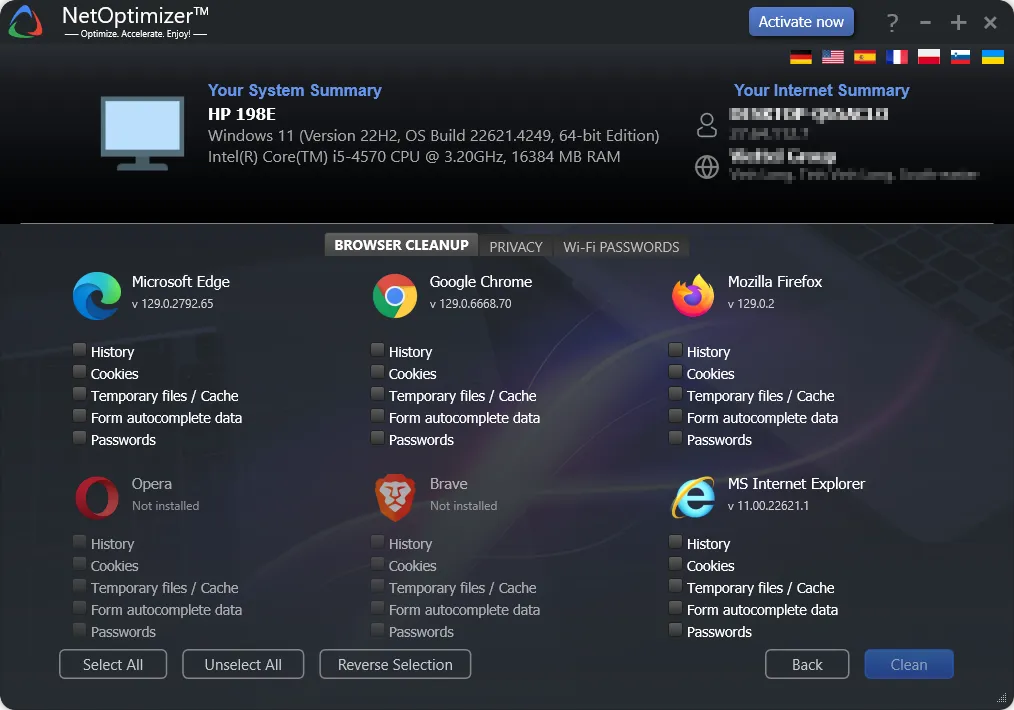
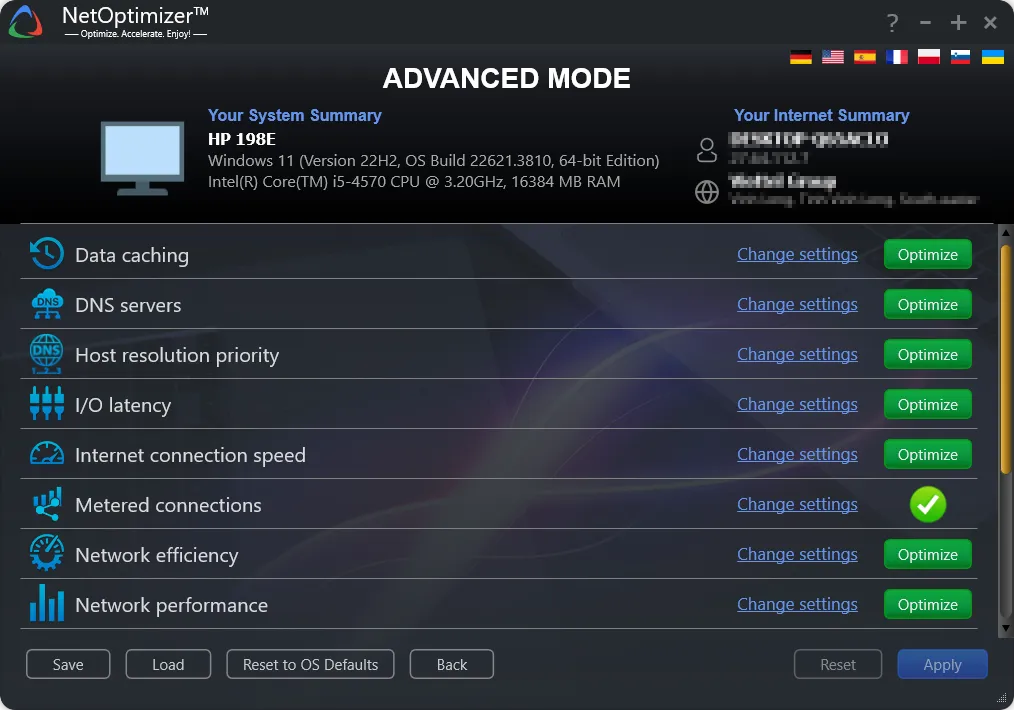
NETOPTIMIZER is a lightweight tool designed to improve internet performance by automatically optimizing network settings. It helps reduce latency, improve browsing speed, and stabilize connections. With a simple interface, it is suitable for both beginners and advanced users looking for faster connections by fine-tuning DNS, TCP/IP, and other settings.
OVERVIEW OF NETOPTIMIZER
NETOPTIZER is a comprehensive internet optimization software designed to increase the speed, stability, and performance of your network connection. Many users experience slow browsing, high ping, or unstable connections due to misconfigured or outdated network settings. NETOPTIZER eliminates this problem by automatically analyzing your system and applying the most effective network fixes for your environment.
The software fine-tunes key components such as DNS, TCP/IP, latency, and other internet parameters to ensure your device runs at peak efficiency. Unlike manual setup that requires advanced technical knowledge, NETOPTIZER simplifies the entire process with a clean, user-friendly interface. Even non-technical users can significantly improve browsing speed, streaming quality, and online gaming performance with just a few clicks.
One of NETOPTIZER’s standout features is its smart DNS optimization. The program can scan and test multiple DNS servers to determine the fastest and most reliable server for your geographic location. This will allow you to access websites faster, load content more smoothly, and be more responsive when moving online. In addition, its TCP/IP and latency optimization tools help reduce latency, which is especially important for gamers and professionals who rely on real-time connections.
Another advantage of NETOPTIZER is its adaptability. The software automatically detects your operating system, network type, and connection status before making changes, ensuring a safe and optimal configuration without the risk of misconfiguration. It runs smoothly in the background and requires minimal user input, delivering noticeable improvements.
Whether you are experiencing slow downloads, video buffering, or unstable Wi-Fi signals, NETOPTIZER offers a practical and reliable solution. It is especially useful for users who want to avoid complex manual settings or spend time troubleshooting connection problems. It uses advanced algorithms and automation to make professional-level network optimization accessible to everyone.
FEATURES OF NETOPTIMIZER
INTERNET CONNECTION OPTIMIZATION
NetOptimizer is designed to help you improve the performance of your Internet connection by adjusting selected Windows network settings. It automatically analyzes your system and recommends suitable optimizations, making it useful for users who want to configure their connection more easily without having to manually change many settings.
ONE-CLICK OPTIMIZATION
This software offers an easy way to configure their network with automatic optimization options. Instead of searching through the Windows Settings panel, users can use the recommended settings from a centralized interface. This makes the process easier for those who are less experienced with advanced network settings.
DNS SETTINGS
NetOptimizer helps users manage DNS settings on their Windows computers. Switching to a faster or more reliable DNS service may improve the responsiveness of some Internet activities, depending on the network and service provider. This program makes it easy to monitor and configure these settings without having to navigate through multiple Windows menus.
TCP/IP SETTINGS
This program contains tools to configure selected TCP/IP-related parameters that can affect network communication. Advanced users can review the available settings and make changes based on their connection requirements. These options can be useful for troubleshooting or checking network performance in various Windows settings.
NETWORK PERFORMANCE MONITORING
NetOptimizer provides information to help users monitor aspects of their current network configuration. By reviewing connection-related settings before making changes, users can better understand how their system is configured. This makes it easier to identify settings that need to be adjusted when they encounter connection or performance issues.
BACKUP AND RESTORE SETTINGS
Making changes to network settings can sometimes have unexpected results, so it is valuable to have a way to revert to a previous configuration. NetOptimizer includes options to backup and restore the relevant settings, allowing users to revert optimization changes if necessary. This provides an additional layer of control when testing network settings.
SYSTEM REQUIREMENTS
- Supported OS: Windows 11/10/8.1/7
- Memory (RAM): 1 GB of RAM or more is required
- Hard Disk Space: 100 MB or more required