
Diffchecker Pro is professional software for comparing documents, source code, images, PDFs, and folders. This tool is intended to find differences and conduct a fast comparison process. Users will be able to compare different files in the most convenient way with an advanced and user-friendly interface.
OVERVIEW OF DIFFCHECKER PRO
Diffchecker Pro is an application for finding differences between any kind of files, including text documents, source code, images, PDFs, spreadsheets, and folders. The main aim of Diffchecker Pro is to make the process of reviewing changes in files easy and quick enough. It will help users save their time and avoid making mistakes while working with the document.
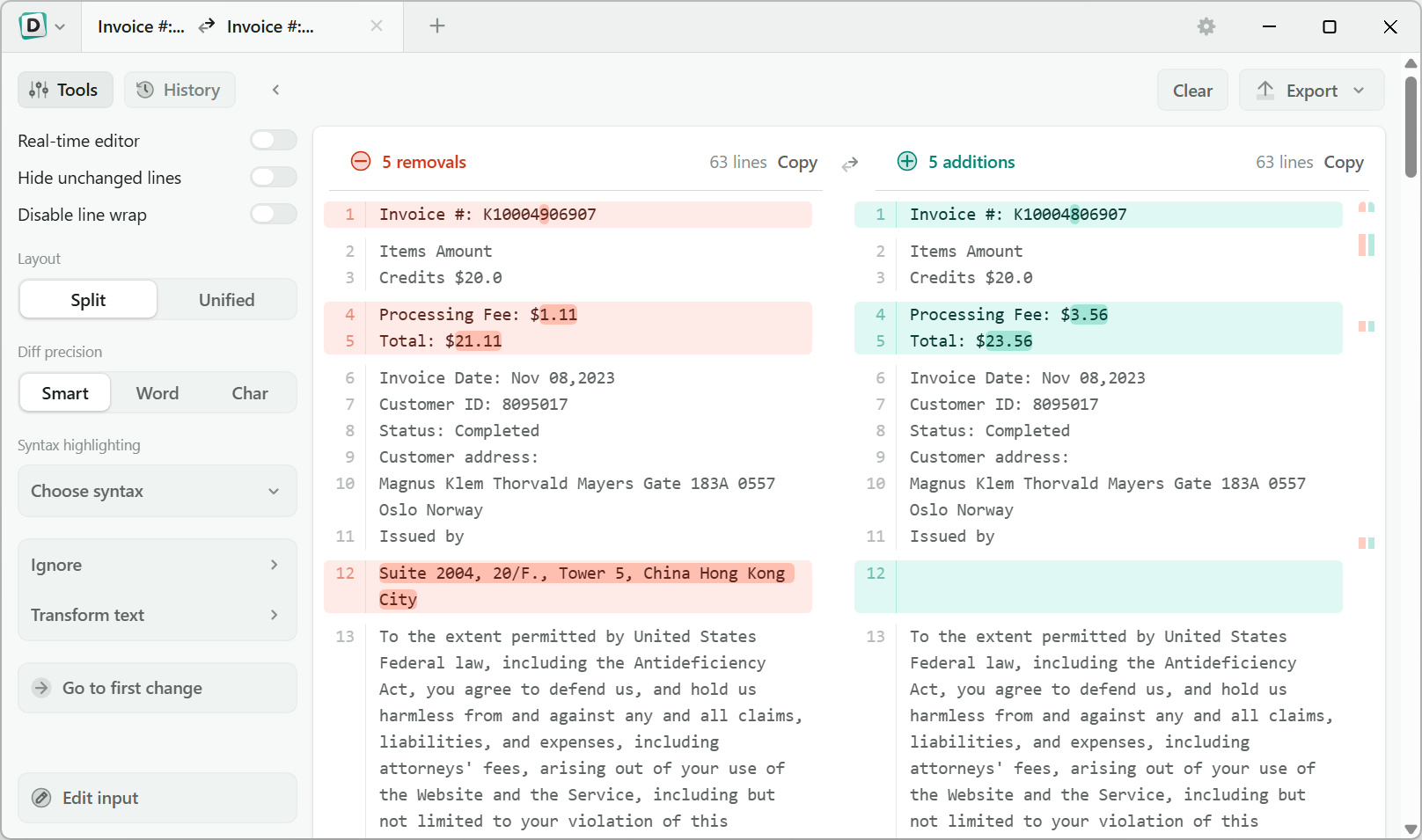
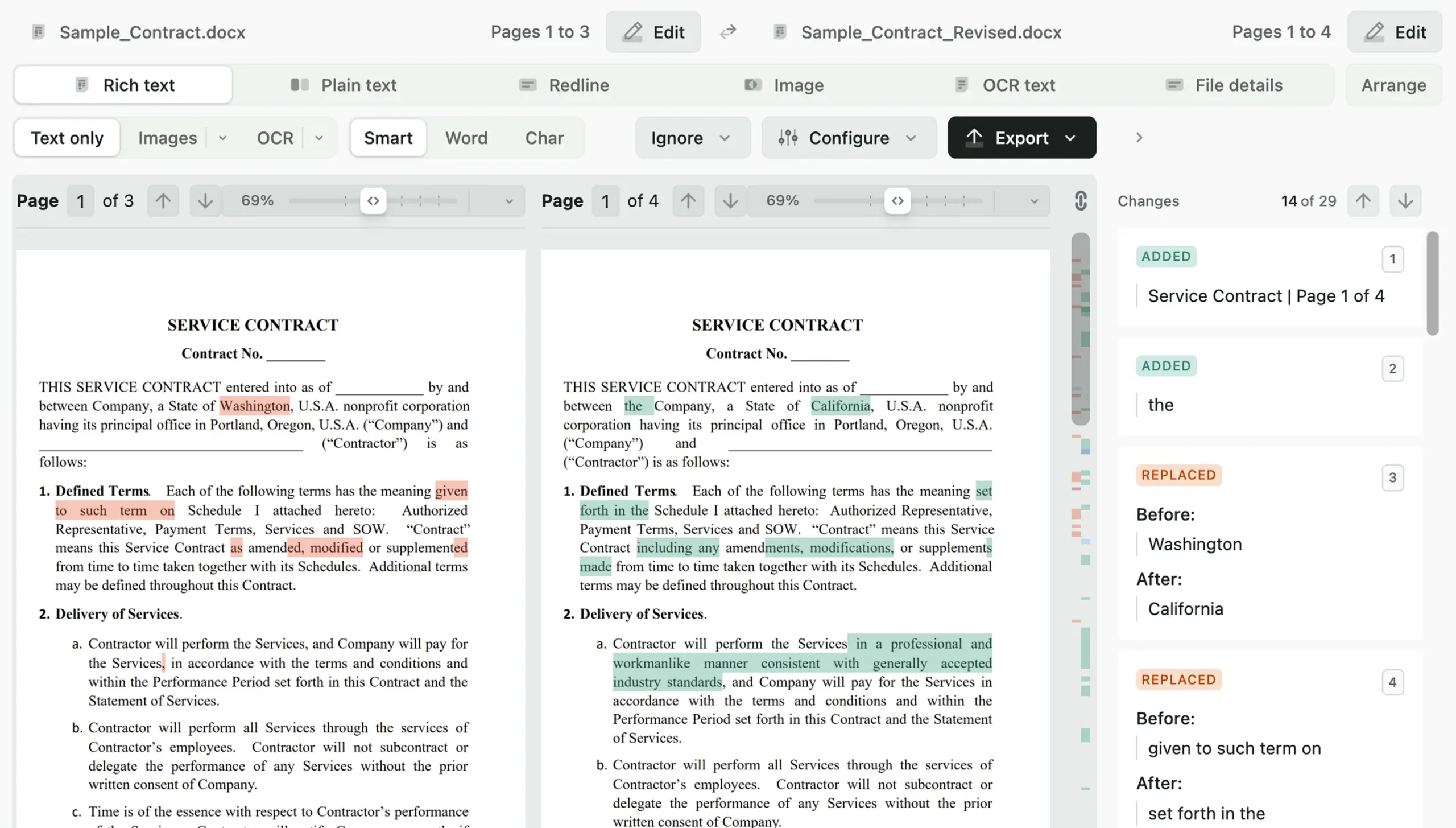
The application provides side by side comparison with highlighted differences in colors and shows all kinds of changes like edits, additions, deletions, and other modifications. There are also comparison options for various languages of source code for developers. Writers and editors can compare document revisions easily with Diffchecker Pro too. Designers and business users will be able to compare visual images and PDF files.
Users may use the function of local file comparison, folder synchronization analysis, and offline comparison without using cloud services. It is useful for working with source code, document comparison, software testing, legal review, and many other tasks.
FEATURES OF DIFFCHECKER PRO
COMPREHENSIVE FILE COMPARISON
Diffchecker Pro supports comparison of plain text, source code, Microsoft Office documents, PDFs, images, spreadsheets, and folders. Users can quickly identify the differences between two versions of a file without having to manually track each change, improving accuracy and productivity.
SIDE-BY-SIDE VISUAL COMPARISON
The software displays comparison results in a clear side-by-side view with color-coded highlights of inserted, deleted, and modified content. This visual approach makes it easy to understand changes at a glance, whether you’re reviewing documents, source code, or image files.
SOURCE CODE COMPARISON
Developers can compare code written in multiple programming languages with syntax-aware highlighting. The application helps identify changed functions, variables, formatting changes, and structural differences, making debugging, version control, and code review more efficient.
PDF, IMAGE, AND FOLDER COMPARISON
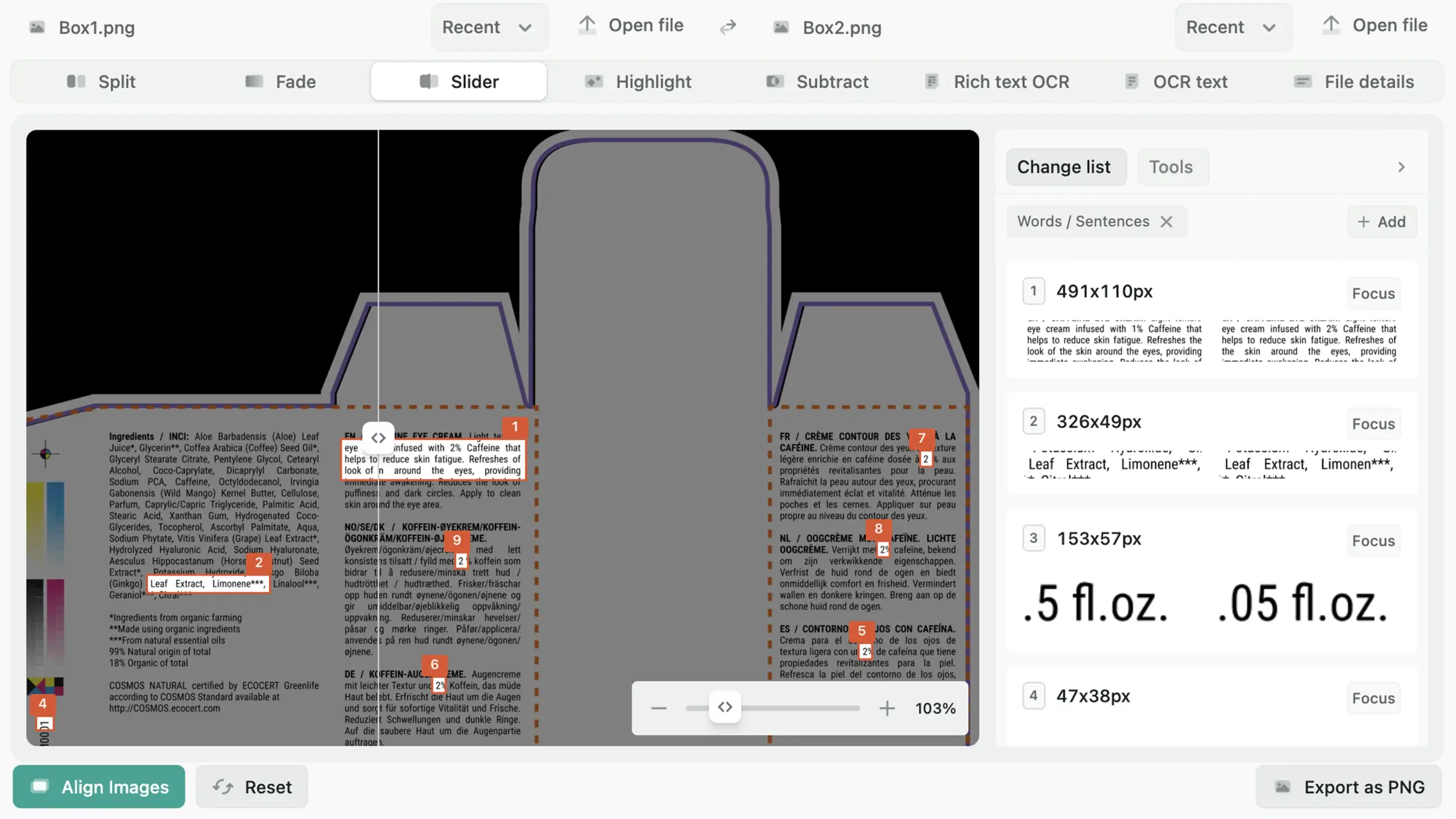
In addition to text files, Diffchecker Pro can compare PDFs, images, and directory structures. Image comparison highlights visual differences, while folder comparison identifies files that have been added, deleted, or changed. These features make the software invaluable for designers, project managers, and IT professionals.
OFFLINE ACCESS AND SECURE PROCESSING
Diffchecker Pro performs local comparisons on the user’s computer, which allows sensitive documents and proprietary code to be kept confidential. The offline feature allows users to work without an internet connection, which is ideal for secure business environments.
FAST PERFORMANCE AND USER-FRIENDLY INTERFACE
The software is optimized for fast processing of both small and large files while maintaining a clear interface. Drag-and-drop support, simple navigation, and responsive performance allow users to efficiently perform comparison tasks such as reviewing documents, verifying software updates, or managing collaborative projects.
SYSTEM REQUIREMENTS
- Supported OS: Windows 11/10/8.1/7
- Memory (RAM): 2 GB of RAM or more is required
- Hard Disk Space: 400 MB or more required