Easy Duplicate Finder is a powerful file management tool that helps users find and remove duplicate files from their Windows computers. It uses advanced comparison algorithms to scan documents, photos, videos, music, emails, and other file types, helping to keep your data organized and reclaim valuable storage space. With customizable scanning options and a user-friendly interface, it offers a safe and efficient way to remove duplicate content.
OVERVIEW OF EASY DUPLICATE FINDER
Easy Duplicate Finder is a comprehensive duplicate file management solution designed to help users identify and remove redundant files from their Windows computers. Whether your system is filled with duplicate photos, videos, music files, documents, or archives, the software uses advanced scanning algorithms to quickly and accurately detect identical or similar files.
The program offers flexible scanning options, allowing users to search the entire disk, specific folders, removable devices, and even cloud storage locations. It supports a wide range of file formats and includes special scanning modes for photos, music, emails, and documents. Preview features allow users to review duplicate files before deleting or moving them, reducing the risk of accidental data loss.
Easy Duplicate Finder also includes rules for automatically selecting duplicate files, which makes bulk cleanup faster and more convenient. Users can safely delete duplicate files, move them to another location, or archive them as they choose. This software is suitable for both personal and professional use, helping to improve storage efficiency, organize digital libraries, and improve overall system performance.
With an intuitive interface, customizable filters, and a reliable detection engine, Easy Duplicate Finder makes duplicate file management easy for both beginners and experienced users.
FEATURES OF EASY DUPLICATE FINDER
ADVANCED DUPLICATE FILE DETECTION
Easy Duplicate Finder uses intelligent comparison algorithms to identify duplicate files with high accuracy. Instead of relying on file names alone, it compares the actual file contents, ensuring reliable detection even if the files have different names.
MULTIPLE SCAN MODES
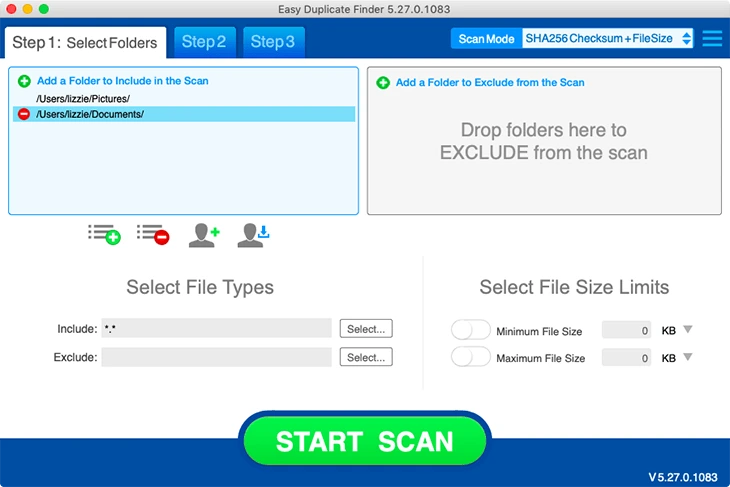
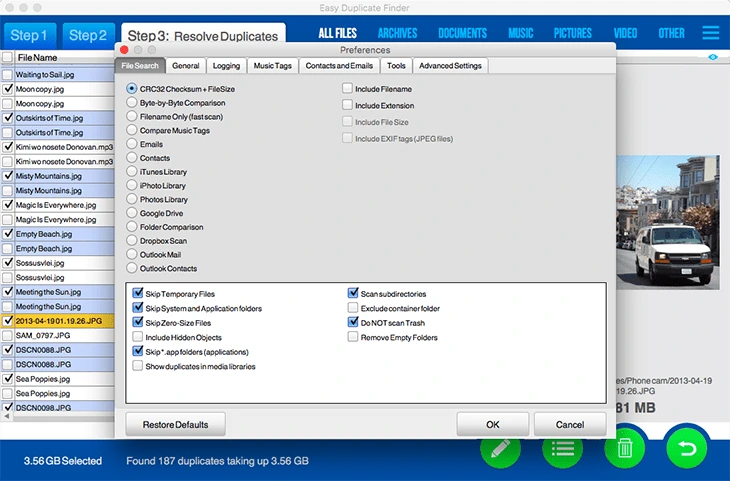
This software offers several scan modes suitable for different file types. Users can search for duplicate documents, images, videos, audio files, archives, emails, and other data. It also allows you to scan specific folders, entire drives, external storage devices, and network locations.
SMART PHOTO AND MUSIC SETTINGS
Easy Duplicate Finder includes special scan modes for photo and music collections. It identifies duplicate images regardless of file name, and detects duplicate songs using metadata such as artist, album, title, and duration, making it easy to organize your media library.
SECURE FILE MANAGEMENT
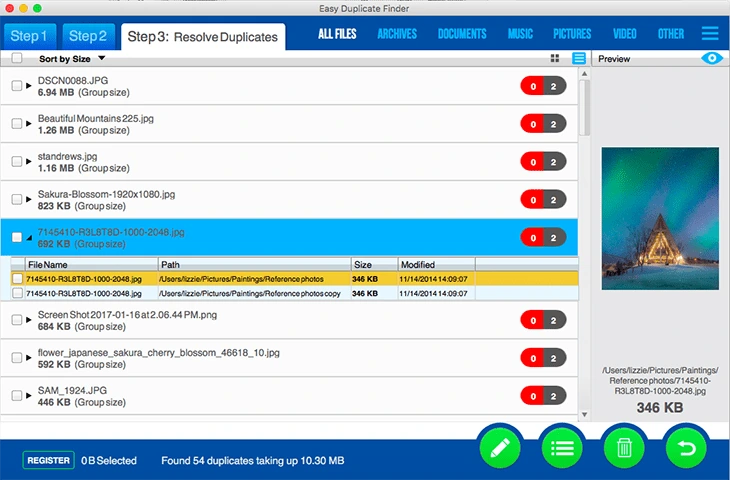
Before deleting duplicate files, users can preview the scan results and confirm each match. The software supports moving duplicate files to another folder, sending them to the Recycle Bin, deleting them permanently, or compressing them into an archive for added security.
AUTOMATIC SELECTION RULES
Managing thousands of duplicate files is now easy with built-in automatic selection options. Users can create rules to keep the newest, oldest, largest, or smallest files and automatically select duplicate files, significantly reducing manual work.
FLEXIBLE FILTERING AND USER-FRIENDLY INTERFACE
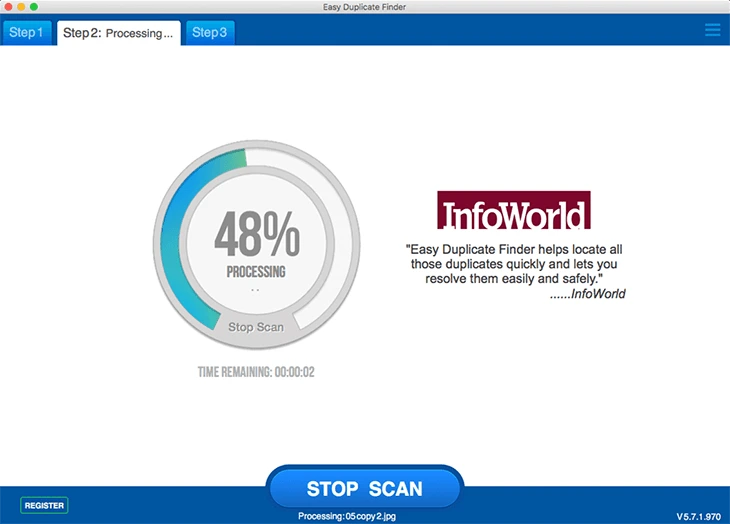
Easy Duplicate Finder offers powerful filtering options to exclude system files, specific folders, file extensions, or minimum and maximum file sizes from scanning. Its clean interface, step-by-step navigation, detailed scan reports, and customizable settings make cleaning duplicate files easy for both beginners and experienced users.
SYSTEM REQUIREMENTS
- Supported OS: Windows 11/10/8.1/7
- Memory (RAM): 1 GB of RAM or more is required
- Hard Disk Space: 100 MB or more required