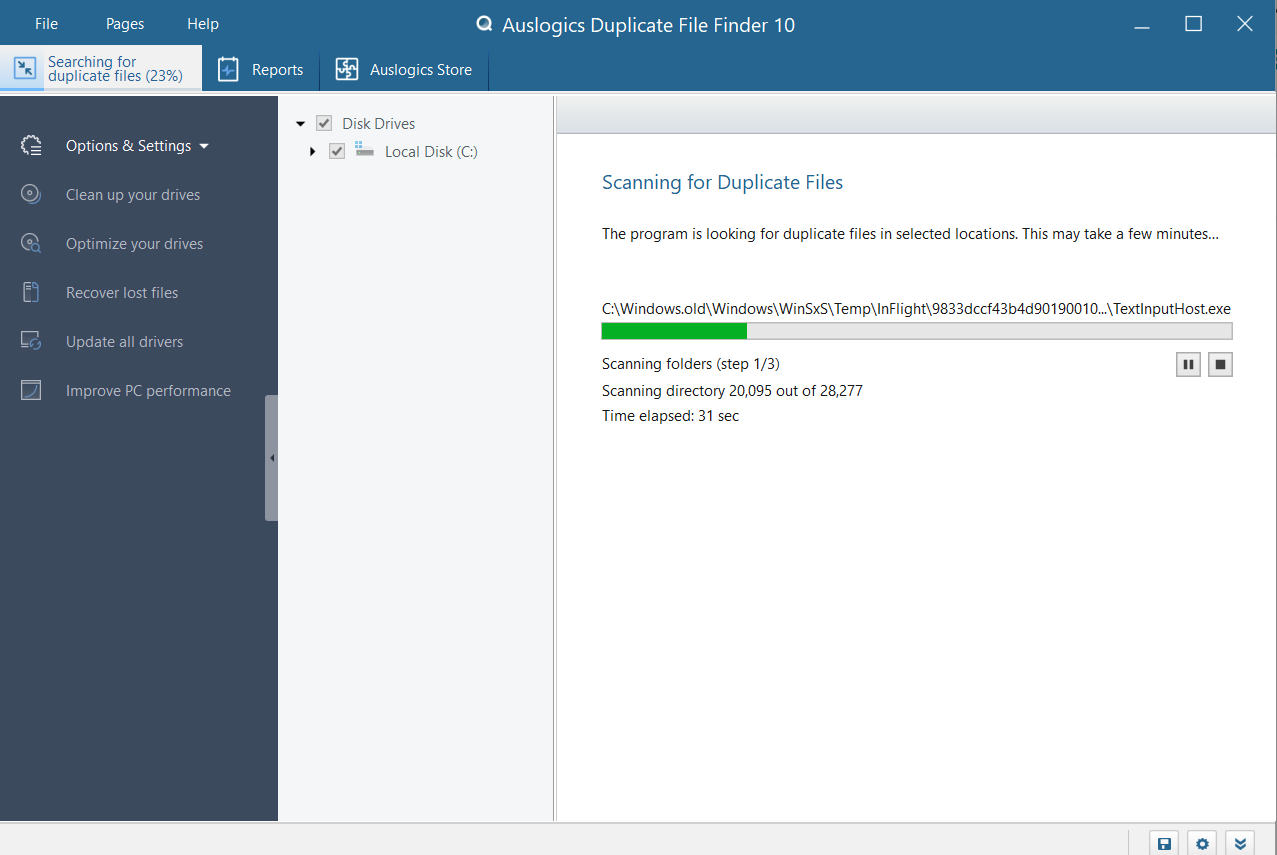
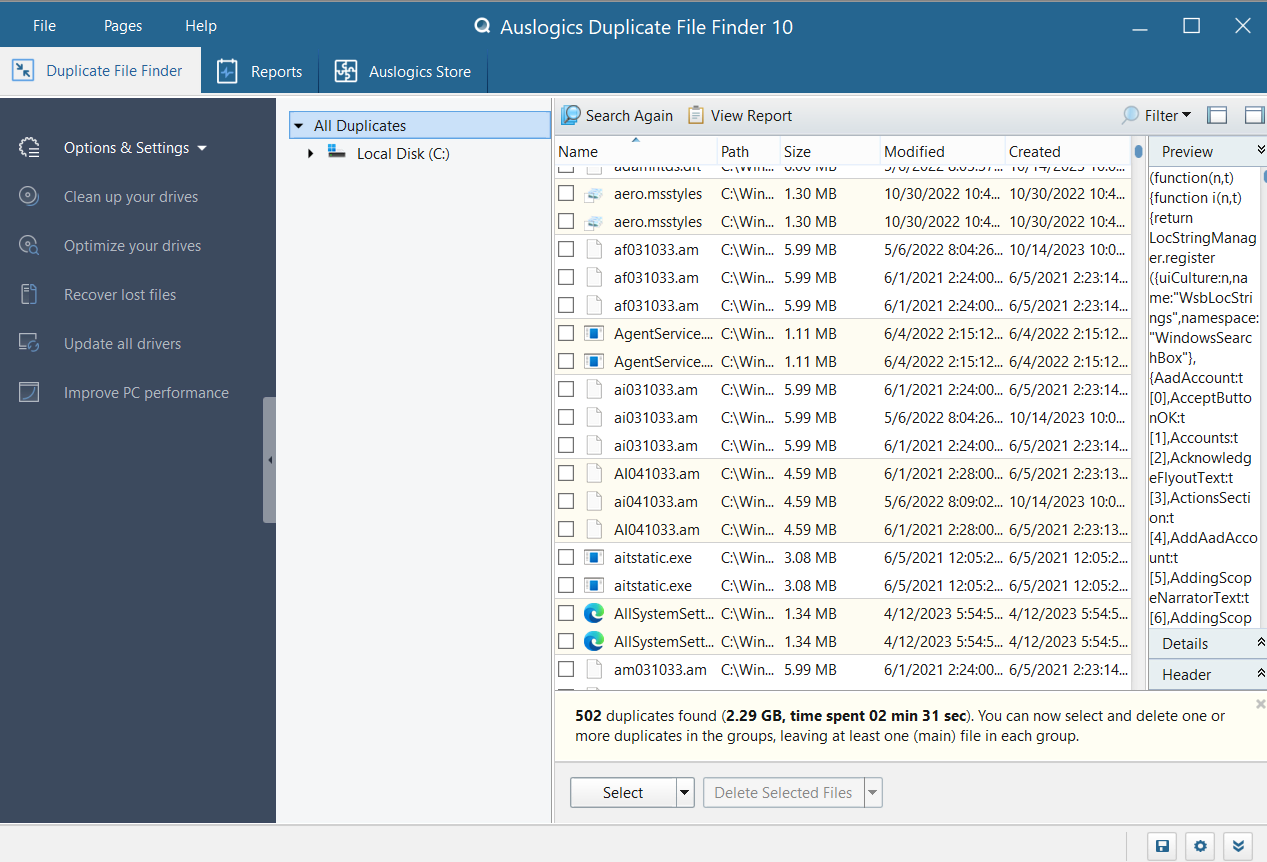

Auslogics Duplicate File Finder is a free Windows utility that helps users find and delete duplicate files to free up disk space. It scans specified folders, identifies duplicate files by their content, and allows them to be safely deleted with user control. The utility has a simple interface and supports customizable search criteria, making it user-friendly and efficient.
OVERVIEW OF AUSLOGICS DUPLICATE FILE FINDER
Auslogics Duplicate File Finder is a dedicated tool designed to help Windows users identify and remove duplicate files from their systems, ultimately freeing up valuable disk space and improving overall system organization. As files, especially photos, music, videos, and documents, accumulate over time, duplicate versions can easily accumulate, wasting storage space, and creating confusion. This software offers an effective solution for detecting duplicate files by scanning selected folders based on file content rather than file name or size, which increases the accuracy of the results.
One of the main advantages of Auslogics Duplicate File Finder is its user-friendly interface, which makes the process easy even for those with little or no technical experience. The program guides users through every step, from selecting a folder to scan to checking and confirming which duplicates should be deleted. The built-in preview feature allows users to preview images, listen to audio files, and open documents before deciding whether to delete them, ensuring that you don’t accidentally delete any important files.
In terms of functionality, the program supports a wide range of file types, including images, videos, audio files, archives, and executable files. Users can specify detailed search criteria, such as minimum/maximum file size, specific file types, and locations to include or exclude in the search. This level of customization allows for more precise and efficient searches, which is especially useful for users with large databases.
Another notable feature is the Rescue Center, which acts as a backup and restore system. If a file is accidentally deleted, users can easily restore it through the Rescue Center. This safety net provides reliability and peace of mind during the cleaning process.
Auslogics Duplicate File Finder is part of the wider Auslogics optimization suite, but it works effectively as a standalone application. It is lightweight, does not consume too much system resources, and is regularly updated to be compatible with the latest versions of Windows.
FEATURES OF AUSLOGICS DUPLICATE FILE FINDER
EFFECTIVE DUPLICATE FILE FINDER TOOL
Auslogics Duplicate File Finder is a specialized software designed to detect and delete duplicate files from your computer, free up storage space, and improve system performance. It scans your hard drive, SSD, and external storage devices for duplicate files such as documents, photos, videos, music, and other media. By removing unnecessary duplicates, this tool helps reduce clutter, effectively organize data, and optimize disk usage. The easy-to-use interface makes it accessible to both beginners and advanced users.
ADVANCED SCANNING ALGORITHMS
One of the standout features of Auslogics Duplicate File Finder is its powerful scanning engine. The software allows for precise comparisons based on file content, not just file names, and allows you to detect duplicates with different names. It can scan entire drives or specific folders, and users can set filters based on file type, size, and modification date to narrow down the search results. This accurate detection helps you recover a large amount of storage space without the risk of deleting important files.
WIDE FILE TYPE SUPPORT
The software supports a wide range of file types, including documents (DOC, PDF, TXT), images (JPG, PNG, BMP, RAW), videos (MP4, AVI, MOV), audio files (MP3, WAV, FLAC), and even system files. Users can customize the search to include or exclude specific formats, making the tool very flexible for various use cases. Whether you are cleaning up your music library, photo collection, or work documents, Auslogics Duplicate File Finder allows you to accurately identify all duplicates.
SAFE AND RELIABLE FILE DELETION
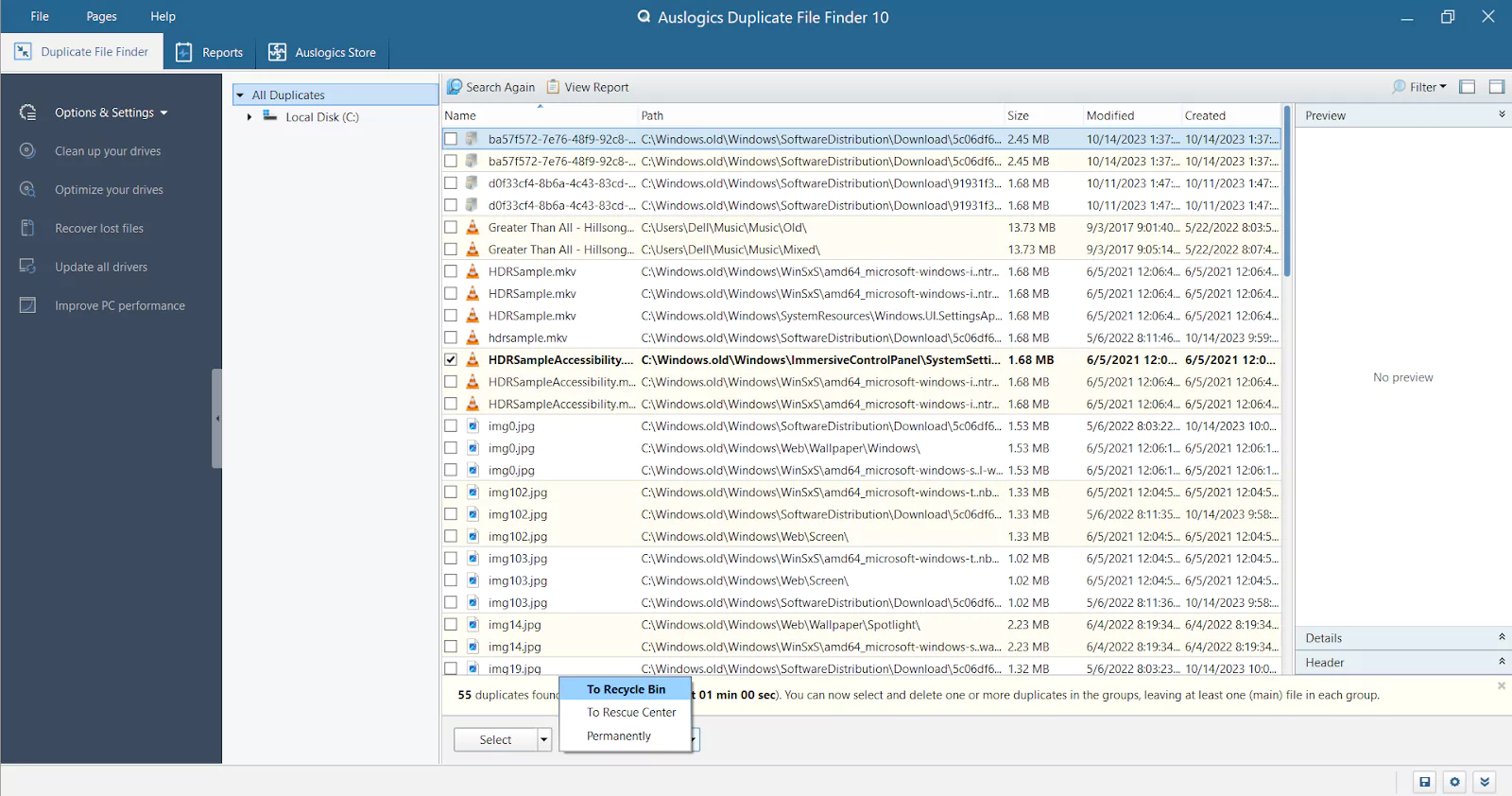
Security is the top priority of Auslogics Duplicate File Finder. After detecting duplicates, the software allows users to preview the results before deleting them. You can choose to move files to the Recycle Bin, quarantine them for further review, or delete them permanently. This ensures that no important files are accidentally deleted. In addition, the software provides smart options and automatically marks duplicate files for deletion while keeping the original files safe.
CUSTOMIZABLE SEARCH AND FILTERS
Auslogics Duplicate File Finder offers a variety of configuration options to optimize the search. Users can specify minimum and maximum file sizes, specific file extensions, and folders to scan or exclude. The tool supports partial match search, which is useful for identifying files with the same name or content. These filters make it easy to quickly identify duplicates and simplify the cleaning process.
PERFORMANCE OPTIMIZATION AND DISK CLEANING
Deleting duplicate files not only frees up storage space, but also improves system performance. Auslogics Duplicate File Finder helps your computer run more efficiently by cleaning drives and reducing the likelihood of data fragmentation. It is lightweight and fast, and can scan large drives without a significant impact on system resources. The benefits of optimization are especially noticeable on older computers or systems with limited storage capacity.
USER-FRIENDLY INTERFACE
The software has a clean and intuitive interface, making it easy for users of all technical levels to navigate and find duplicates. The scan results are clearly displayed, showing file paths, sizes, and other relevant information. The preview feature allows users to preview files before deleting them, providing an additional layer of protection. The interface offers easy-to-use controls for selecting, selecting, deleting, and managing duplicate files.
CROSS-PLATFORM AND REGULAR UPDATES
Auslogics Duplicate File Finder is compatible with all modern versions of Windows and receives regular updates to ensure performance, compatibility, and security. These updates keep the software effective on new file types, storage devices, and system configurations, providing reliable duplicate detection for both personal and professional use.
SYSTEM REQUIREMENTS
- Supported OS: Windows 11/10/8.1/7
- Memory (RAM): 1 GB of RAM or more is required
- Hard Disk Space: 100 MB or more required