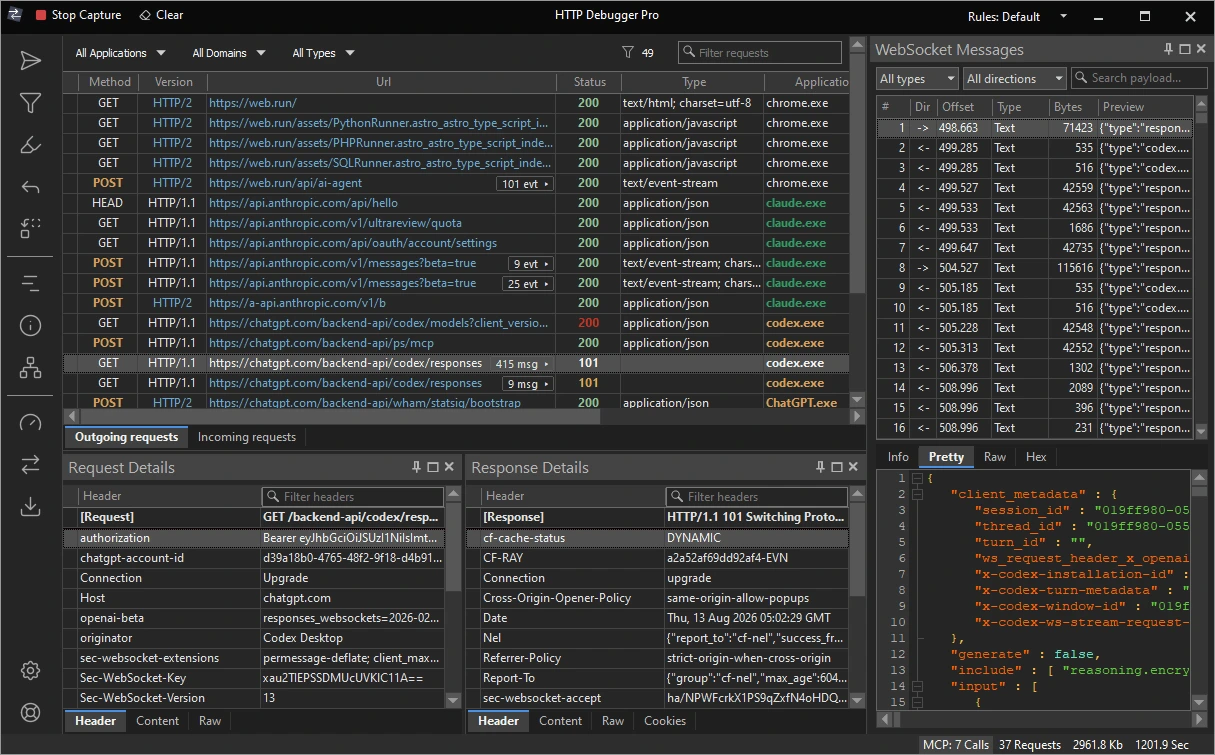
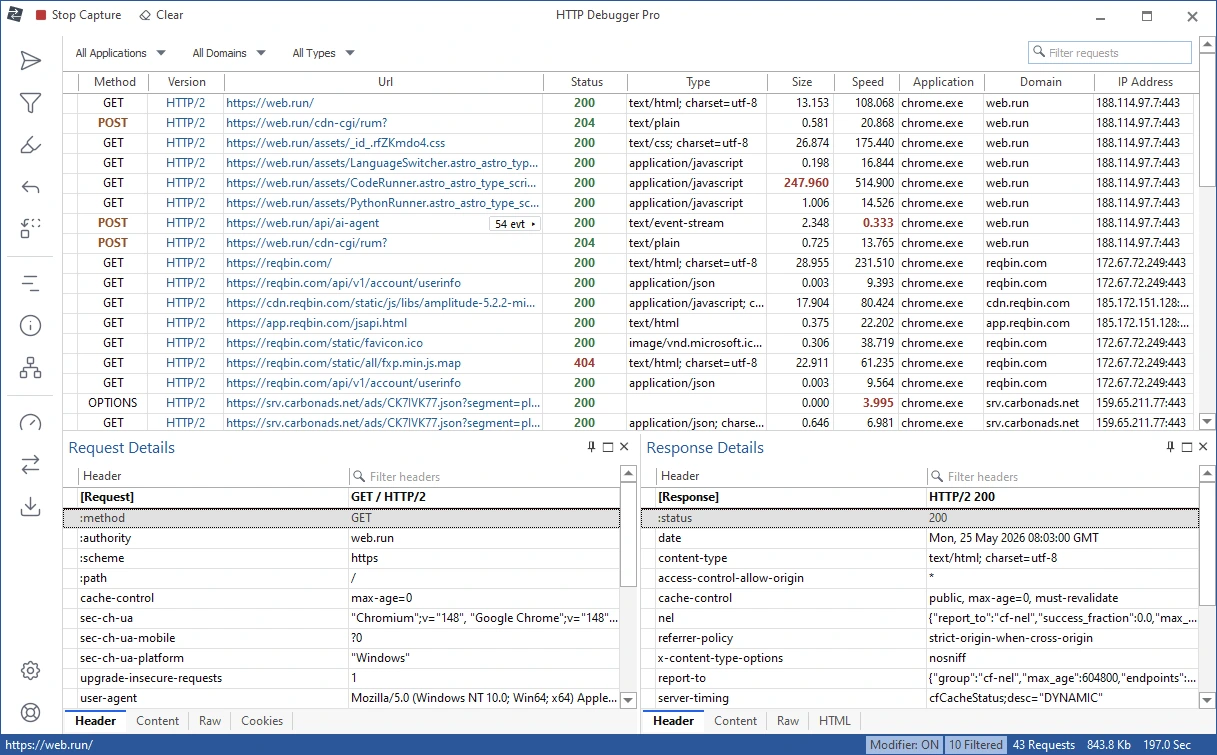

HTTP Debugger Pro is a professional Windows network monitoring tool that records, analyzes, and displays HTTP and HTTPS traffic between applications and web servers. It helps developers, testers, and IT professionals troubleshoot web applications, inspect requests and responses, monitor API communications, and diagnose network-related issues through a user-friendly interface.
OVERVIEW OF HTTP DEBUGGER PRO
HTTP Debugger Pro is a powerful HTTP and HTTPS traffic analysis tool for developers, software testers, security professionals, and network administrators. It intercepts and displays communications between desktop applications, web browsers, APIs, and remote servers, allowing users to inspect requests and responses in real time.
The software provides detailed information about HTTP headers, cookies, query parameters, response codes, redirects, authentication data, and transmitted content. By logging network traffic at the application level, HTTP Debugger Pro simplifies troubleshooting web services, REST APIs, web applications, and client-server communications without requiring complex network configuration.
Its intuitive interface includes filtering, search, and session management features that help users quickly find specific requests among thousands of recorded connections. Developers can analyze performance issues, identify communication errors, validate API responses, and monitor application behavior during development and testing.
HTTP Debugger Pro supports modern Windows operating systems and works with almost any application that uses the HTTP or HTTPS protocol. Whether you’re diagnosing network problems, validating web services, or debugging software communications, it provides comprehensive flow analysis while maintaining efficiency and ease of use.
FEATURES OF HTTP DEBUGGER PRO
REAL-TIME HTTP AND HTTPS TRAFFIC LOGGING
HTTP Debugger Pro logs HTTP and HTTPS communications as they occur, allowing users to examine requests and responses in real time. Developers can monitor browser traffic, desktop applications, APIs, and web services without changing the application code, which greatly speeds up troubleshooting.
DETAILED REQUEST AND RESPONSE ANALYSIS
The software displays complete information about each recorded session, including HTTP methods, URL addresses, headers, cookies, query strings, POST data, response headers, status codes, and transferred content. This detailed analysis helps identify communication errors, configuration issues, and unexpected server responses.
ADVANCED FILTERING AND SEARCH TOOLS
Users can quickly find relevant traffic using powerful filtering and search capabilities. Requests can be filtered by host, URL, HTTP method, response code, content type, or keywords, making it easy to analyze large volumes of traffic recorded during complex debugging sessions.
SESSION RECORDING AND EXPORT
HTTP Debugger Pro allows you to save recorded sessions for later review or sharing with team members. Export options simplify documentation, bug reporting, and collaborative troubleshooting, allowing developers to effectively reproduce and investigate network issues.
PERFORMANCE MONITORING AND DIAGNOSTICS
This software helps identify slow server responses, failed requests, redirects, timeout issues, and other communication bottlenecks. Developers can analyze request timings and application behavior to optimize web services and improve overall performance.
USER-FRIENDLY INTERFACE AND WIDE COMPATIBILITY
HTTP Debugger Pro has a clean interface that organizes collected traffic in an easy-to-read format. It supports a wide range of Windows applications, browsers, and development environments, making it ideal for software development, quality assurance testing, API debugging, web application analysis, and network diagnostics.
SYSTEM REQUIREMENTS
- Supported OS: Windows 11/10/8.1/7
- Memory (RAM): 1 GB of RAM or more is required
- Hard Disk Space: 100 MB or more required