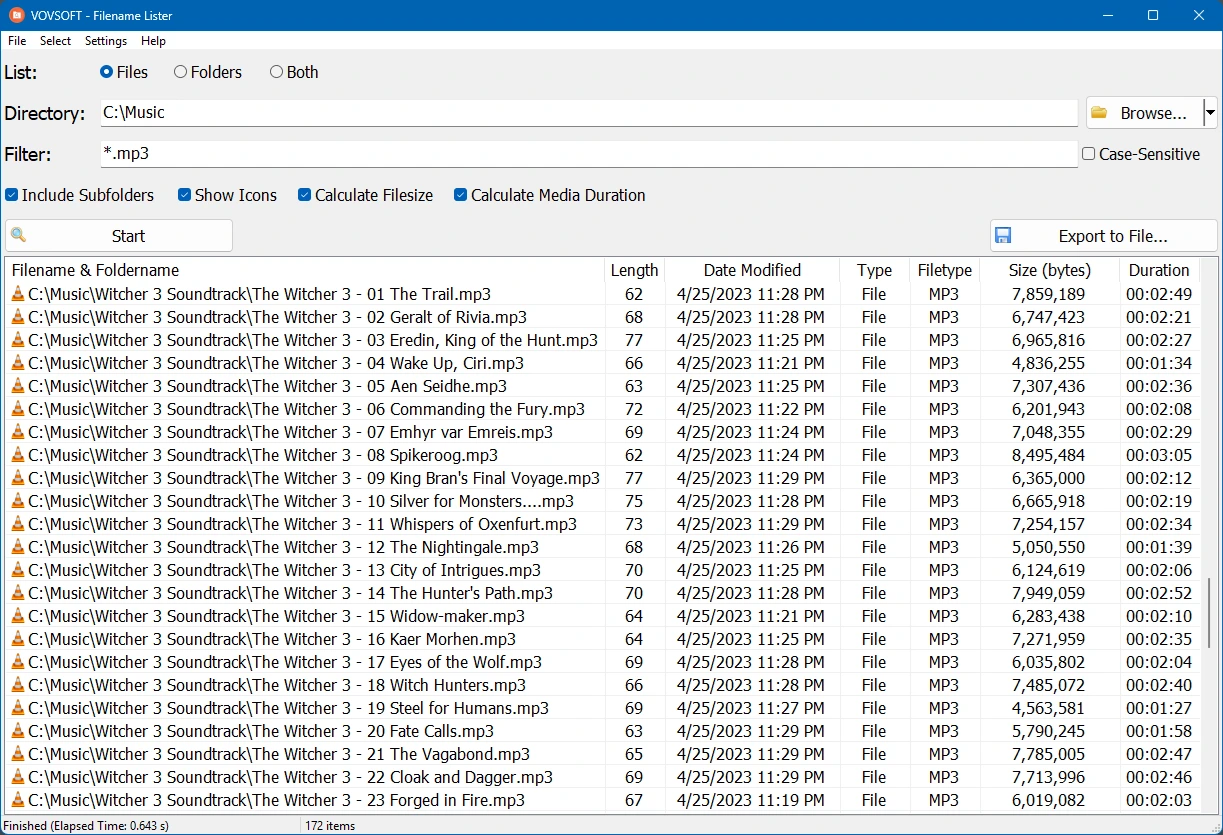

VovSoft File Name List is a lightweight file management tool that quickly generates a list of file names and folder contents from selected directories. It supports recursive scanning, customizable output, and exporting results to TXT or CSV format. Designed to be simple and fast, this application helps users organize, document, and analyze file collections without modifying the original files, making it suitable for personal, business, and administrative tasks.
OVERVIEW OF VOVSOFT FILENAME LISTER
VovSoft File Name List is an easy-to-use Windows utility designed to create a comprehensive list of files and folders stored on local drives, external storage devices, and network locations. It scans selected directories and creates an organized file record without modifying or moving the original data. This makes it an excellent tool for document cataloging, media library management, storage auditing, and file record keeping.
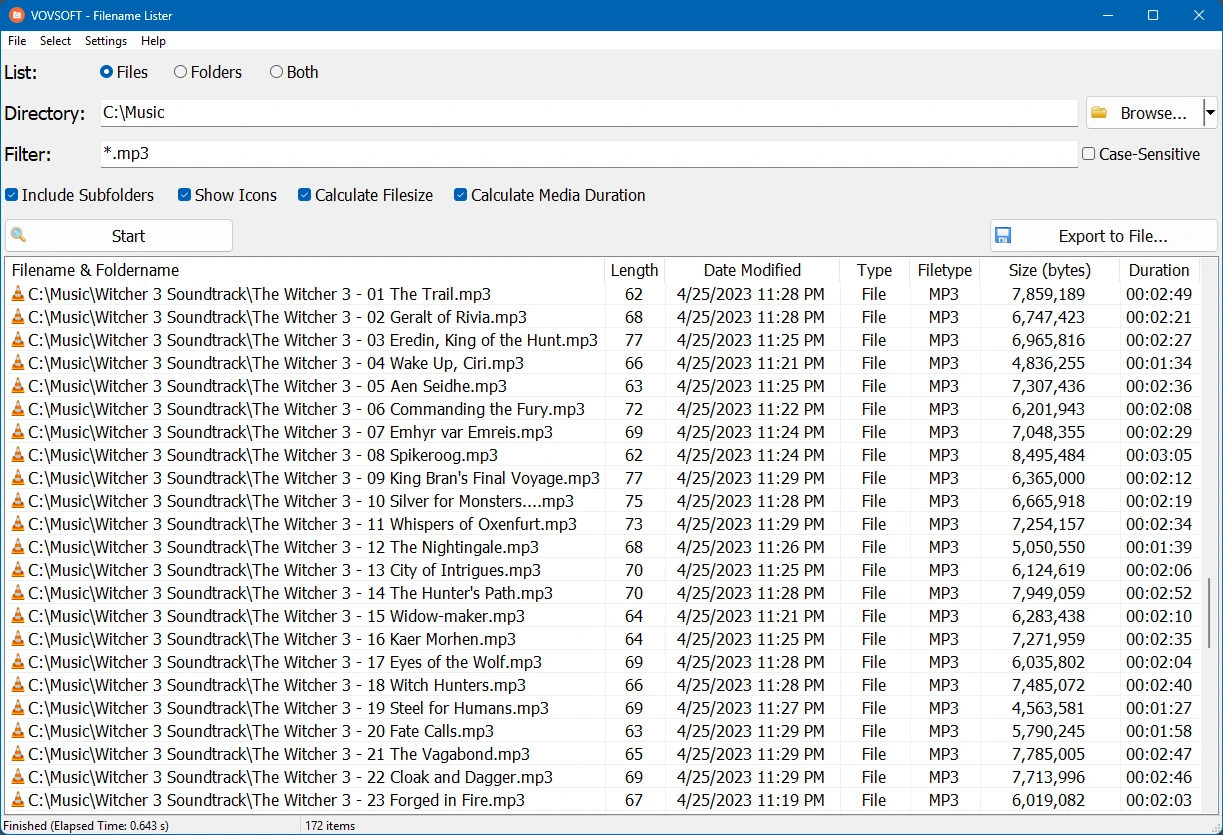
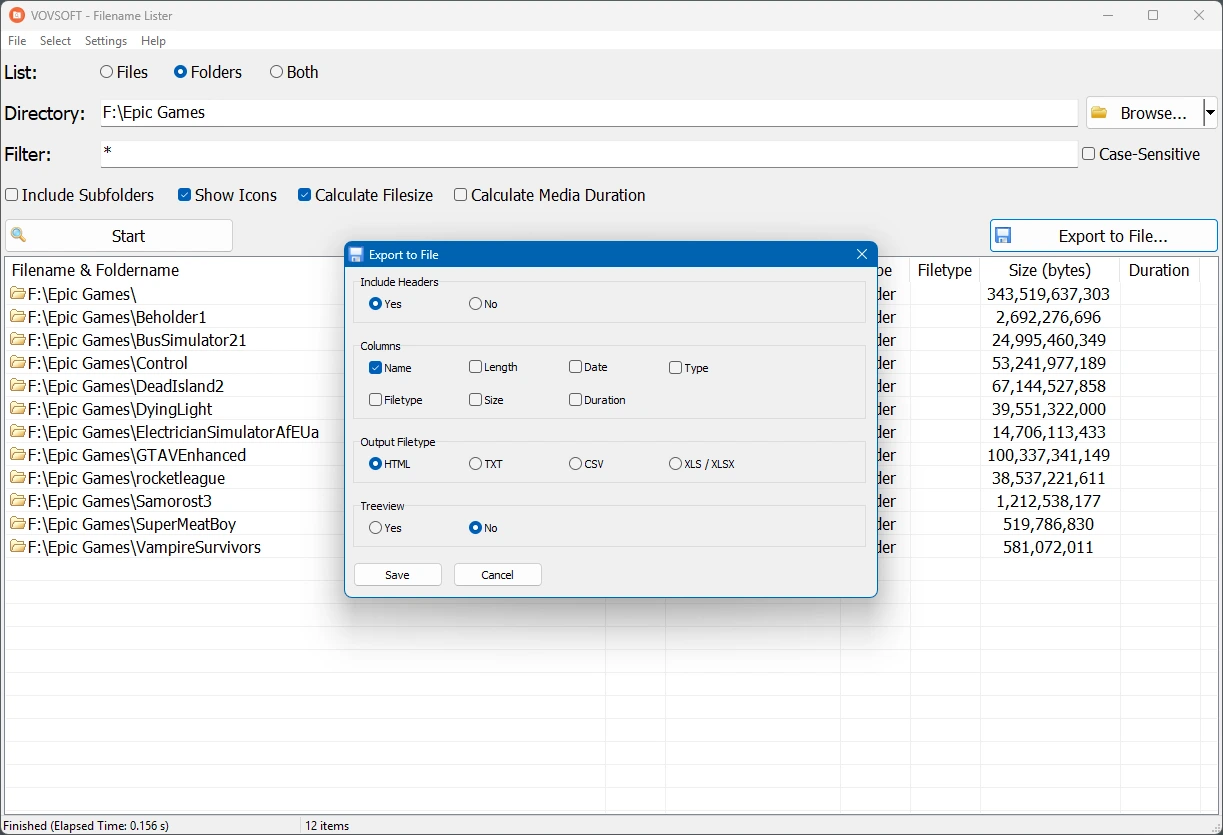
The software provides recursive directory scanning and allows users to include subfolders in the generated list. Users can customize the exported information by entering file names, file paths, extensions, sizes, and other available information as per their requirements. The generated lists can be saved in common formats such as TXT and CSV, making them easy to share, archive, or import into spreadsheet applications for further analysis.
VovSoft File Name List has a clean and intuitive interface that requires minimal training, making it suitable for both beginners and experienced users. The lightweight design allows for fast scanning while consuming very little system resources. Whether you need to document project files, create inventory records, track folder contents, or organize large data collections, VovSoft Filename Lister offers a reliable and efficient solution for creating accurate file lists with just a few clicks.
FEATURES OF VOVSOFT FILENAME LISTER
FAST FILE AND FOLDER LIST
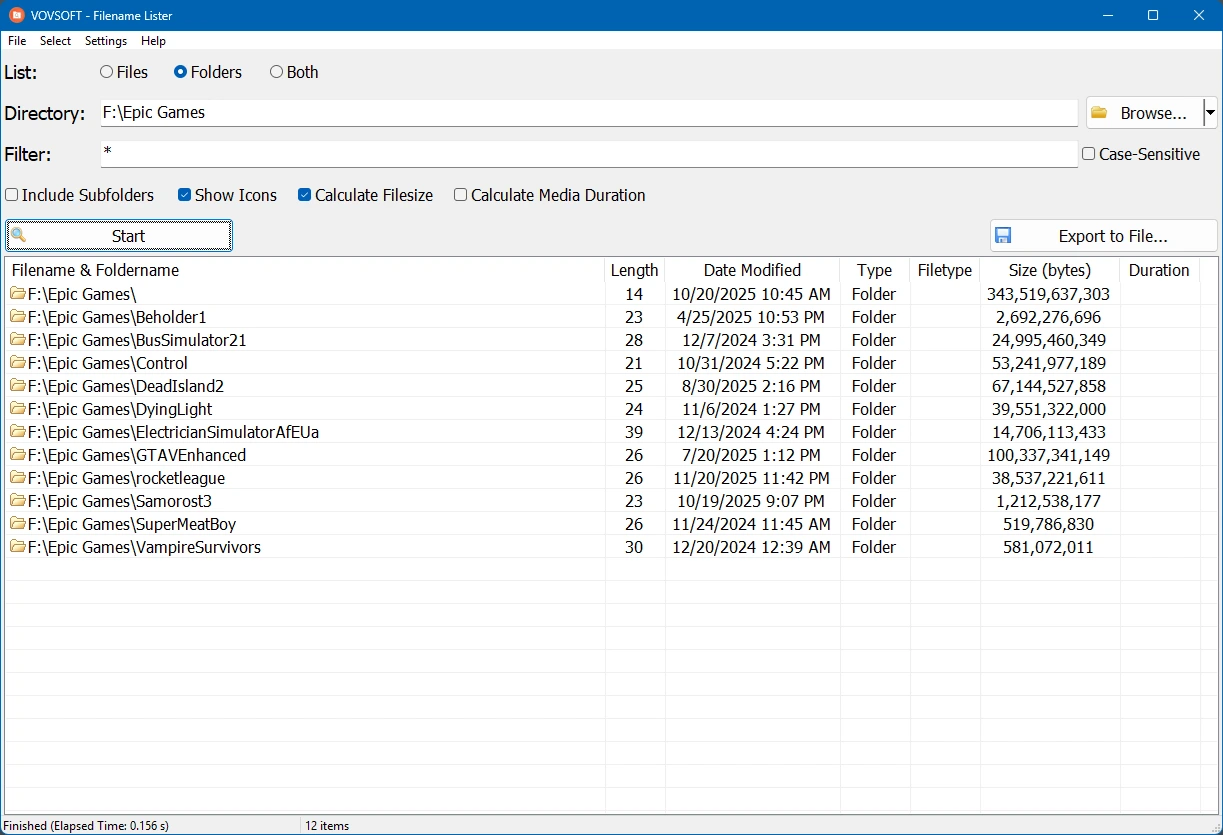
VovSoft File Name List quickly scans selected directories and generates a comprehensive list of files and folders. It efficiently processes both small and large directories, helping users create accurate records in seconds.
DUPLICATE FOLDER SCANNER
The software automatically scans subfolders and ensures that all files in the directory tree are included in the generated list. This feature is especially useful for managing large projects, backups, archives, and extensive media collections.
CUSTOMIZABLE OUTPUT
Users can customize the generated list by selecting the information they want to include, such as file name, full path, file extension, and other available file details. This flexibility allows you to customize the output to meet the needs of various documents and reports.
EXPORT TO MULTIPLE FORMATS
The generated file list can be exported to popular formats such as TXT and CSV. These files can be easily opened in text editors, spreadsheet software, and database applications, making further processing, sorting, or sharing easy and convenient.
LIGHTWEIGHT AND USER-FRIENDLY INTERFACE
VovSoft File Name Lister is designed with simplicity in mind. The easy-to-use interface allows users to select folders, set options, and create file lists without requiring any technical knowledge. The lightweight program runs quickly and smoothly, using minimal resources.
GOOD FOR ORGANIZATION AND DOCUMENTATION
This software is useful for documenting project files, creating archive backups, auditing folder contents, tracking backups, organizing digital libraries, and preparing file reports. It only reads reference information and never modifies existing files, so users can safely create detailed file lists without putting their data at risk.
SYSTEM REQUIREMENTS
- Supported OS: Windows 11/10/8.1/7
- Memory (RAM): 1 GB of RAM or more is required
- Hard Disk Space: 100 MB or more required