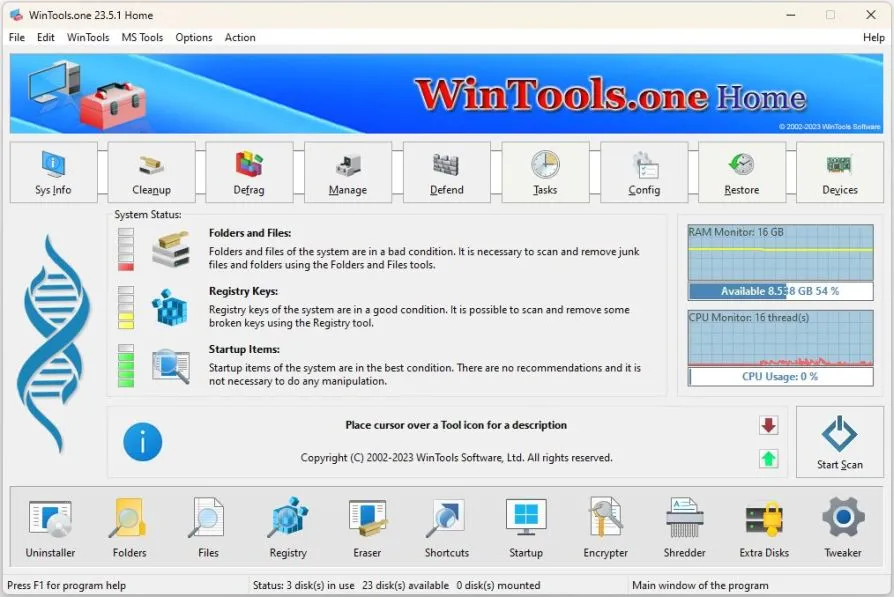
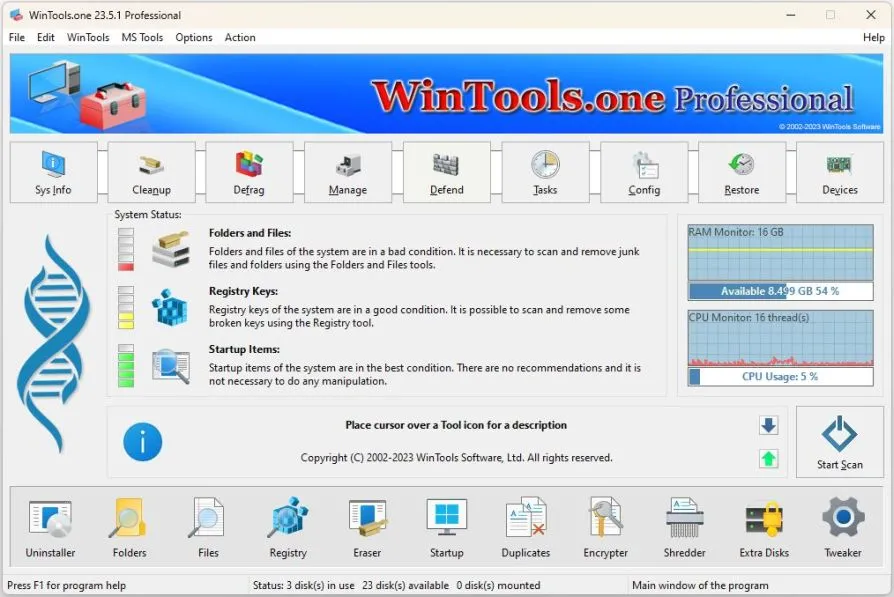
WinTools.one is a Windows optimization suite designed to improve system performance, privacy, and control. It provides tools to manage startup programs, remove unwanted software, clean up system clutter, and improve security.
Users can tweak system settings, optimize memory usage, protect personal information, and make their computers run smoother and faster. With its intuitive interface, WinTools.one is suitable for both beginners and advanced users who want to maintain stability, increase speed, and customize Windows to their liking.
OVERVIEW OF WINTOOLS.ONE PROFESSIONAL
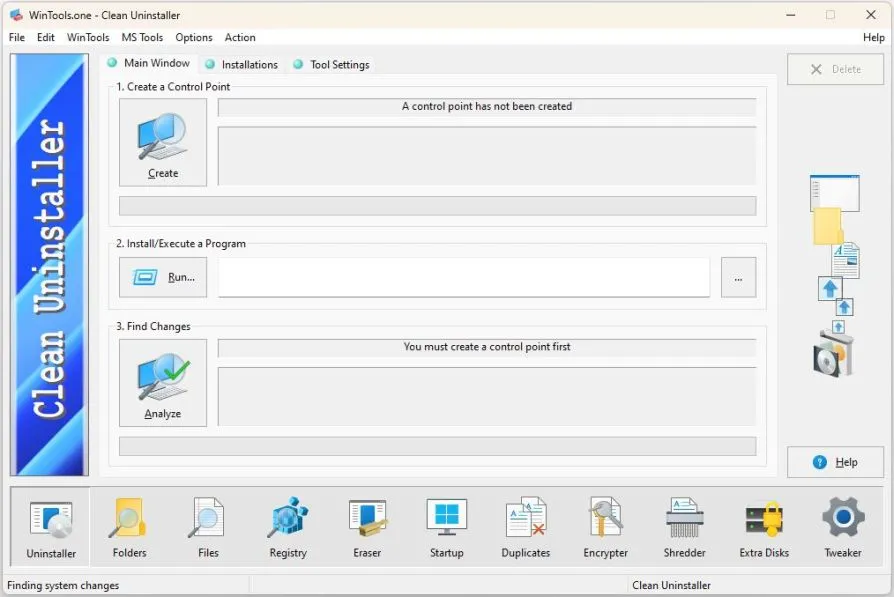
WinTools.one is an advanced system optimization and maintenance tool designed to keep Windows computers running smoothly, reliably, and efficiently. It offers a wide range of tools that allow users to clean up unnecessary files, remove residual data from uninstalled programs, and manage startup programs to speed up boot times. It helps improve overall system performance and responsiveness by freeing up system resources and optimizing memory usage.
In addition to cleaning, WinTools.one also provides powerful customization features that allow users to customize Windows settings to their liking. It includes privacy-focused options such as securely deleting confidential information and preventing unauthorized access to personal information. Registry management tools help repair, clean, defrag, reduce errors, and improve system stability.
Designed with both casual users and advanced professionals in mind, the software features an intuitive interface that offers detailed control while simplifying navigation. Whether your goal is to increase speed, improve security, or maintain long-term stability, WinTools.one offers a comprehensive solution to keep Windows optimized and secure. This integrated tool makes it easy to maintain a healthy PC environment without using multiple separate tools.
FEATURES OF WINTOOLS.ONE PROFESSIONAL
COMPREHENSIVE SYSTEM CLEANUP
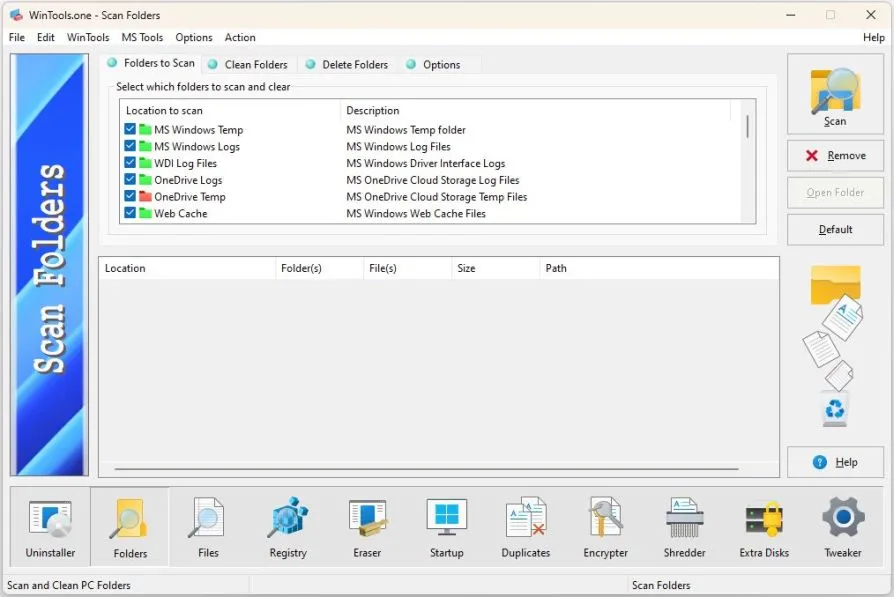
WinTools.one offers a powerful tool to clean up unnecessary files and system clutter that have accumulated over time. It reliably removes temporary files, registry entries, caches, and outdated installation leftovers, freeing up valuable disk space and improving system performance. By reducing the burden of unnecessary data on your operating system, software can run more smoothly and respond more quickly. This cleaning process reduces the likelihood of file conflicts, improves the efficiency of routine operations, and makes your computer feel fresh and responsive.
ADVANCED STARTUP MANAGEMENT
An important feature of WinTools.one is its ability to manage startup programs. Many programs run automatically when Windows boots, which significantly slows down the startup speed. WinTools.one provides an easy interface to disable or postpone these programs, giving users complete control over what the system loads. By reducing unnecessary background processes, boot times are improved and system resources are available for more important tasks. This ensures a more economical, faster, and more responsive computing environment.
REGISTRY OPTIMIZATION AND REPAIR
The Windows registry is an important part of the operating system, which over time becomes filled with invalid entries, residual keys, and unused information. WinTools.one includes a powerful registry cleaner and optimizer that helps maintain system stability. It scans for errors, broken references, and conflicts, and repairs them to prevent crashes and errors. In addition, the registry optimization tool decompresses, compresses, and reduces the size of the registry, improving access speed. This results in faster performance and fewer system crashes.
ENHANCED PRIVACY PROTECTION
Protecting personal information is a top priority for many users, and WinTools.one provides privacy protection. It allows users to clean their Internet browsing history, recently opened files, and application usage history, ensuring that their personal information is not at risk. In addition to basic privacy cleaning, the software also offers secure file deletion methods to permanently delete data and prevent recovery by third-party tools. It is a great choice for those who want to protect their personal and professional data from unauthorized access.
SYSTEM TWEAKING TOOLS
WinTools.one goes beyond optimization and cleaning by offering Windows tuning features. Users can change hidden system settings, adjust interface settings, and optimize network parameters. These tuning options give users complete control over their environment and allow them to customize their system to suit their workflow and performance needs. From fine-tuning visual effects to managing hardware resources, WinTools.one allows you to create a personalized computing experience while maintaining stability and efficiency.
USER-FRIENDLY INTERFACE WITH PROFESSIONAL POWER
WinTools.one is packed with features, but it is designed with a clear and accessible interface that is suitable for both beginners and advanced users. Clear menus and simple navigation make system maintenance easy for non-technical users, while advanced options provide the depth needed by professionals. The software combines a number of optimization and maintenance tools into a single platform, reducing the need for separate tools. WinTools.one provides a balance of simplicity and power to keep your Windows system secure, stable, and performing at its best.
SYSTEM REQUIREMENTS
- Supported OS: Windows 11/10/8.1/7
- Memory (RAM): 1 GB of RAM or more is required
- Hard Disk Space: 100 MB or more required