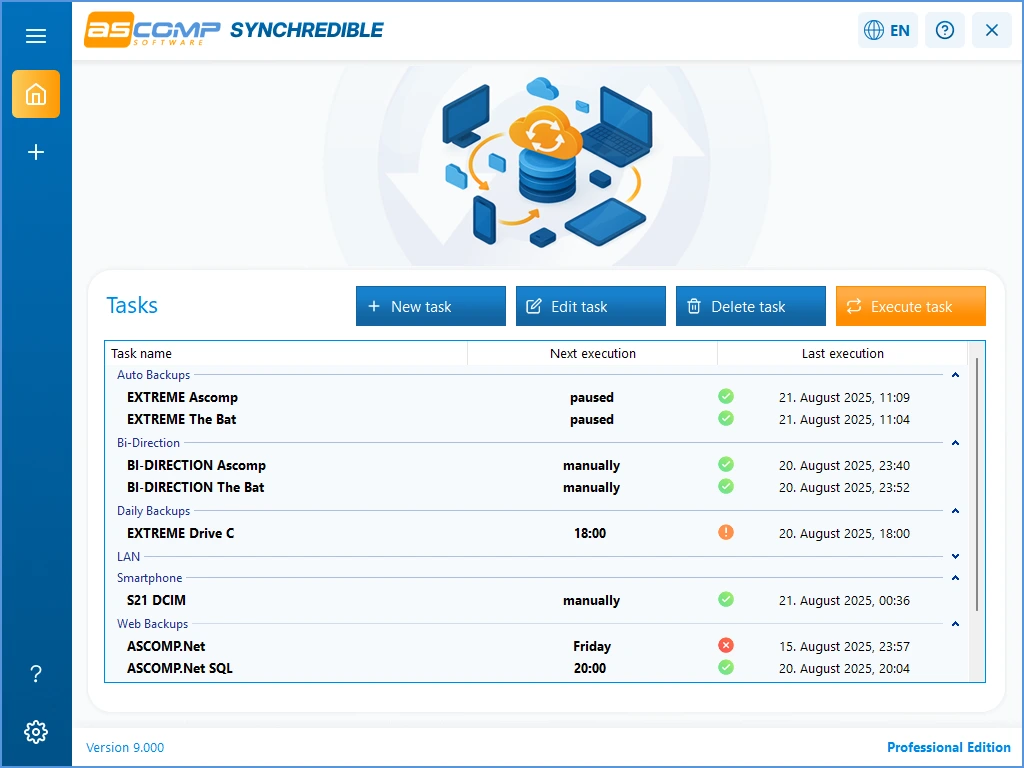
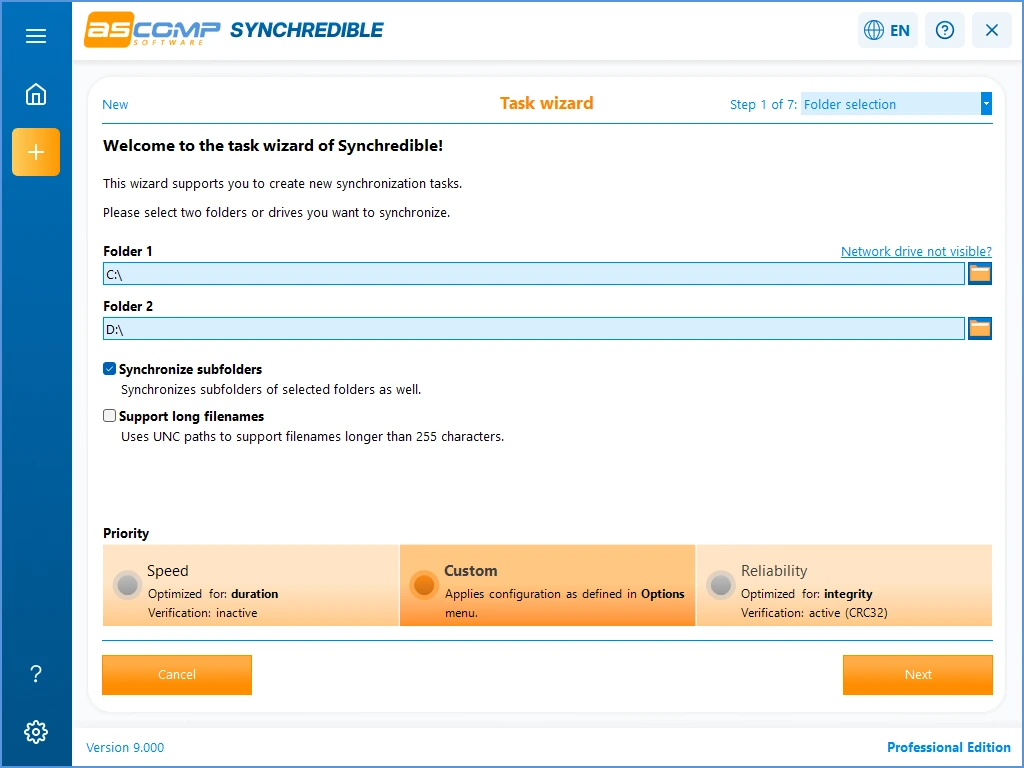
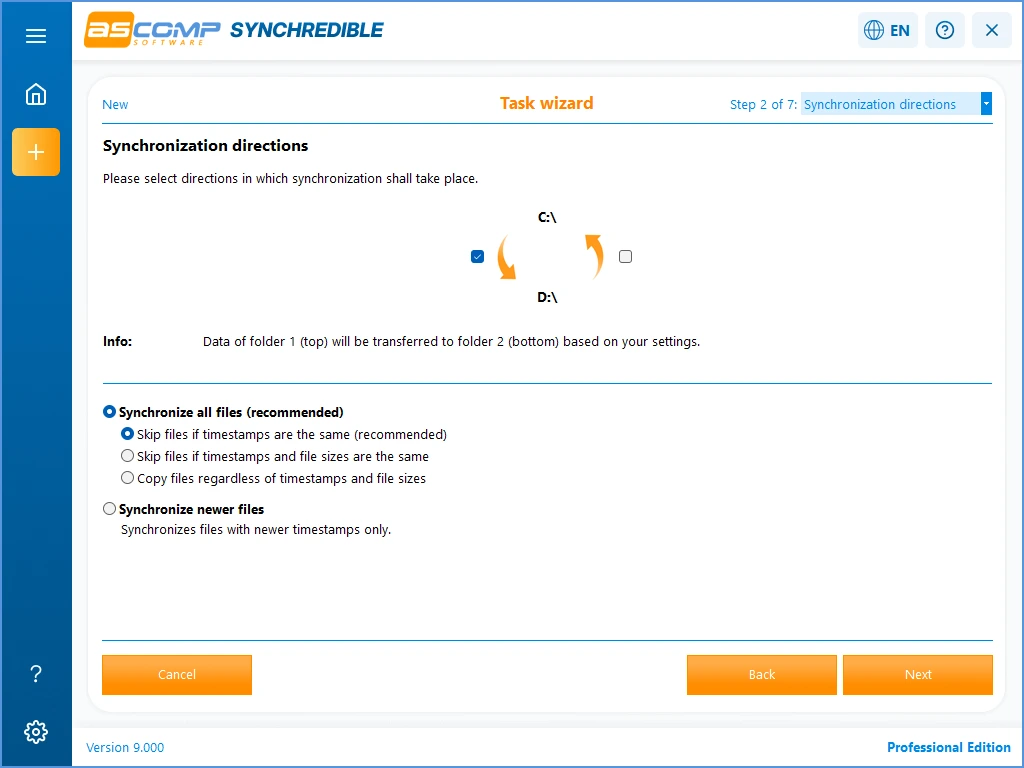
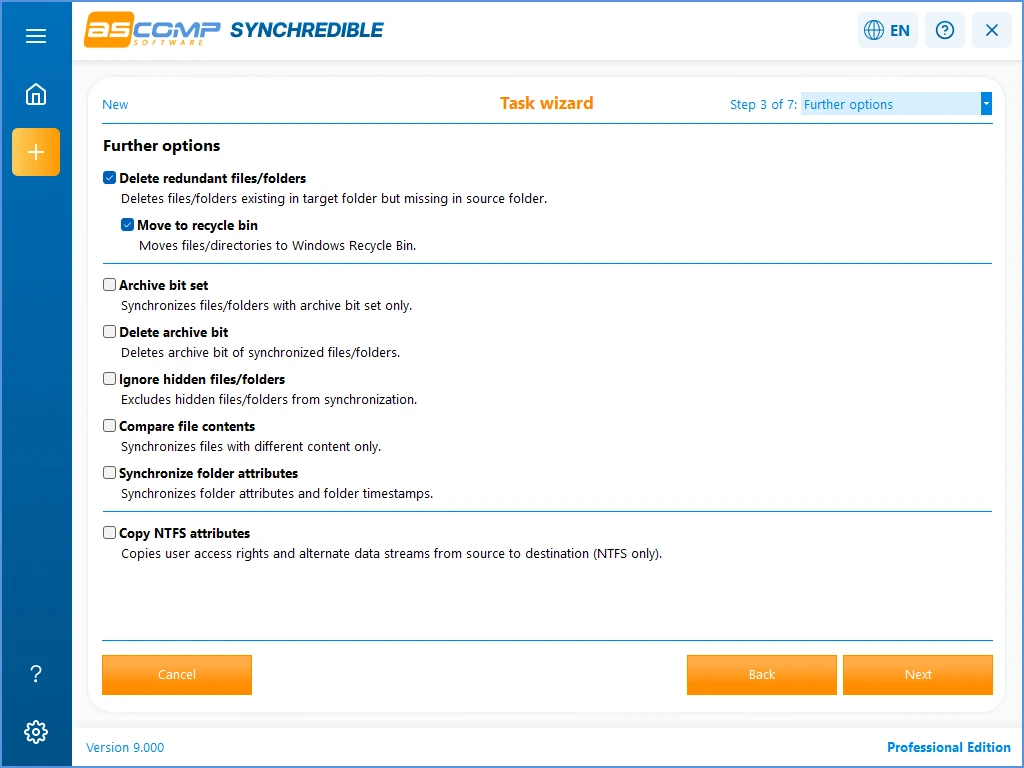

Synchredible Professional is a Windows file synchronization and backup tool designed to keep files and folders synchronized across multiple locations. It can compare folders, transfer changed files, and automate synchronization tasks based on user-defined schedules. The software supports local drives, external storage, and network locations, making it useful for backup, data management, and keeping multiple copies of important files up to date.
OVERVIEW OF SYNCHREDIBLE PROFESSIONAL
Synchredible Professional is a powerful file synchronization and backup solution for Windows that helps users keep their important data consistent across multiple locations. It compares folder contents, synchronizes new or changed files, and reduces the need to manually copy data between drives, computers, and storage devices.
The software is suitable for a variety of tasks, including creating backups, synchronizing work files, maintaining duplicate folders, and transferring data between local and network locations. Users can customize synchronization tasks to suit their needs and automate repetitive tasks with scheduled tasks.
Synchredible Professional offers several synchronization options that allow users to control how files are compared, copied, updated, or deleted. It helps identify changes between the source and destination folders and transfer only the data that is needed, making synchronization more efficient.
The program also offers features to manage different synchronization scenarios, including one-way and two-way synchronization. Its Windows-based interface is designed to make it easy to set up and manage synchronization tasks.
Whether you use it for personal data, office documents, project files, or regular backups, Synchredible Professional offers a convenient way to keep files organized, synchronized, and accessible across multiple locations.
FEATURES OF SYNCHREDIBLE PROFESSIONAL
AUTOMATIC FILE SYNCHRONIZATION
Synchredible Professional can automatically synchronize files and folders between different locations. It compares the data in the source and destination and transfers the files according to the configured synchronization rules. This reduces repetitive manual copying and helps maintain a stable copy of important data.
FLEXIBLE SYNCHRONIZATION MODES
The software supports different synchronization methods to suit different requirements. Users can configure one-way synchronization when they need to copy data from one location to another, or use two-way synchronization when they need to incorporate changes from both locations. This flexibility makes it ideal for backups and collaborative workflows.
SCHEDULED SYNCHRONIZATION
Synchredible Professional allows you to automate synchronization tasks on a schedule. Recurring tasks can be set to run at a selected time or interval, so users can keep their backups up to date without having to manually initiate each synchronization.
LOCAL AND NETWORK SUPPORT
The program can work with files stored on local hard drives, removable storage devices, and network locations. This provides a centralized way to manage recurring data transfer tasks, making it useful for synchronizing documents between different drives, computers, and shared folders.
SMART FILE COMPARISON
Synchredible Professional compares files and folders to identify differences before transferring data. By focusing on new or changed information, synchronization tasks can avoid unnecessary duplication. This can save time and reduce the amount of data that needs to be transferred during regular synchronization operations.
BACKUP AND DATA MANAGEMENT
In addition to simple folder synchronization, the software can be used as part of a regular backup strategy. Users can create copies of important documents, projects, photos, and other files in separate storage locations. Configurable tasks and automation make it easy to maintain these copies on a regular basis.
SYSTEM REQUIREMENTS
- Supported OS: Windows 11/10/8.1/7
- Memory (RAM): 1 GB of RAM or more is required
- Hard Disk Space: 100 MB or more required