PC Internals Pro is a powerful system tool designed to analyze, manage, and optimize Windows internals. It offers advanced tools to inspect processes, drivers, startup items, and registry entries, giving users deep insights into system performance, troubleshooting, and optimizing for smoother, more secure PC operation.
OVERVIEW OF PC INTERNALS PRO
PC Internals Pro is a robust and versatile system utility designed to provide a deep understanding of the inner workings of Windows computers. Unlike standard system utilities that only provide high-level visibility into running processes or installed applications, PC Internals Pro allows users to delve deeper into and analyze the core components of their system. It is designed for IT professionals, system administrators, and advanced users who need to closely monitor and understand their computer’s performance, as well as those who want to optimize performance and ensure system stability.
One of the key features of PC Internals Pro is its process and service management capabilities. Users can view all active processes running in the background and get detailed information about CPU and memory usage, associated files, network activity, and dependencies. This feature makes it easy to identify resource-hungry applications, misbehaving services, or malware that may be affecting security and system performance. In addition, PC Internals Pro offers advanced driver management, which allows users to inspect all installed drivers, check their status, and troubleshoot issues that may be affecting system stability or hardware performance.
Startup program management is another important aspect of PC Internals Pro. Many computers experience slow boot times due to unnecessary or unnecessary startup entries. The software provides a detailed overview of all programs and services that open at startup and allows users to enable, disable, or remove them as needed. By optimizing startup, users can significantly improve boot speed and system responsiveness.
FEATURES OF PC INTERNALS PRO
HARDWARE ANALYSIS
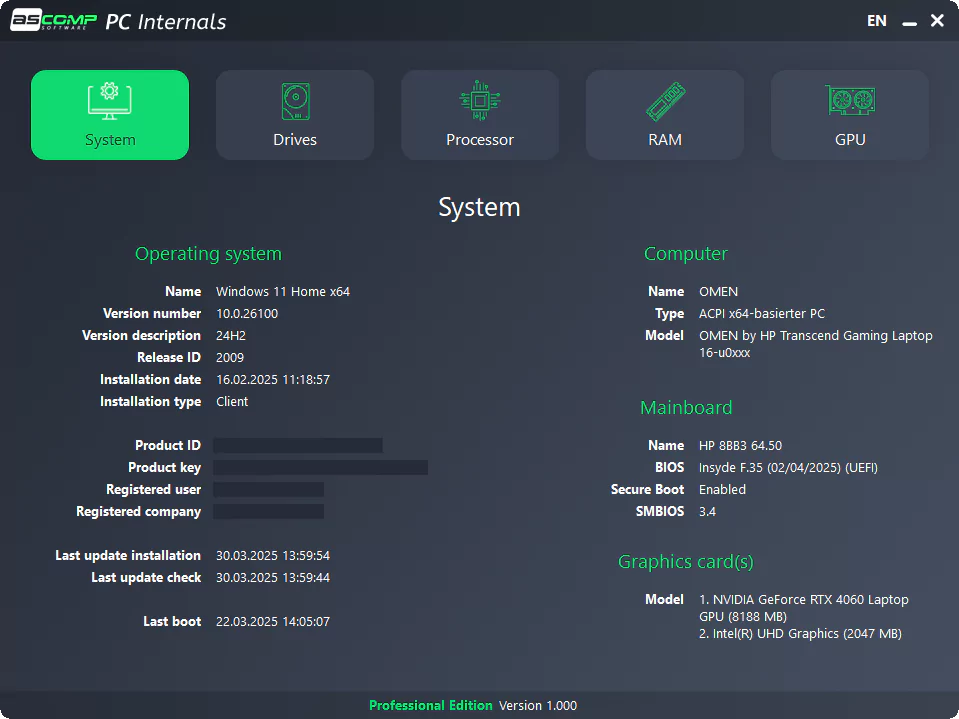
PC Internals Pro provides detailed real-time information about the main components of your computer, including the CPU, RAM, motherboard, GPU, and storage devices. Users can access usage percentages, clock speeds, temperatures, voltages, and load status through an intuitive dashboard with graphs and tables. This feature simplifies troubleshooting by highlighting bottlenecks such as high CPU usage during gaming or thermal throttling on an overclocked system. It supports multi-core processors and displays data for each core, helping advanced users with optimization tasks such as BIOS settings or cooling upgrades.
SMART MONITORING
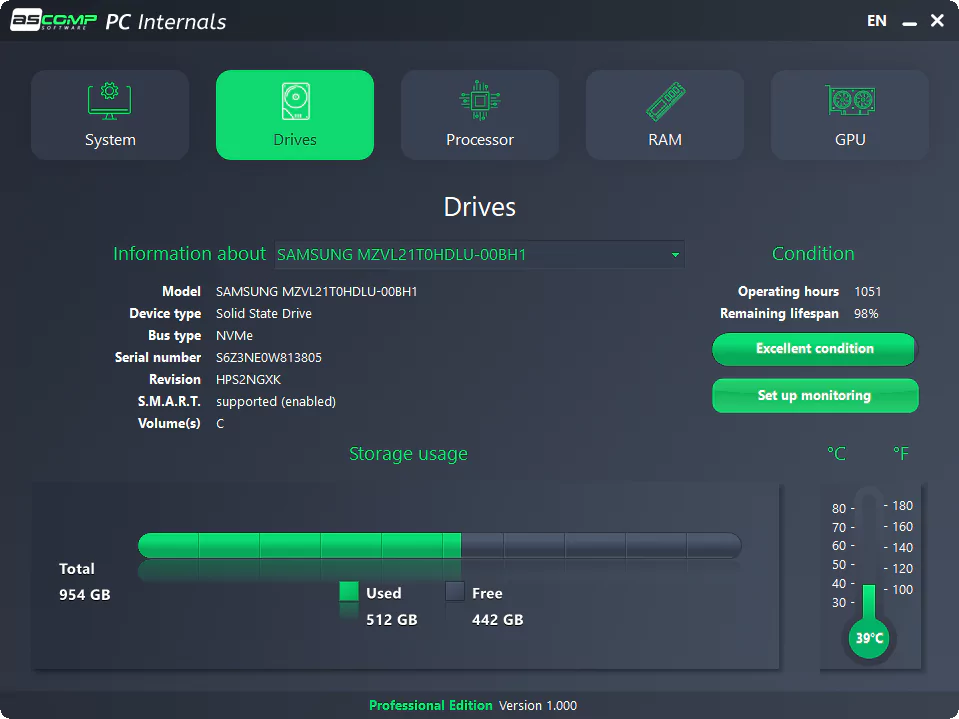
The tool excels at health checks for SSDs and HDDs using S.M.A.R.T. features, providing wear level counts, remaining life estimates, error rates, and temperature trends. Graphical visualizations track performance degradation over time and alert users to potential failures before data loss occurs. The Pro version extends this with a background scanner, providing continuous vigilance without manual intervention. This is invaluable for data recovery professionals or content creators who manage large media files, demonstrating your interest in system tools.
AUTOMATIC ALERT
A special feature for the Pro version is a customizable notification via Windows pop-up or email for thresholds such as overheating (e.g., GPU over 85°C), disk wear, or fan failure. Users can set specific hardware rules and remotely monitor business computers or servers. This proactive system prevents Windows from malfunctioning, which is essential for technical writing and IT workflow troubleshooting.
DRIVE PERFORMANCE MONITORING
Real-time read/write speeds, access times, and queue lengths are displayed in dynamic graphs, helping to diagnose slow loading times or lag in multimedia editing applications. It supports your multimedia and gaming interests by defining storage limits when playing videos or loading games, and compares them to baselines.
SYSTEM OVERVIEW MONITORING VIEW
A centralized interface consolidates all data into a color-coded view with the option to export to CSV reports or screenshots. Portable mode works without installation and is ideal for testing multiple machines. A business license covers two computers for a lifetime and provides professional software monitoring tasks.
SYSTEM REQUIREMENTS
- Supported OS: Windows 11/10/8.1/7
- Memory (RAM): 1 GB of RAM or more is required
- Hard Disk Space: 100 MB or more required