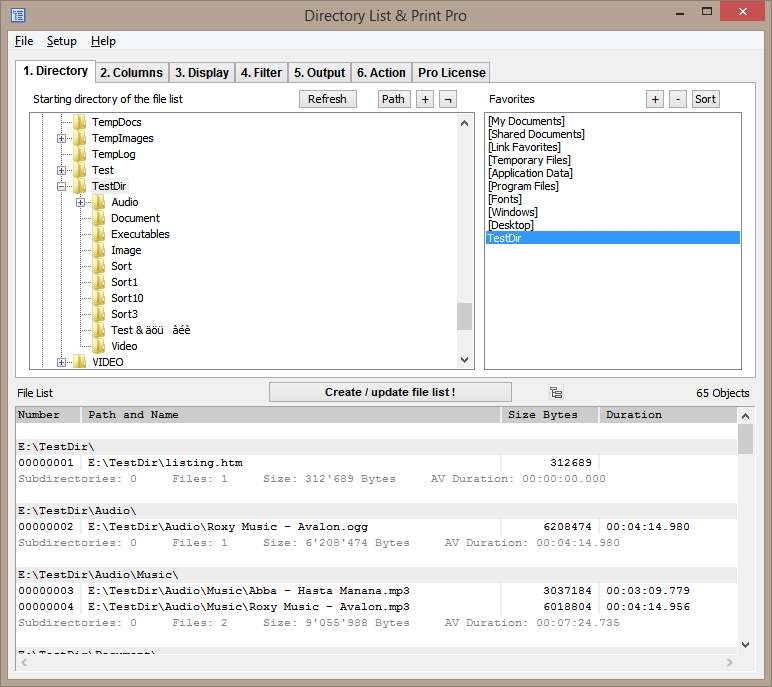

Directory List and Print Pro is a software tool designed to help users manage and organize their files and folders more efficiently. It allows the user to create a comprehensive list of files and folders contained in a specified directory or directory tree, and to modify the created list.
OVERVIEW OF DIRECTORY LIST AND PRINT PRO
Directory List & Print Pro is an essential software solution for users looking for more efficient and organized file and folder management. Designed with a user-centric approach, this versatile tool offers a variety of features to simplify directory management.
Directory List and Print Pro allow users to easily create a detailed list of files and folders within a specified directory or directory tree. This feature serves a variety of purposes, from cataloging digital assets for documentation and archival purposes to facilitating inventory management and audit workflows. Unlike time-consuming and error-prone manual methods, Directory Listing and Printing Pro automates the process and delivers accurate and complete directory listings in no time.
Furthermore, Directory List and Print Pro simplify the process of managing large and complex directory structures by providing intuitive navigation tools and filter options. Users can easily navigate through the directory tree, expand and expand folders, and quickly find a specific file or directory using the built-in search engine. The software supports batch processing and allows users to create multiple directories or directory trees simultaneously, further improving productivity and efficiency.
In addition to the basic functions of Directory List and Print Pro, Directory List and Print Pro offer additional file management tools such as renaming, copying, moving, and deleting files. These features complement the capabilities of the directory, providing users with a comprehensive solution to efficiently organize and manage their digital files and folders.
FEATURES OF DIRECTORY LIST AND PRINT PRO
CUSTOMIZABLE DIRECTORY AND FILE LISTS
Directory List and Print Pro offers an advanced selection interface that allows users to select folders, drives, or directories using a tree structure, text path entry, or drag-and-drop. It supports recursive listing of all subdirectories, and users can select specific columns of file and folder information, such as file size, creation/modification date, file extension, attributes, and even metadata for specific file types. This high level of customization ensures a customized list that meets a variety of organizational and reporting needs.
FLEXIBLE EXPORT AND PRINTING
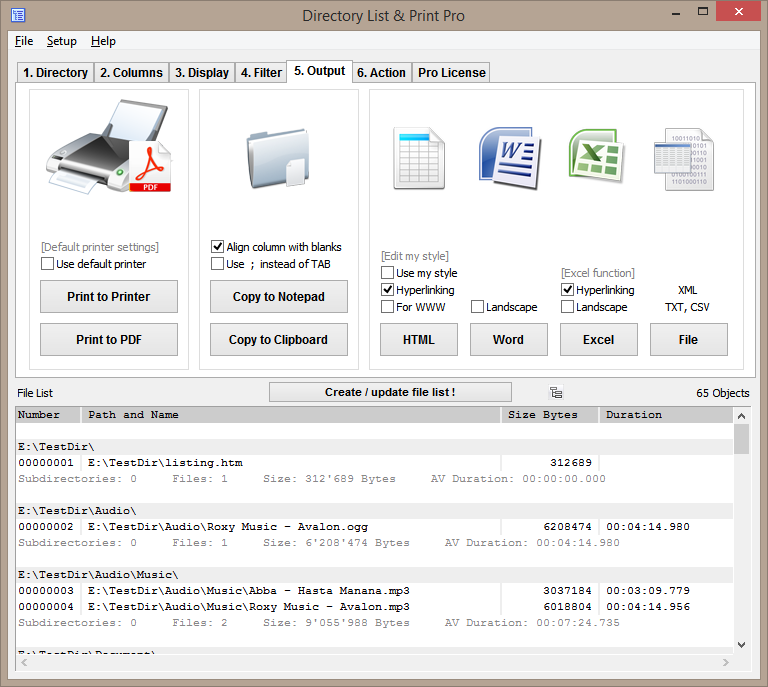
The software allows users to export the created list to many popular formats, including Microsoft Word, Excel, PDF, HTML, XML, CSV, and plain text files. It also supports copying the list directly to the clipboard for easy pasting into other applications. Users can print directory and file lists directly from the program with customizable layout and formatting options, including image and video thumbnails, making the output useful for documentation, auditing, or presentations.
ADVANCED FILTERING AND WARNINGS
Directory List and Print Pro supports comprehensive filtering options to include or exclude files and folders based on criteria such as name style, file size range, date range, and file attributes. Sorting by any column or grouping information is possible, helping users quickly focus on important files or folders and effectively analyze the file system.
FILE ACTIONS IN THE LIST
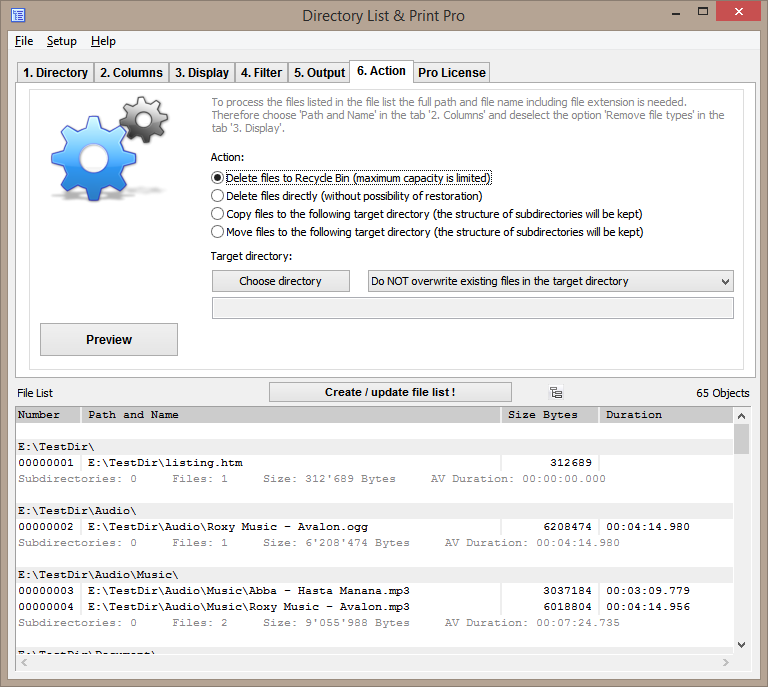
A unique feature of the Pro version is the ability to process files directly from the created list. Users can copy, move, or delete multiple files and folders in batch mode while preserving the creation date. This simplifies file management without having to switch to separate file explorer windows.
AUTOMATION AND BATCH PROCESSING
To increase productivity, Directory List and Print Pro offers batch processing capabilities and command line support, allowing users to automate list creation and export tasks. This can be integrated into a workflow or scheduled tasks for regularly updated directory reports or file auditing.
USER-FRIENDLY INTERFACE AND WIZARD GUIDANCE
This program is designed with ease of use in mind, featuring a simple wizard interface that guides users through the steps of selecting a directory, modifying list contents, and selecting output options. It remembers user preferences, supports direct access to important system folders such as “My Documents” or “Favorites,” and integrates with the Windows Explorer context menu for quick access and listing.
SYSTEM REQUIREMENTS
- Supported OS: Windows 11/10/8.1/7
- Memory (RAM): 1 GB of RAM or more is required
- Hard Disk Space: 100 MB or more required