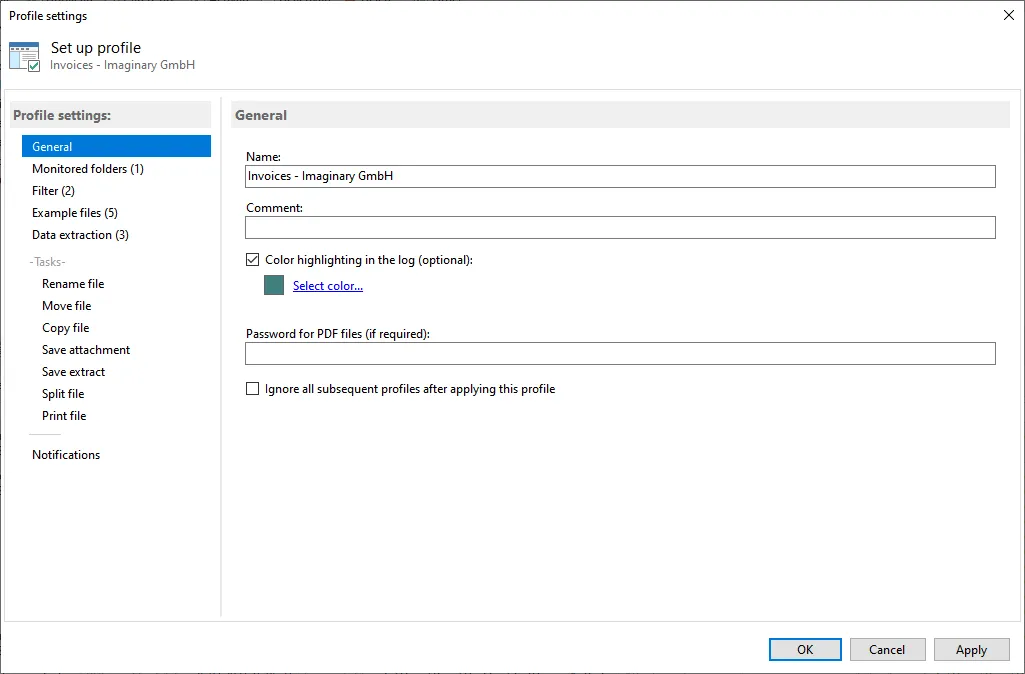
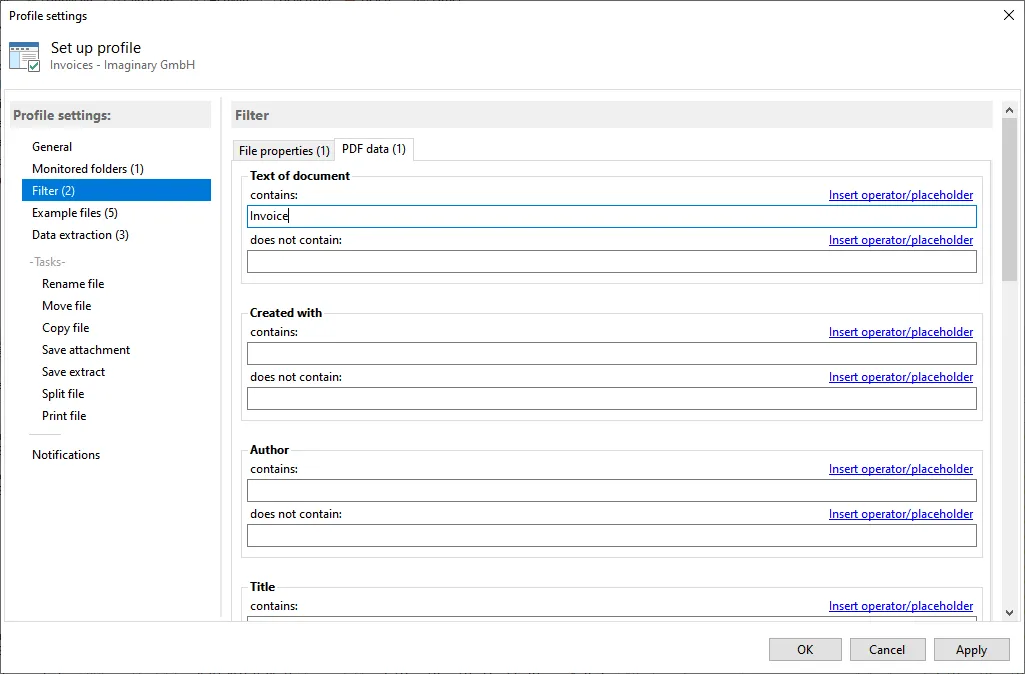

Gillmeister Automatic PDF Processor is a software tool for processing and managing PDF files. Its user-friendly interface and advanced features make it an ideal solution for businesses and individuals dealing with large volumes of PDF documents. The software allows users to easily merge, split, extract, and manage PDF files.
OVERVIEW OF GILLMEISTER AUTOMATIC PDF PROCESSOR
Gillmeister Automatic PDF Processor is a complete software solution for simplifying PDF file management and organization, offering many powerful features within a user-friendly interface. Designed for businesses and individuals working with large volumes of PDF documents, this software combines advanced features with an intuitive design to improve the efficiency of working with digital documents.
The software’s user-friendly interface makes it accessible to users with varying levels of technical expertise. It provides a centralized platform for managing PDF files and allows users to easily merge, split, and extract content from their documents. It is invaluable for those dealing with complex document workflows or looking for an optimal solution for personal use.
One of the great features of the Gillmeister Automatic PDF Processor is its ability to automate tasks related to PDF files. Automation plays an important role in increasing productivity because users can set predefined rules and settings to automatically perform repetitive tasks. This feature is especially useful for businesses dealing with large volumes of documents, saving time and reducing the risk of errors associated with manual processing.
The software’s merging capabilities allow users to merge multiple PDF files into a single document, helping to consolidate information and improve document organization. On the other hand, the split feature allows users to split large PDF files into smaller, more manageable segments to suit specific needs and preferences.
In addition to merging and splitting, Gillmeister Automatic PDF Processor excels at extracting content. Users can easily extract text or images from PDF files, giving them the flexibility to modify the content for different purposes. It has proven to be a valuable asset for tasks such as reusing content, extracting data, or creating subsets of modified documents.
Gillmeister Automatic PDF Processor is a versatile tool that adapts to the evolving demands of the digital landscape. Whether you work for businesses dealing with complex paperwork or individuals looking for a reliable solution for their personal needs, the software allows you to manage and edit PDF files. Gillmeister Automatic PDF Processor is a testament to its adaptability and efficiency, making it an essential tool for anyone looking to improve their PDF document processing skills.
FEATURES OF GILLMEISTER AUTOMATIC PDF PROCESSOR
AUTOMATIC PDF FILE MANAGEMENT
The most unique feature of Gillmeister Automatic PDF Processor is its ability to automate PDF files. Instead of requiring users to manually open, rename, move, and process documents, the software automatically performs these tasks according to predefined rules. This is especially useful for businesses or individuals who work with large volumes of PDF files, such as invoices, contracts, and reports. With automation, users can save a lot of time, reduce repetitive efforts, and reduce the risk of errors that can occur when working manually.
ADVANCED PDF RENAMING RULES
Gillmeister Automatic PDF Processor includes a powerful renaming system that can dynamically rename files based on content or metadata. For example, it can extract data such as invoice number, date, and user name directly from the text of a PDF file and use it to rename the file. This allows documents to be systematically organized and easily identified later. Instead of generic names like “document1.pdf,” users receive descriptive file names that reflect their actual content, which greatly improves document management and search.
EXTRACT TEXT AND METADATA
Another powerful feature is the software’s ability to automatically extract text and metadata from PDF files. This means that important information such as dates, order numbers, user names or other relevant fields can be extracted directly from the document. This extracted information can then be used to import, index or export files to databases and other software systems. This is useful for businesses as it allows them to integrate document management, accounting, CRM or ERP systems without the need for manual data entry.
FILE SORTING AND DISTRIBUTION
Gillmeister Automatic PDF Processor can categorize files into folders based on the extracted content or metadata. For example, invoices from different customers can be automatically placed in a specific customer folder. Similarly, reports can be sorted by date or project. The software can distribute files to network drives, email addresses or external storage locations. This feature is particularly useful for teams and organizations that need quick access to well-structured archives and sensitive documents.
BATCH PROCESSING OF MULTIPLE FILES
Efficiency is a key feature of this software, and its batch processing capabilities allow users to manage hundreds or even thousands of PDF files at once. Instead of applying rules to a single file, the program scans entire folders and processes all files according to pre-configured instructions. This is ideal for businesses with large document workflows, such as law firms that process daily invoices or archive case files. The batch function not only speeds up operations but also ensures consistency in document processing.
TEXT RECOGNITION (OCR) SUPPORT
For scanned PDF or image-based documents, Gillmeister Automatic PDF Processor offers optical character recognition (OCR) functionality. OCR allows the software to convert scanned images into searchable and editable text, making it possible to extract and process information even from non-digital PDF files. This is highly valuable in industries such as healthcare, legal, and finance that frequently scan and digitize physical documents. By converting images into usable text, OCR ensures that no sensitive data is locked in an inaccessible format.
FLEXIBLE RULE-BASED WORKFLOW CUSTOMIZATION
The software’s rule-based processing system provides flexibility in customizing workflows. Users can define conditions and actions based on document content, file attributes, or metadata. For example, rules can be set to rename files when a specific keyword appears or to move files containing a specific text string to a designated folder. This customization allows users to adapt to different industries, projects, and personal requirements rather than being locked into a single template.
USER-FRIENDLY INTERFACE WITH LOGGING AND MANAGEMENT
The powerful yet user-friendly interface of Gillmeister Automatic PDF Processor allows for easy setup of rules and workflows. Users can easily define automation steps without requiring advanced technical knowledge. In addition, the software allows for logging, recording, and tracking of actions taken during processing. This transparency helps track errors, drive successful operations, and hold them accountable. In terms of business environment,
SYSTEM REQUIREMENTS
- Supported OS: Windows 11/10/8.1/7
- Memory (RAM): 1 GB of RAM or more is required
- Hard Disk Space: 200 MB or more required