
Duplicate Finder Professional is a powerful tool designed to detect and remove duplicate files, free up valuable storage space, and improve system performance. With advanced scanning algorithms, it quickly detects duplicate documents, photos, music, and videos.
OVERVIEW OF DUPLICATE FINDER PROFESSIONAL
Duplicate Finder Professional is a comprehensive software solution that helps users easily and accurately detect, manage and delete duplicate files from their computers. Over time, countless files – documents, images, videos, audio recordings and other data – accumulate on every computer, which are multiplied due to repeated downloads, backups and transfers. These duplicates not only waste valuable disk space, but also slow down performance and make file management more complicated. Duplicate Finder Professional is designed to solve this problem with advanced algorithms and a clear interface, making it suitable for everyday users and IT professionals.
The heart of Duplicate Finder Professional is its powerful scanning engine. Unlike basic duplicate checkers that rely only on file names, this tool compares file data at the binary level and uses a content-based deep scan. This ensures that the program can detect them as duplicates, even if the two files have different names or are stored in separate folders. Users can customize the scanning process by using filters based on file type, size, and date, which saves time and ensures more accurate results.
One of the standout features of Duplicate Finder Professional is its preview feature. Users can preview documents, photos, and videos right from within the software before deleting or moving duplicates. This reduces the risk of accidentally deleting important files and provides a more reliable approach to file cleaning. In addition, the program offers flexible options for working with files – you can permanently delete duplicate files, move them to another folder, or send them to the trash. This flexibility gives users complete control over the organization of their storage.
FEATURES OF DUPLICATE FINDER PROFESSIONAL
FAST SCANNING ALGORITHMS
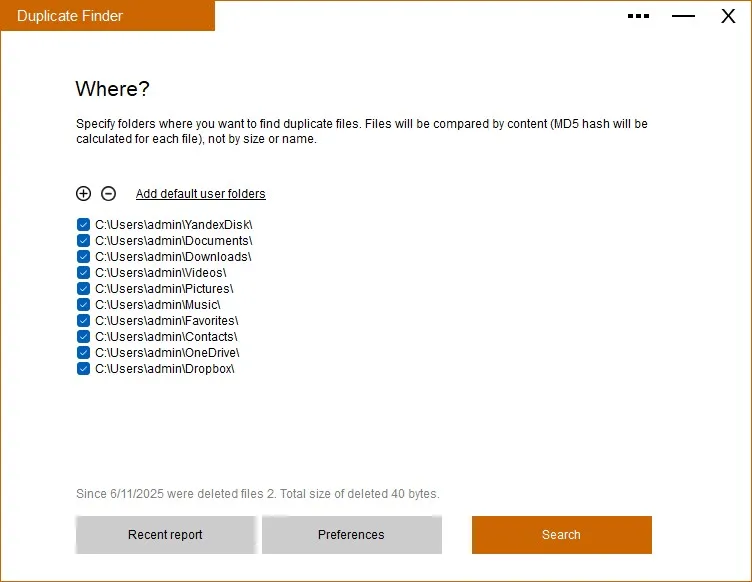
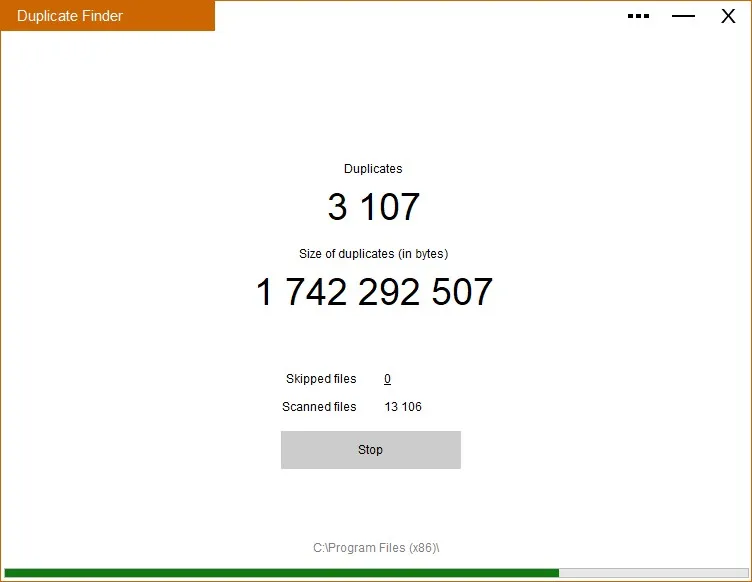
Duplicate Finder Professional uses a highly efficient scanning algorithm that quickly identifies duplicate files in multiple folders, external drives, network drives, and even your Photos library or iTunes media collection on your Mac. This feature supports comprehensive scanning in hidden folders and allows users to skip specific directories, file extensions, or set minimum/maximum file sizes to optimize speed and relevance. With dynamic progress indicators and “Recent” access to previously scanned locations, it reduces system resource usage, efficiently processes large data sets, and quickly reclaims disk space without slowdowns.
BYTE-BY-BYTE DUPLICATION DETECTION
The software performs byte-by-byte comparisons to detect exact duplicate files, regardless of their different file names, sizes, and locations, ensuring 100% accuracy with no false positives. This applies to partial matches of similar images, songs, and slightly modified images or audio, covering documents, videos, archives, and other file types. Users can filter by category after scanning and sort results by size, name, date, type, or count, which is essential for effectively managing an overcrowded photo library or music collection.
INTELLIGENT AUTO SELECTION
Professional mode includes advanced Auto Select tools that automatically group duplicate files, keeping the newest, oldest, or largest files based on user preferences, and simplifying bulk cleanup. Features like “Select duplicate files within folders” allow targeted removal from specific paths without manual checking, while folder merging safely merges identical or similar folders. It saves a lot of time for tech enthusiasts who manage large media or document collections, and automatically keeps unique files while cleaning up duplicate folders.
PREVIEW AND SAFE MANAGEMENT TOOLS
Quick Look previews show thumbnails and detailed information of duplicate files before taking action, reducing errors when reviewing similar images or files. Options include removing junk, moving to a custom folder, or performing bulk actions on duplicate/similar folders, and star savers. The results can be searched through duplicate files and are supported by secure, undoable operations that integrate seamlessly with the Finder to ensure reliability.
ADVANCED PROFESSIONAL MODE FEATURES
Designed specifically for professional upgrades, it removes entire duplicate folders, cleans up duplicate files within similar folders (leaving unique files intact), and handles complex consolidation for optimal storage. These affordable tools offer an expanded range of software tools for experienced users who are looking to upgrade their Macs, and outperform free alternatives in terms of depth and speed.
SYSTEM REQUIREMENTS
- Supported OS: Windows 11/10/8.1/7
- Memory (RAM): 1 GB of RAM or more is required
- Hard Disk Space: 100 MB or more required