
Prevent Restore Professional is a privacy and security tool designed to permanently erase traces of deleted files and make them unrecoverable by data recovery software. It securely overwrites disk space using advanced deletion techniques, helping to protect sensitive information from unauthorized recovery. This software is lightweight and easy to use, making it ideal for individuals and businesses who need to protect confidential information on their Windows computers.
OVERVIEW OF PREVENT RESTORE PROFESSIONAL
Prevent Restore Professional is a powerful Windows security tool that securely erases traces of deleted files by overwriting empty space on storage drives. Even after files are deleted from the Recycle Bin, fragments remain on the disk and can be recovered with specialized recovery software. Prevent Restore Professional eliminates this risk by completely overwriting these remnants, making data recovery virtually impossible using traditional methods.
The software supports multiple secure overwrite methods and allows users to choose the level of protection that best suits their needs. It works with internal hard drives, SSDs, and external storage devices, and maintains a simple interface that is suitable for both novice and experienced users. Professional users have access to enhanced wipe options and additional customization features to better protect data.
Prevent Restore Professional is especially useful before selling, donating, or disposing of a computer, ensuring that previously deleted personal and business files cannot be recovered. It can also be used as part of a regular security maintenance routine to keep sensitive information safe. With its lightweight design, fast performance, and reliable data sanitization capabilities, Prevent Restore Professional offers an effective solution for users who want complete control over their digital privacy.
FEATURES OF PREVENT RESTORE PROFESSIONAL
SECURE DATA ERASURE
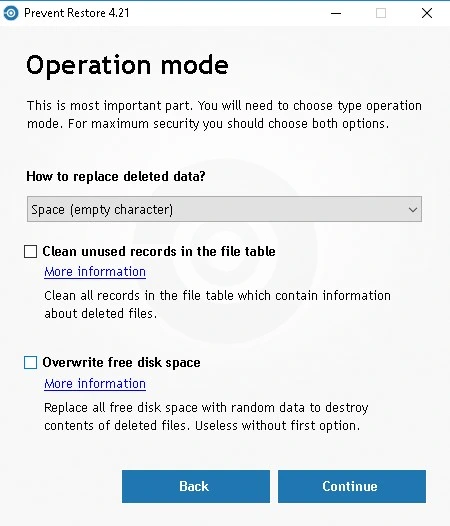
Prevent Restore Professional permanently removes the remains of deleted files by overwriting unused disk space with secure data patterns. This process prevents file recovery tools from recovering previously deleted documents, photos, videos, and other sensitive information.
MULTIPLE WIPE METHODS
This software offers several wipe algorithms, allowing users to choose between faster wipe operations or more intensive multi-pass methods, improving security. This flexibility makes it ideal for privacy and professional data protection needs.
FULL FREE SPACE WIPE
Instead of deleting existing files, Prevent Restore Professional targets the remaining free disk space for deleted file fragments. This allows users to continue using their computers without having to recover previously deleted data.
EASY-TO-USE INTERFACE
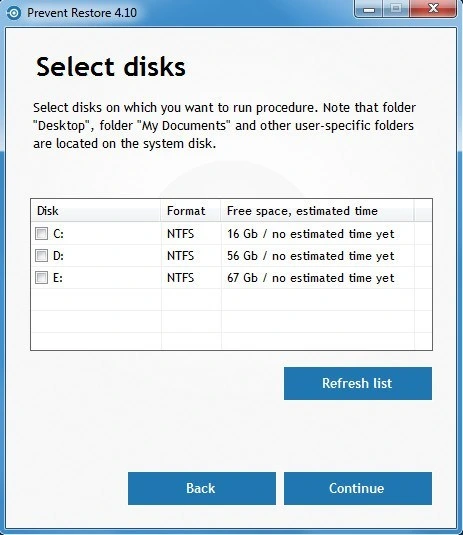
This program has a simple and intuitive interface that allows all users to securely erase data. It only takes a few clicks to select a drive, select a wipe method, and start the wipe process, reducing complexity while maintaining powerful functionality.
PROFESSIONAL PRIVACY PROTECTION
Prevent Restore Professional is ideal for protecting confidential business documents, financial records, personal photos, passwords, and other sensitive information. It helps organizations and individuals adhere to best practices for privacy by making it impossible to recreate deleted data using data recovery software.
LIGHTWEIGHT PERFORMANCE AND WIDE COMPATIBILITY
The software is lightweight, installs quickly, and runs without consuming significant system resources. It supports modern Windows operating systems and works with a variety of storage devices, including HDDs, SSDs, USB drives, and other supported media. Advanced versions provide additional secure wipe options and greater control over the wipe process.
SYSTEM REQUIREMENTS
- Supported OS: Windows 11/10/8.1/7
- Memory (RAM): 1 GB of RAM or more is required
- Hard Disk Space: 100 MB or more required