pdfFactory Pro is a professional PDF creation tool. It allows users to easily create PDF documents from various sources such as files, websites, and scanned documents. It has all the features of the free version and adds bookmarks, work orders, pages, and automatic email functions.
OVERVIEW OF PDFFACTORY PRO
pdfFactory Pro is a versatile PDF creation and editing software developed by FinePrint Software. It provides users with comprehensive tools to easily and efficiently convert, edit and manage PDF documents. One of its main features is the ability to convert documents from various file formats to PDF. Whether users need to convert Word documents, Excel spreadsheets, PowerPoint presentations, or other file types, pdfFactory Pro ensures a smooth and accurate conversion process. Additionally, users can combine multiple documents into a single PDF to simplify document organization and distribution.
pdfFactory Pro offers various editing options to enhance PDF documents. Users can add annotations, bookmarks, and watermarks to their PDF files to highlight content. Furthermore, the software allows users to rearrange pages, delete unnecessary pages, or extract specific pages from an existing PDF, allowing them to restructure and optimize the document. Users can also change document properties such as metadata and document information, provide relevant details, and improve document management.
Security features are another highlight of pdfFactory Pro. Users can password-protect their PDF files to limit access and ensure privacy. In addition, the software supports digital signatures, allowing users to electronically sign PDF documents for authentication and verification purposes. These security measures provide peace of mind to users dealing with sensitive or confidential information.
FEATURES OF PDFFACTORY PRO
VIRTUAL PRINTER CONVERSION
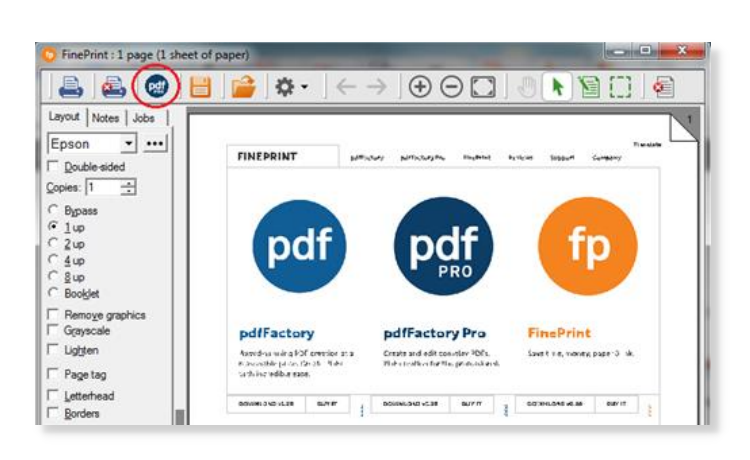
pdfFactory Pro works by installing as a virtual printer driver on Windows systems, allowing you to create PDFs from almost any application that has a printing function. Users select PDFFactory Pro as the printer destination instead of a physical device, and the software takes the output and creates a high-resolution PDF that preserves the original fonts, layouts, images, and vector graphics without loss of quality. This method supports batch processing, which queues multiple print jobs into a single file, and is ideal for combining screenshots from editing software, text from word processors, and diagrams from data tools into a single document. Unlike simple converters, it handles the complex layouts of multimedia applications and allows you to maintain color accuracy and resolution, even for high-DPI graphics used in technology reviews or content creation.
CONSOLIDATE MULTIPLE DOCUMENTS
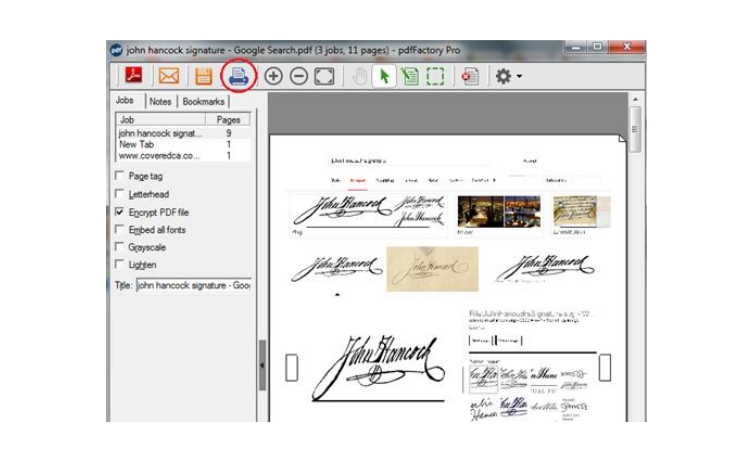
A great feature is the ability to combine content from different applications into a single PDF without manual stitching. For example, a user can print a cover page from a graphics editor, a main text from a word processor, a table or an attachment from a browser, all of which are stored in the pdfFactory Pro interface for real-time preview and reordering. Pages appear as thumbnails that can be reordered, rotated, deleted or inserted by dragging and dropping, simplifying the workflow of professionals assembling complex manuals or guides. This feature allows disparate elements such as video frame exports, annotated diagrams and technical tables to form a single, compact file, which is invaluable in multimedia workflows, saving time compared to exporting and reassembling through other tools.
AUTOMATIC TABLE OF CONTENTS
pdfFactory Pro automatically generates a clickable table of contents based on the document title or user-defined bookmarks, improving navigation in long PDF files such as software review compilations. The style revealed in the source document enables users to create a TOC with hyperlinks, page numbers, and bulleted paragraphs that can be customized for depth and formatting. This Pro-exclusive tool scans the merged files after assembly, dynamically updates as pages move, and supports standalone export of the TOC for web or print. For content creators, it expands technical documents from static files to interactive references, providing the same features as the premium package, but at a lower cost and complexity.
HEADERS AND WATERMARKS
Users add a professional header, logo, or background image to each page or selected pages, with options for opacity, placement, and scaling to suit their branding needs. Watermarks serve two purposes: to add subtle branding to semi-transparent text on pages, such as “Draft” or “Confidential,” or to add a bold stamp to legal/technical documents. The Pro version enables multiple layers, color gradients, and font adjustments, and is applied non-destructively for instant adjustments during preview. This is ideal for tech reviewers who want to watermark demo screenshots or protect collaborative previews, ensuring a consistent aesthetic without the need for an external image editor.
BOOKMARKS AND TAG-UP
Interactive bookmarks organize PDF files hierarchically, and include a TOC structure for one-click section jumps, and can be created manually or automatically from headings. Sticky notes can be attached to specific pages or sections, and support rich text, hyperlinks, and colors for annotations such as review comments or editing notes. These elements can be safely embedded and viewed in standard PDF readers, and Pro allows batch import from reviews. Multimedia professionals benefit from bookmarking chapters for video editing by exporting PDFs or marking optimization tips in system tool guides.
SYSTEM REQUIREMENTS
- Supported OS: Windows 11/10/8.1/7
- Memory (RAM): 512 MB of RAM or more is required
- Hard Disk Space: 50 MB or more required