
SoftMaker Office Professional is an office suite software for Windows. It is designed to provide a comprehensive set of productivity tools for tasks commonly associated with office work, such as word processing, spreadsheets, and presentations. SoftMaker Office is considered an alternative to other office suites such as Microsoft Office and LibreOffice.
OVERVIEW OF SOFTMAKER OFFICE PROFESSIONAL
SoftMaker Office Professional is a robust and feature-rich office suite designed specifically for Windows users and offers comprehensive productivity tools for a variety of office-related tasks. The suite is designed as an alternative to office software solutions such as Microsoft Office and LibreOffice, combining efficiency, versatility and compatibility. SoftMaker Office Professional basically includes three important components:
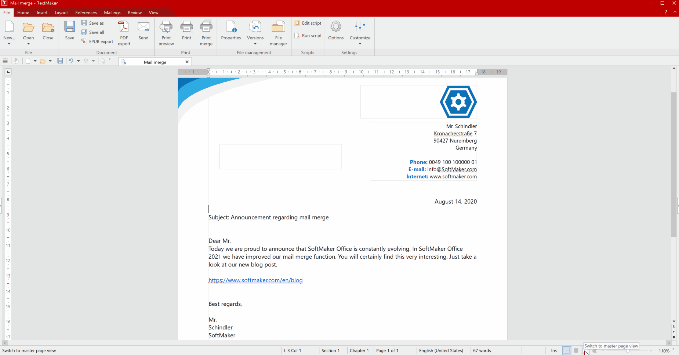
TextMaker is a word processing program that allows you to create, edit, and format documents with a user-friendly interface. It supports multiple document formats and is equipped with advanced features for efficient document management. PlanMaker is a suite of spreadsheet programs that allows users to perform complex calculations, data analysis, and spreadsheet management. It’s compatibility with Microsoft Excel file formats allows for seamless collaboration and file sharing. This suite includes powerful presentation software that allows users to create dynamic slideshows and presentations. It provides tools for designing eye-catching slides and delivering effective presentations.
In addition to these core applications, SoftMaker Office Professional is known for its high compatibility with Microsoft Office file formats, allowing it to work seamlessly with widely used document types. The suite is often praised for its ability to seamlessly open, edit, and save documents in formats commonly associated with Microsoft Office, minimizing compatibility issues.
FEATURES OF SOFTMAKER OFFICE PROFESSIONAL
COMPLETE OFFICE SUITE
SoftMaker Office Professional is a complete office suite that provides all the tools you need for professional productivity. It includes a word processor (TextMaker), a spreadsheet (PlanMaker), a presentation tool (Presentation), a PDF editor, an email client, and more. By offering a complete suite of applications in one package, SoftMaker Office Professional eliminates the need for multiple software solutions, making it the ideal choice for business owners, students, and professionals.
COMPATIBILITY WITH MICROSOFT OFFICE FORMATS
One of the standout features of SoftMaker Office Professional is its high level of compatibility with Microsoft Office file formats, including DOCX, XLSX, and PPTX. This allows users to open, edit, and save files without losing their formatting, even when collaborating with colleagues who use Microsoft Office. This compatibility extends to importing and exporting legacy formats such as DOC, XLS, and PPT, providing a seamless workflow for users migrating from other office suites.
TEXTMAKER – ADVANCED WORD PROCESSING
TextMaker, the word processor included with SoftMaker Office, offers a wide range of features for creating and editing documents. It supports advanced formatting, style sheets, tables, images, and references, making it ideal for professional reports, academic papers, and business documents. TextMaker includes features such as a spell checker, word processing, and multilingual document support. Users can export documents directly to PDF with customized options, making it easy to share polished, professional documents.
PLANMAKER – POWERFUL SPREADSHEET PROGRAM
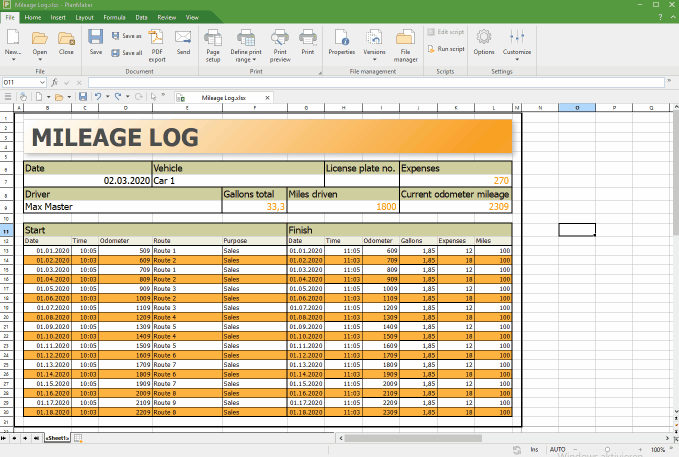
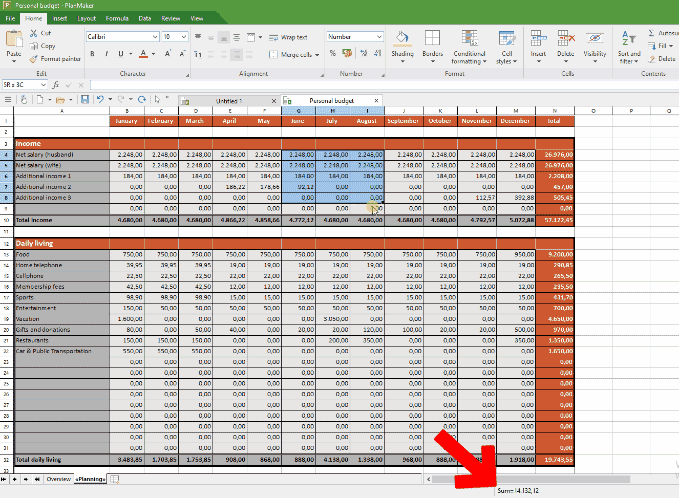
PlanMaker is the spreadsheet component of SoftMaker Office designed for complex calculations, data analysis, and financial modeling. It includes a wide range of functions, charts, and pivot tables. PlanMaker supports conditional formatting, real-time calculations, and scenario analysis, making it a powerful alternative to Microsoft Excel. Users can save spreadsheets in XLSX format, which allows for compatibility with colleagues and clients using other software.
PRESENTATIONS – PROFESSIONAL SLIDE DECK
Presentation allows users to create dynamic, visually appealing slide decks. It supports animations, transitions, templates, and multimedia embedding. Users can easily create professional presentations for business meetings, lectures, and conferences. Presentations are fully compatible with the PowerPoint format, making it easy to share and collaborate without compatibility issues.
PDF EDITING AND EXPORT
SoftMaker Office Professional includes powerful PDF support. Users can create PDF files directly from any document in the suite, add comments, and change export settings. This feature is essential for professionals who need to share documents in a secure, publicly readable format.
IMPROVED USER INTERFACE AND PRODUCTIVITY TOOLS
The suite features a clean, customizable interface designed to improve productivity. The toolbar, ribbon, and menus can be customized to suit individual workflows and give users quick access to frequently used commands. SoftMaker Office Professional includes keyboard shortcuts and advanced search functions to make tasks easier.
CROSS-PLATFORM SUPPORT
SoftMaker Office Professional is available on multiple platforms, including Windows, macOS, and Linux, allowing users to maintain consistent productivity across devices. It also offers mobile versions for Android and iOS, allowing for document access and editing.
INTEGRATED SCRIPTING AND AUTOMATION
For advanced users, SoftMaker Office Professional offers macro and scripting support. Users can automate repetitive tasks, create custom functions, and extend the suite’s capabilities to meet their workflow needs. This makes it particularly valuable in business environments that demand high efficiency and automation.
SECURITY AND COLLABORATION
The suite includes advanced security options, such as document password protection, support for encrypted PDF files, and compatibility with cloud storage solutions. Users can easily collaborate on documents, share files via email or cloud platforms, and ensure document integrity and security.
LIGHTWEIGHT AND EFFICIENT PERFORMANCE
Despite its robust features, SoftMaker Office Professional is designed to work efficiently on a wide range of hardware configurations. It uses less memory and CPU than many other office suites, and it runs smoothly even on older systems.
SYSTEM REQUIREMENTS
- Supported OS: Windows 11/10/8.1/7
- Memory (RAM): 1 GB of RAM or more is required
- Hard Disk Space: 500 MB or more required