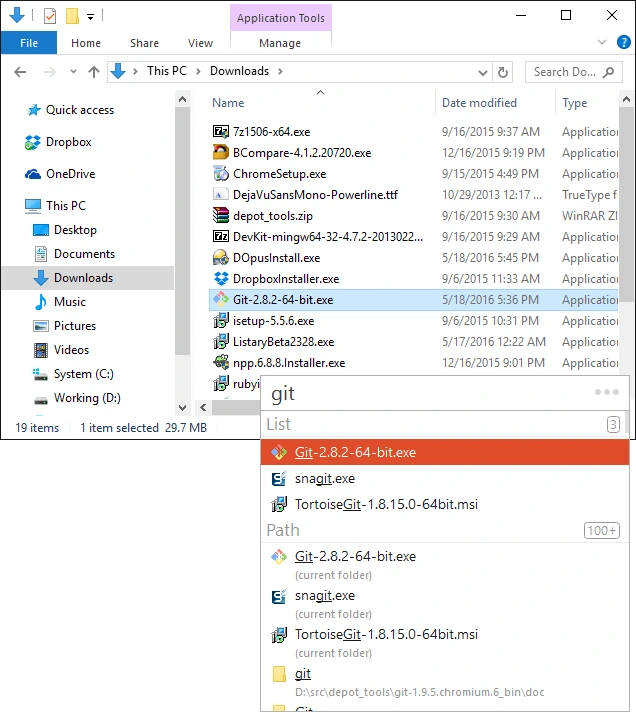
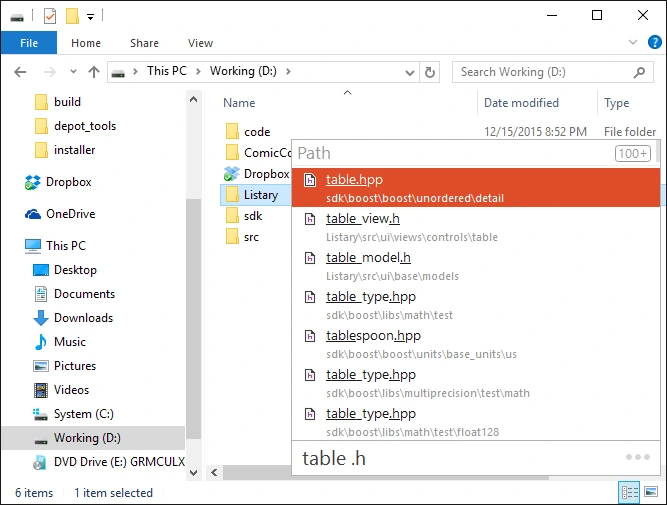

Listary Pro is a fast and smart file search and application launcher for Windows that increases productivity by providing direct access to files, folders, and applications. It integrates seamlessly with Windows Explorer and popular file managers, offering fast search, smart navigation, and customizable shortcuts. Designed for both casual users and professionals, Listary Pro simplifies file management and speeds up daily workflows.
OVERVIEW OF LISTARY PRO
Listary Pro is an advanced Windows productivity tool that dramatically improves file searching, program launching, and folder navigation. Unlike the default Windows search, it provides instant search results as you type, allowing users to find files, folders, and programs in seconds. A lightweight architecture and smart indexing ensure fast performance without consuming excessive system resources.
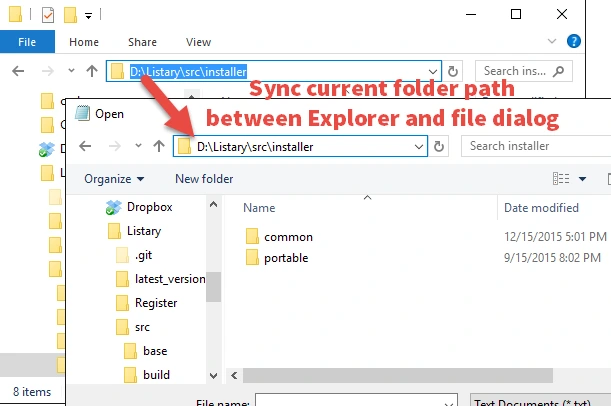
The software integrates directly with Windows Explorer, the Open/Save dialog box, and many third-party file managers, allowing users to manage their directories more efficiently. Features such as Quick Switch, a smart command launcher, customizable hotkeys, and a recent folder history eliminate repetitive searches and reduce the time spent searching for files.
Listary Pro also includes powerful filtering options, support for custom commands, and workflow automation features that help users perform common file management tasks more efficiently. Developers, designers, office professionals, and power users benefit from the ability to quickly launch applications, execute commands, and access frequently used folders with minimal effort.
With a clean interface, extensive customization options, and seamless Windows integration, Listary Pro is a comprehensive productivity tool. Whether you’re managing a large file collection, working on multiple projects, or simply looking for a way to quickly access your data, Listary Pro offers an efficient and reliable solution that significantly simplifies everyday calculations.
FEATURES OF LISTARY PRO
QUICK FILE SEARCH
Listary Pro provides lightning-fast search capabilities that display matching files and folders as you type. This smart search engine goes far beyond traditional Windows search, allowing users to find documents, images, programs, and other files almost instantly.
SEAMLESS WINDOWS INTEGRATION
The software integrates directly with Windows Explorer, the Open and Save dialogs, and many popular third-party file managers. This allows users to navigate directories, open files, and switch folders without interrupting their workflow.
SMART APPLICATION LAUNCHER
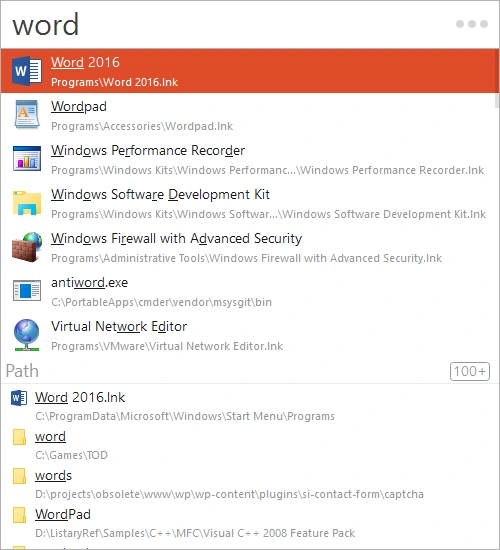
Listary Pro acts as a powerful application launcher, allowing users to quickly launch installed applications, execute customized commands, and access frequently used folders using keyboard shortcuts or search keywords. This helps reduce dependency on desktop shortcuts and the Start menu.
SMART NAVIGATION AND WORKFLOW ENHANCEMENTS
Features such as Quick Switch, Folder History, Favorites, and Shortcut Navigation make it easy to navigate between folders. Users can quickly jump to recently or frequently used locations, improving productivity when working with multiple projects.
CUSTOMIZABLE COMMANDS AND AUTOMATION
The professional version supports customizable commands, workflow automation, and integration with external tools. Users can create custom actions, run scripts, perform command-line actions, and automate repetitive file management tasks to improve efficiency.
LIGHTWEIGHT PERFORMANCE AND FLEXIBLE CONFIGURATION
Listary Pro is designed for speed and low resource consumption, making it suitable for both older and modern Windows systems. Users can customize hotkeys, search behavior, filters, themes, and command options to suit their personal workflow, creating a highly efficient and personalized file management experience.
SYSTEM REQUIREMENTS
- Supported OS: Windows 11/10/8.1/7
- Memory (RAM): 1 GB of RAM or more is required
- Hard Disk Space: 100 MB or more required