
Folder Guard is a powerful Windows security application that protects files, folders, and drives from unauthorized access. It allows users to lock, hide, and restrict sensitive data using password protection and customizable access rules. Designed for home and business users, Folder Guard enhances privacy by preventing accidental changes, unauthorized viewing, and deletion of important files while maintaining an easy-to-use interface.
OVERVIEW OF FOLDER GUARD
Folder Guard is a comprehensive security and access control solution for Windows that helps users protect sensitive files, folders, and drives from unauthorized access. Unlike simple folder locking tools, it offers advanced permission management, allowing administrators and individual users to determine who can view, modify, or access certain data. This makes it ideal for personal computers, shared workstations, and business environments.
The software allows users to password protect folders, hide confidential files from Windows Explorer, restrict access to removable drives, and prevent unauthorized users from changing critical system settings. Folder Guard also allows access control based on user accounts, giving you the flexibility to create customized security policies for different users.
Its intuitive interface simplifies configuration and offers powerful options for advanced users. Folder Guard works at the Windows file system level, ensuring that protected content remains safe even when users attempt to access it through common applications. Whether you want to protect personal documents, business records, financial information, or confidential projects, Folder Guard offers reliable protection without encrypting your files, and allows authorized users to quickly access them after authentication. It is an effective solution to improve privacy, prevent accidental file changes, and protect valuable data on your Windows computer.
FEATURES OF FOLDER GUARD
FILE AND FOLDER PASSWORD PROTECTION
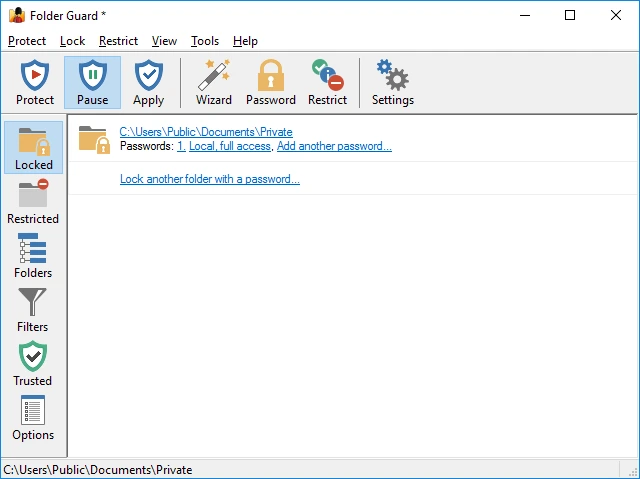
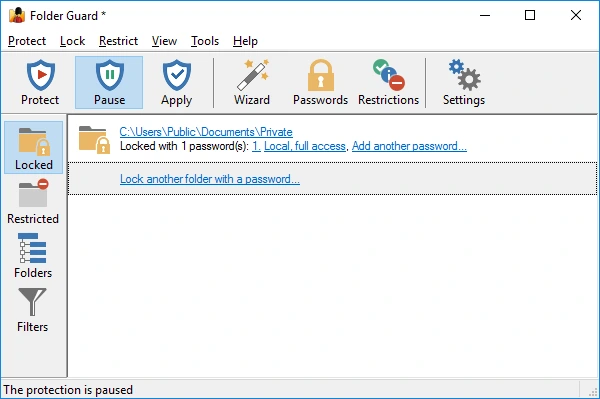
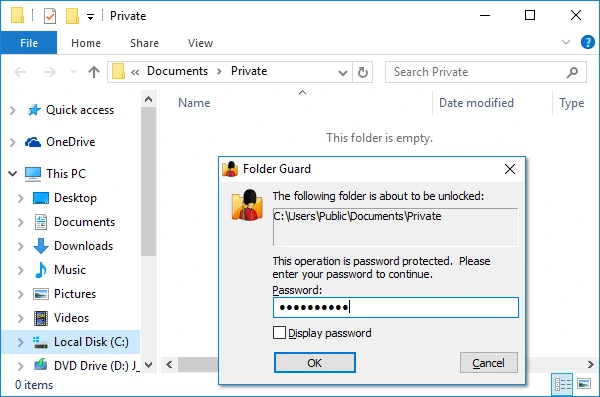
Folder Guard allows users to password protect important folders and prevent unauthorized users from opening, modifying, copying, or deleting confidential information. This provides an additional layer of security beyond standard Windows permissions.
HIDE FILES, FOLDERS, AND DRIVES
The software can completely hide selected files, folders, or even entire drives from Windows Explorer and many other applications. Hidden items remain invisible until opened by an authorized user, which improves privacy and reduces the risk of unauthorized access.
ADVANCED ACCESS CONTROL
Folder Guard provides flexible permission settings that allow administrators to define different levels of access for different Windows user accounts. You can allow only read access, block changes, or completely deny access to selected files and directories.
SYSTEM SETTINGS AND STORAGE DEVICE PROTECTION
In addition to protecting files, Folder Guard can also restrict access to Control Panel settings, restrict access to removable USB drives, and prevent unauthorized changes to critical system settings. These features are especially useful in shared computers and workplace environments.
EASY MANAGEMENT AND FLEXIBLE STORAGE
The software has a clean interface that makes it easy to set up security rules and manage protected resources. Users can quickly add or remove protection, change passwords, and update access policies without affecting the original files.
RELIABLE PERFORMANCE AND WINDOWS INTEGRATION
Folder Guard integrates tightly with Windows while maintaining excellent performance and low system resource consumption. It works with local drives, external storage devices, and network locations supported by Windows. It protects access instead of encrypting data, so authorized users can access files immediately after authentication, while maintaining strong protection from unauthorized users.
SYSTEM REQUIREMENTS
- Supported OS: Windows 11/10/8.1/7
- Memory (RAM): 1 GB of RAM or more is required
- Hard Disk Space: 100 MB or more required