
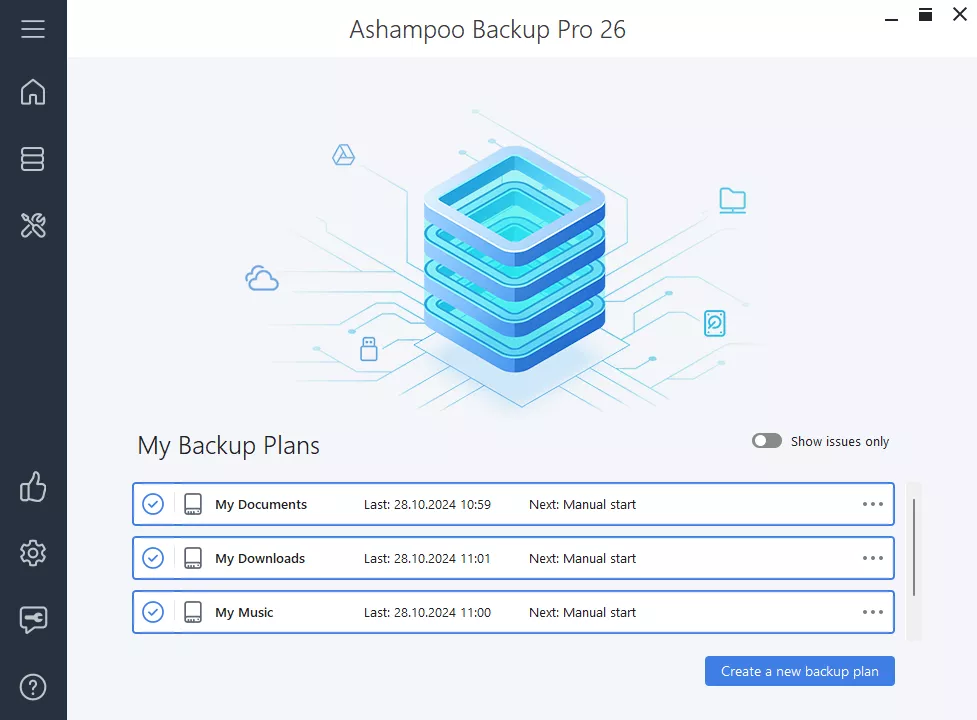
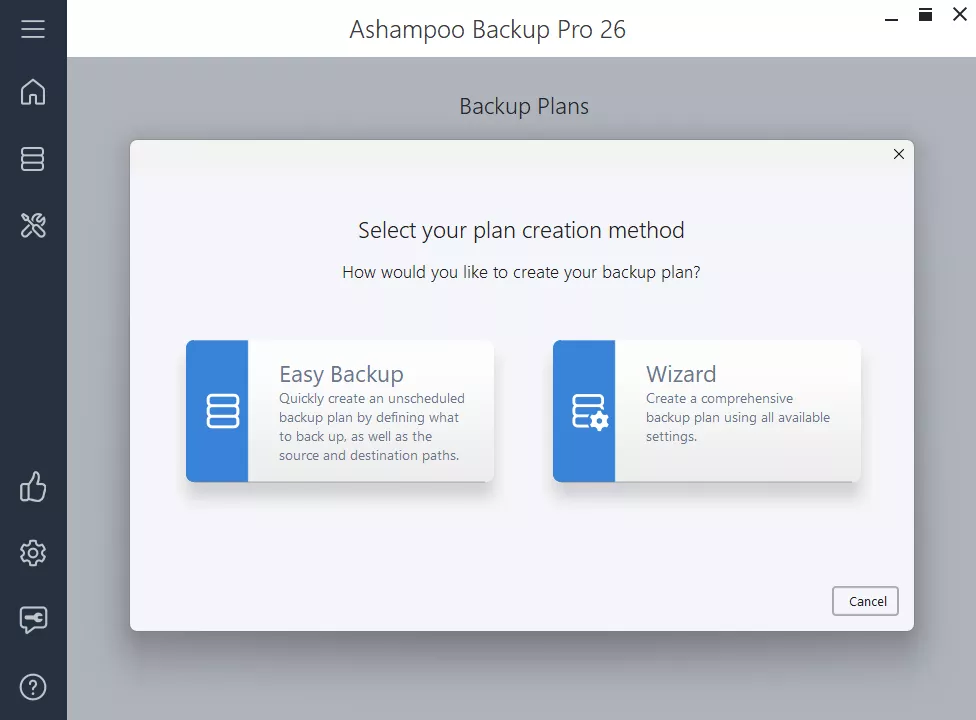

Ashampoo Backup Pro is a comprehensive backup solution that helps you back up and restore any file, partition, or bootable operating system. It aims to provide users with an easy and comprehensive solution to backup and restore data on Windows computers. Data backup is essential to protect against data loss due to hardware failure, accidental deletion, or other unforeseen events.
OVERVIEW OF ASHAMPOO BACKUP PRO
Ashampoo Backup Pro is a powerful and comprehensive backup solution designed to meet the diverse needs of users looking for reliable data protection on Windows systems. This software goes beyond basic file backup and offers the flexibility to protect individual files, entire partitions, and even bootable operating systems. Users have a variety of storage options available through various online storage providers that allow backups to be stored locally or in the cloud. The inclusion of a bootable rescue system improves software usability and provides a reliable system recovery mechanism in the event of major damage or failure.
One of the highlights of Ashampoo Backup Pro is user convenience. The software works effectively in stealth mode, shielding users from the complexity of the backup process and keeping their important data safe at all times. This method is suitable for both novice users and experienced users who care about data security. Ashampoo Backup Pro 25 takes its capabilities to a new level by introducing real-time backup technology. This advanced feature tracks any file changes in a folder, updates backups in real time and offers the latest data protection options. This is invaluable in dynamic computing environments where files change frequently and users need access to the latest version of their critical data.
Security is a top concern, and Ashampoo Backup Pro addresses this with features such as encryption and compression. Users can encrypt their backups for enhanced privacy and security, and have the option to support compression to optimize storage space. Ashampoo Backup Pro’s user interface is designed to be intuitive and allows easy navigation for users with varying technical experiences. The software’s capabilities go beyond routine backup tasks and offer a comprehensive and user-friendly approach to data management and protection. It offers versatility, convenience, and advanced features to meet the evolving needs of Windows users looking for reliable data security. is a strong solution.
FEATURES OF ASHAMPOO BACKUP PRO
REAL-TIME AND AUTOMATIC BACKUP
Ashampoo Backup Pro offers the latest real-time backup technology that actively monitors your selected folders and files for any changes. Whenever a file is modified, deleted or created, the software automatically updates the backup without user intervention. This allows you to continuously protect your data with minimal effort. In addition to real-time, it supports fully automatic scheduled backups, which allow users to define precise backup times and intervals. You can also enable Plug & Play backups, which start automatically when a removable storage device is connected or before the system is shut down. This combination of real-time, scheduled and on-demand backup options allows you to continuously protect your data from accidental loss, hardware failure or malware attacks without interrupting your work.
FLEXIBLE STORAGE OPTIONS WITH ENCRYPTION AND COMPRESSION
Ashampoo Backup Pro supports a wide range of storage locations to suit different user needs, including local drives, external USB or network drives, and leading cloud services such as Dropbox, Google Drive, OneDrive, Owncloud, and Nextcloud. It offers two backup formats: one for storing backups exclusively through the software, and the other for direct access through Windows Explorer, making file recovery easy. To protect your data, there is AES-256 encryption that protects the backup archive from unauthorized access; however, losing the encryption password can lead to irrecoverable data. In addition, the program uses advanced ZLib compression to reduce the size of backup files, which saves valuable storage space while maintaining data integrity. This combination of cloud support, encryption, and compression ensures efficient, secure, and accessible backups.
POWERFUL DATA RECOVERY AND RESCUE SYSTEM
A feature of Ashampoo Backup Pro is its advanced rescue system. It allows users to create bootable DVDs or USB drives that can restore backups even if the host system refuses to boot. This allows for disaster recovery in the event of a system crash, ransomware attack, or hardware failure. The backups created include full disk images, partition backups, and file-level backups, giving users multiple recovery options, from individual files to the entire system. The updated rescue environment supports single-file recovery directly from disk images, eliminating the need for a full system restore in many cases. In addition, the Backup Explorer tool allows you to view and extract files from backups within the program, offering flexibility and convenience in restoring what you need.
IMPROVED INTERFACE, SYSTEM HEALTH MONITORING AND REPORTING
Ashampoo Backup Pro 27 features a redesigned, user-friendly interface that makes it easy to intuitively manage and create backup plans. It also includes a dark mode for comfortable viewing. Users can access a dashboard that displays system health status, storage statistics, and detected issues at a glance. The software uses SMART data to perform disk health checks and offers real-time disk diagnostics with the Check & Repair feature, which can proactively fix disk errors and prevent data loss. Each backup job generates a detailed report including error logs, statistics, and file information, which can be automatically emailed to users for transparency and peace of mind. This level of monitoring and reporting gives users increased control over the health and reliability of their backups.
NETWORK INTEGRATION WITH SPEED AND SECURITY
Ashampoo Backup Pro integrates seamlessly with multiple cloud providers, simplifying off-site backups and increasing data protection by protecting against physical device loss and damage. The software optimizes cloud backup speeds, delivering up to 30% faster upload performance compared to previous versions. In addition, it supports BitLocker-encrypted drives and advanced security features such as Smartcard and TPM configuration, allowing users to securely back up data stored on encrypted drives without compromising security. This cloud-based approach, combined with enhanced encryption support and fast transfers, makes Ashampoo Backup Pro a future-proof solution for users who want to incorporate cloud storage into their backup strategy without compromising speed or security.
SYSTEM REQUIREMENTS
- Supported OS: Windows 11/10/8.1/7
- Memory (RAM): 1 GB of RAM or more is required
- Hard Disk Space: 100 MB or more required