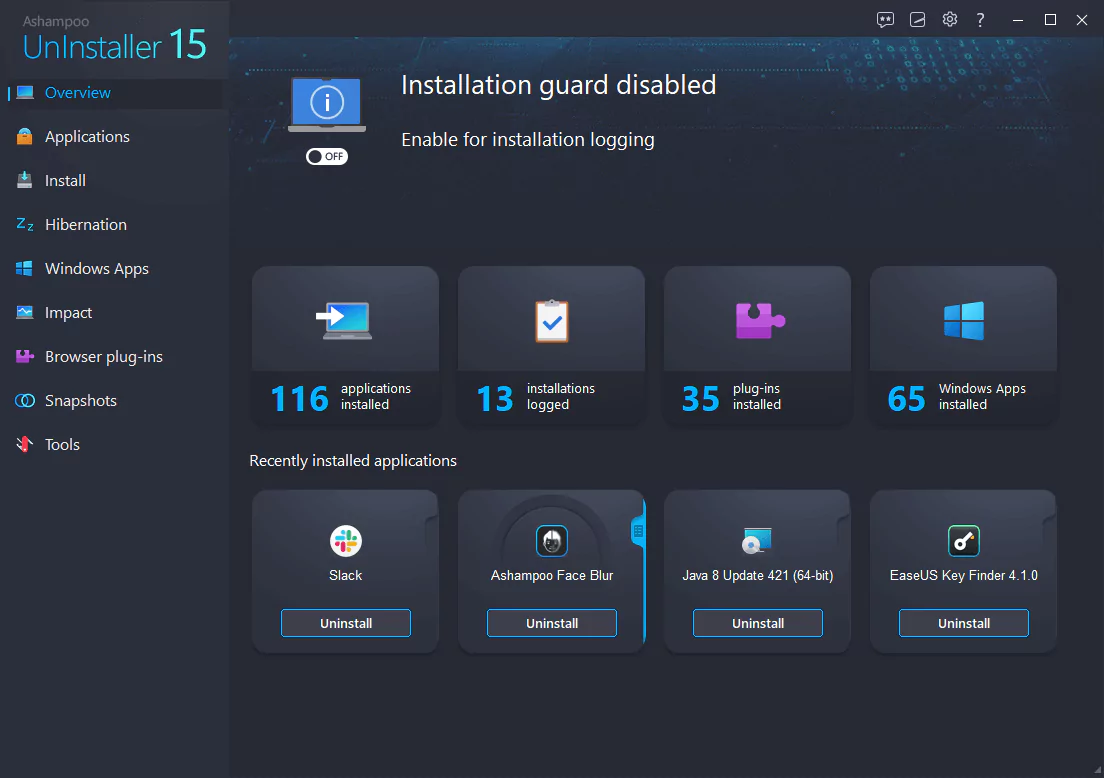
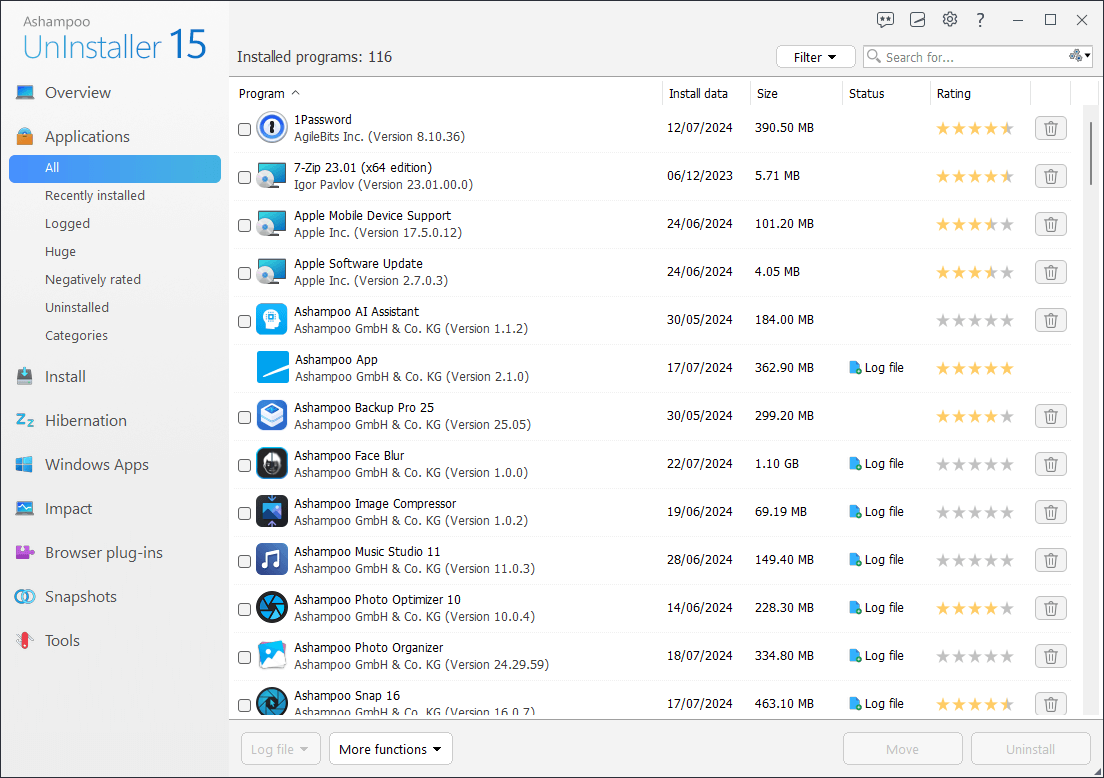

Ashampoo UnInstaller is a software designed to help users completely uninstall programs from their Windows PCs. In addition to the uninstaller built into the operating system, it is designed to remove not only program files but also traces such as registry entries and residual files that may remain after a standard uninstall.
OVERVIEW OF ASHAMPOO UNINSTALLER
Ashampoo UnInstaller is a comprehensive software solution designed to improve the process of installing, testing, and uninstalling programs on Windows computers. This tool goes beyond the standard removal methods provided by the operating system and is designed to thoroughly clean the system without leaving any residue. One of its special features is real-time installation monitoring, which allows users to track and record changes made to the system during installation. This capability is particularly useful for understanding the effectiveness of each installed program.
The software uses a unique snapshot that allows users to create before and after snapshots of the system state. It makes it easy to compare and identify changes and offers a valuable tool for understanding and troubleshooting changes made by installed applications. Moreover, Ashampoo UnInstaller uses five uninstall methods and offers users multiple options to deal with different uninstall scenarios. This flexibility is particularly useful for unattended installations, allowing the system to be completely restored to its pre-installation state.
Ashampoo UnInstaller offers a powerful uninstaller and integrated cleanup tool. These tools include features such as disk cleaners and registry cleaners that improve the overall system maintenance experience. Deep software cleaning not only removes program files but also detects and removes residual elements such as registry entries and leftover files, contributing to a clutter-free and optimized system.
FEATURES OF ASHAMPOO UNINSTALLER
DETAILED PROGRAM REMOVAL
Ashampoo UnInstaller is designed to completely remove programs from your system, including all hidden files, residual folders, and registry entries that standard uninstallers leave behind. By carefully monitoring the installation, the program can remove every trace of itself. This is especially useful for users who regularly install and test various programs, as it ensures a cleaner, more organized system, free from the clutter caused by the remnants of uninstalled software.
INSTALLATION MONITORING AND LOGGING
One of the great features of Ashampoo UnInstaller is its ability to monitor the installation in real time. Whenever you install new software, the program records every change made to your system, including new files, changed entries, and background changes. Later, if you decide to uninstall the program, Ashampoo UnInstaller will use this detailed logging to undo the changes with pinpoint accuracy. Even software that tries to hide its components or spread its files throughout the system can be carefully monitored and completely removed.
BATCH UNINSTALL
Ashampoo UnInstaller is not limited to uninstalling programs one by one. It supports batch uninstallation, allowing users to select multiple programs and uninstall them at once. This is especially useful if you want to quickly clean up your system by removing outdated or unnecessary software at once. This process is time-saving, efficient, and ensures that no residual information is left behind for the selected programs.
SYSTEM MAINTENANCE TOOLS
In addition to uninstalling software, Ashampoo UnInstaller also includes several maintenance tools that can help optimize system performance. These tools can clean temporary files, fix invalid registry entries, and manage startup programs. By keeping your system free of unnecessary information and optimizing boot time, the program also contributes to speeding up overall performance and improving stability. This makes Ashampoo UnInstaller not only an uninstaller, but also a system maintenance tool.
BROWSER AND PLUG-IN MANAGEMENT
Ashampoo UnInstaller allows users to manage and remove unwanted browser extensions, plug-ins, and toolbars. These add-ons can sometimes slow down your browsing performance or pose a security risk. With this feature, you can inspect installed browser components and remove unnecessary or suspicious ones. The program supports multiple browsers and provides users with a unified platform to manage their web environment more efficiently.
FILE AND PROGRAM SHREDDING
Security-conscious users will appreciate the file and program shredding feature included in Ashampoo UnInstaller. When you uninstall a program or delete files, the data is permanently deleted, preventing recovery with standard file recovery tools. This ensures that confidential information or sensitive files cannot be recovered after deletion. This is especially useful for users who deal with personal or business-related information and want to maintain data confidentiality even after uninstalling software or deleting old files.
SYSTEM REQUIREMENTS
- Supported OS: Windows 11/10/8.1/7
- Memory (RAM): 1 GB of RAM or more is required
- Hard Disk Space: 100 MB or more required