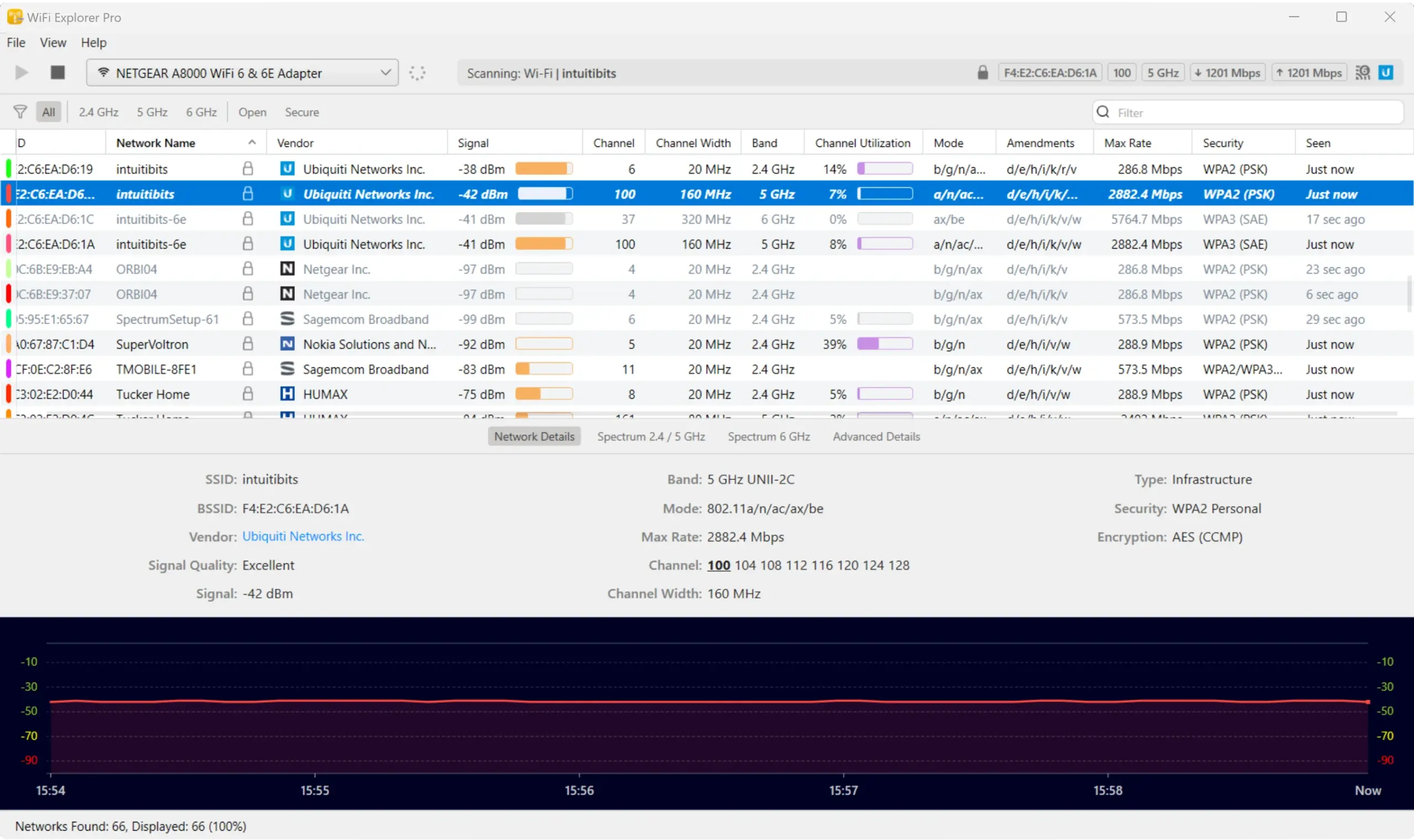
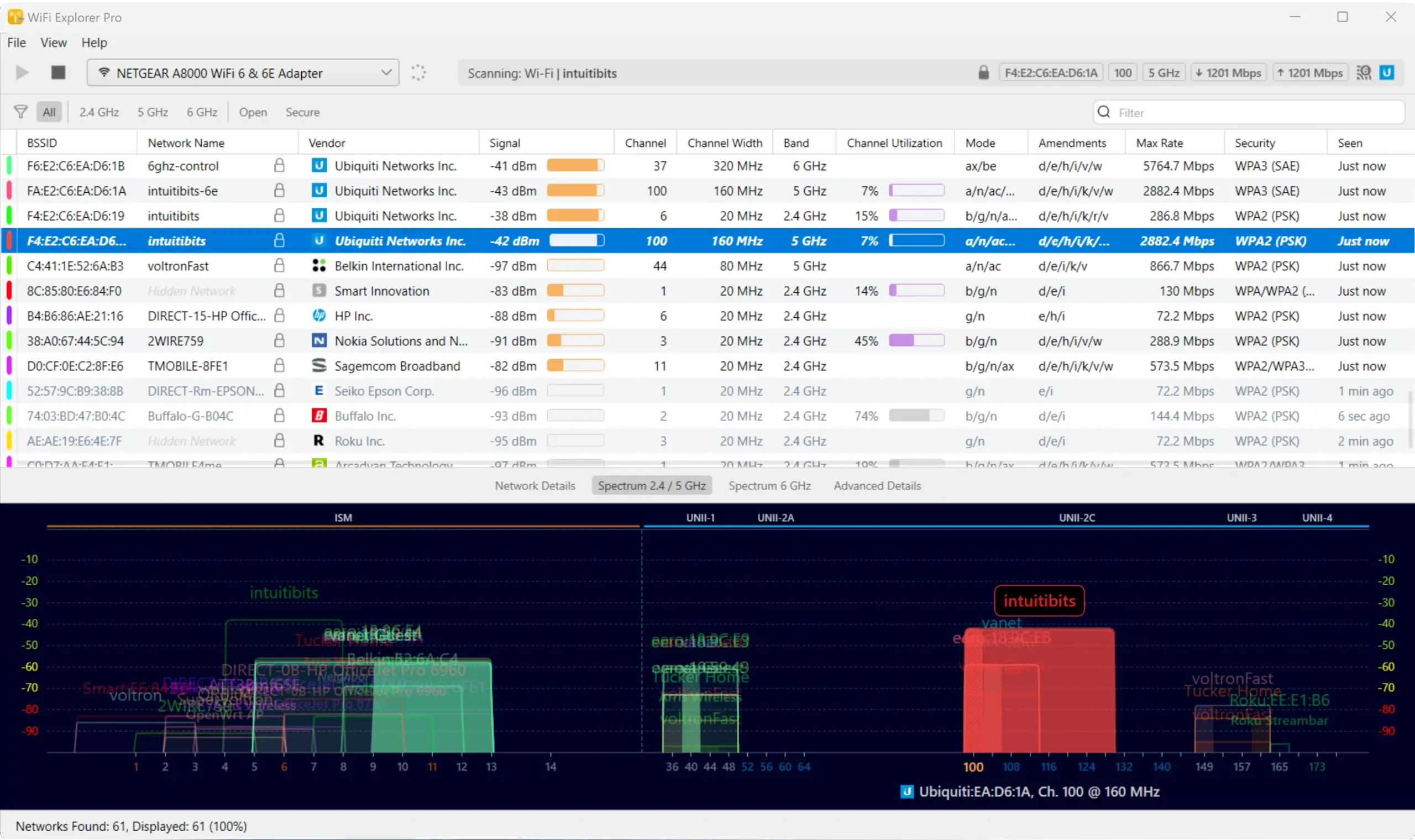
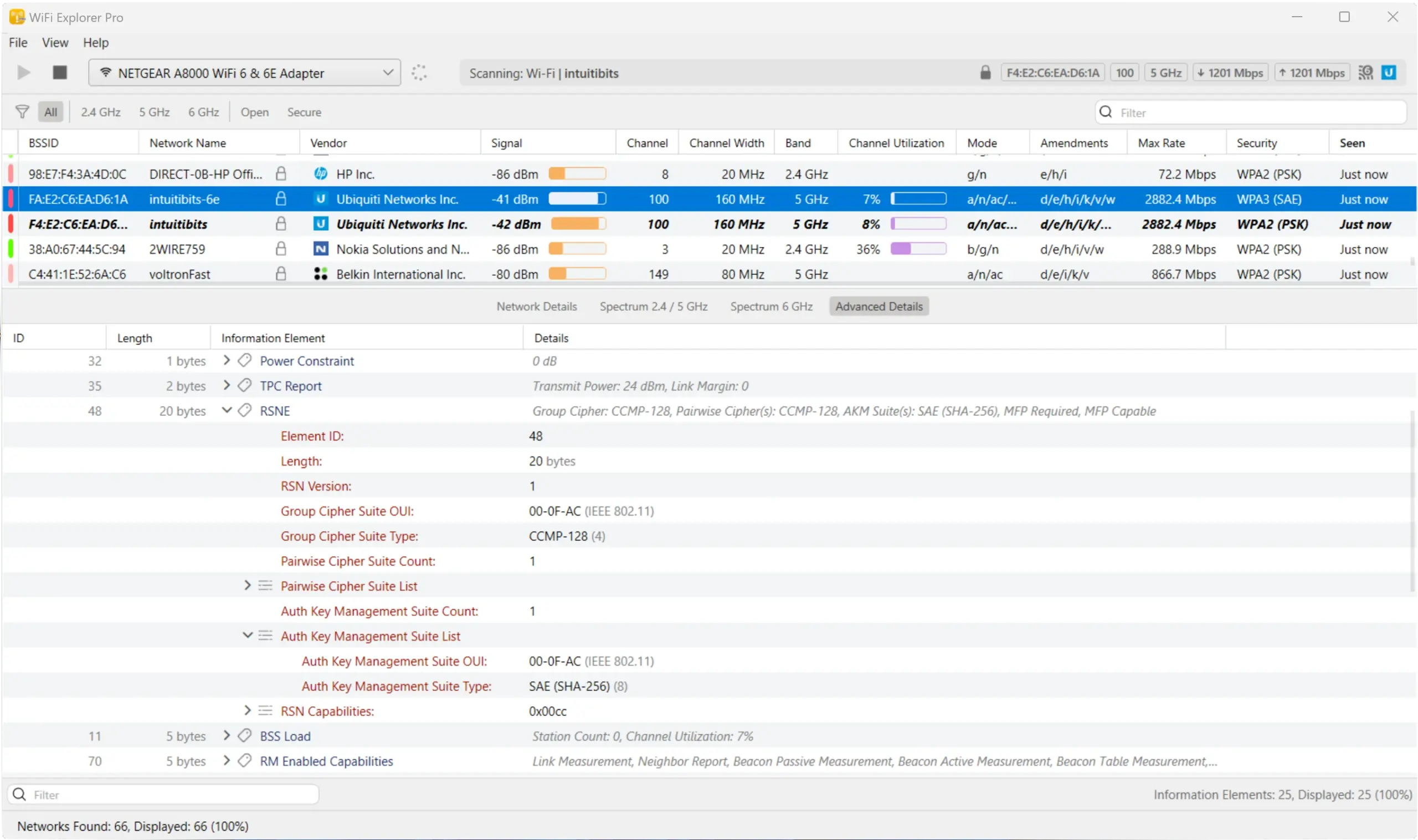

WiFi Explorer Pro is a professional wireless network analysis tool that helps users scan, monitor, and troubleshoot Wi-Fi networks. It provides detailed information about nearby wireless access points, including signal strength, channel, security settings, and network performance. This software is ideal for IT professionals, network administrators, and advanced users who need to optimize wireless network coverage and minimize interference.
OVERVIEW OF WIFI EXPLORER PRO
WiFi Explorer Pro is an advanced Wi-Fi analysis and troubleshooting application designed to provide detailed information about the wireless network environment. It allows users to scan nearby Wi-Fi networks, analyze signal strength, identify channel congestion, and monitor wireless network performance in real time. This software is especially useful for network administrators, IT professionals, and technicians responsible for deploying and maintaining secure wireless networks.
The application displays comprehensive information about each detected access point, including SSID, BSSID, frequency band, channel width, security protocol, PHY mode, manufacturer information, and signal quality. This information helps users identify interference, optimize access point placement, and improve network performance.
WiFi Explorer Pro also offers powerful filtering, sorting, and visualization tools that simplify the analysis of busy wireless environments. Interactive graphs and detailed reports make it easy to diagnose weak signals, overlapping channels, roaming issues, and other connection problems.
With its intuitive interface and professional-grade diagnostic capabilities, WiFi Explorer Pro is ideal for wireless site surveys, enterprise network management, connection troubleshooting, and optimizing home and business Wi-Fi deployments. It provides accurate wireless network information while remaining efficient and easy to use.
FEATURES OF WIFI EXPLORER PRO
COMPREHENSIVE WI-FI NETWORK DISCOVERY
WiFi Explorer Pro scans the surrounding wireless environment and displays detailed information about all nearby Wi-Fi networks. Users can view SSID, BSSID, manufacturer, security protocol, frequency band, channel number, channel width, signal strength, and supported wireless standards. This comprehensive overview makes wireless network analysis easy.
REAL-TIME SIGNAL MONITORING
The software continuously monitors Wi-Fi signal strength and network changes. Live updates allow users to observe fluctuations caused by movement, interference, or environmental conditions. This real-time monitoring is invaluable when deploying wireless access points or diagnosing unstable connections.
CHANNEL ANALYSIS AND INTERFERENCE DETECTION
WiFi Explorer Pro helps identify channel congestion and duplicate wireless networks that can reduce performance. A visual channel graph allows users to select less congested channels for their router, thereby reducing interference and improving wireless speed, stability, and overall network efficiency.
ADVANCED FILTERING AND CUSTOMIZABLE VIEWS
Users can organize scan results using customizable filtering and sorting options. Networks can be grouped by channel, frequency band, signal strength, security type, or manufacturer. These flexible viewing options make it easy to analyze complex wireless environments with multiple access points.
PROFESSIONAL TROUBLESHOOTING TOOLS
The program helps diagnose common Wi-Fi problems such as poor coverage, signal overlap, roaming issues, hidden networks, incorrect security settings, and poor channel allocation. Network administrators can quickly identify the root cause of connection problems and implement effective solutions.
REPORTING AND NETWORK OPTIMIZATION
WiFi Explorer Pro supports exporting scan results, creating documents, auditing, and network planning reports. These reporting features, combined with detailed visualization and historical analysis, help professionals optimize wireless deployments, validate improvements, and maintain reliable Wi-Fi performance in home, office, and enterprise environments.
SYSTEM REQUIREMENTS
- Supported OS: Windows 11/10/8.1/7
- Memory (RAM): 1 GB of RAM or more is required
- Hard Disk Space: 100 MB or more required