
Access Agility WiFi Scanner is a wireless network analysis tool designed to help users monitor, analyze, and troubleshoot WiFi connections. It provides information about nearby wireless networks, including signal strength, channel usage, security settings, and interference. The software includes graphical visualizations that assist in identifying issues related to network performance and connectivity. Suitable for home users, IT professionals, and network administrators, it helps improve wireless network performance and determine the optimal configuration for access points.
OVERVIEW OF ACCESS AGILITY WIFI SCANNER
Access Agility WiFi Scanner is a powerful software application developed by AccessAgility, designed for monitoring wireless networks and troubleshooting connectivity issues. This tool helps users understand their WiFi environment by detecting nearby access points and providing detailed information about wireless signals, channels, network security, and connection quality. The software supports modern WiFi frequency bands—including 2.4 GHz, 5 GHz, and 6 GHz—allowing users to analyze the wireless networks around them. It offers features such as real-time scanning, graphical signal analysis, and channel data visualization, which assist in identifying interference and determining optimal network settings. Users can examine specific details about access points, including signal strength, channel bandwidth, network name (SSID), and encryption methods.
Additionally, this WiFi scanner includes performance testing tools to help diagnose issues such as slow internet speeds or problems with wireless connectivity. The software’s alerts and graphical reports highlight issues such as overlapping channels, weak signals, and security vulnerabilities. These features are useful for determining the optimal placement for a router or access point, as well as identifying which channel offers the best performance—whether you are managing a home network, troubleshooting office connectivity, or overseeing an enterprise WiFi infrastructure.
FEATURES OF ACCESS AGILITY WIFI SCANNER
REAL-TIME WIFI NETWORK DETECTION (SCANNING)
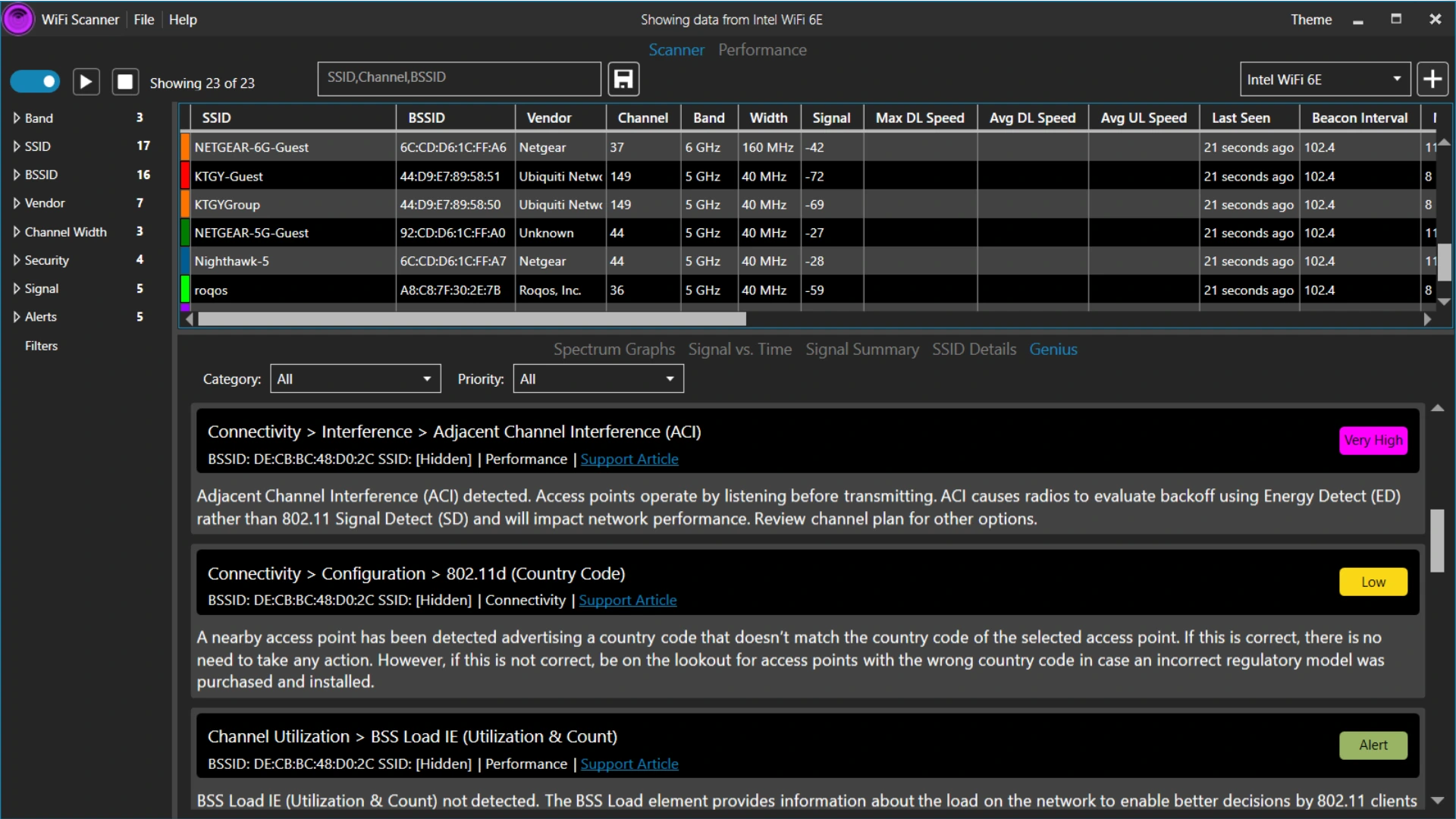
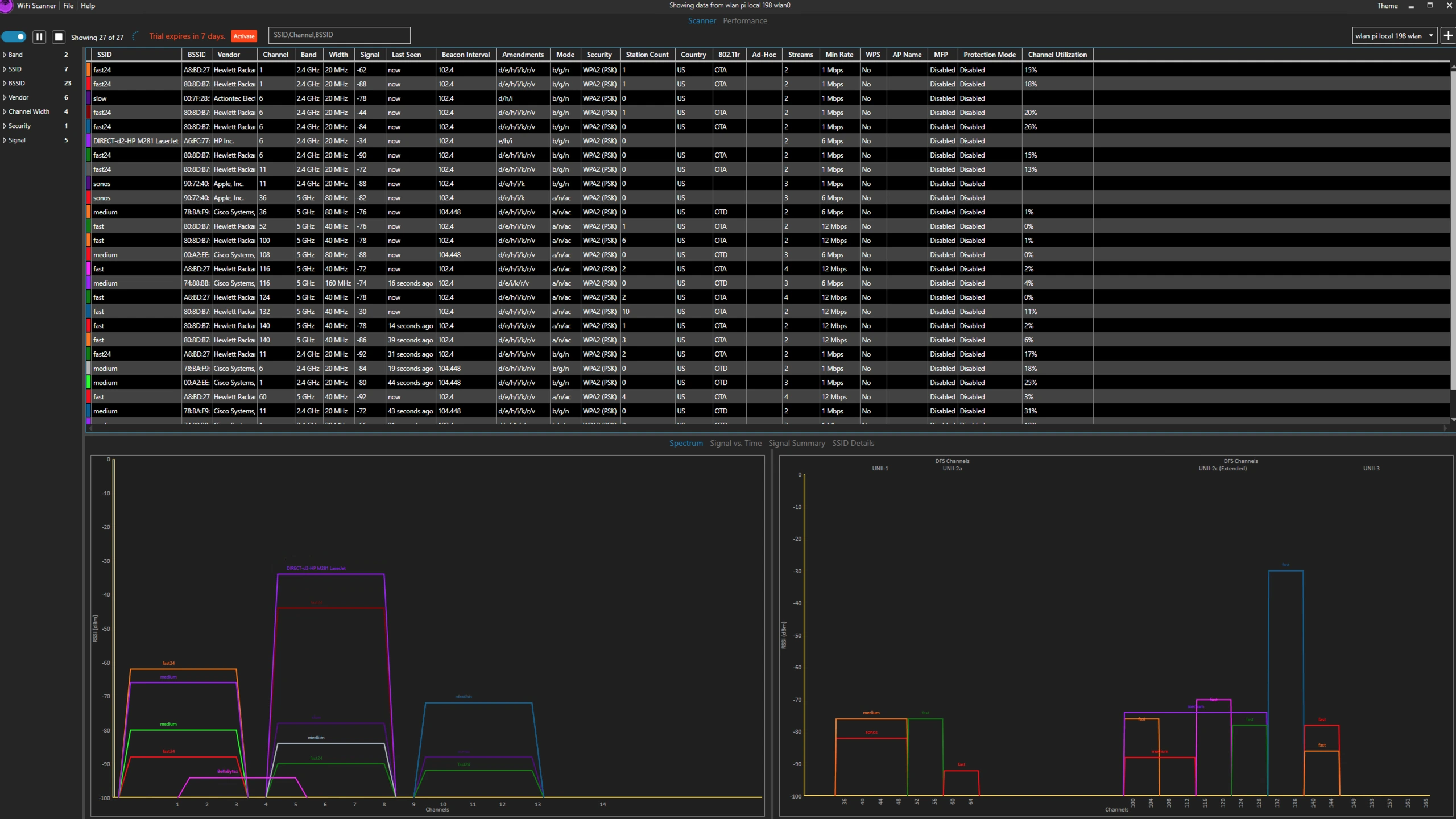
Access Agility WiFi Scanner displays information about nearby wireless networks and access points in real time. It presents key data such as SSID, BSSID, signal strength, channel, channel width, frequency band, security type, manufacturer, and the timestamp when the network was last detected. The real-time scanning interface helps users understand the surrounding wireless environment and quickly identify available networks. It is well-suited for modern wireless environments, as it can analyze networks across the 2.4 GHz, 5 GHz, and 6 GHz frequency bands (provided the necessary hardware is available).
SIGNAL STRENGTH AND CHANNEL ANALYSIS
The software includes graphical tools for analyzing signal strength and the utilization of wireless network channels. Users can compare nearby access points, identify overlapping channels, and pinpoint sources that may be causing signal interference. Integrated network visualizations make it easy to view signal strength and channel load, helping to determine which channel offers the best performance. These tools are particularly valuable in environments such as homes, offices, or schools where multiple wireless networks operate simultaneously.
DETECTING, RESOLVING, AND ALERTING ON WIFI-RELATED ISSUES
The Access Agility WiFi Scanner helps users identify common wireless network problems through automated alerts and diagnostic information. It detects and highlights issues such as weak signals, co-channel interference, adjacent-channel interference, and security misconfigurations. The recommendations provided by the software help users understand the factors affecting their connection and identify areas that require improvement. Instead of relying solely on a “trial and error” approach to resolve issues, network administrators can make more informed decisions regarding wireless network configuration and troubleshooting, based on the data detected.
NETWORK PERFORMANCE TESTING
This application provides performance testing tools to help investigate slow or unstable internet connections. Depending on the available tools and settings, users can evaluate throughput, latency, jitter, packet loss, and overall connection quality. These measurements help distinguish issues related to wireless signals from broader network performance problems. The software supports local network discovery, assisting users in identifying equipment such as access points and switches. This combination of wireless scanning and performance analysis is useful for diagnosing connectivity issues in both home and business environments.
WIFI SITE SURVEY AND COVERAGE PLANNING
The WiFi scanner offers site survey and planning capabilities within its higher-tier licensing options. Users can plan the placement of wireless access points, collect signal measurements while moving through an area, and generate coverage heatmaps. These visualizations help identify areas with poor coverage and assess whether the planned access point layout is likely to meet network requirements. Survey and reporting tools are particularly valuable for IT teams, network engineers, and organizations deploying WiFi across multiple rooms or buildings.
DATA EXPORT AND PROFESSIONAL NETWORK MANAGEMENT
The software supports exporting scanned data to CSV files, allowing users to review wireless information in a spreadsheet format or incorporate it into their own documentation. Additional features available with specific licenses include advanced reporting, remote scanning, collaboration capabilities, controller integration, and the ability to share scanned data via a web viewer. These features assist technical teams in documenting findings, coordinating troubleshooting efforts, and managing more complex wireless deployments. By combining scanning, diagnostics, visualization, and reporting, the Access Agility WiFi Scanner serves as a practical tool for maintaining reliable wireless networks.
SYSTEM REQUIREMENTS
- Supported OS: Windows 11/10/8.1/7
- Memory (RAM): 1 GB of RAM or more is required
- Hard Disk Space: 100 MB or more required