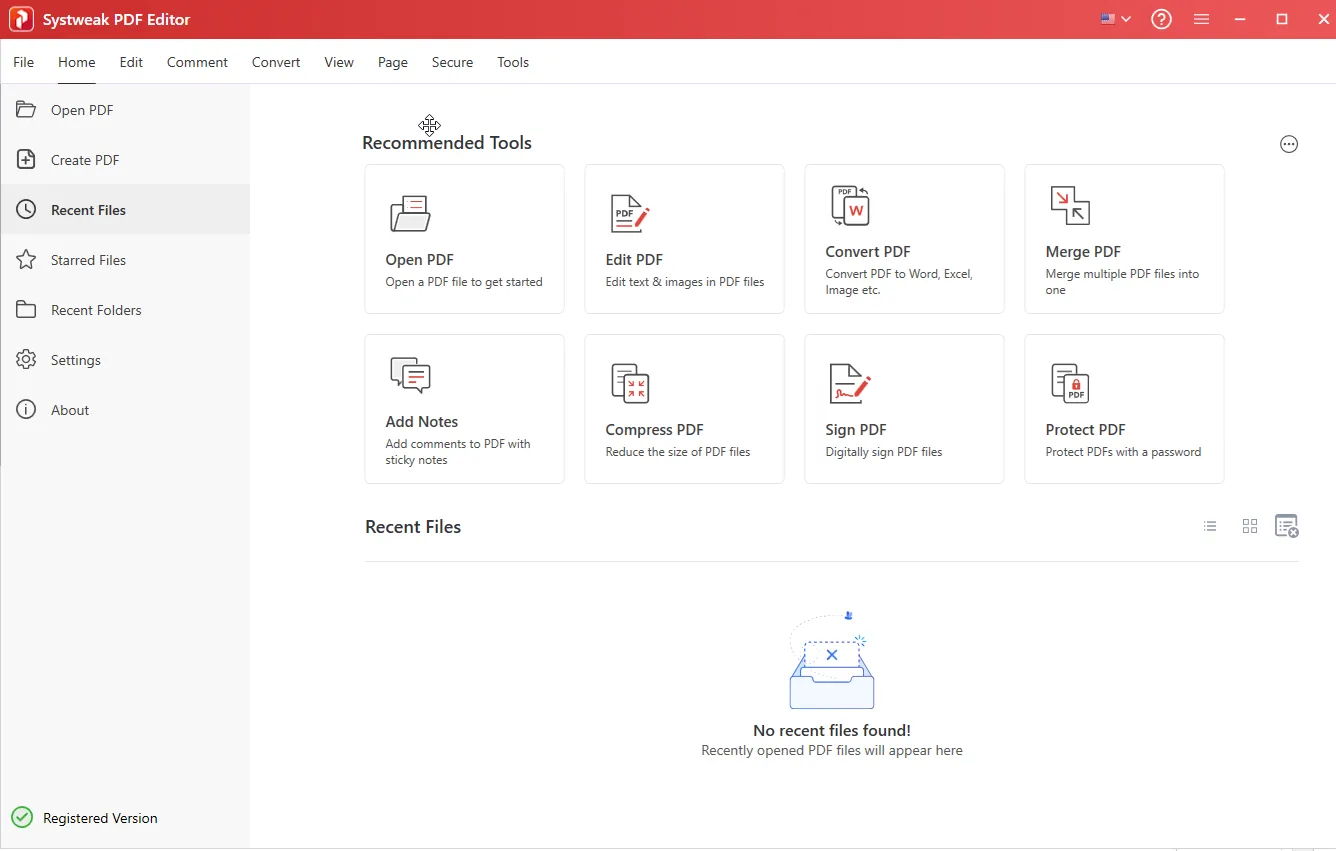
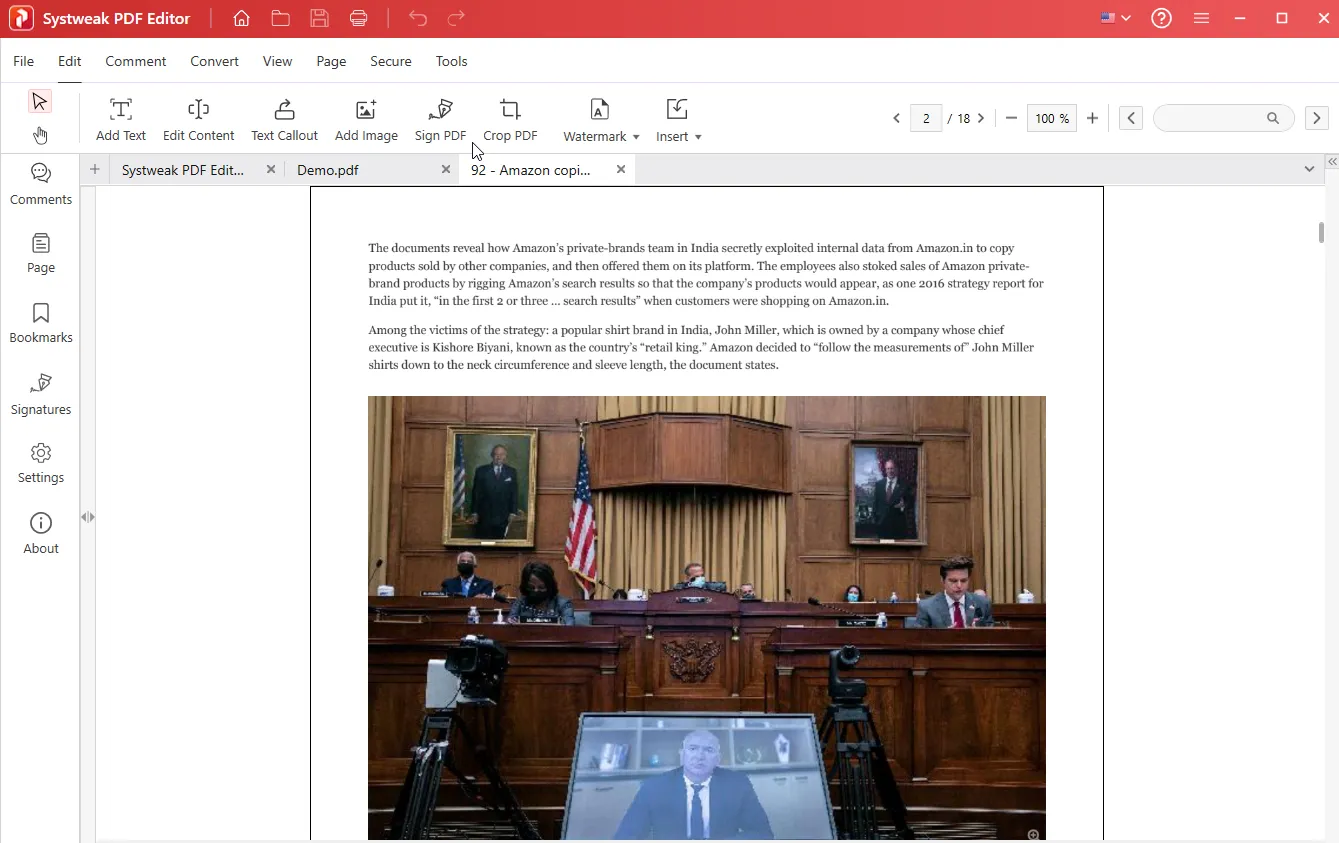

Developed by Systweak Software, Systweak PDF Editor is an all-in-one PDF solution for Windows that offers features such as editing, merging, splitting, converting (e.g., Word, Excel), OCR for scanned files, compression, markup, digital signatures, watermarks, password protection, and batch processing. It is suitable for both personal and professional use.
OVERVIEW OF SYSTWEAK PDF EDITOR PRO
Systweak PDF Editor Pro is an advanced yet easy-to-use software that helps users take full control of their PDF documents. In today’s digital world, PDF files are one of the most widely used file formats for business, education, and personal use due to their portability and security. However, managing PDF files requires multiple tools, which is time-consuming and inconvenient. Systweak PDF Editor Pro fills this gap with a comprehensive solution that allows users to easily edit, convert, annotate, and protect their PDF files.
One of the standout features of Systweak PDF Editor Pro is that users can directly edit text, images, and links within PDF documents. Unlike basic PDF readers that only allow viewing, this software gives you complete flexibility to make changes without reverting to the original source file. Users can easily modify their files by correcting spelling errors, adjusting the layout, and inserting images.
The software provides powerful conversion tools. Users can convert PDF files to multiple formats such as Word, Excel, PowerPoint, and even image files such as JPEG and PNG with just a few clicks. This feature is especially useful for professionals and students who need to reuse and modify PDF content without having to rewrite everything manually. In addition, Systweak PDF Editor Pro supports the reverse process – converting other file formats to PDF – for compatibility and ease of sharing.
FEATURES OF SYSTWEAK PDF EDITOR PRO
EDIT PDFS WITH POWERFUL TOOLS
Systweak PDF Editor Pro offers a comprehensive set of editing tools that allow users to easily modify PDF documents. You can edit text, images, and objects in PDFs, add annotations such as highlights, comments, and stamps, and delete or rearrange pages as needed. The editor allows you to crop, watermark, edit confidential information, and even copy and move pages, making it a versatile tool for adjusting and editing documents without requiring advanced technical skills. The interface is user-friendly to make the editing experience smooth.
GOOD OCR AND SCANNED PDF EDITING
One of the unique features is Optical Character Recognition (OCR), which allows you to convert scanned documents and images into searchable, editable text. This means that printed or handwritten PDF files can be digitized for editing or text search. Users can stop the OCR process at any time if necessary, and this feature helps make old paper documents useful and editable in a digital workflow. This greatly increases productivity when working with scanned materials.
PDF CONVERSION AND CREATION
Systweak PDF Editor Pro supports converting PDF files to other formats such as Word, Excel, PowerPoint, images, and HTML, and allows you to extract and edit data outside of the PDF format. In addition, it allows you to create PDFs from a variety of file types, including Microsoft Office documents and images. The conversion preserves the original formatting, images, and tables for a professional-looking output. This makes it ideal for converting reports, presentations, or contracts to universally compatible PDF files, or vice versa.
DOCUMENT SECURITY AND SIGNATURE
The software provides robust security features such as adding passwords, encryption, digital signatures, and permission restrictions to PDF files. Users can digitally sign PDF documents to ensure their authenticity and integrity. Redaction tools allow you to permanently hide sensitive data, especially for corporate or legal documents, to protect the confidentiality and privacy of documents. These features are essential for ensuring secure document exchange and compliance.
PDF FILE MANAGEMENT AND OPTIMIZATION
In addition to editing and conversion, the editor offers tools for efficiently managing PDF files: merging multiple files, splitting large PDF files into smaller ones, compressing file size without losing quality, and repairing damaged PDF files. Users can also insert blank pages, rotate or reorder PDF pages, and extract specific pages into new documents. Such features help organize documents for easy sharing, storage, and accessibility.
SYSTEM REQUIREMENTS
- Supported OS: Windows 11/10/8.1/7
- Memory (RAM): 1 GB of RAM or more is required
- Hard Disk Space: 100 MB or more required