Resolume Arena is a professional VJ software for live video mixing and projection mapping. It enables real-time video effects, audio-visual synchronization, and multi-screen output, bringing creativity and performance together for concerts, festivals, clubs, and installations.
OVERVIEW OF RESOLUME ARENA
Resolume Arena is a professional-grade software for live performance, projection mapping, and stage production. Widely regarded as one of the most powerful tools for VJs, visual artists, event producers, and stage designers, it provides everything you need to create and control dynamic audio-visual experiences in real time. Whether used for concerts, music festivals, nightclubs, or large-scale art installations, Resolume Arena stands out as a versatile and reliable solution for integrating video, effects, and sound into a unified show.
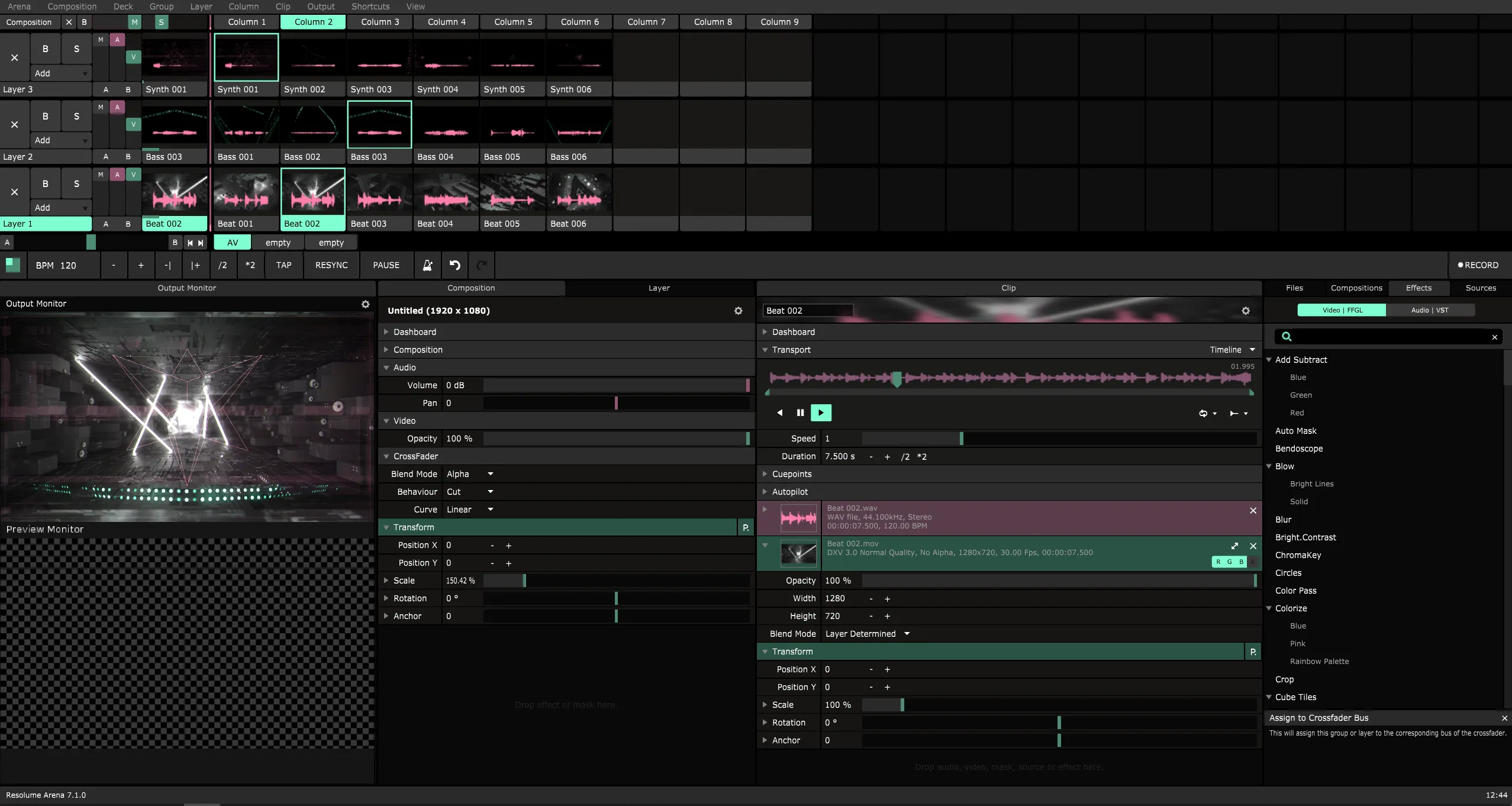
Essentially, Resolume Arena is a VJ (video jockey) software that allows users to mix and manipulate video content like a DJ. It supports multiple layers, transitions, and effects that can be triggered instantly, allowing performers to create visuals during live shows. The interface is designed to be intuitive and flexible, while maintaining professional-grade functionality and providing quick access to clips, effects, and controls.
One of Resolume Arena’s unique features is its advanced projection mapping capabilities. Users can project images onto uneven surfaces, buildings, and stage props, transforming any object into a dynamic image. Tools such as blurring, masking, and edge blending ensure a smooth look across multiple projectors, creating a multi-screen environment. This makes the software ideal for large-scale events where audience participation is essential.
FEATURES OF RESOLUME ARENA
REAL-TIME VIDEO MIXING
Resolume Arena is built around the concept of live visual mixing. Just as DJs mix music, VJs and performers can layer, mix, and manipulate video clips during a performance. The software allows for multiple video layers with opacity adjustments, blending modes, and transition effects, giving artists the creative flexibility to create visuals in real time. Visuals can be changed to match the energy, mood, and music of the audience, making each show unique.
ADVANCED PROJECTION MAPPING
One of the standout features of Resolume Arena is its powerful projection mapping capabilities. Users can project visuals onto any surface, including flat, curved, and irregularly shaped objects, using tools such as warping and masking. With projection mapping, props, buildings, and even entire environments can be transformed into dynamic images. This feature is especially useful for festivals, art installations, and theater productions, where stunning visualizations enhance the overall experience.
EDGE BLENDING FOR MULTI-PROJECTOR SETUPS
For large-scale productions that require multiple projectors, Resolume Arena offers edge blending. It creates a smooth, seamless transition between two or more projectors, eliminating visible borders or inconsistencies when they overlap. With precise control over lighting and settings, creators can create massive panoramic images that look cohesive and professional.
AUDIO-VISUAL SYNCHRONIZATION
Resolume Arena bridges the gap between audio and visuals by analyzing audio. The software can detect the bass, mids, and treble frequencies of music and use them to create visual effects. For example, visuals can pulsate with beats, distort with bass drops, or sparkle with high notes. This synchronization ties the visuals tightly to the music, creating a powerful feeling for audiences at concerts, clubs, and festivals.
MULTIPLE DISPLAYS AND DISPLAY OUTPUTS
In addition to projection mapping, Resolume Arena supports multiple outputs, allowing you to display visuals on multiple screens and projectors simultaneously. Artists can send different layers to display content separately or combine them into one large image. This feature is essential for professional shows that require complex stage designs or large-scale presentations.
MIDI, DMX, OSC INTEGRATION
Resolume Arena is adaptable to external hardware and control systems. It supports MIDI controllers that allow artists to trigger clips, effects, and transitions via physical buttons, faders, or pads. The software integrates with OSC (Open Sound Control) for advanced network-based setups. In addition, Resolume Arena includes full DMX/Artnet support, allowing you to control the visuals alongside the stage lighting. This makes it an ideal choice for productions that require the integration of visuals, lighting, and music.
CUSTOMIZABLE EFFECTS AND TRANSITIONS
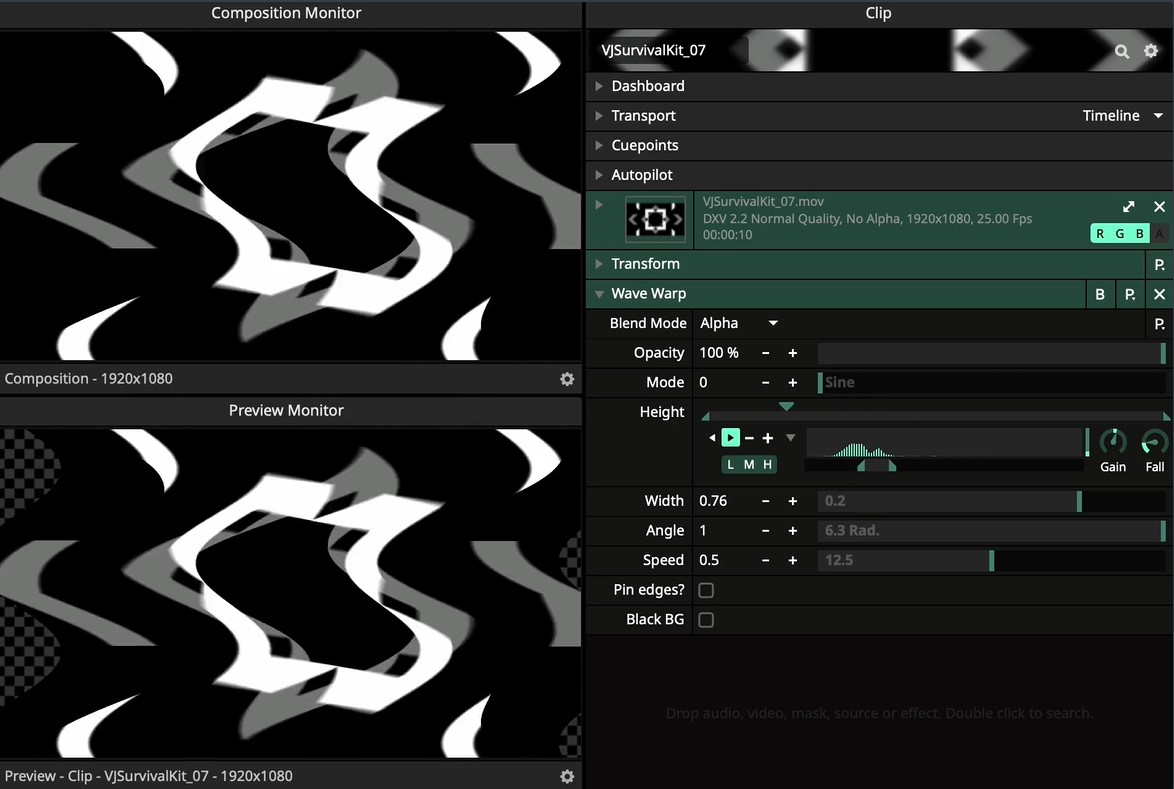
The software offers a wide range of real-time effects, from simple color adjustments to complex distortions and generated images. Each effect can be customized and linked to parameters such as audio frequency, MIDI input, and clock control. Transitions between video clips can also be customized, allowing performers to add a personal touch to their shows.
BROAD FORMAT COMPATIBILITY
Resolume Arena is designed to work with virtually any media type. It supports a wide range of video codecs, image types, and audio formats, minimizing compatibility issues. Users can import and play high-resolution content, including 4K video, without compromising performance. This ensures smooth playback even in challenging live environments.
PROFESSIONAL TOOLS FOR THE ARENA
While Resolume Avenue is an entry-level version, Resolume Arena includes advanced features suitable for larger productions. These include SMPTE timecode input, which allows for perfect synchronization of visuals with music or lighting cues during choreographed shows. DMX/Artnet output also allows Arena to act as a media server in professional stage setups, giving lighting operators direct control over visual content.
USER-FRIENDLY YET POWERFUL INTERFACE
Despite its professional capabilities, Resolume Arena is designed with usability in mind. Its interface allows you to quickly launch clips, create layers, and adjust effects. Beginners can quickly launch their shows, while advanced users can delve deeper into customization and integration.
SYSTEM REQUIREMENTS
- Supported OS: Windows 10
- Memory (RAM): 8 GB of RAM or more is required
- Hard Disk Space: 2 GB or more required
- Graphics: Discrete GPU from Nvidia or AMD