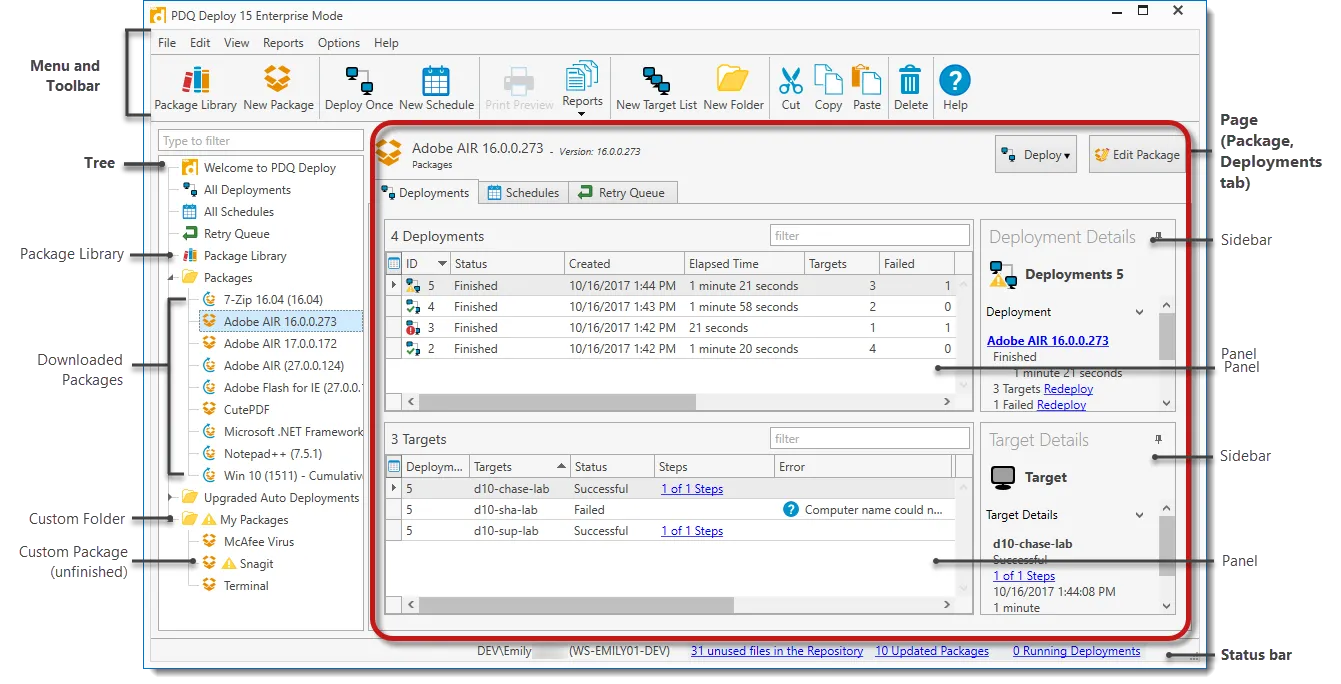
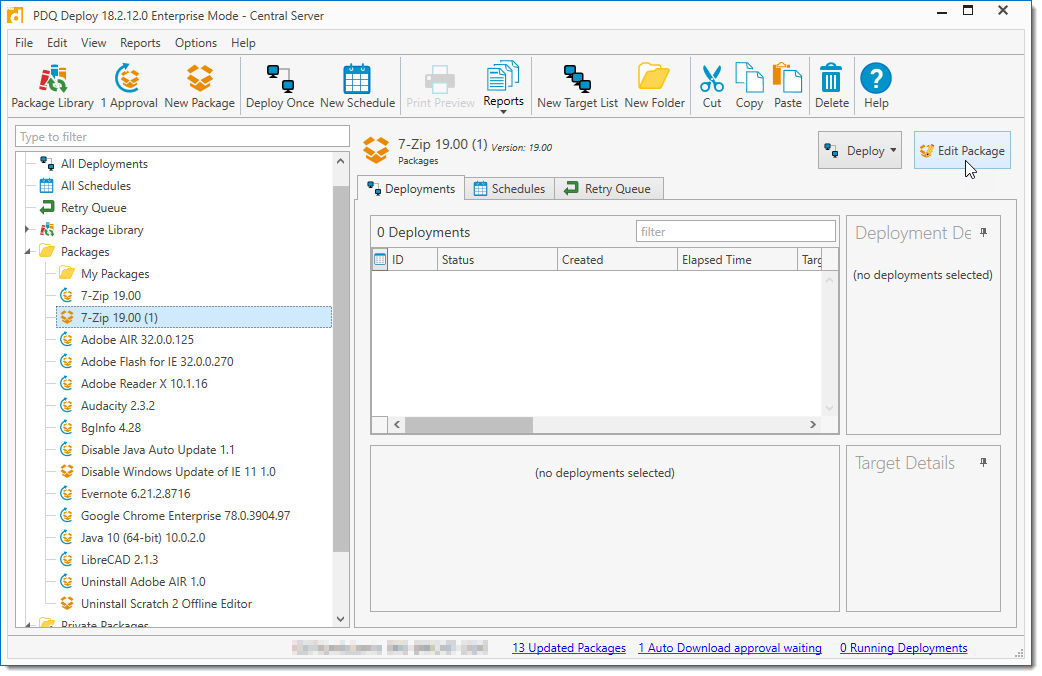

PDQ Deploy Enterprise is a software deployment tool designed for IT professionals to automate the deployment of software and patches to multiple computers on a network. It allows administrators to install and update software remotely from a central console on a Windows PC, saving time and reducing manual work.
OVERVIEW OF PDQ DEPLOY ENTERPRISE
PDQ Deploy Enterprise is a powerful software deployment solution specifically designed for IT professionals responsible for managing software installations and updates on Windows PC networks. At its core, It aims to simplify and automate the deployment process, thereby reducing manual intervention and streamlining administrative workflows.
The platform provides a centralized console from which administrators can remotely install, update, and manage software packages and patches on multiple machines simultaneously. This centralized approach not only saves time but also ensures network stability and reliability, so administrators can perform deployments consistently from a single interface.
One of the key features of PDQ Deploy Enterprise is its extensive package library, which includes pre-built packages for commonly used software and upgrades. This library simplifies the deployment process by providing ready-to-use packages for popular software titles, reducing the need for administrators to create packages from scratch. In addition, It offers users the flexibility to create custom deployment packages for software not included in the built-in library, allowing organizations to deploy a variety of applications based on their needs.
The platform supports deployment scheduling, allowing administrators to install and update at convenient times, such as off-peak hours, to minimize disruption to end users. In addition, PDQ Deploy Enterprise offers multi-stage deployment capabilities that allow administrators to ensure a smooth and efficient deployment process for software installations and dependencies.
FEATURES OF PDQ DEPLOY ENTERPRISE
CENTRAL SERVER MANAGEMENT
PDQ Deploy Enterprise features a Central Server that allows multiple administrators to share a single repository of packages and deployment history across all consoles in the organization. This multi-user capability enables seamless collaboration and allows IT teams to manage deployments from multiple locations without duplication of effort. Real-time visibility into all activities improves coordination and reduces errors in large-scale environments.
PACKAGE LIBRARY ACCESS
Enterprise users have full access to all pre-built packages in the PDQ Deploy Package Library, including older versions, as long as their subscription remains active. Packages can be configured to automatically download new versions, simplifying patch management for third-party applications. This feature supports importing, multi-stage package creation, and the use of nested packages for complex deployments.
SCHEDULED AND AUTOMATED DEPLOYMENT
Deployments can be scheduled over a customized time frame with the option to automatically deploy updated library packages based on machine availability via heartbeat triggers. A retry sequence automatically retries failed deployments to offline targets, ensuring a high success rate without manual intervention. Email notifications provide status updates upon completion, keeping teams informed.
BEST FEATURES AND INTEGRATION
Integration with PDQ Inventory and Active Directory enables dynamic collection and fine-tuning of devices using customized conditions, filters, and targeting options. Supports Wake-on-LAN for offline devices, bandwidth reduction to manage network load, and PowerShell integration for custom scripts. The agentless architecture leverages Windows protocols for reliable, scalable operations across thousands of endpoints.
MONITORING AND REPORTING
Real-time monitoring tracks deployment progress with detailed status reports, error logs, and success/failure metrics. Features such as deployment monitoring, alerts, and customized reports help IT administrators quickly identify issues and optimize processes. Priority email support is included for enterprise users, allowing for rapid resolution of issues.
SYSTEM REQUIREMENTS
- Supported OS: Windows 11/10/8.1/7
- Memory (RAM): 1 GB of RAM or more is required
- Hard Disk Space: 100 MB or more required