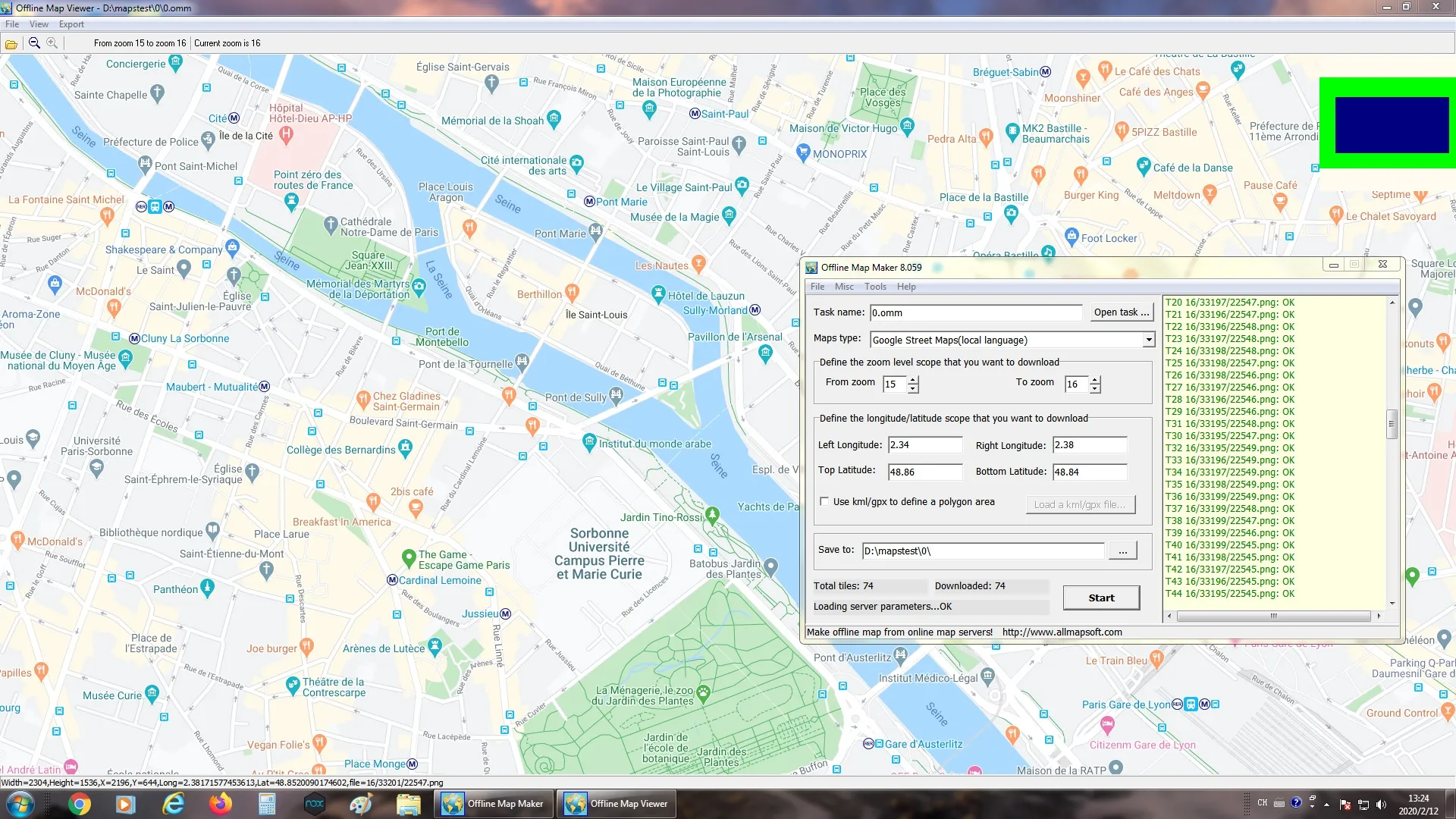
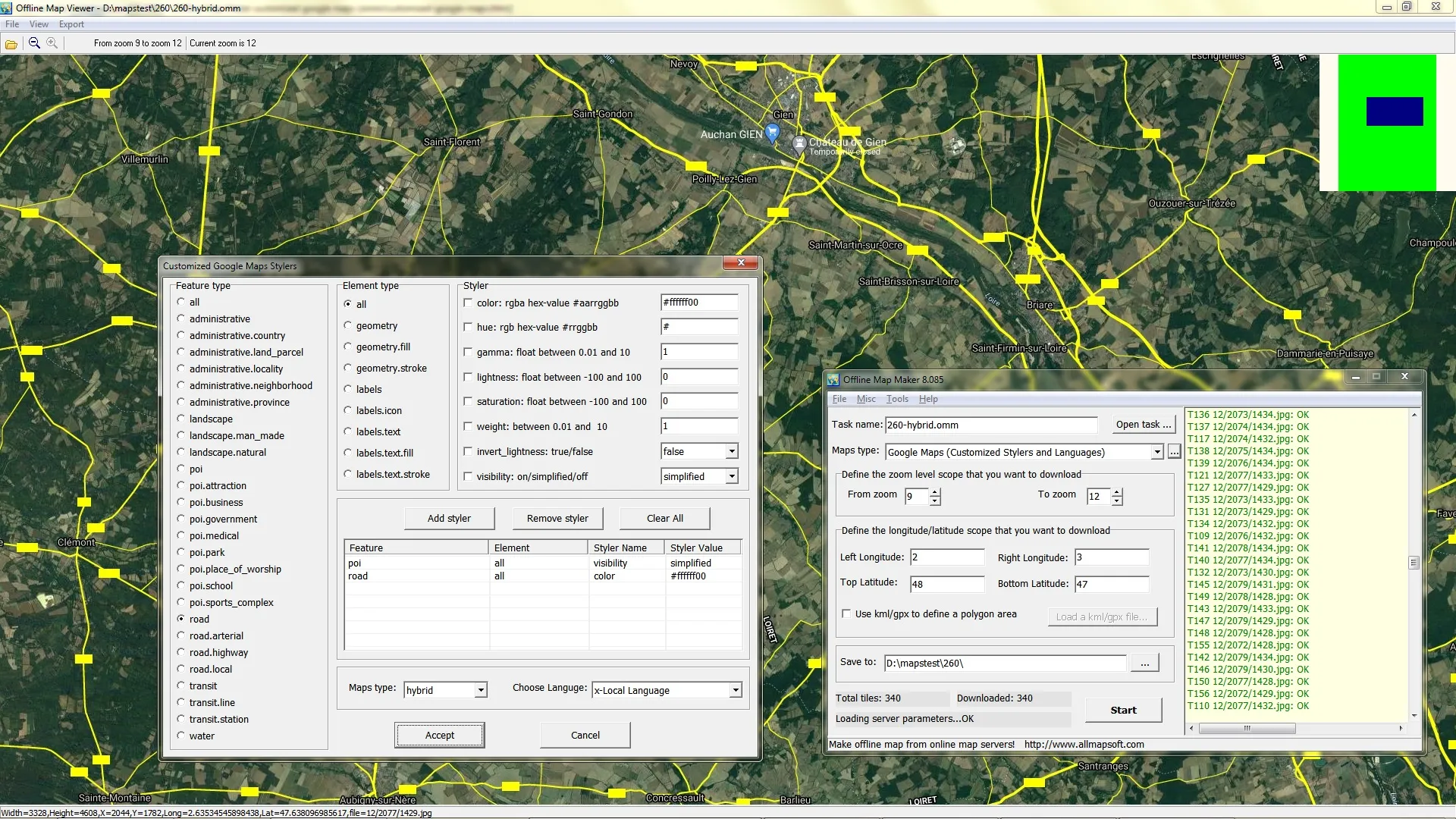

AllMapSoft Offline Map Maker allows you to download tiled maps for offline use from sources such as Google Maps, Bing Maps, Yahoo Maps, OpenStreetMap, etc. It supports downloading multiple zoom levels in a single operation, includes a built-in map viewer, tile merge, and export options to formats such as BMP, JPG, PNG, TIFF, KMZ, SQLite/MBTiles, and OziExplorer .map files. It is ideal for customizing offline maps of your city or regions of interest without an internet connection.
OVERVIEW OF ALLMAPSOFT OFFLINE MAP MAKER
AllMapSoft Offline Map Maker is a specialized software tool for downloading and storing map tiles for offline use from various online map services. It is designed for users who need constant access to map data without relying on an active Internet connection. Whether for tourism, field research, geographic analysis, or application development, Offline Map Maker offers a flexible and reliable solution for creating offline maps.
The software supports Google Maps (standard, satellite, terrain, hybrid), Bing Maps, Yahoo Maps, OpenStreetMap, and many other online map providers. This versatility allows users to choose the type of map and visualization that best suits their needs. Offline Map Maker can download map tiles at multiple zoom levels simultaneously, making it easy to create detailed, scalable maps covering large or small geographic areas.
One of the standout features of Offline Map Maker is the ability to merge and export tiles. After downloading map tiles, users can merge them into larger map images or export them to formats such as BMP, JPG, PNG, TIFF, etc., or integrate them with mobile applications and GIS platforms such as KMZ for use in Google Earth, or MBTiles, SQLite, etc. It also supports OziExplorer .map files, which are useful for GPS navigation.
FEATURES OF ALLMAPSOFT OFFLINE MAP MAKER
WIDE RANGE OF MAP SOURCES
AllMapSoft Offline Map Maker is designed to provide users with access to a wide range of online map sources, which can then be saved and used offline. It supports popular platforms such as Google Maps, Bing Maps, OpenStreetMap, Yandex, etc. This wide range of coverage allows users to choose the most suitable map service depending on their needs, such as road navigation, satellite images or terrain views. This versatility makes it valuable for professionals and enthusiasts who require maps from different providers for various projects.
OFFLINE ACCESS
One of the outstanding features of AllMapSoft Offline Map Maker is the ability to download and save maps directly to your computer for offline use. This feature is especially useful for users working in remote areas with limited or no internet connection. For travelers, researchers, and field workers, offline access does not depend on a live connection and allows them to continue navigating and referencing geographic information without interruption. The fact that maps are still fully accessible even when the internet is unavailable makes it a reliable tool for offline navigation and planning.
CONFIGURABLE MAP AREA AND ZOOM LEVEL
The software allows users to select a specific area of the map and select the zoom level before downloading, allowing them to save only the necessary parts. Users can zoom in on an entire country or continent to a point of interest, which helps save storage space and download time. In addition, support for multiple zoom levels allows for the creation of wider, lower-resolution maps for regional and global perspectives while ensuring high-resolution maps for detailed city views. This layered approach provides flexibility for applications ranging from academic research to travel planning.
MAP STITCHING AND EXPORT OPTIONS
AllMapSoft Offline Map Maker not only downloads tiles, but also delivers a complete map image. The finished map can be exported to popular image formats such as JPEG, BMP, and TIFF, making it easy to use with other software or print. Advanced users can save map data in GIS-compatible formats for integration into geographic information systems. This feature makes it very practical for personal projects, academic research, or professional use, as well as for saving maps.
EASY TO USE AND AUTOMATED
AllMapSoft Offline Map Maker’s user-friendly interface makes it easy to use even for those with little technical skills. Simple processes such as selecting a map source, selecting an area, adjusting the zoom level, and downloading mean that maps can be saved quickly without extensive configuration. In addition, the software includes automation options such as batch download, which allows users to download multiple maps or large areas with minimal effort. This efficiency is especially important for those who need to obtain maps of different regions, such as researchers, logistics managers, and travel agencies.
A RELIABLE TOOL FOR PROFESSIONAL AND PERSONAL USE
This software is widely used in many fields, including transportation, urban planning, tourism, and education. Professionals can rely on it to create offline resources for project presentations, field research, or route planning. On a personal level, it helps travelers prepare for trips, plan outdoor adventures, and help students collect geographic information. Its stability and extensive features make it a reliable tool for those who need detailed, accurate offline maps.
SYSTEM REQUIREMENTS
- Supported OS: Windows 11/10/8.1/7
- Memory (RAM): 1 GB of RAM or more is required
- Hard Disk Space: 100 MB or more required