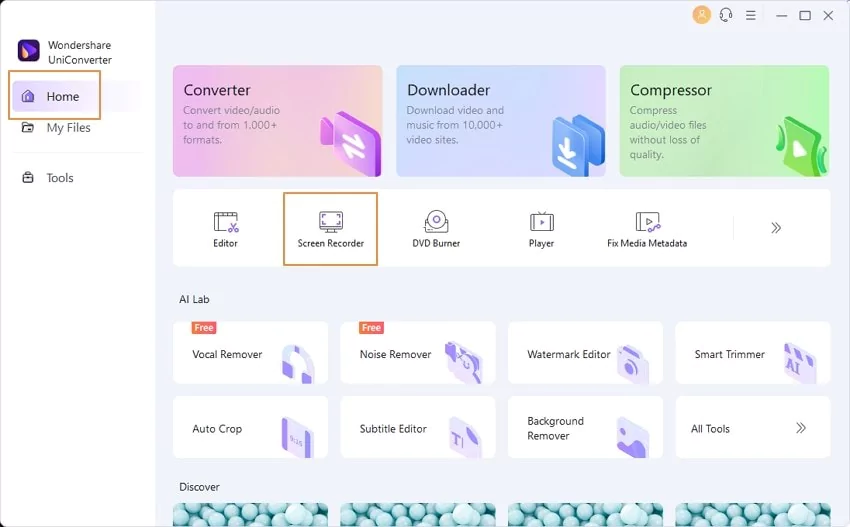

Wondershare UniConverter is a comprehensive video converter designed to process 4K/8K HDR files with exceptional speed and efficiency. Its versatile capabilities go far beyond simple video conversion and include a variety of features to suit a variety of multimedia needs.
OVERVIEW OF WONDERSHARE UNICONVERTER
Wondershare UniConverter, formerly known as Wondershare Video Converter Ultimate, is a comprehensive multimedia solution that offers video conversion, editing, and more. At the forefront of its capabilities is its ability to process 4K/8K HDR files at blazing speeds, giving users a seamless experience with high-quality video content. This software caters to a wide range of multimedia needs and allows users to use powerful tools such as batch conversion, lossless video compression, and video editing.
DVD burning is another feature that allows users to easily create personalized DVDs. The software also provides DVD menu customization options, making it an ideal tool for those who want to collect and publish their multimedia collections in physical form. Integrating DVD burning functionality expands UniConverter’s potential as a universal multimedia tool.
One of the outstanding features of Wondershare UniConverter is its versatility in handling a variety of tasks other than conversion. Users can easily compress videos to reduce file size, making content easier to store and share. This software is great for video editing and offers an easy-to-use interface for operations such as cropping, cropping, and adding effects. Whether you’re a content creator or an amateur, the ability to enhance and modify your videos with professional-grade editing tools makes Wondershare UniConverter stand out.
FEATURES OF WONDERSHARE UNICONVERTER
ALL-IN-ONE MEDIA CONVERSION SOLUTION
Wondershare UniConverter is a comprehensive multimedia toolkit designed to simplify video, audio, and image conversion for both professional and casual users. It supports over 1,000 file formats, including popular standards such as MP4, MOV, AVI, MKV, MP3, and FLAC, ensuring compatibility across almost all devices and platforms. The software’s smart encoding engine delivers ultra-fast conversion speeds without compromising quality, making it ideal for batch conversions and large media projects. Whether converting a single clip or an entire video library, UniConverter delivers smooth performance and accuracy.
POWERFUL VIDEO EDITING FEATURES
In addition to conversion, Wondershare UniConverter integrates a powerful video editor that allows users to add subtitles or watermarks. It also offers a variety of filters, effects, and templates that can enhance the visual appeal of any video. The editor supports advanced editing features such as audio adjustments, background music, and text overlays, allowing users to personalize their videos for social media, presentations, or professional creations. This all-in-one editing suite eliminates the need for multiple software tools, saves time, and improves workflow efficiency.
HIGH-SPEED VIDEO COMPRESSION AND OPTIMIZATION
UniConverter excels in video compression, allowing users to significantly reduce file size while maintaining high visual quality. The built-in compression tool includes adjustable parameters such as resolution, bitrate, and format type, giving users full control over the final output. It provides a real-time preview before processing, ensuring optimal results. This feature is especially useful for those who need to upload videos to online platforms, share via email, or store content on devices with limited storage. The intelligent compression engine ensures that videos maintain clarity and sharpness even after significant size reduction.
COMPREHENSIVE MEDIA DOWNLOAD AND BURNING TOOLS
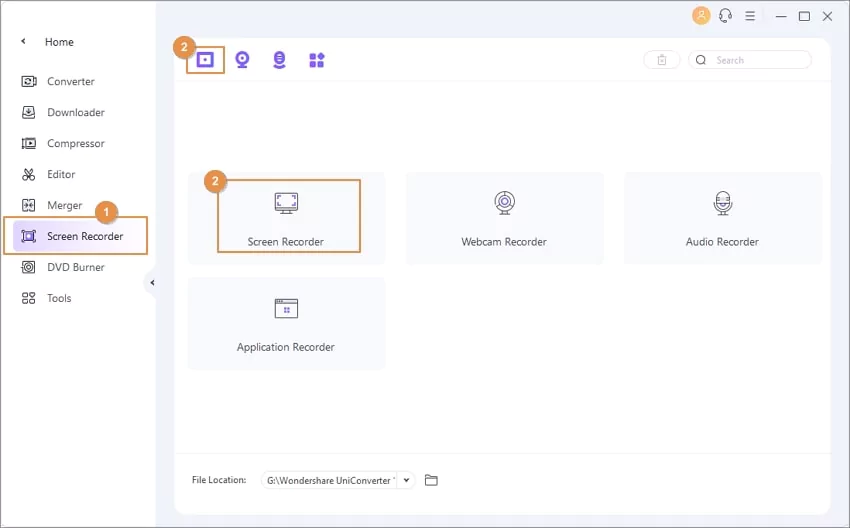
Wondershare UniConverter includes a powerful media downloader that can download videos and audio from thousands of websites, including YouTube, Vimeo, Facebook, and Dailymotion. Users can choose the desired resolution or format before downloading, making it easy to collect high-quality offline media. In addition, the screen recording function captures desktop activities, webcam recordings, and live streaming content with customizable settings. Whether it’s a class, game, or online meeting, UniConverter ensures smooth and reliable recording.
DVD AND BLU-RAY CREATION FEATURES
For users who use physical media, UniConverter offers a set of advanced DVD and Blu-ray tools. It allows you to easily burn videos to discs with customizable menus, subtitles, and background music. Users can also convert existing discs to digital formats for backup or archiving, and easy playback. The drag-and-drop interface and intuitive design make the process easy and suitable for both beginners and experienced users.
AI-POWERED ENHANCEMENT AND FILE MANAGEMENT
The latest versions of Wondershare UniConverter have integrated AI-powered features that enhance video resolution, remove background noise, and automatically improve the overall quality of the video. It also includes an efficient file management system that organizes, transfers, and syncs media between devices such as smartphones, external drives, and cloud storage. Wondershare UniConverter is a versatile, future-proof multimedia solution for all your video and audio needs.
SYSTEM REQUIREMENTS
- Supported OS: Windows 11/10/8.1/7
- Memory (RAM): 1 GB of RAM or more is required
- Hard Disk Space: 512 MB or more required