
MediaHuman YouTube to MP3 Converter is a software application designed to facilitate the conversion of YouTube videos to audio formats, primarily MP3, allowing users to extract and save audio content from videos on the YouTube platform. With a user-friendly interface and convenient features, the software has gained popularity among users who want to create audio playlists, and podcasts or listen to their favorite music offline.
OVERVIEW OF MEDIAHUMAN YOUTUBE TO MP3
MediaHuman YouTube to MP3 Converter is a versatile software application that empowers users to extract audio content from YouTube videos and save it in the popular MP3 format. With its user-friendly interface, advanced features, and compatibility across Windows and macOS platforms, this tool has gained popularity among individuals looking for a seamless way to enjoy their favorite YouTube content as audio files offline.
The primary function of MediaHuman YouTube to MP3 Converter is to enable users to convert YouTube videos into standalone audio files. This utility is especially valuable for users who want to create personalized music playlists, listen to podcasts, or enjoy motivational speeches without the need for an active Internet connection.
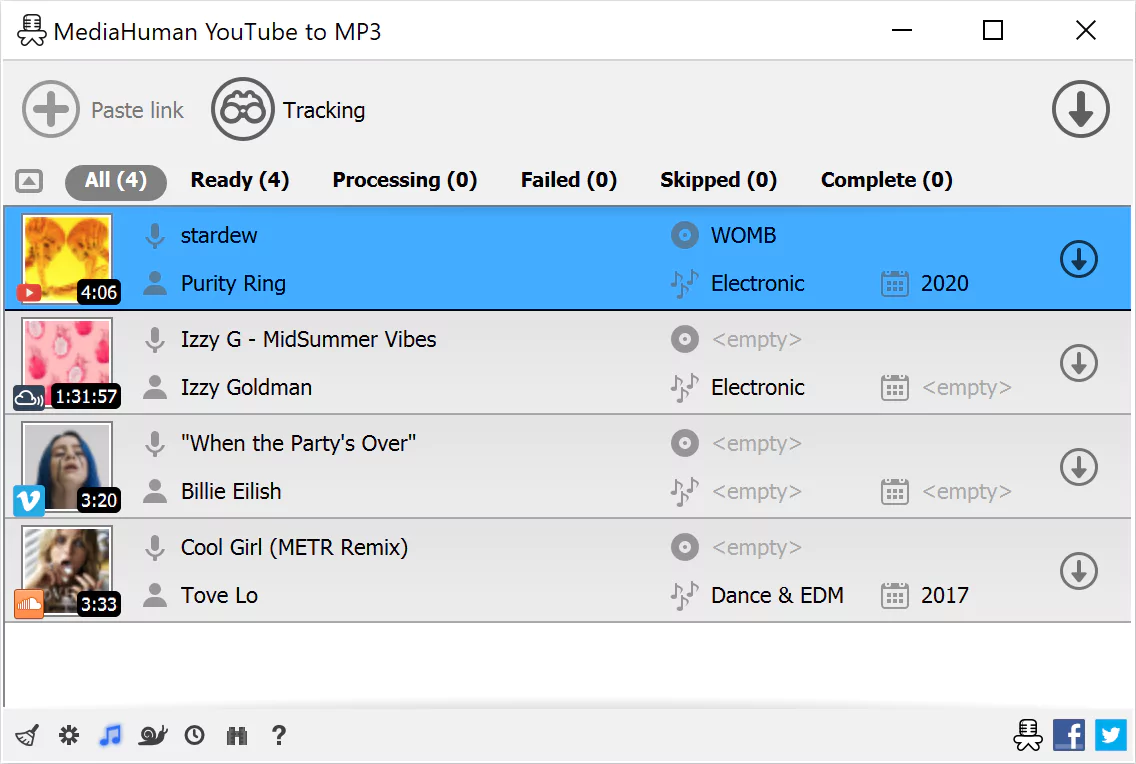
A distinguishing feature of the software is its ease of use. Its intuitive interface guides users through the conversion process, making it accessible to both tech-savvy individuals and those less familiar with software applications. This simplicity is further enhanced by the clipboard monitoring capability – the software detects YouTube video URLs copied to the clipboard and prompts to start the conversion, reducing manual input.
The batch processing feature is a time-saving gem. It allows users to queue multiple YouTube videos for conversion simultaneously, eliminating the need to convert videos individually. This feature is useful when users aim to efficiently build comprehensive audio libraries. MediaHuman YouTube to MP3 Converter puts control in the user’s hands by offering various quality options. Users can choose different bitrates and sample rates to balance audio quality and file size according to their preferences and storage constraints.
FEATURES OF MEDIAHUMAN YOUTUBE TO MP3
SIMPLE AND EFFECTIVE INTERFACE
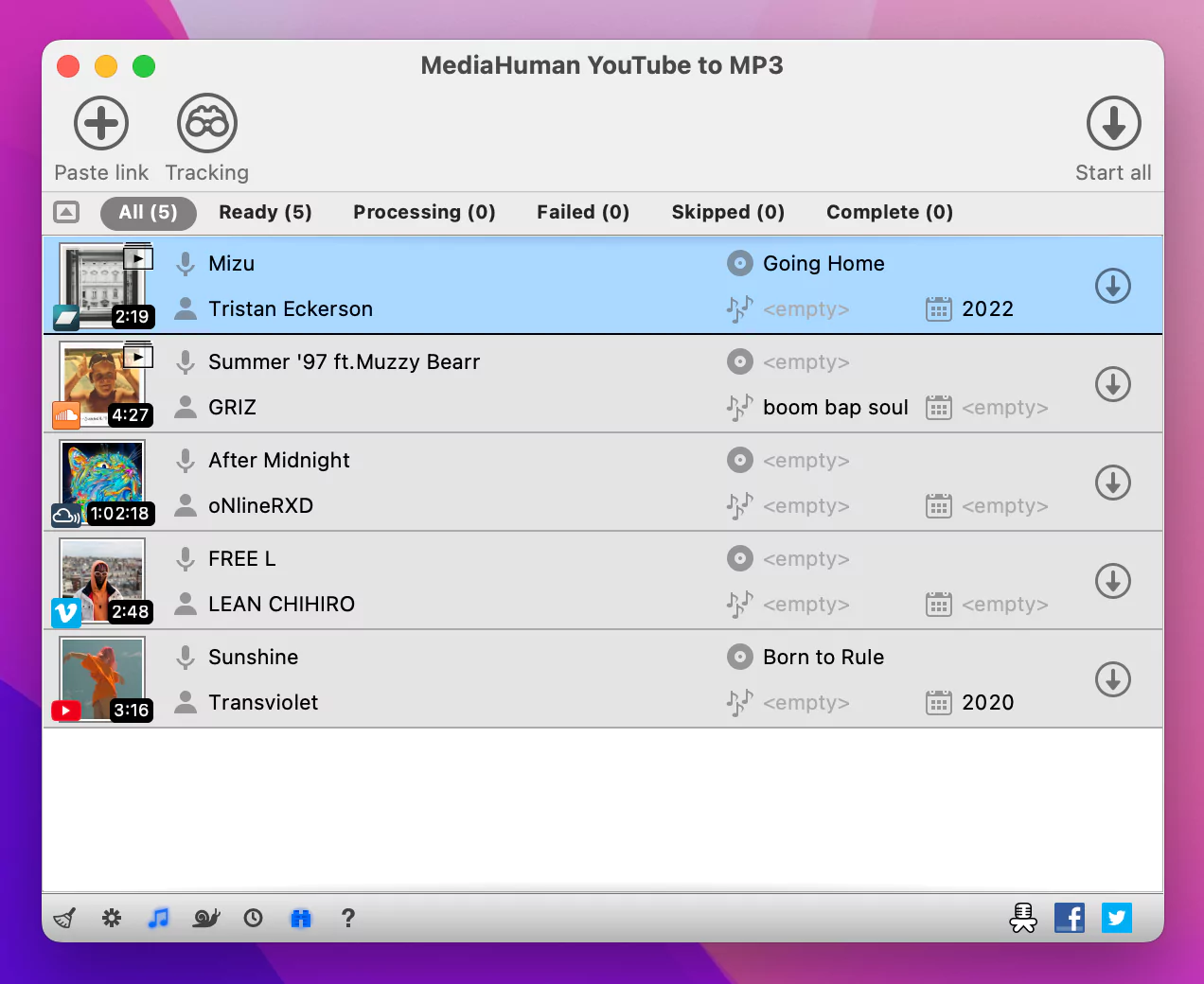
MediaHuman YouTube to MP3 Converter is designed with a simple and intuitive interface, offering an easy-to-use interface for converting videos to MP3. The drag and drop feature allows users to add links directly from YouTube or other supported websites without any complicated settings. The interface clearly displays the video title, duration, and conversion status, keeping users informed throughout the process. Whether you are downloading a single song or converting an entire playlist, the layout ensures smooth navigation and easy control. It can be used effectively even by beginners, making it the perfect tool for anyone who wants to download music from YouTube.
HIGH-QUALITY AUDIO EXTRACTION
One of the standout features of MediaHuman YouTube to MP3 Converter is its ability to preserve the highest audio quality during conversion. The software supports bitrates up to 320 kbps, which ensures rich and detailed audio reproduction that rivals professional-quality MP3 files. Users can choose from multiple output formats, including MP3, M4A, and OGG, depending on their preferences or device compatibility. It uses advanced conversion algorithms to preserve clarity and remove unwanted noise, making it ideal for downloading songs, podcasts, audiobooks, and other audio content. With a focus on quality, users can enjoy crystal clear audio as if it were the original source.
BATCH CONVERSION AND PLAYLIST SUPPORT
For users who want to download entire albums or playlists, MediaHuman YouTube to MP3 Converter supports batch processing and playlists. Instead of converting songs one by one, users can paste the playlist or channel link, and the software will automatically detect and queue all the songs to be converted. This preserves the structure and name of the original playlist, making it easy to organize the files after downloading. This feature is especially useful for music lovers or content creators who often save a large number of audio files for offline use. The batch conversion engine provides fast processing speed without compromising the output quality.
MULTI-PLATFORM COMPATIBILITY AND VERSATILE INTEGRATION
MediaHuman YouTube to MP3 Converter is designed for Windows, macOS, and Linux operating systems, allowing it to be compatible with a wide user base. It runs smoothly on all platforms with stable performance and stability. The software integrates with iTunes or Apple Music to automatically add the converted songs to your music library. This makes it convenient for users who want to sync their downloaded music to their iPhone, iPad, or other portable devices. The converter’s universal compatibility allows users to listen to their favorite music offline, regardless of what operating system or device they are using.
AUTOMATIC LINK DETECTION AND MEMORY CONTROL
To make the process more efficient, the software includes automatic memory control. Whenever you copy a YouTube link, MediaHuman YouTube to MP3 Converter instantly detects it and adds it to the download queue. This automation eliminates the need for manual copying, which saves time and effort, especially when downloading multiple songs. The program runs silently in the background, allowing users to continue browsing or copying links while preparing files for conversion. This automation and smart design highlight the software’s commitment to user convenience and productivity.
CUSTOMIZABLE OUTPUT AND ADVANCED SETTINGS
MediaHuman YouTube to MP3 Converter offers a wide range of customization options to customize the conversion process to your liking. You can choose an output folder, set the bit rate, set automatic naming rules, and use ID3 tags such as artist, title, and album name. These tags help organize your music library and ensure compatibility with media players. The software supports proxy servers, which is useful for accessing region-restricted content. Furthermore, it is regularly updated to keep up with the latest YouTube changes, ensuring long-term reliability. Advanced users will appreciate its flexibility, while casual users can use the default settings without any problems.
SYSTEM REQUIREMENTS
- Supported OS: Windows 11/10/8.1/7
- Memory (RAM): 1 GB of RAM or more is required
- Hard Disk Space: 100 MB or more required