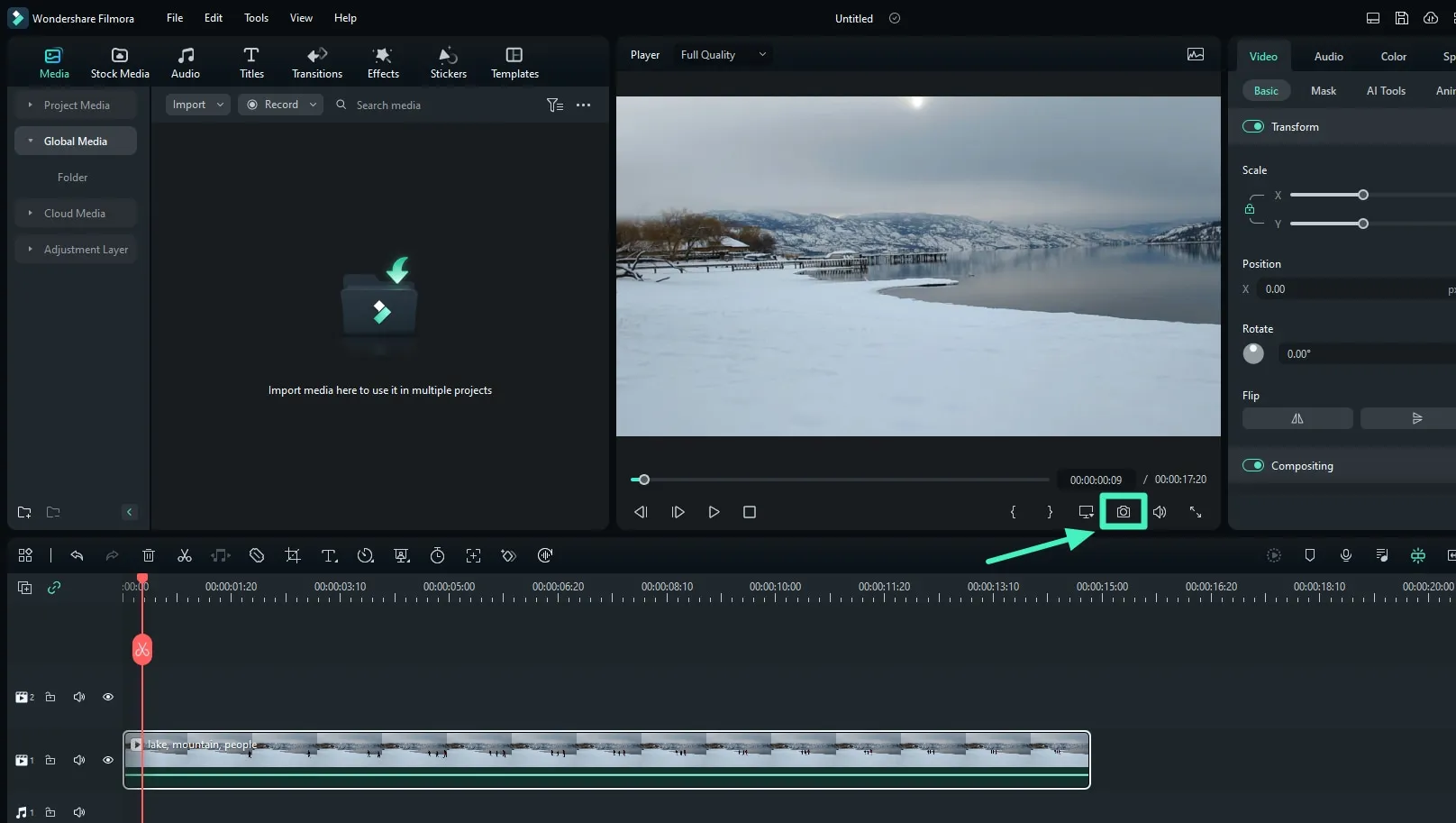
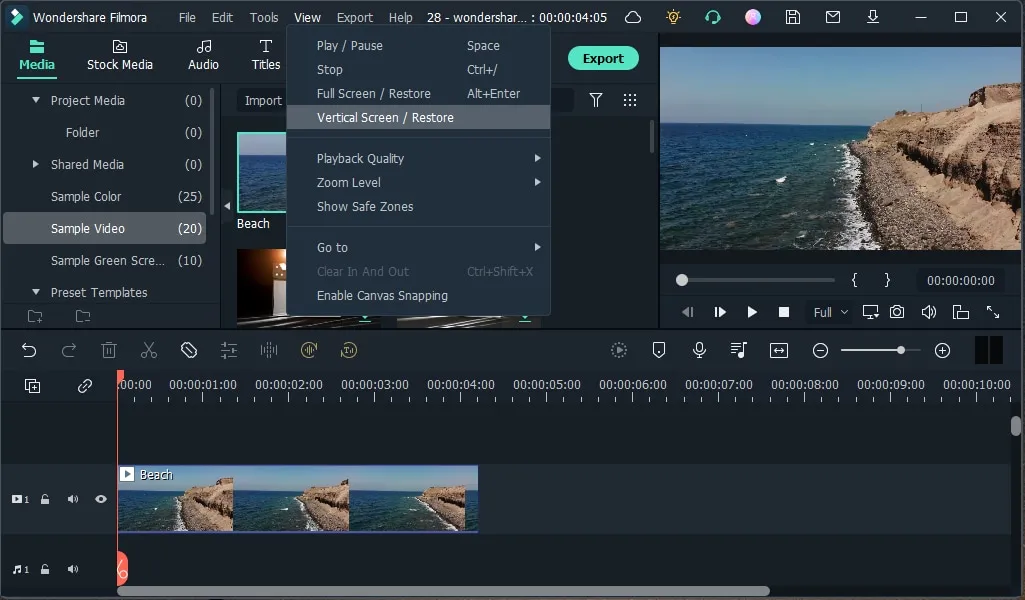

Wondershare Filmora is a video editing software available for both Windows and Mac operating systems. It is easy to use and has many features such as titles, transitions, and creative visuals. The software is a powerful video editing tool suitable for both beginners and professionals. It offers a wide range of features including animations, overlays, audio controls, screen recording, and various editing modes.
OVERVIEW OF WONDERSHARE FILMORA
Wondershare Filmora makes video editing easy by offering comprehensive import and export features. The software boasts flexibility and allows you to easily import video clips in a variety of formats, from common formats such as AVI and MP4 to popular extensions such as WebM, TS, and MPEG-2. This versatility allows users to work with a variety of source materials. Additionally, Filmora provides users with a variety of export options, allowing them to save their creations in a variety of file formats.
Whether you want to extract audio-only streams in the widely used MP3 format or export videos to the modern HTML5 format, Filmora offers options to suit different needs. The software expands its tools to meet today’s user demands by storing videos in mobile-friendly formats and optimizing content for different devices. Enhancing convenience, Filmora supports direct uploading to major hosting platforms such as YouTube, Vimeo, and Facebook, making it easier to share content with a wider audience.
For those looking for a more traditional result, Filmora allows you to create full video DVDs with interactive menus and offers classic yet versatile tools for presenting and sharing edited content. Whether you save to disk, upload to the Internet, or create physical media, Wondershare Filmora caters to users’ preferences with robust import and export functions.
FEATURES OF WONDERSHARE FILMORA
AI VIDEO EDITING TOOLS
Wondershare Filmora integrates advanced AI capabilities to enhance the video editing process, making it faster and more intuitive. These AI tools include AI Auto Search that automatically detects and trims scenes, AI Voice Clone to create synthetic voices for narration, AI Video Enhancer to enhance clarity and reduce blur, and AI Video Object Removal that allows users to precisely remove unwanted objects or people from footage. In addition, the software offers AI translation for lip-syncing and voice cloning to make content accessible to a global audience. This intelligent automation significantly reduces the manual editing workload and increases the creative potential of beginners and professionals.
MULTI-CLIP AND MULTI-CAMERA EDITING
Filmora provides powerful multi-clip editing capabilities that allow users to select multiple clips and make smooth adjustments such as resizing, cropping, volume control, and color correction. This ensures consistency between clips and speeds up the editing workflow. In addition, Filmora supports multi-camera editing, which allows video creators to synchronize footage from different cameras and seamlessly transition between different angles. This feature is especially useful for creating dynamic, professional-quality videos, from event coverage to short-form projects, and gives users complete control over the visual narrative and story.
RICH LIBRARY OF CREATIVE ASSETS AND EFFECTS
The software includes an extensive library of millions of royalty-free assets, including video clips, transitions, titles, filters, sound effects, and music tracks. These assets are easily accessible within the interface, allowing users to enhance their videos with pre-made templates and creative effects. Filmora also supports custom text animations, 3D titles, split-screen designs, and a variety of layer options. These tools help creators create visually engaging content without requiring advanced design skills, making Filmora a great choice for social media videos, YouTube content, and professional projects.
AI-POWERED TEXT-TO-VIDEO AND AUTOMATIC TAGGING
Filmora includes innovative AI features like Text-to-video, which allows users to enter descriptive text that the software automatically converts into video content, simplifying the creative process. The platform also includes AI-powered speech-to-text technology that automatically generates captions and subtitles with multi-language support, improving accessibility and audience engagement. Automatic captions, keyframe correction, and text-based editing options allow creators to effectively adjust the timing and synchronization between audio and visual elements, optimizing videos for different platforms.
COLOR CORRECTION AND VIDEO ENHANCEMENTS
Filmora offers a comprehensive set of color correction tools, including HDR support, color correction, white balance adjustment, split color correction, and advanced LUTs (Look-Up Tables) for professional-grade color grading. Users can adjust brightness, contrast, and saturation, and use the color picker to fine-tune colors between elements. The AI color palette feature extracts a palette from a photo or video to create a consistent visual style. Other improvements include lens correction to correct fisheye distortion, increased speed for cinematic motion effects, and reduced noise for clearer video footage. This allows creators to produce polished, high-quality output.
POWERFUL AUDIO TOOLS AND RECORDING OPTIONS
The software is equipped with advanced audio tools, such as a voice remover to isolate or remove vocals from music tracks, audio stretching without changing the length of the song, and automatic noise reduction to automatically reduce background noise during conversations. Filmora also supports live webcam and audio recording, screen recording, and the ability to simultaneously capture screen and microphone inputs. These features provide a complete solution in one application for vloggers, teachers, and content creators who conduct lessons or live presentations.
SYSTEM REQUIREMENTS
- Supported OS: Windows 11/10/8.1/7
- Processor: Multicore Intel Series or above, Xeon or AMD equivalent
- Memory (RAM): 4 GB of RAM or more is required
- Hard Disk Space: 1 GB or more required