
Reaper is a powerful digital workstation (DAW). It allows you to record, prepare, edit, and create multichannel audio tracks. It contains many useful functions and effects. Reaper is undoubtedly one of the most potent and well-known DAWs (Digital Audio Workstation) thanks to the number of functions and operations it supports synthesis, composition, song arrangement, editing, and mixing, all wrapped in a straightforward GUI.
OVERVIEW OF REAPER
This powerful yet sensible Windows application lets you record, arrange, edit, and render multi-track audio. It provides extensive features but is a minimal and lightweight application (the installer is less than 1 megabyte and includes many effects and a sample project. It also supports ASIO, Kernel Streaming, WaveOut, and DirectSound for playback and recording. Reads WAV, OGG, and MP3 files, and records WAV files.
You can arrange any number of items in any number of tracks and use audio processing plug-ins (DirectX and Jesusonic). In addition, it also supports volume control, panoramas and envelopes per track, multi-layer Undo/Redo functions, and user-created color themes. You can start a new project from scratch or you can insert your existing audio or MIDI files and enhance them with effects. Available plugins allow you to add effects such as reverb, delay, and more, perform pitch corrections, and various other adjustments.
The recording feature comes in handy when you want to capture streams playing on your computer while assigning colors to each song can help you better visualize the project. Once you learn how to navigate Reaper and discover all its features, you can go a step further and assign keyboard shortcuts to the actions you use most, speeding up any process. In addition to the many functions already mentioned, Reaper also comes with an integrated batch converter for fast encoding of selected songs to WAV, AIFF, CAF, FLAC, CUE/BIN, MP3, or OGG.
FEATURES OF REAPER
POWERFUL MULTITRACK RECORDING AND EDITING
Cockos REAPER is known for its advanced multitrack recording and editing capabilities. It allows users to record a virtually unlimited number of audio tracks and MIDI tracks, which are limited only by computer hardware. Musicians and producers can easily record multiple takes, loops, and vocal performances. Editing tools such as slip editing, splitting, trimming, and stretching provide precise control over audio clips. Non-destructive editing allows for flexible experimentation while preserving the integrity of the original recording. The ability to work with a wide range of file formats makes REAPER a versatile choice for a variety of music and audio production workflows.
HIGHLY CUSTOMIZABLE INTERFACE
One of REAPER’s standout features is its customizable interface. Users can customize the digital audio workstation to their liking, changing the toolbars, menus, layout, and themes. This adaptability allows beginners and advanced professionals to create a natural and efficient workflow. For users who prefer keyboard shortcuts, REAPER offers a variety of mapping options, making repetitive tasks faster and smoother. In addition to visual customization, scripting capabilities allow users to design custom functions and automate tasks, which increases overall productivity. This high level of customization makes REAPER unique compared to many other DAWs.
COMPREHENSIVE MIDI SUPPORT
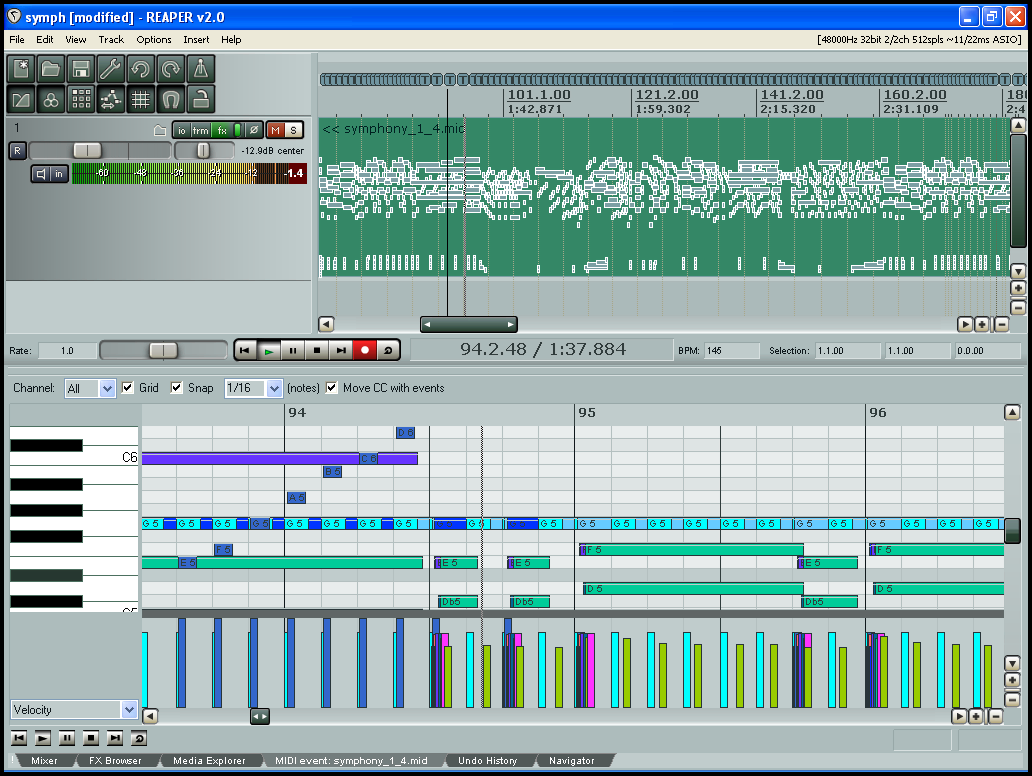
In addition to audio processing, REAPER offers powerful MIDI sequencing tools. Producers and composers can easily create, edit, and manipulate MIDI data with the piano and notation editors. The software supports MIDI plug-ins and allows integration with virtual instruments and external MIDI hardware. Volume, tempo editing, and automation functions allow for precise timing and playback. For those working with orchestral arrangements or electronic music, REAPER’s MIDI capabilities provide a strong foundation for accurate and efficient composition of complex compositions.
EFFICIENT MIXING AND MASTERING TOOLS
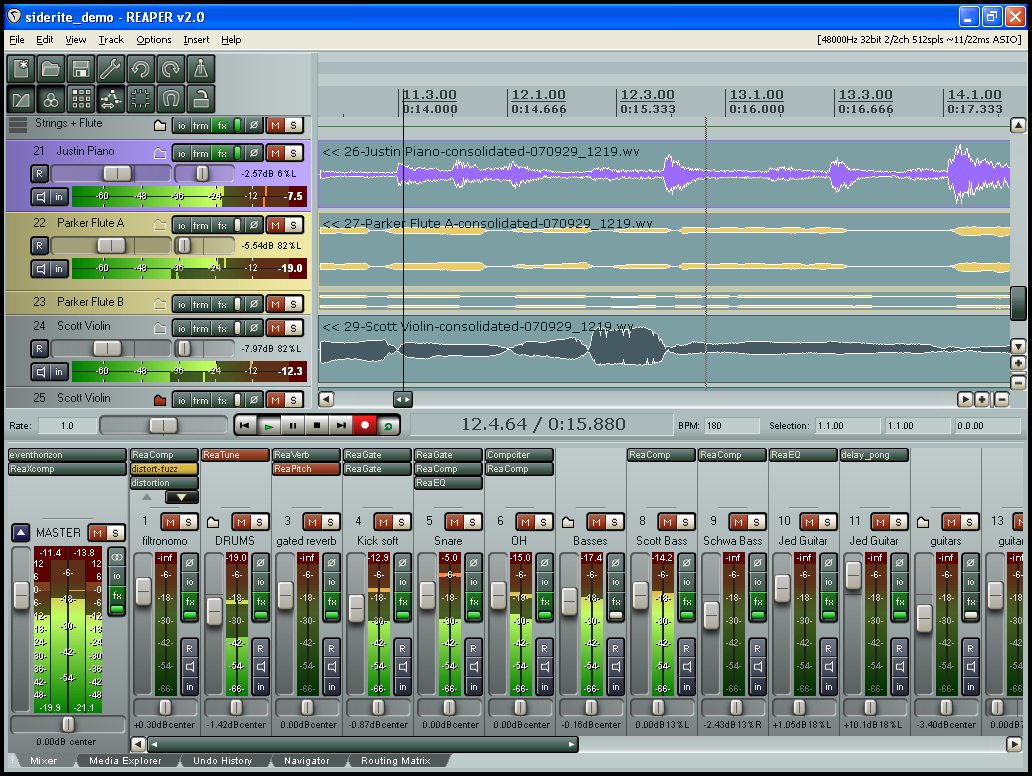
REAPER provides a professional-grade mixing environment with unlimited tracks, flexible routing, and advanced automation options. Users can apply effects and processing at the track, bus, or master level. Its built-in effects suite includes EQ, compressor, reverb, and delay, which can be expanded with third-party VST, AU, and DX plug-ins. The mixer supports grouping of tracks, folder paths, and parallel processing, giving engineers complete control over their sessions. With surround sound support and detailed metering options, REAPER is ideal not only for music production, but also for film scores and sound design.
LIGHTWEIGHT AND STABLE PERFORMANCE
Unlike many heavy DAWs, REAPER is known for its lightweight installation and efficient performance. The program has a small file size and can be run directly from a USB drive without installation, making it portable and convenient. Despite its compact nature, it can handle large projects without any problems and consumes less system resources than many competitors. Stability is another key advantage; REAPER rarely fails when working with multiple tracks or plug-ins. This reliability is essential in professional production environments where live recording sessions and downtime must be minimized.
AFFORDABLE LICENSING AND COMMUNITY SUPPORT
REAPER stands out in the digital audio workstation market with its affordable and flexible licensing model. Unlike many DAWs with expensive subscriptions, REAPER offers a one-time payment option with generous upgrades. The license is simple, and there are discounted options for personal use and small businesses. In addition to its price point, REAPER benefits from a large and active community of users who contribute themes, scripts, tutorials, and extensions. This open resource exchange allows new users to learn quickly and gives experienced users the tools to expand their capabilities. Strong community support adds to REAPER’s value, making it both cost-effective and future-proof.
SYSTEM REQUIREMENTS
- Supported OS: Windows 11/10/8.1/7
- Memory (RAM): 512 MB of RAM or more is required
- Hard Disk Space: 30 MB or more required