
Wise Program Uninstaller Pro is a handy utility for Windows. It’s lightweight and built to help you get rid of unwanted applications completely and safely. You can do both standard and forced uninstallations. Plus, it cleans up leftover files and registry entries. It even helps remove built-in Windows apps and UWP apps. Not to mention, it manages your browser extensions too. The interface is straightforward. It integrates well with the context menu, making it easy to keep your system clear of unnecessary software and leftover data.
OVERVIEW OF WISE PROGRAM UNINSTALLER PRO
Wise Program Uninstaller Pro is a tool for managing applications on Windows. Its main goal? To help users safely and thoroughly get rid of unwanted programs. It serves as a simpler option compared to the usual Windows uninstall method. While you remove applications, it also looks for leftover files and registry entries that might stick around after a regular uninstall.
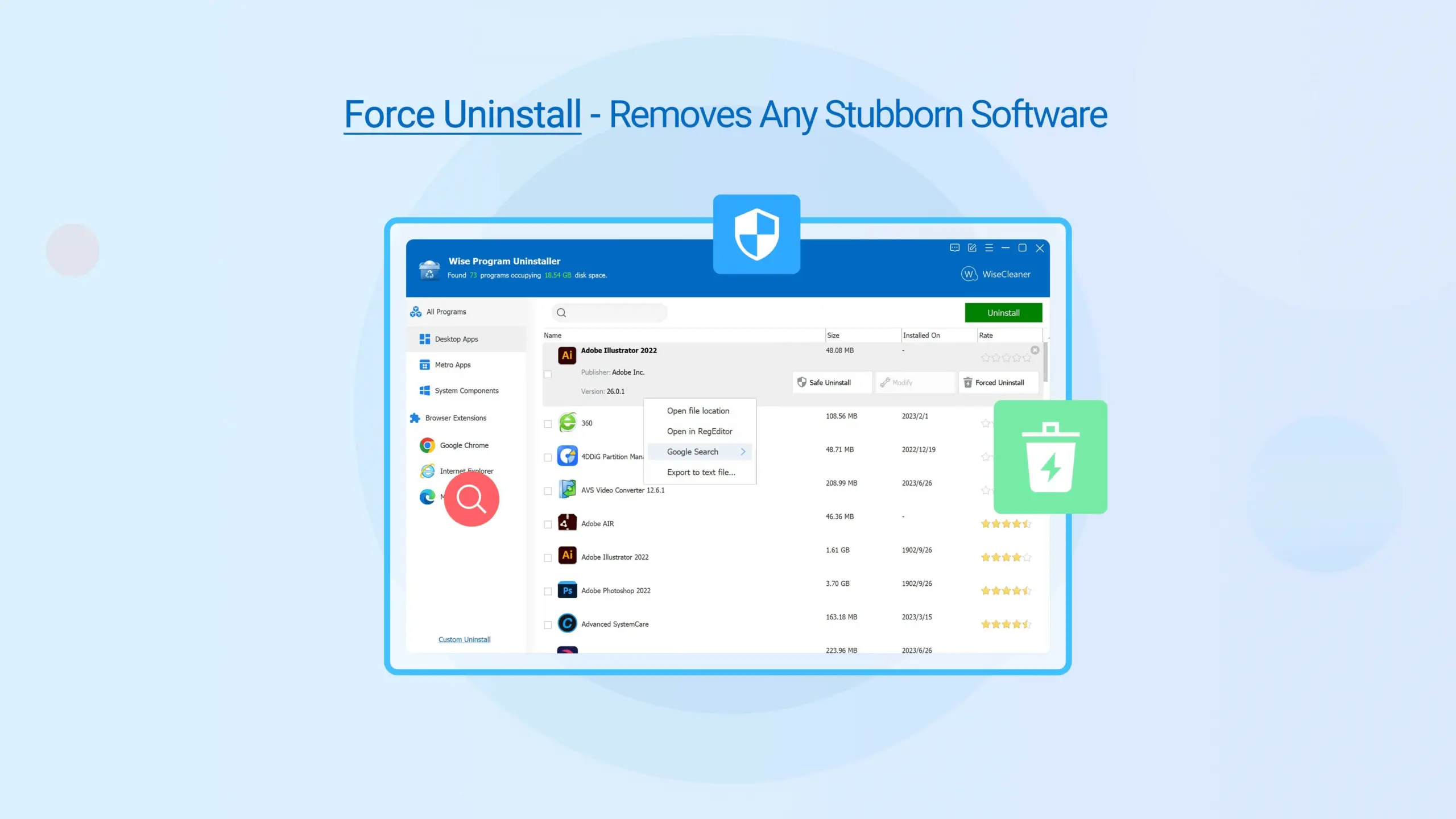
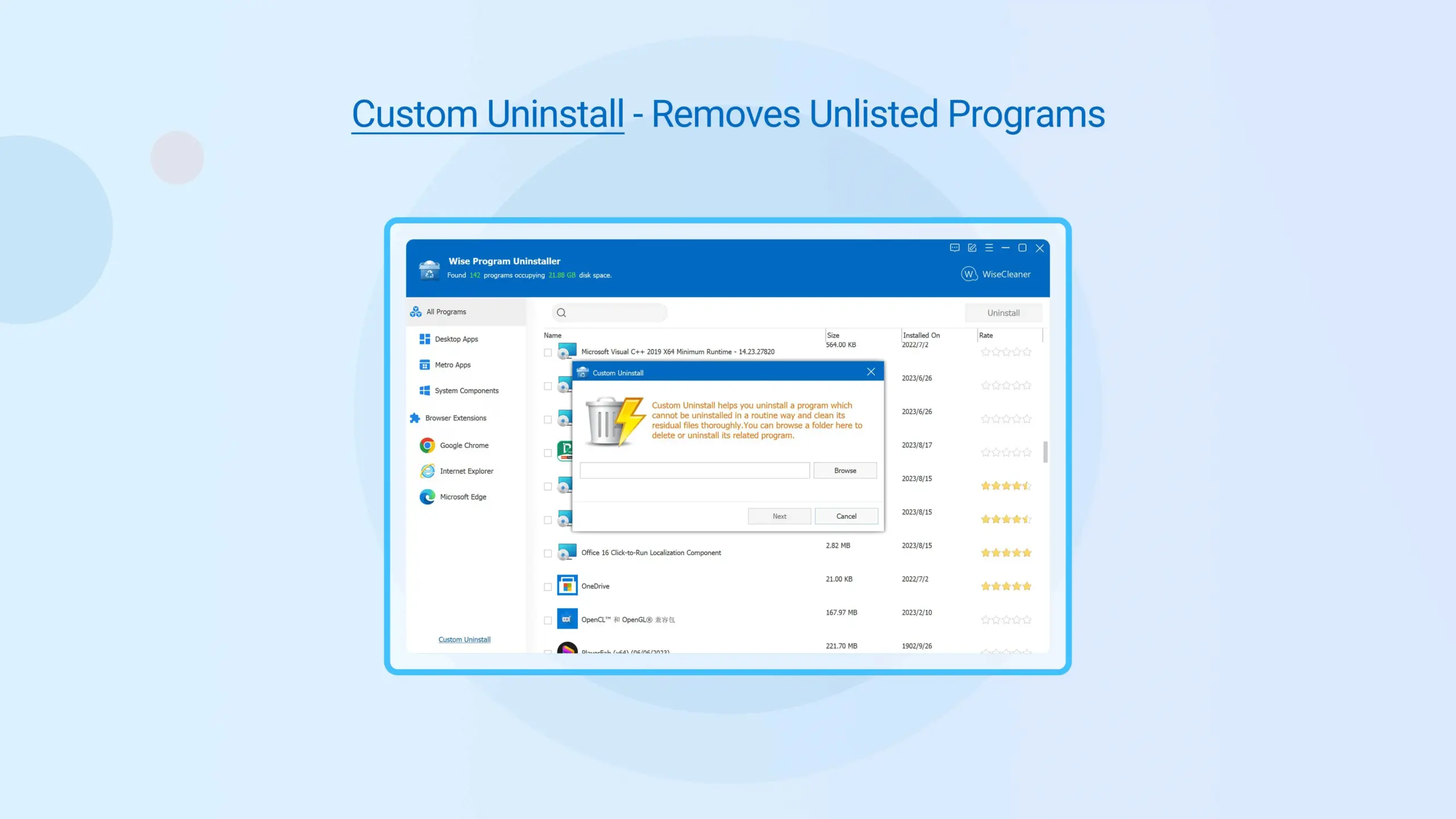
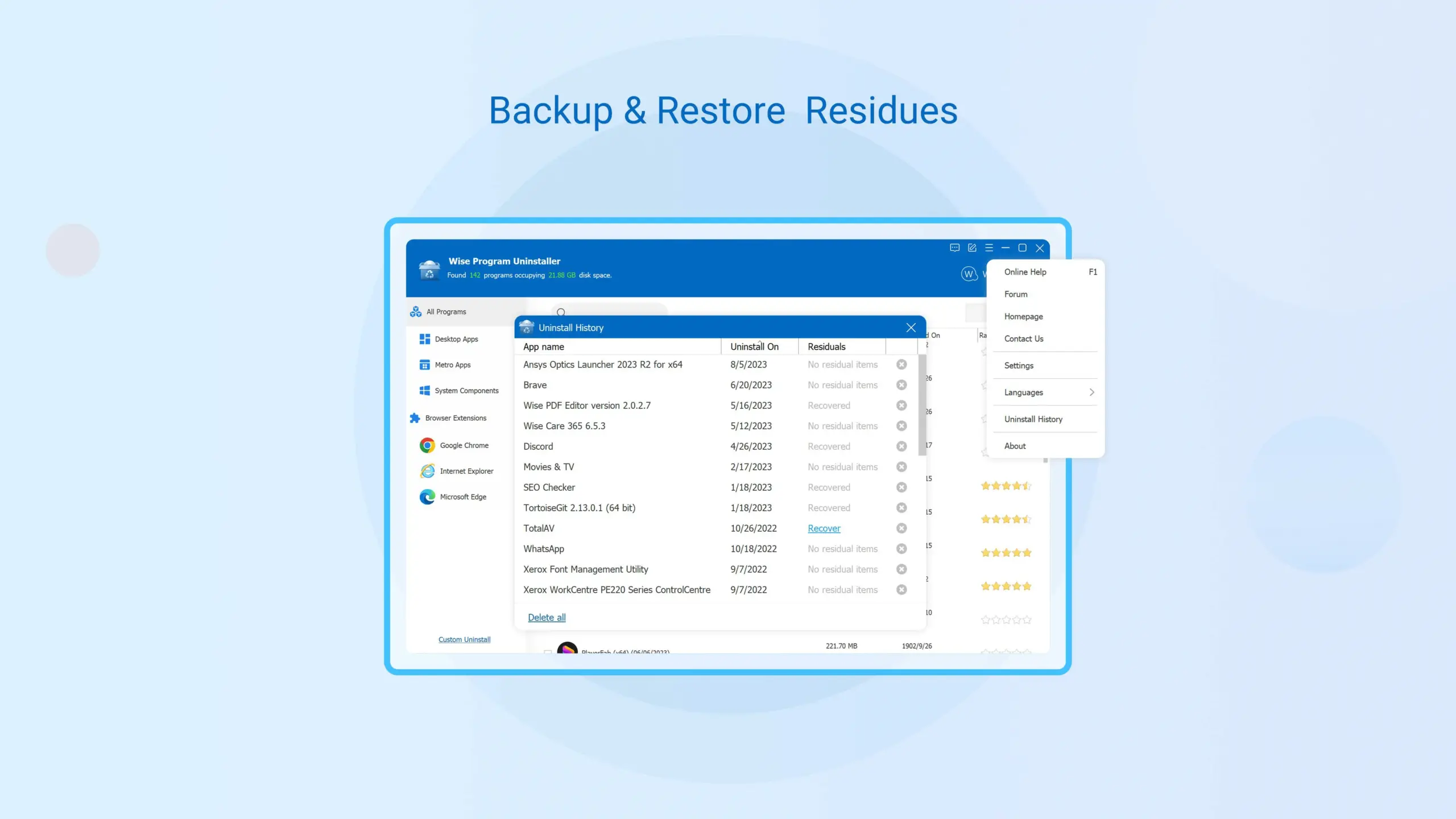
The software includes a Safe Uninstall feature for standard program removals. But if something can’t be uninstalled the normal way, there’s also a Forced Uninstall option. During this forced process, the tool hunts down related files, folders, and registry items. Users can then check these leftovers and decide whether to delete them.
Wise Program Uninstaller can take care of more than just traditional software. It handles built-in Windows apps, UWP/Universal apps, browser extensions, plugins, toolbars, and add-ons, too. A handy feature is its context-menu integration. Users can simply right-click an application shortcut in Windows to kick off an uninstall right then and there. The most recent version sharpens its ability to identify redundant files and leftover items after uninstalls. It also introduces the option to export details about those leftovers. Plus, there are some minor tweaks for better interface and stability.
FEATURES OF WISE PROGRAM UNINSTALLER PRO
COMPLETE SOFTWARE REMOVAL
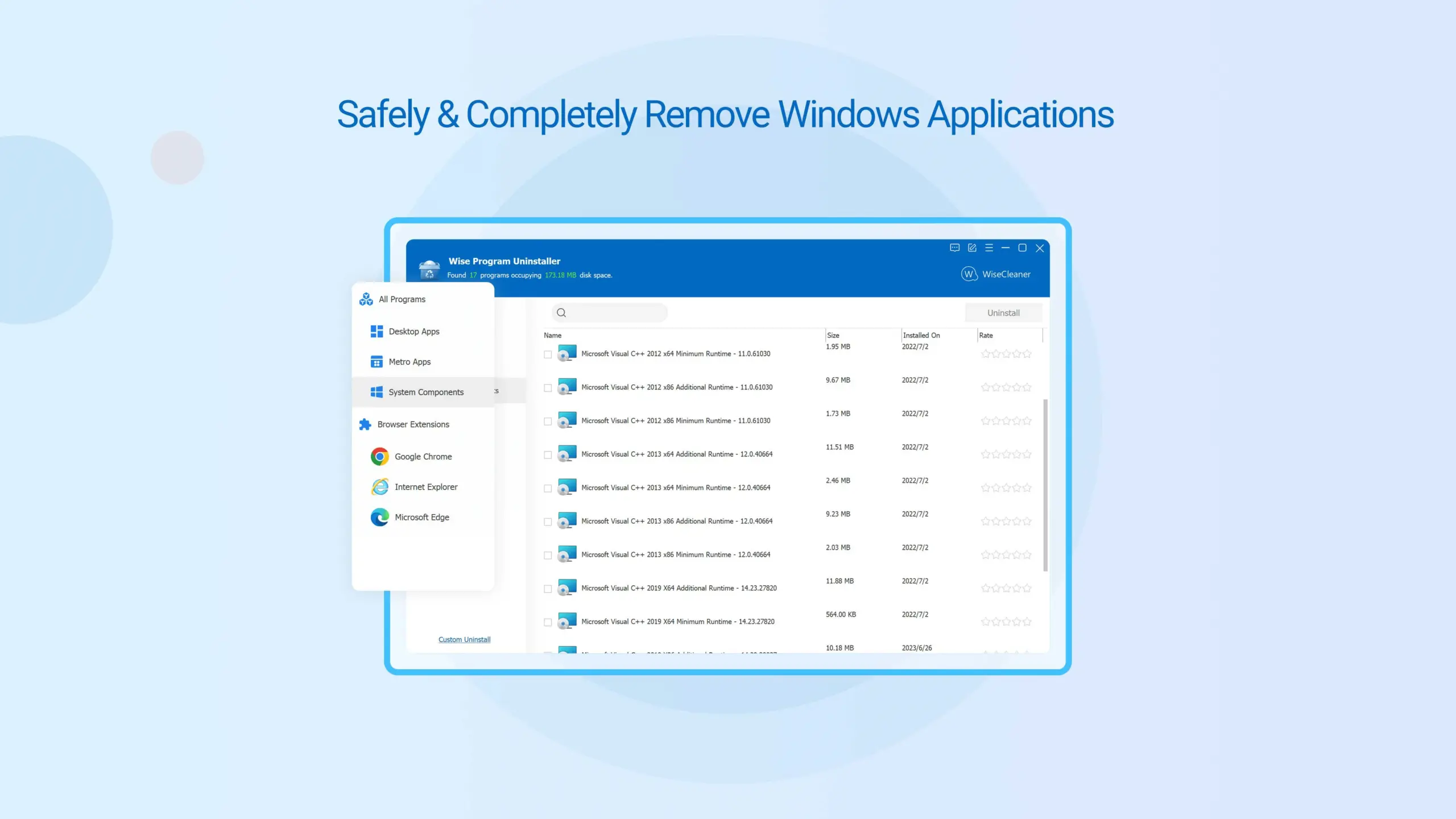
Wise Program Uninstaller Pro is designed to completely remove Windows applications in addition to the simple uninstall process. Safe Uninstall mode runs the application’s own uninstaller and then scans the system for residual files and registry entries. This helps reduce the amount of residual data that accumulates after repeated software installations and uninstallations.
FORCED UNINSTALL
Forced Uninstall helps when the regular uninstaller of an application is broken, missing, or unable to complete the uninstallation. The application searches for files, folders, and registry entries associated with the unwanted application and allows the user to delete them. Forced uninstallation may affect related system data, so it is recommended to carefully review the results before uninstalling WiseCleaner.
UNINSTALL WINDOWS AND UWP APPLICATIONS
In addition to regular desktop applications, this tool supports the removal of Windows-based applications and UWP/Universal applications. It provides users with a centralized way to manage various types of applications installed on their Windows system.
BROWSER EXTENSION MANAGEMENT
Wise Program Uninstaller can manage unwanted browser-related components such as toolbars, plug-ins, add-ons, and extensions. It supports major browsers such as Chrome, Firefox, Edge, and Internet Explorer, and helps users remove unnecessary or unwanted browser components that may affect browser performance or privacy.
EASY SEARCH AND CONTEXT MENU
The built-in search function makes it easy to find a specific program when multiple programs are installed. Context menu integration provides another convenient option: users can right-click on a program shortcut and select Wise Program Uninstaller to start the uninstall process without having to manually search for it in Windows settings.
LIGHTWEIGHT AND CONTINUOUSLY UPDATED
Wise Program Uninstaller is designed as a lightweight tool and is available in both installed and portable versions. The current version 3.2.9 includes features such as detecting redundant files, deleting leftovers, exporting leftovers in detail, and improving the interface and stability. The current official specifications list Windows 7, 8/8.1, 10, and 11 in both 32-bit and 64-bit versions.
SYSTEM REQUIREMENTS
- Supported OS: Windows 11/10/8.1/7
- Memory (RAM): 1 GB of RAM or more is required
- Hard Disk Space: 100 MB or more required