WindowTop Pro is a powerful productivity tool for Windows that improves window management with features like Always-on-Dip, Picture-in-Picture (PiP), opacity control, dark mode, and window snapping. It helps users multitask more efficiently by keeping important windows accessible, reducing distractions, and providing customizable controls to create a more organized and productive desktop environment.
OVERVIEW OF WINDOWTOP PRO
WindowTop Pro is an advanced desktop enhancement tool for Windows that improves multitasking by giving users better control over application windows. Designed for professionals, students, gamers, and everyday users, this application offers a collection of productivity-focused features that simplify window management without replacing the standard Windows interface.
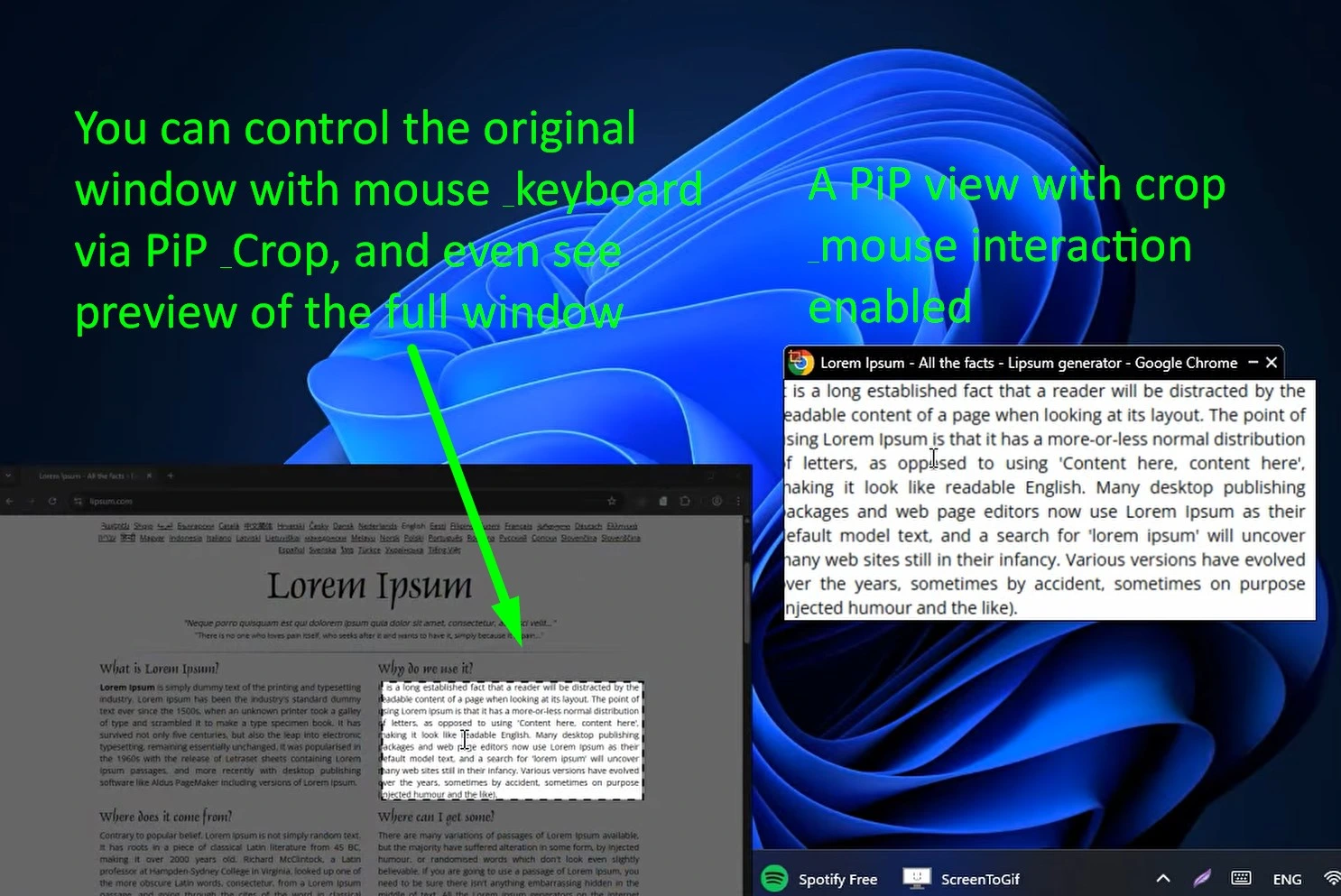
The software allows users to pin any application to always stay on top of other windows, making it convenient for watching videos, managing dashboards, reviewing documents, or participating in online meetings while working. Picture-in-Picture (PiP) mode creates a floating, resizable version of any window, allowing you to multitask effectively without constantly switching between applications.
WindowTop Pro also includes adjustable opacity, click-to-move mode, window shrinking, dark mode for supported applications, and customizable window anchors for quick access. These features make it easy to reduce screen clutter, improve focus, and create a personalized workspace.
Additional customization options, hotkey support, toolbar controls, and automatic behavior settings allow users to customize the software to their workflow. While offering several advanced features, WindowTop Pro remains lightweight and integrates seamlessly with Windows.
Whether you’re managing multiple applications, streaming content while you work, or organizing complex workflows, WindowTop Pro offers an efficient, flexible, and easy-to-use solution to increase productivity and enhance the overall Windows desktop experience.
FEATURES OF WINDOWTOP PRO
ADVANCED WINDOW MANAGEMENT
WindowTop Pro gives users complete control over their application windows through its powerful management tools. Any window can be placed on top of all other windows using the “Always on Top” feature, making it easy to keep important applications visible when working with multiple applications. The software also supports customizable hotkeys and toolbar controls for quick access to frequently used functions.
PICTURE-IN-PICTURE AND SMART RESIZING
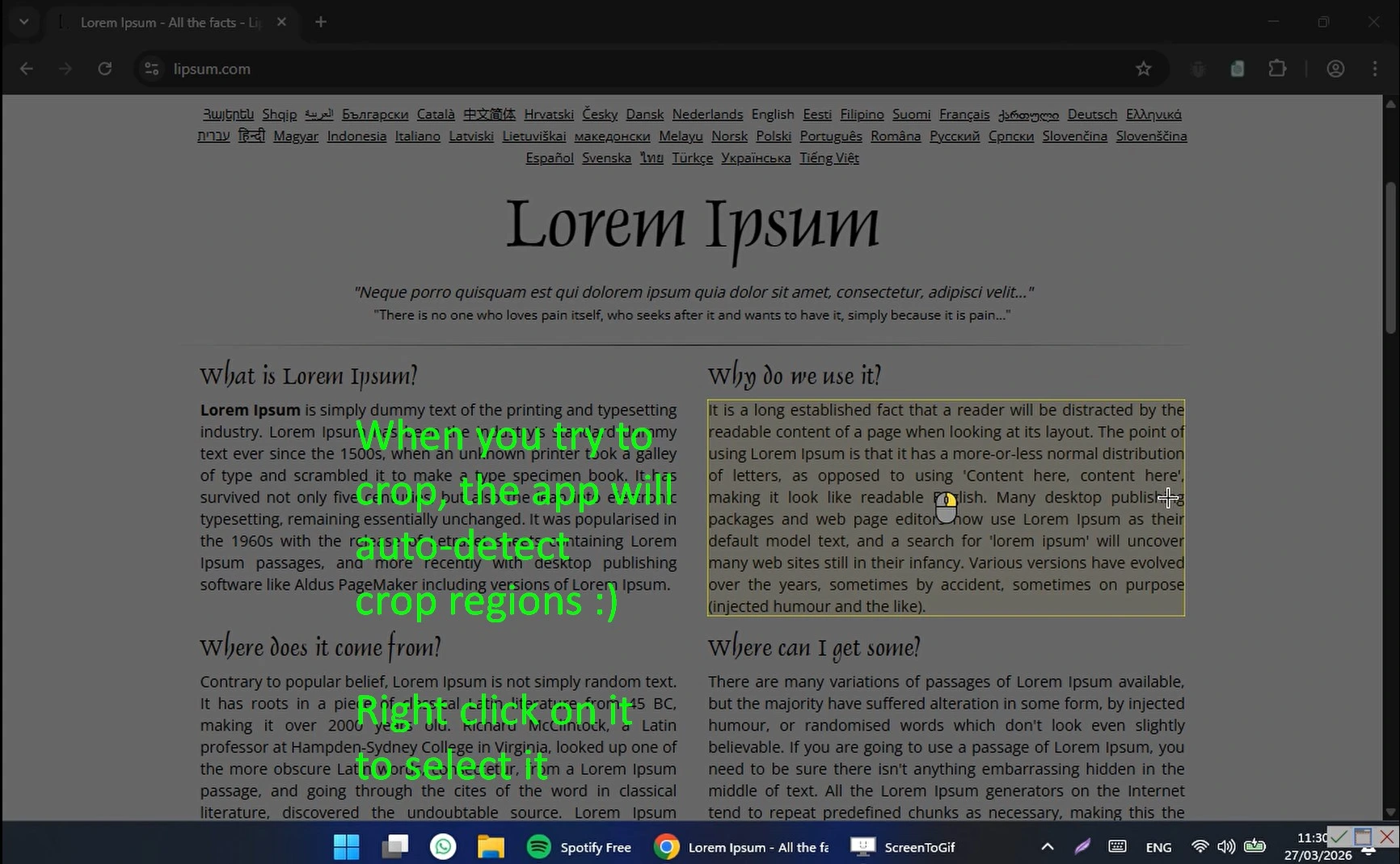
One of the unique features is Picture-in-Picture (PiP) mode, which creates a floating version of any application window. Users can resize, place, and save the PiP window on top of other applications while continuing to interact with their desktop. The Pro version also includes advanced cropping and resizing features, allowing users to focus on only the most important parts of the window to improve productivity.
TRANSPARENCY, GLASS MODE, AND DARK MODE
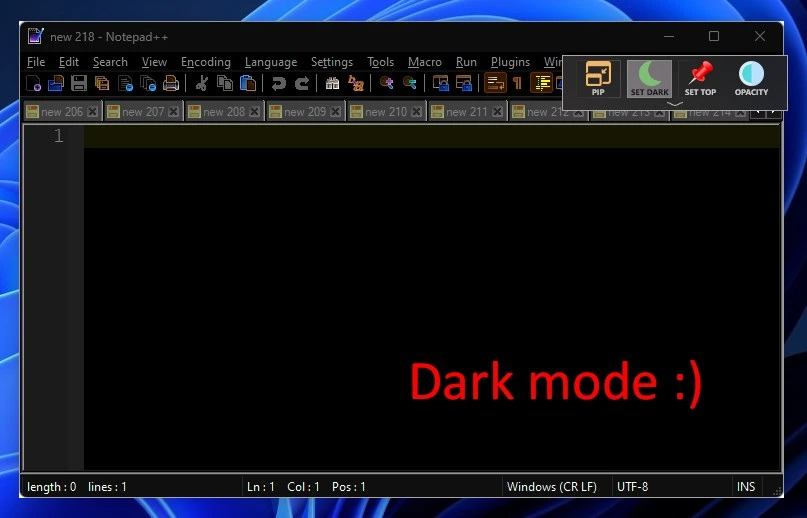
WindowTop Pro includes several visual enhancement tools that enhance ease of use and convenience. Users can adjust window opacity, create transparent windows, enable click-through mode for smooth interaction with background applications, apply modern glass blur effects, and enable dark mode for compatible windows to reduce eye strain during long work sessions. These features create a more comfortable and visible workspace.
ZANGU AND PRODUCTIVITY SHORTCUTS
This software introduces Zangu, which acts as a floating shortcut attached to the application window, making it faster to switch between windows and easier to manage. Users can customize keyboard shortcuts, toolbar behavior, and automation settings to speed up repetitive tasks. These productivity tools reduce the need to constantly switch between Alt+Tab keys and help maintain an efficient workflow throughout the day.
CUSTOMIZATION AND AUTOMATION
WindowTop Pro offers extensive customization options that allow users to personalize almost every aspect of the application. Users can customize startup behavior, exclude selected applications from specific functions, change the appearance of the toolbar, define automatic window actions, and save window settings. These settings help create a workspace that suits personal preferences and professional workflows.
LIGHTWEIGHT PERFORMANCE AND WINDOWS INTEGRATION
Designed specifically for Windows, WindowTop Pro integrates seamlessly with the operating system without replacing native functionality. It supports multiple monitors, customizable hotkeys, and modern Windows features, while keeping resource usage to a minimum and running efficiently in the background. The lightweight architecture ensures responsive performance and is suitable for both casual users and experienced users who require advanced multitasking capabilities.
SYSTEM REQUIREMENTS
- Supported OS: Windows 11/10/8.1/7
- Memory (RAM): 1 GB of RAM or more is required
- Hard Disk Space: 100 MB or more required