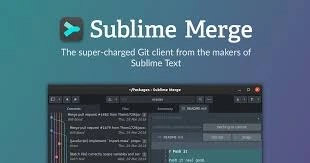

Sublime Merge is a fast, cross-platform Git client designed to simplify version control for developers. It provides an intuitive graphical interface for managing repositories, tracking code changes, creating commits, and resolving merge conflicts. With features such as line-by-line staging, powerful search capabilities, syntax highlighting, and commit history visualization, Sublime Merge helps developers efficiently manage their Git workflows on Windows, macOS, and Linux.
OVERVIEW OF SUBLIME MERGE
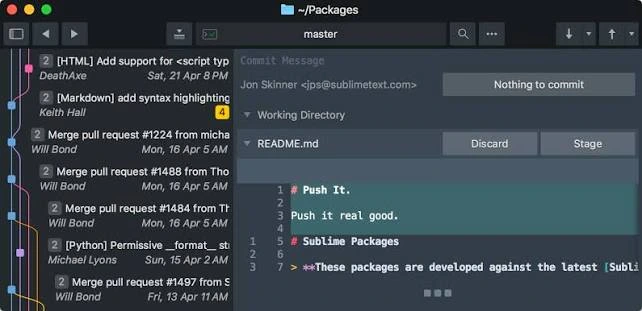
Sublime Merge is a powerful Git client developed by the creators of Sublime Text. It offers a clean, responsive interface that allows developers to manage source code repositories and perform version control tasks without relying solely on command-line tools. Available for Windows, macOS, and Linux, it is well-suited for both individual programmers and development teams. This software offers a comprehensive suite of Git functions, including cloning, branching, committing, pushing, pulling, and merging. Its visual commit graph makes it easy to explore project history, track changes, and understand the relationships between branches. Users can stage individual files, specific sections, or even particular lines to maintain finer control over their commits.
Sublime Merge also includes features such as side-by-side file comparison, syntax highlighting, advanced repository search, and tools for resolving merge conflicts. Its command palette and command-line integration help experienced developers work more efficiently while retaining full access to Git commands. Overall, Sublime Merge combines performance, flexibility, and practical version control features into a streamlined desktop application.
SUBLIME MERGE FEATURES
COMPREHENSIVE GIT MANAGEMENT
Sublime Merge provides essential Git operations, such as cloning repositories, creating branches, staging changes, pushing and pulling updates, and merging branches. These tools allow developers to manage version control through a graphical interface.
LINE-BY-LINE STAGING
The software enables users to stage individual lines, selected code segments, or entire files before committing changes. This granular staging capability helps developers create cleaner commits and avoid including unrelated changes.
VISUAL COMMIT HISTORY
Sublime Merge displays repository history via an interactive commit graph. Users can explore branches, tags, remote repositories, and past commits to understand the project’s development and track changes over time.
ADVANCED CODE COMPARISON
The difference viewer enables side-by-side comparison, syntax highlighting, and character-level change detection. These features make it easy to identify modifications, review code, and understand the differences between file versions.
POWERFUL SEARCH AND CONFLICT RESOLUTION
The application offers rapid, repository-wide searching based on commit messages, authors, file paths, and content. Its built-in merge tool helps users identify and resolve conflicts that arise when changes from different branches overlap.
CUSTOMIZATION AND COMMAND-LINE INTEGRATION
Sublime Merge supports customizable layouts, themes, keyboard shortcuts, and a command palette for quick access to common actions. It also displays the underlying Git commands associated with various operations, helping users understand their workflow and transition seamlessly between the graphical interface and the terminal.
SYSTEM REQUIREMENTS
- Supported OS: Windows 11/10/8.1/7
- Memory (RAM): 1 GB of RAM or more is required
- Hard Disk Space: 100 MB or more required