Claris FileMaker Pro is a powerful and user-friendly database software that allows users to create custom solutions for managing and organizing data. FileMaker Pro allows users to design, build, and use custom applications for a variety of purposes, including managing contacts, inventory, and projects.
OVERVIEW OF CLARIS FILEMAKER PRO
Claris FileMaker Pro is a robust, user-friendly database software solution developed by Claris International Inc., a subsidiary of Apple Inc. It provides a platform for users to design, build and manage database applications according to their needs. with extensive programming knowledge.
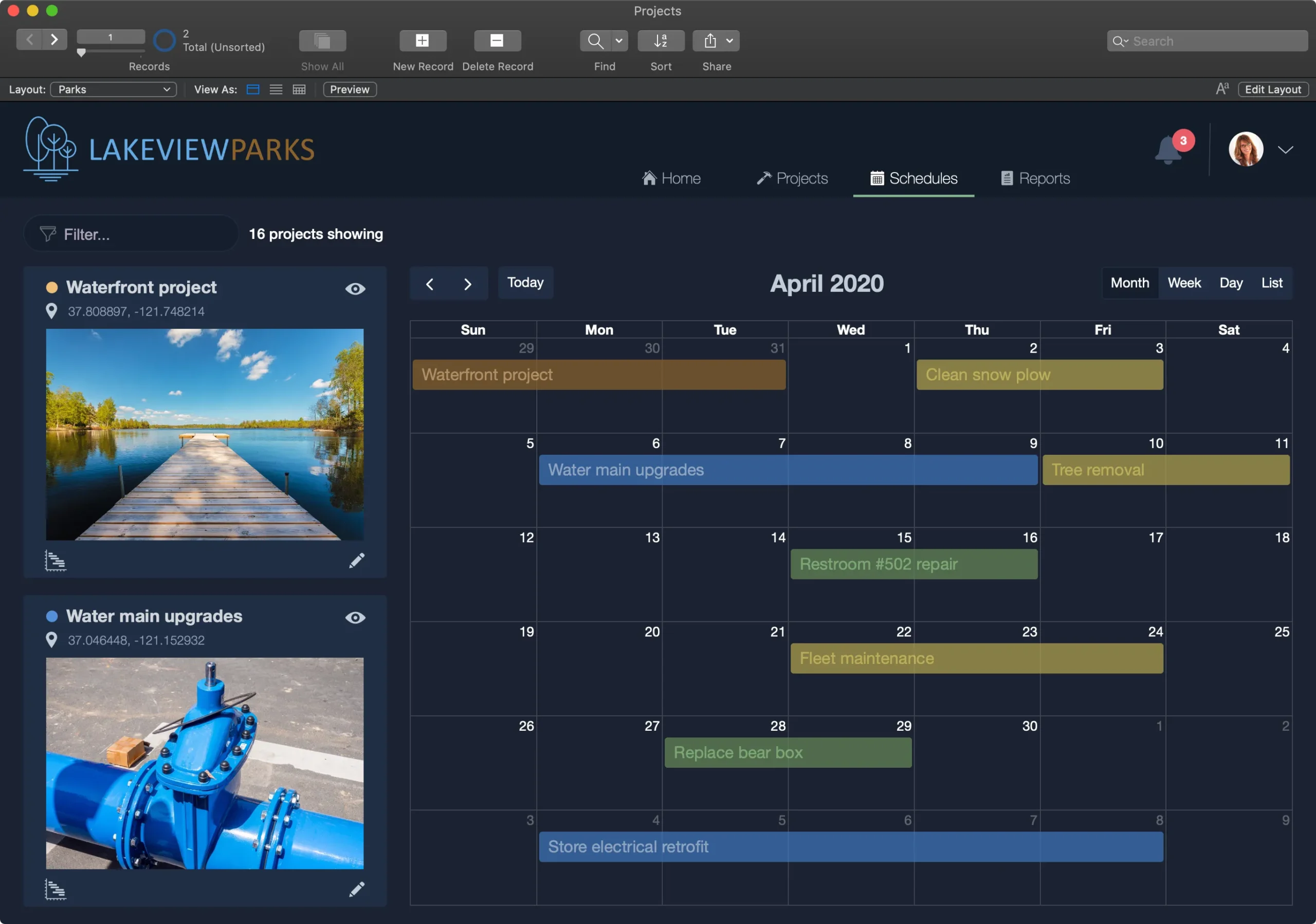
Claris FileMaker Pro primarily offers a drag-and-drop interface that allows users to easily design database layouts, define fields, and establish relationships between tables. This visual approach to database development makes it accessible to users with varying levels of technical expertise, from beginners to experienced developers.
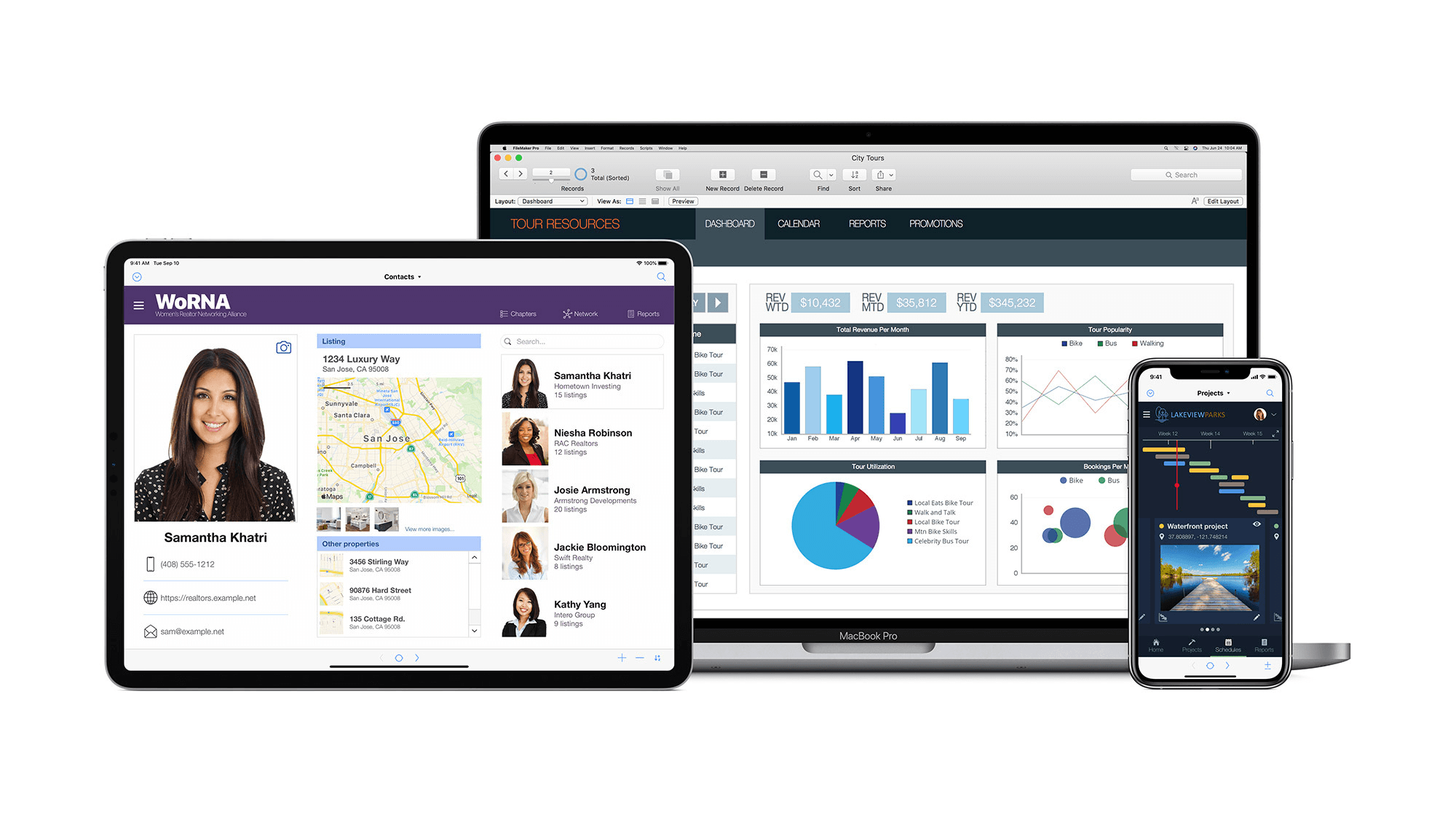
Cross-platform compatibility is an important advantage of FileMaker Pro, which is available for both Windows and macOS. It allows users to develop and deploy database solutions across different platforms, providing flexibility and availability.
Claris FileMaker Pro also offers seamless integration with external data sources and services, including SQL databases, REST APIs, and web services. It allows users to integrate external data into their FileMaker solution or share FileMaker data with other systems, improving interoperability and expanding the capabilities of their applications.
FEATURES OF CLARIS FILEMAKER PRO
DEVELOP CUSTOM APPS WITH LOW-CODE DESIGN
Claris FileMaker Pro is known for its powerful low-code development environment that allows users to create custom business applications without deep programming knowledge. This feature allows organizations to create solutions that fit their workflows, rather than relying on generic software that may not fit their needs. With drag-and-drop layout tools, users can quickly design forms, dashboards, and interfaces that provide both functionality and appearance. FileMaker’s scripting engine allows you to create automation routines that automatically populate fields, generate reports, or run multi-step actions with a single click. Even non-developers can build complex applications such as inventory management systems, CRM platforms, billing tools, or project trackers. Thanks to its flexibility, businesses can quickly test, test, and update applications as their needs change, making FileMaker a highly adaptable environment for small and medium-sized teams.
POWERFUL RELATIONAL DATABASE MANAGEMENT
FileMaker Pro includes a powerful relational database engine that allows users to store, organize, and link large amounts of structured data. Unlike simple tables, FileMaker lets you create multiple tables and define relationships between them, allowing you to manage complex databases, such as customers linked to orders, products linked to categories, or employees assigned to projects. This relational structure reduces data duplication and increases accuracy by keeping information in one place and referencing it where it’s needed. In addition, FileMaker offers easy-to-use tools for defining fields, validation rules, calculations, indexing, and relationship graphs. These capabilities make it easy to ensure data integrity and ensure consistent workflow processes. Users can also create custom queries, filtered portals, and summary reports to analyze specific parts of the database. Whether your business manages thousands of records or hundreds of thousands, FileMaker’s integrated system keeps data organized, accessible, and easy to maintain.
CROSS-BORDER ACCESS AND MULTI-USER COLLABORATION
One of the biggest advantages of FileMaker Pro is its ability to work seamlessly across multiple platforms, while supporting real-time collaboration between teams. Apps created in FileMaker can be used on Windows, macOS, WebDirect (browser access), and even iOS devices via FileMaker Go. This means that employees can access the same database from their computers, tablets, or phones, whether they’re in the office or on the go. When hosted on a FileMaker server, multiple users can connect simultaneously with live updates, ensuring everyone sees the latest information. FileMaker includes built-in record locking to prevent data conflicts and ensure seamless multi-user operation. This makes it ideal for offices, warehouses, sales teams, and service departments that need synchronized access to shared data. Whether you’re checking inventory on an iPad, creating invoices on your computer, or updating customer profiles from a browser, FileMaker connects everyone to a single system.
EXTERNAL SYSTEM AND AUTOMATION INTEGRATION
Claris FileMaker Pro supports extensive integration capabilities, allowing you to connect to external databases, cloud services, third-party APIs, and other business software. With features like cURL, JSON processing, and REST API calls, FileMaker can connect to Google Workspace, QuickBooks, Shopify, WordPress, and many other modern services. This allows businesses to automate tasks that require manual data entry, such as synchronizing orders, updating customer information, or submitting online forms. FileMaker also connects to SQL servers using ODBC/JDBC, allowing you to integrate internal data with larger enterprise systems. Along with integrations, FileMaker’s scripting engine supports automation of repetitive processes—sending emails, creating PDFs, exporting spreadsheets, or executing scheduled tasks. By combining automation with integrations, organizations can create efficient workflows that save time, reduce errors, and streamline operations across multiple systems.
SYSTEM REQUIREMENTS
- Supported OS: Windows 11/10/8.1/7
- Memory (RAM): 1 GB of RAM or more is required
- Hard Disk Space: 500 MB or more required