
SAPIEN PowerShell Studio is a powerful IDE for PowerShell scripts that offers features such as a GUI designer, script packaging, code signing, and debugging tools. It simplifies script development, testing, and deployment for IT professionals and system administrators.
OVERVIEW OF SAPIEN POWERSHELL STUDIO
SAPIEN PowerShell Studio is a comprehensive development environment (IDE) specifically designed for PowerShell scripting and automation. Developed by SAPIEN Technologies, it is considered one of the most powerful tools for PowerShell professionals, system administrators, and DevOps engineers who need a reliable and efficient platform to develop, test, and deploy PowerShell-based solutions.
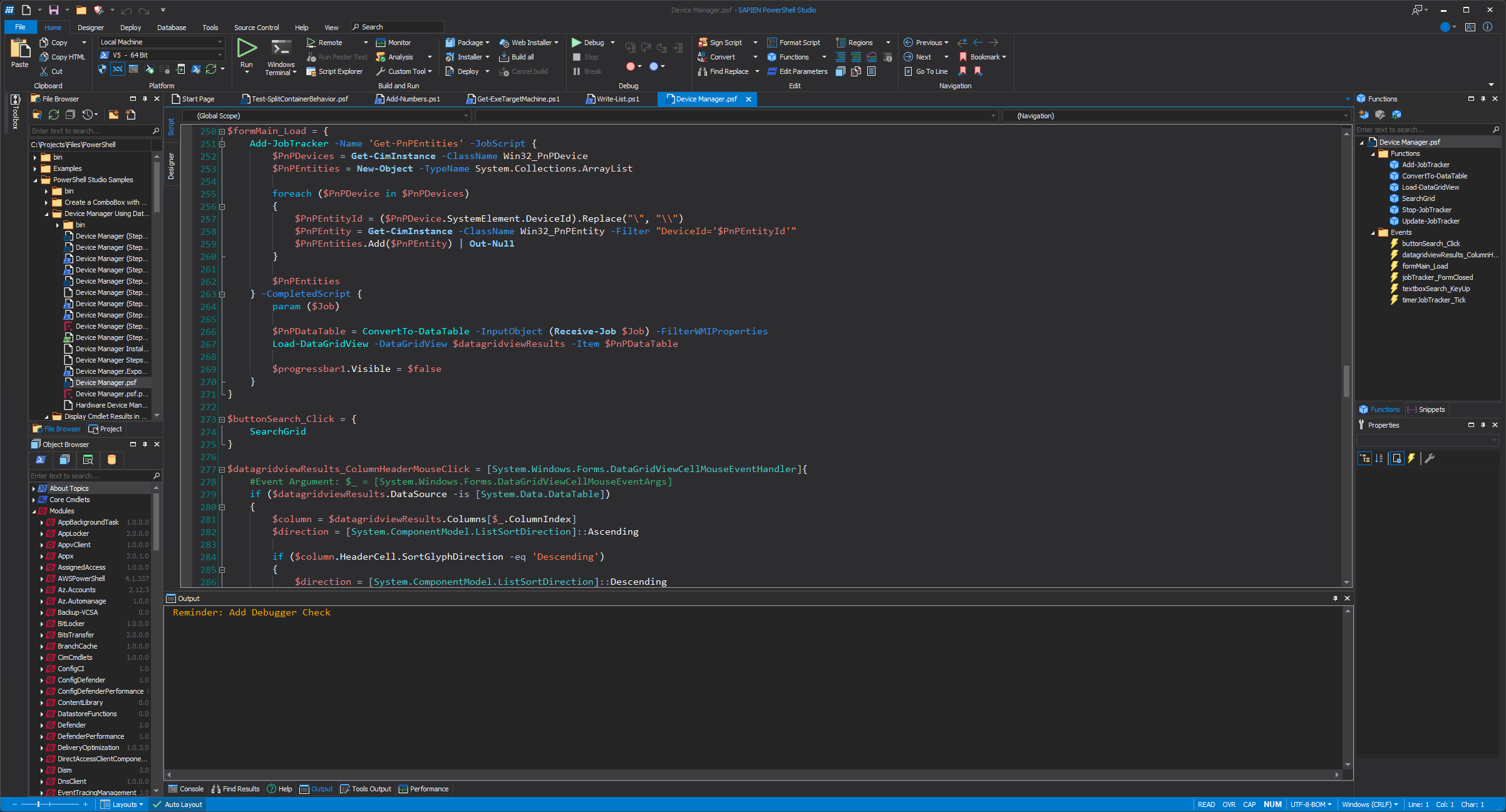
Essentially, PowerShell Studio provides an advanced script editor with intelligent code completion, syntax highlighting, real-time code analysis, and automatic formatting. These features are designed to help users write clean, readable, and effective scripts with minimal effort. The editor supports both PowerShell 5.x and PowerShell 7 (Core), ensuring compatibility across Windows and cross-platform environments.
PowerShell Studio includes advanced debugging tools, such as a visual debugger, breakpoints, variable inspection, and call stack navigation. These tools make it easier to debug and understand how scripts behave during execution. In addition, built-in performance profiling allows users to analyze script efficiency and identify performance bottlenecks.
FEATURES OF SAPIEN POWERSHELL STUDIO
COMPREHENSIVE SCRIPTING ENVIRONMENT
SAPIEN PowerShell Studio is recognized as one of the most advanced integrated scripting environments (ISE) for PowerShell. It provides a unified workspace that supports script writing, editing, debugging, and packaging. The editor includes syntax highlighting, code folding, auto-completion, and real-time code analysis, helping developers create efficient and error-free scripts. Its simplified design allows both novice and experienced script writers to increase productivity.
ADVANCED DEBUGGING AND INSPECTION TOOLS
Debugging is an essential part of scripting, and PowerShell Studio offers powerful debugging capabilities that help you quickly identify and resolve issues. Users can set breakpoints, step through code, inspect variables, and easily monitor execution flow. The environment also supports remote debugging, allowing developers to troubleshoot scripts running on different systems. These tools save time and allow scripts to run as intended in different environments.
GUI DESIGNER FOR POWERSHELL SCRIPTS
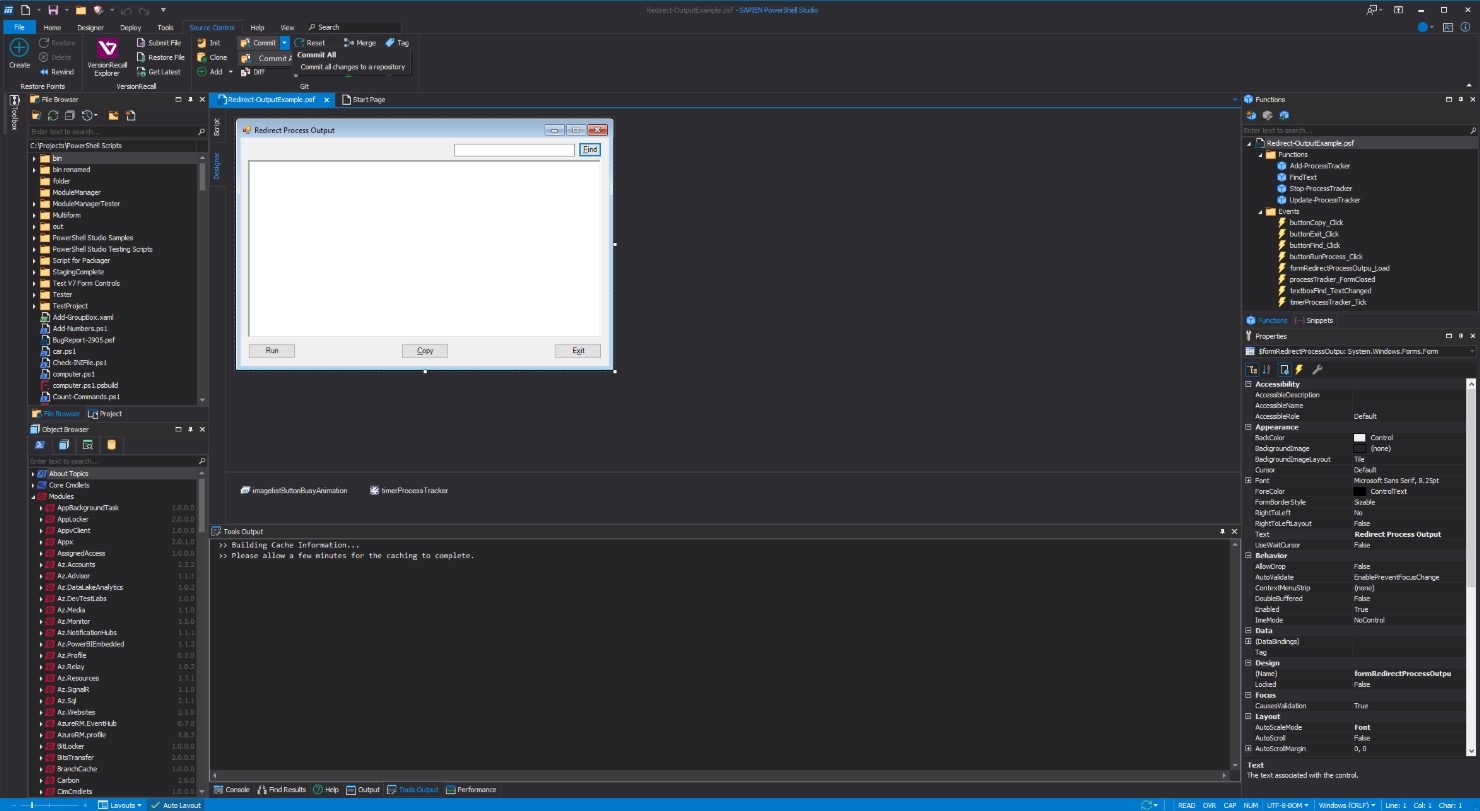
A unique feature of SAPIEN PowerShell Studio is its integrated GUI designer that allows users to create Windows Forms and WPF graphical interfaces for PowerShell scripts. This drag-and-drop designer simplifies the process of creating professional-looking GUIs without requiring advanced programming knowledge. The generated code is clean, maintainable, and customizable, making it easy to develop user-friendly PowerShell-based applications.
SCRIPT PACKAGING AND DEPLOYMENT
PowerShell Studio provides developers with a powerful packaging tool that allows them to convert scripts into executable files (EXEs). This simplifies distribution by eliminating the need for users to install PowerShell to run packaged applications. In addition, it includes version control integration and advanced deployment options that allow for efficient deployment of scripts in enterprise environments. This feature is especially useful for administrators who need to securely distribute tools to multiple systems.
INTEGRATION AND COMPATIBILITY
The software is designed to be compatible with other tools and environments. It supports various PowerShell modules, external assemblies, and .NET frameworks, allowing developers to extend the functionality of their scripts. Compatibility with 32- and 64-bit platforms allows applications to run smoothly on different systems. PowerShell Studio provides flexibility and interoperability, helping professionals adapt scripts to various IT infrastructures.
USER-FRIENDLY INTERFACE AND CONTINUOUS UPDATES
PowerShell Studio is a feature-rich platform, but it has a user-friendly interface that balances complexity and usability. The workspace allows users to customize the environment to their liking. SAPIEN regularly releases updates to improve stability, add features, and ensure compatibility with the latest versions of PowerShell. PowerShell Studio remains a reliable and promising solution for PowerShell development, combining comprehensive documentation and strong user support.
SYSTEM REQUIREMENTS
- Supported OS: Windows 11/10/8.1/7
- Memory (RAM): 1 GB of RAM or more is required
- Hard Disk Space: 800 MB or more required