MobiKin Assistant for Android is a powerful tool for managing Android devices, helping users transfer, organize, back up, and restore smartphone data using a computer running Windows or Mac. It enables the management of contacts, SMS messages, call history, photos, videos, music, and applications. Users can easily manage files via a USB or Wi-Fi connection, transfer data between their device and computer, and protect important information using backup and restore functions.
OVERVIEW OF MOBIKIN ASSISTANT FOR ANDROID
MobiKin Assistant for Android is a comprehensive data management application designed to simplify the process of managing an Android smartphone from a computer. It allows users to access, organize, transfer, and back up various types of data without the limitations imposed by a small phone screen. The software supports contacts, messages, call history, photos, videos, music, e-books, and a wide range of applications.
One of its key advantages is the ability to back up data from an Android device to a computer and restore it whenever necessary. Users can import or export contacts, manage messages, transfer multimedia files, and install or uninstall multiple applications. Furthermore, it offers features such as editing contact information, deleting unwanted files, and taking screenshots of the connected Android device. MobiKin Assistant for Android supports both USB and Wi-Fi connections, offering flexible options for connecting compatible smartphones and tablets. It also allows for the management of multiple Android devices from a single computer, making it an ideal solution for those who frequently work with data across several devices.
FEATURES OF MOBIKIN ASSISTANT FOR ANDROID
COMPREHENSIVE ANDROID DATA MANAGEMENT
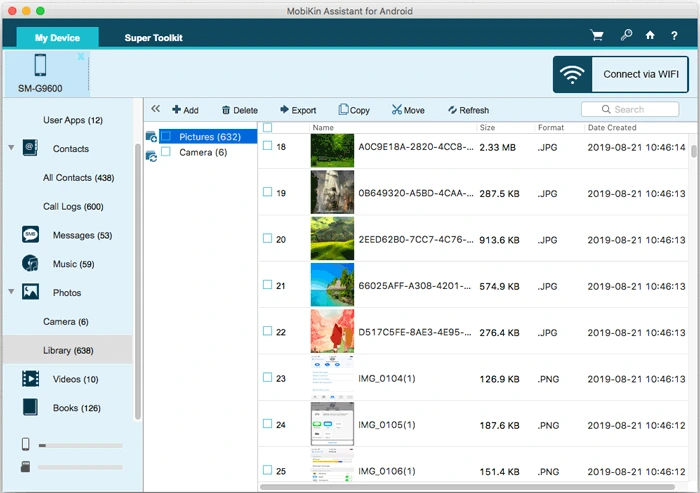
“MobiKin Assistant for Android” offers a convenient way to manage your smartphone data directly from your computer. Users can work with a wide range of file types, including contacts, messages, call history, photos, videos, music, books, and applications. This software helps you organize your personal information, delete unwanted files, and ensure that your important data remains accessible whenever you need it. The computer-based interface simplifies daily management tasks, eliminating the need to perform every action on your mobile device.
EASY DATA BACKUP AND RESTORATION
The software includes a “one-click” backup and restore feature designed to protect important data on your Android device. Users can select the specific information they wish to back up and save it to their computer or external storage. This includes contacts, messages, call history, photos, videos, music, applications, and other files. When necessary, users can restore their backed-up data to a connected Android device. This feature is particularly useful when upgrading a phone, performing a factory reset, or conducting routine data maintenance.
MANAGING CONTACTS AND MESSAGES
MobiKin Assistant for Android provides tools for managing contacts and messages directly from your computer. Users can add, edit, delete, import, and export contact information without needing to modify each entry individually on the phone itself. Contact data can be exported in various formats, including VCF, CSV, XML, HTML, and formats compatible with Outlook. The software also allows users to view, export, organize, and manage messages. Depending on the device connection and settings, users can even send messages from their computer and save conversation histories for future reference.
TRANSFERRING AND ORGANIZING MULTIMEDIA FILEs
This software simplifies the management of image, video, and music files. Users can transfer (export) media files from an Android device to a computer for backup, or copy (import) files from a computer to their phone. It also assists in deleting unwanted files and organizing photo albums. Application and File Management
APPLICATION AND FILE MANAGEMENT
Application management tools allow users to install, uninstall, and back up multiple Android applications using a computer. This helps save time when organizing and maintaining a device that contains many apps. The software also enables users to view files by category, making it easier to locate specific items. Furthermore, it allows for the management of call history and other personal data. Please note, however, that when backing up an application, its internal data (such as settings, game progress, etc.) may not be backed up automatically; therefore, you might need to back up this data separately.
FLEXIBLE CONNECTIVITY AND DEVICE COMPATIBILITY
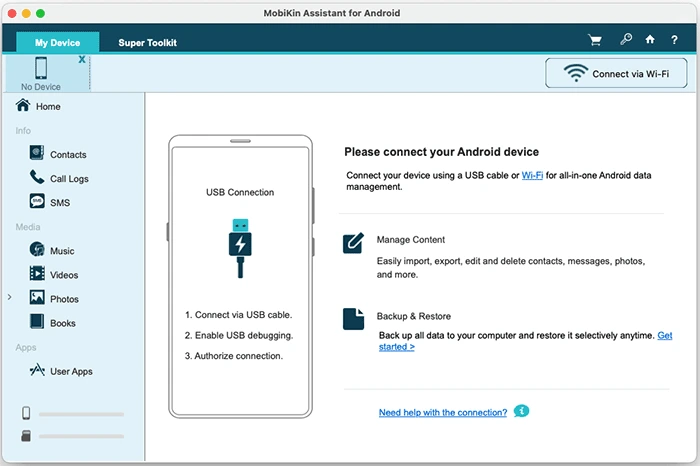
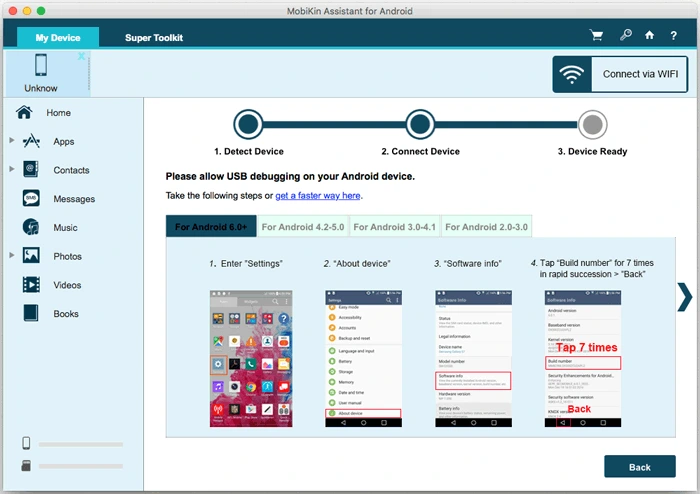
“MobiKin Assistant for Android” supports both USB and Wi-Fi connections, offering users greater flexibility when connecting their Android phones or tablets to a computer. When using a USB connection, you can take screenshots of your phone and save them directly to your computer. Another advantage is the ability to manage multiple Android devices simultaneously. Although the software works with devices from many popular manufacturers, compatibility may vary depending on the specific model and settings of each device. Overall, these connection options offer a highly convenient solution for users who wish to manage their Android devices through a unified interface on their computer.
SYSTEM REQUIREMENTS
- Supported OS: Windows 11/10/8.1/7
- Memory (RAM): 1 GB of RAM or more is required
- Hard Disk Space: 100 MB or more required