
iMobie PhoneRescue for iOS is a versatile data recovery tool for iPhone, iPad, and iPod Touch. It recovers deleted files like messages, photos and app data from device storage or backup. With system repair features and a user-friendly interface, it ensures effective recovery and fixes common iOS problems.
OVERVIEW OF IMOBIE PHONERESCUE FOR IOS
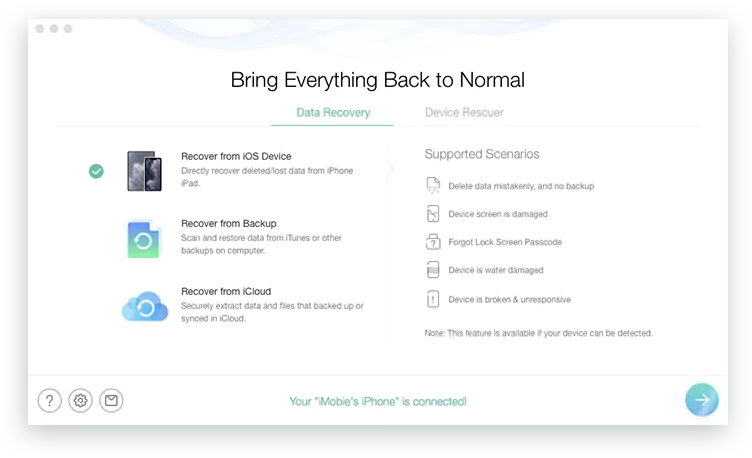
iMobie PhoneRescue for iOS is a powerful and versatile data recovery tool designed to help users recover lost or deleted data from iPhone, iPad, and iPod Touch. This software provides an effective solution to recover various types of data such as messages, photos, contacts, app data, videos, call logs, etc. with comprehensive features. It supports direct recovery from device storage or iTunes and iCloud backups, giving users multiple options to recover their precious data.
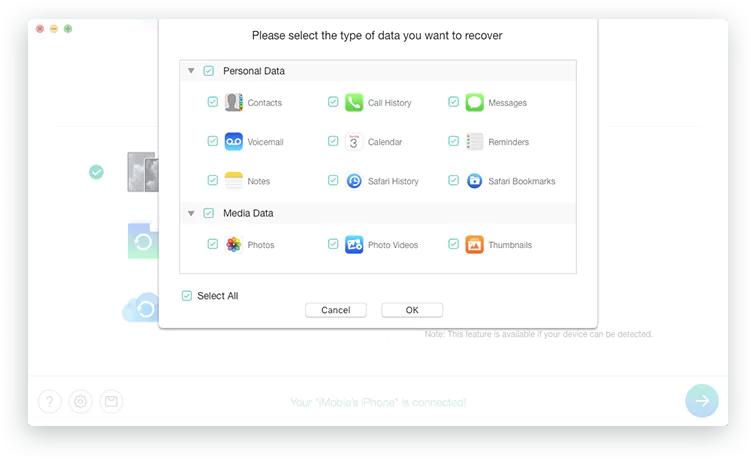
One of the outstanding features of PhoneRescue for iOS is its ability to recover more than 30 types of data. Whether you’ve accidentally deleted important messages, lost photos due to a failed iOS update, or need to recover app-specific data like WhatsApp conversations, PhoneRescue has you covered. It allows the user to preview the recoverable data before starting the recovery process and recovers only what is needed.
The software is equipped with advanced system repair tools that can solve common iOS problems like boot loop, frozen screen, black screen, device stuck on Apple logo, etc. Unlike many other repair tools, PhoneRescue does not lose data during the repair process, making it a reliable system recovery option.
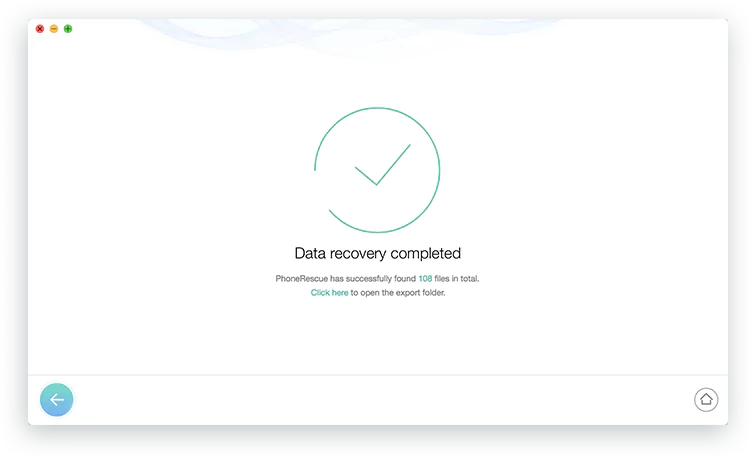
PhoneRescue for iOS is designed with an intuitive and intuitive interface that makes it accessible to users with varying levels of technical expertise. A step-by-step process guides users through data recovery or system repair, reducing confusion and improving usability.
FEATURES OF IMOBIE PHONERESCUE FOR IOS
COMPREHENSIVE DATA RECOVERY OPTIONS
iMobie PhoneRescue for iOS is designed to recover a wide range of data from iPhone, iPad, and iPod touch devices. It can recover deleted or lost files, including photos, messages, contacts, call logs, notes, WhatsApp, and app data. The software supports direct recovery from iOS devices, iTunes backup, and iCloud backup, providing flexibility in different scenarios. Whether users accidentally deleted files or lost data after updating, resetting, or crashing, PhoneRescue offers a reliable solution to recover important information without any hassle.
ADVANCED RECOVERY MODES
To increase the success rate of data recovery, PhoneRescue for iOS offers multiple recovery modes to suit different situations. Users can choose “Recover from iOS Device” to recover files directly, “Recover from iCloud” to extract files without restoring the entire backup, “Recover from iCloud” to selectively recover specific items. This adaptability means that users do not need to perform a full system restore, saving time and preventing unnecessary data loss. Advanced scanning algorithms allow the software to find even hidden or deeply buried files.
IOS SYSTEM REPAIR AND RECOVERY
In addition to basic data recovery, PhoneRescue for iOS also comes with tools to fix common iOS system issues. It can fix devices stuck in recovery mode, black screen, boot loop, and frozen Apple logo without deleting user data. The software’s iOS repair function allows users to quickly restore their devices. This dual function of data recovery and system maintenance makes PhoneRescue more than just a simple recovery tool, allowing it to rescue the entire device.
USER-FRIENDLY AND INTUITIVE INTERFACE
The program is designed in a simple way, making it accessible to both beginners and advanced users. With a clear interface, instructions, and simple processes, even those who are unfamiliar with recovery software can easily use PhoneRescue. The step-by-step workflow reduces confusion, while the preview feature allows users to preview files before recovery. This prevents unwanted data from being recovered, allowing users to recover only what they need.
HIGH COMPATIBILITY AND SECURITY
PhoneRescue for iOS supports the latest iOS versions and a wide range of Apple devices, making it a versatile solution for iPhone, iPad, and iPod users. It works on both Windows and macOS operating systems, ensuring wide accessibility. The software prioritizes user data privacy and guarantees reliable recovery without the risk of loss or overwriting. By using read-only operation during scanning and recovery, existing data on the device will remain intact while recovering deleted files.
ADDITIONAL TOOLS AND VERSATILITY
In addition to the basic recovery features, PhoneRescue offers additional tools that enhance its overall value. It allows for selective recovery and allows users to export specific files directly to a computer or back to an iOS device. It can also unlock iOS screen passcode and Apple ID in some cases, which is useful for users who are locked out of their devices. This multi-functional method ensures that PhoneRescue for iOS is not just a recovery tool, but a complete solution to solve unexpected iOS problems.
SYSTEM REQUIREMENTS
- Supported OS: Windows 11/10/8.1/7
- Memory (RAM): 1 GB of RAM or more is required
- Hard Disk Space: 100 MB or more required