
Minitab Workspace is a visual process improvement and problem-solving software for organizations, engineers, and quality professionals. It provides tools, models, and diagrams to manage projects, analyze processes, identify problems, and implement improvements. With features like process mapping, ideation tools, and quality methodologies, Minitab Workspace helps teams streamline workflows and achieve better operational results.
OVERVIEW OF MINITAB WORKSPACE
Minitab Workspace is a comprehensive visual project management and process improvement solution that helps business owners and professionals solve problems, streamline workflows, and improve quality. It combines powerful visual tools, models, and structured methodologies to support continuous improvement projects.
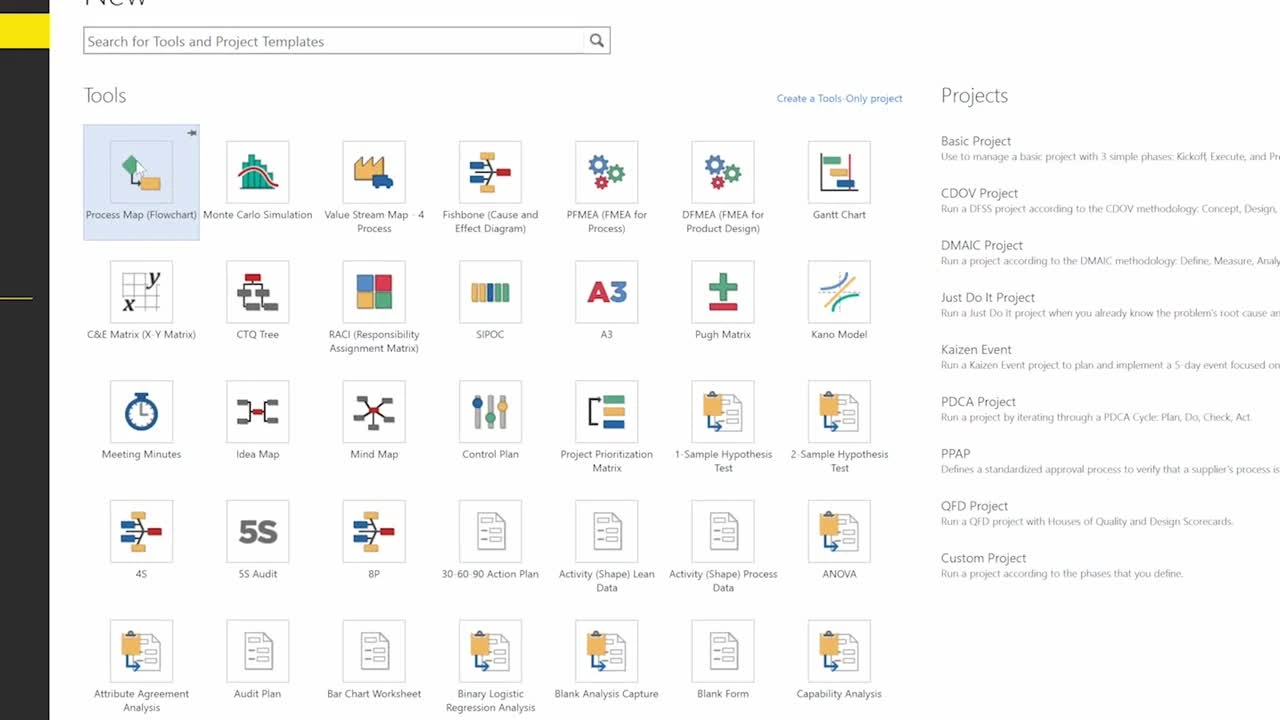
The software is designed for Six Sigma, Lean, quality management, and operational excellence initiatives. Users can create process maps, value stream maps, fishbone diagrams, decision trees, and other visual models to understand problems and develop effective solutions. Minitab Workspace provides project roadmaps based on proven improvement methodologies such as DMAIC, QFD, and Kaizen.
With a simplified interface, teams can organize project information, collaborate on improvement activities, document processes, and track progress from start to finish. The software helps transform complex business problems into clear, actionable plans by integrating visualization, analysis, and documentation tools into a single workspace.
Minitab Workspace is widely used in manufacturing, healthcare, engineering, education, and business environments where process optimization and quality improvement are essential. It enables organizations to make data-driven decisions and create a culture of continuous improvement.
FEATURES OF MINITAB WORKSPACE
VISUAL PROCESS MAPPING AND DOCUMENTATION
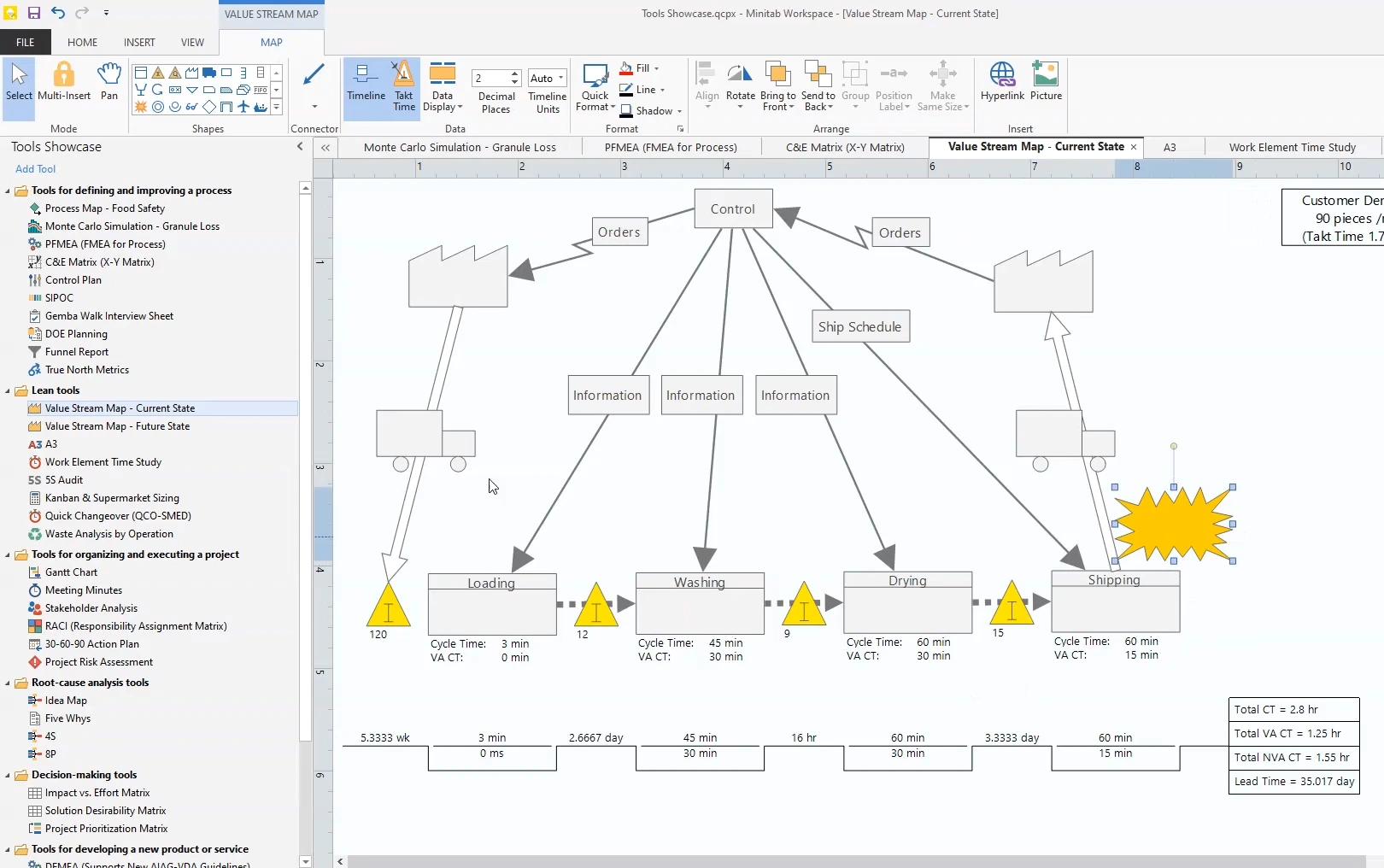
Minitab Workspace offers a variety of visual tools to help users understand, document, and improve business processes. Users can create flowcharts, process maps, value stream maps, and other diagrams to clearly visualize workflows. These visual models make it easy to identify inefficiencies, bottlenecks, and opportunities for improvement. Teams can document existing processes and design improved workflows to improve productivity.
SIX SIGMA AND LEAN IMPROVEMENT TOOLS
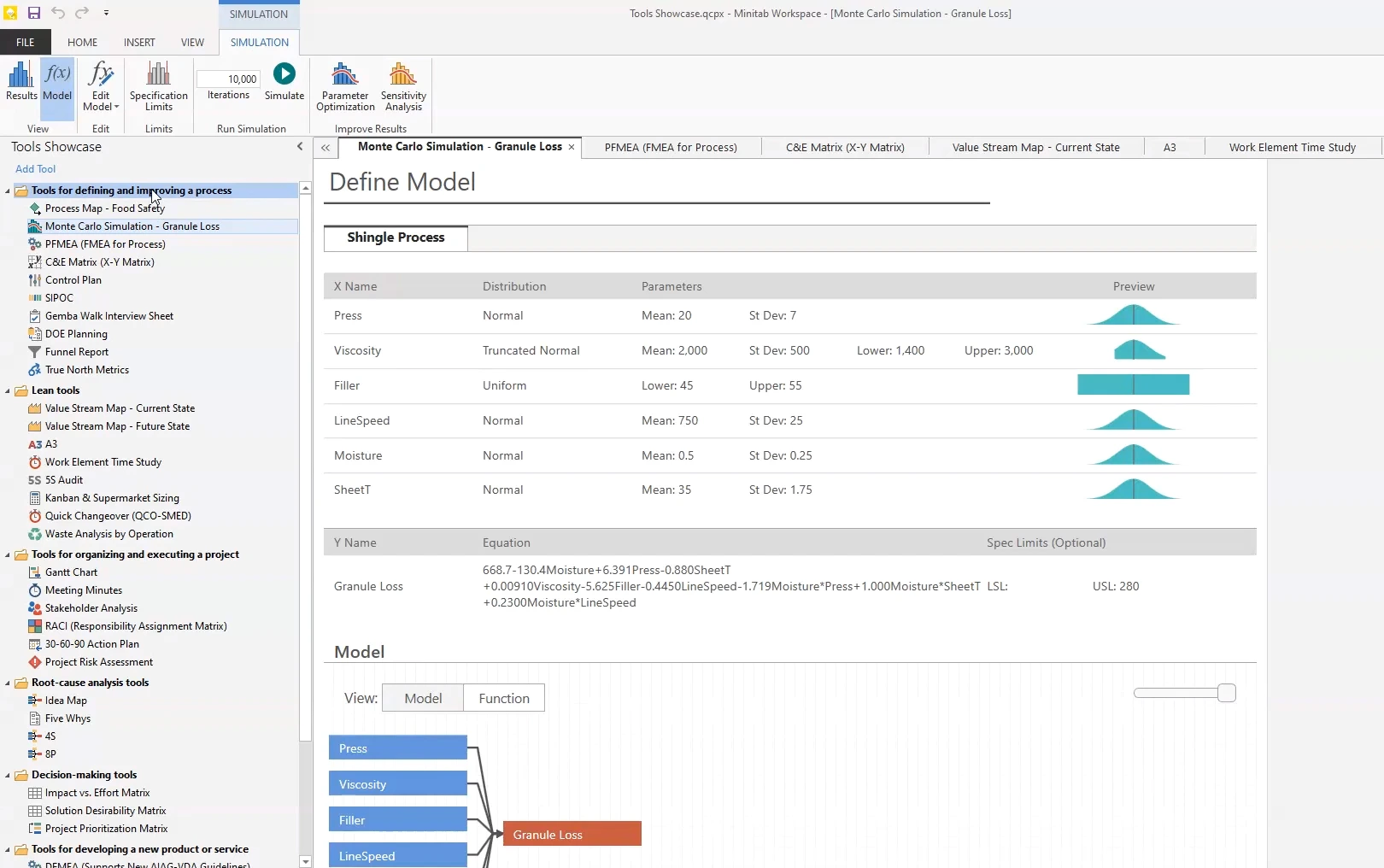
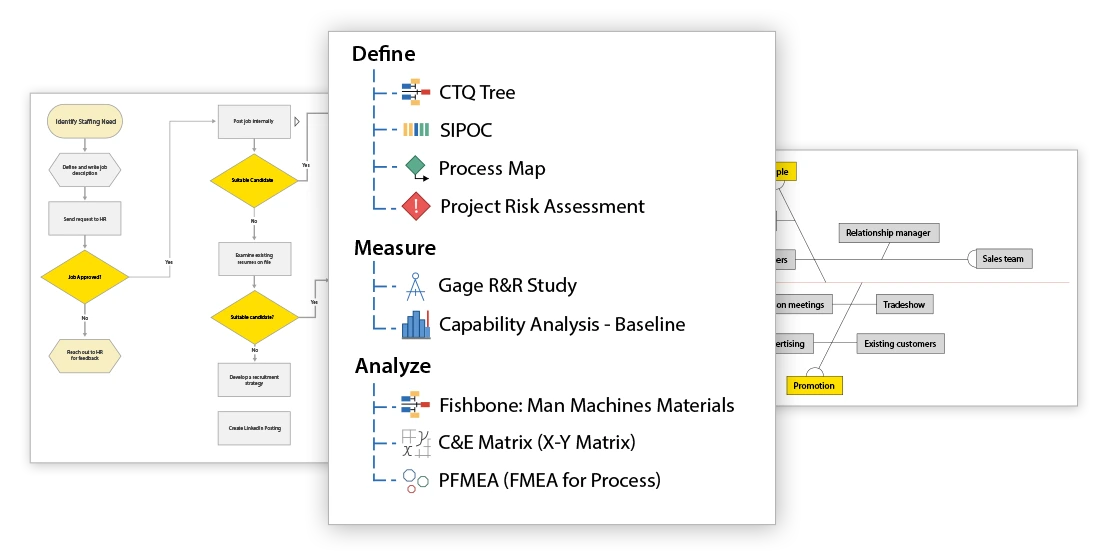
The software supports popular quality improvement methodologies such as DMAIC, Kaizen, and QFD. It provides structured models that guide users through each phase of improvement projects. Professionals can identify problems, measure performance, analyze root causes, implement solutions, and maintain improvements using a structured project framework. These tools help organizations achieve sustainable, measurable results.
BRAINSTORMING AND PROBLEM SOLVING CAPABILITIES
Minitab Workspace includes a variety of brainstorming tools to help teams generate ideas and solve complex problems. Users can create fishbone diagrams, dependency diagrams, tree diagrams, and other visual methods to analyze problems. These features encourage collaboration and allow teams to identify root causes before taking corrective action.
PROJECT MANAGEMENT AND COLLABORATION
Minitab Workspace helps users manage improvement projects by organizing important information, documents, and activities in one centralized location. Teams can create project plans, track progress, and maintain records throughout the project life cycle. An organized workspace improves communication between team members and ensures that everyone is following a clear improvement strategy.
QUALITY ANALYSIS AND DECISION SUPPORT
The software supports quality-oriented decision-making by helping users visualize problems and evaluate potential solutions. It allows professionals to analyze the relationships between various factors, prioritize areas for improvement, and develop effective action plans. These capabilities are useful for reducing waste, improving efficiency, and increasing customer satisfaction.
TEMPLATES AND CUSTOMIZABLE WORKFLOWS
Minitab Workspace includes ready-made templates that make it easy to create improvement projects. Users can customize forms, diagrams, and workflows to meet their specific business needs. These flexible options save time and help ensure consistent document standards across teams and departments.
SYSTEM REQUIREMENTS
- Supported OS: Windows 11/10/8.1/7
- Memory (RAM): 1 GB of RAM or more is required
- Hard Disk Space: 100 MB or more required