
Mindjet MindManager stands out as a comprehensive software solution for mind mapping and visualization. Based on mind-mapping techniques, the software provides a dynamic platform for creating non-linear representations of ideas, concepts, and information. This innovative approach allows users to go beyond traditional linear thinking, develop creativity, and gain a more holistic understanding of complex topics.
OVERVIEW OF MINDJET MINDMANAGER
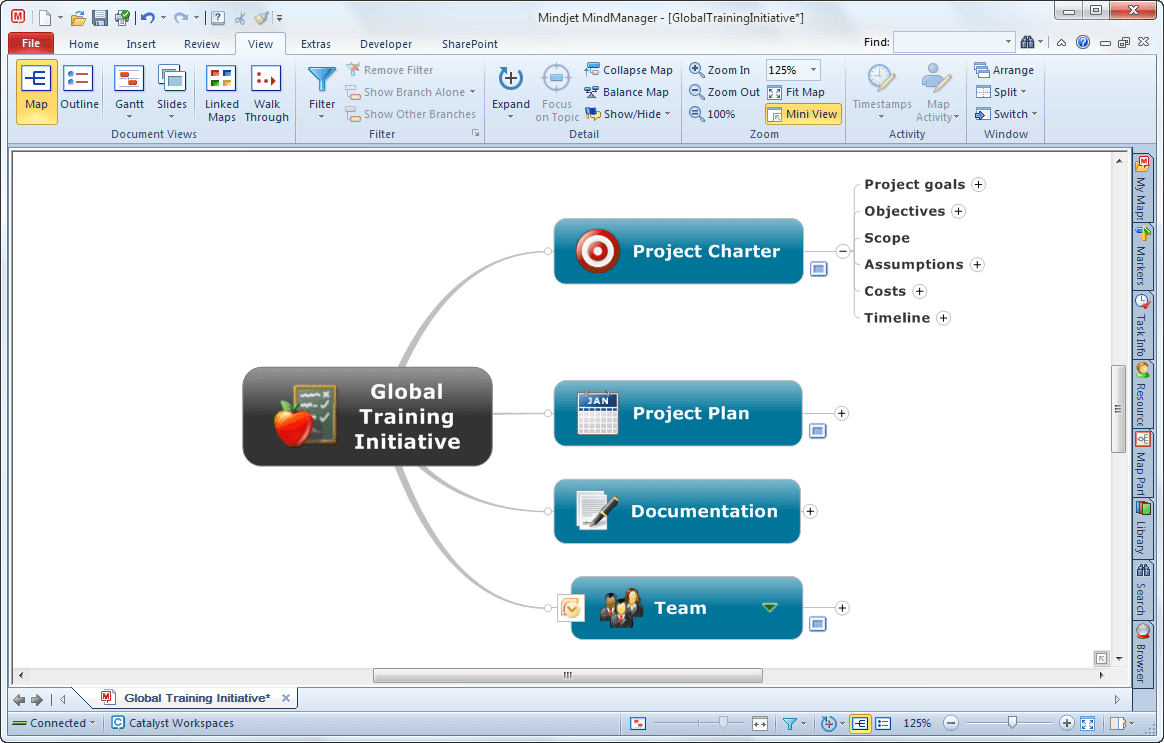
Mindjet MindManager is a powerful and versatile mind mapping and visualization software designed to improve creativity, organization and collaboration in personal and professional environments. At its core, MindManager creates dynamic mind maps that allow users to visualize ideas, concepts, and information in a non-linear fashion. This innovative approach to information organization makes it an invaluable tool for brainstorming, strategic planning, and project management.
The software’s capabilities go beyond basic mind mapping and offer powerful project planning and management features. Users can organize tasks, timelines, and dependencies and create a visual roadmap for project implementation. This functionality makes Mindjet MindManager particularly useful for project managers and teams looking for an intuitive and comprehensive tool for planning and implementation.
MindManager integrates seamlessly with various productivity tools, including Microsoft Office, SharePoint, and project management platforms. This integration streamlines workflows by allowing users to import and export data, enabling collaboration and ensuring compatibility with existing systems.
Collaboration is a key aspect of Mindjet MindManager, with features that enable real-time collaboration on mind maps. Teams can collaborate to share ideas, refine strategies, and contribute to the overall vision. This collaborative environment improves communication and knowledge sharing within teams.
Task management is another powerful feature of MindManager, where users can attach tasks, deadlines, and related information directly to mind map nodes. It transforms mind maps into a dynamic project management tool, creating a centralized space for planning, tracking progress, and managing resources.
MindManager has a presentation mode that allows users to display their mind maps in a structured and engaging way. This is especially useful for conveying complex ideas during meetings, seminars or presentations. This software allows users to personalize mind maps with visuals such as shapes, colors, and icons. This not only adds to the aesthetics, but also helps highlight key points and connections on the mind map.
FEATURES OF MINDJET MINDMANAGER
VISUAL MIND MAPPING
Mindjet MindManager is a visual thinking and mind mapping software designed to help users organize ideas, information, tasks, and projects into easy-to-understand graphical structures. Instead of storing information in long lists or scattered documents, users can map a main topic and create related branches around it. These branches can contain ideas, notes, tasks, links, attachments, and other information. This visual approach makes complex topics easier to understand and allows users to see the relationships between different pieces of information. This can be useful for brainstorming, planning, research, meetings, presentations, and personal organization.
BRAINSTORMING AND IDEA ORGANIZATION
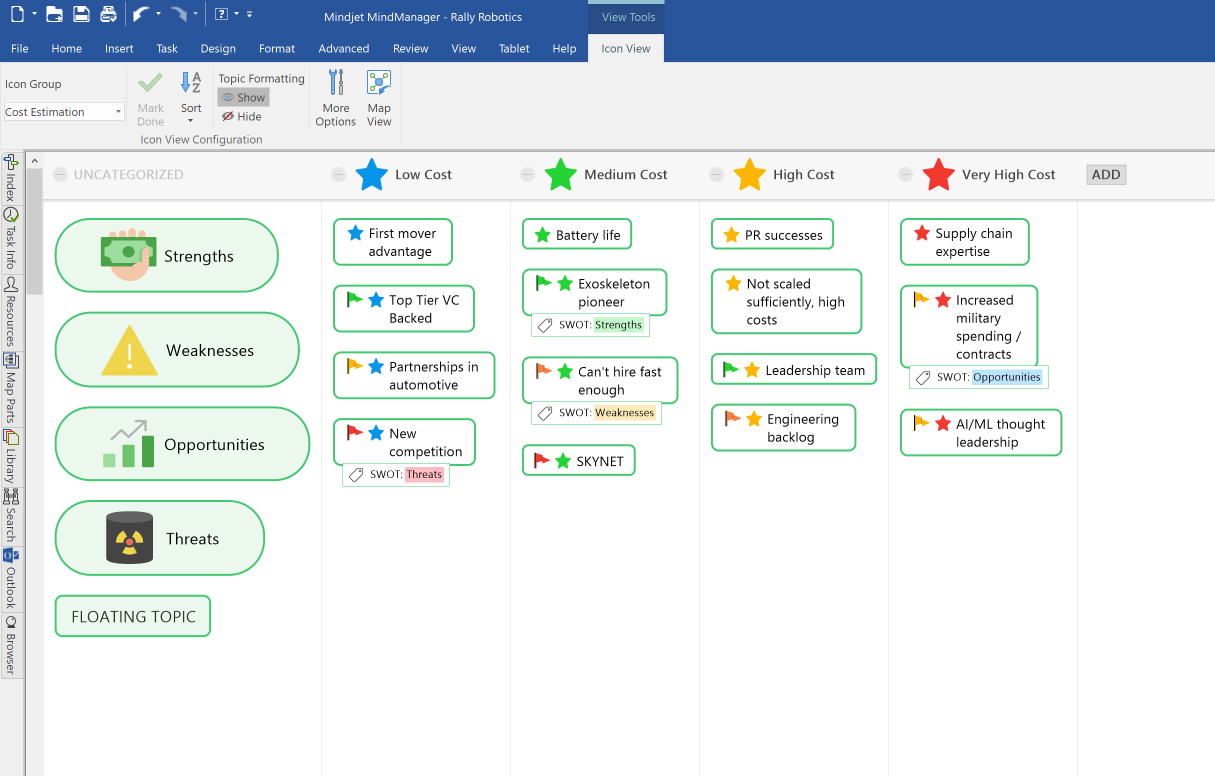
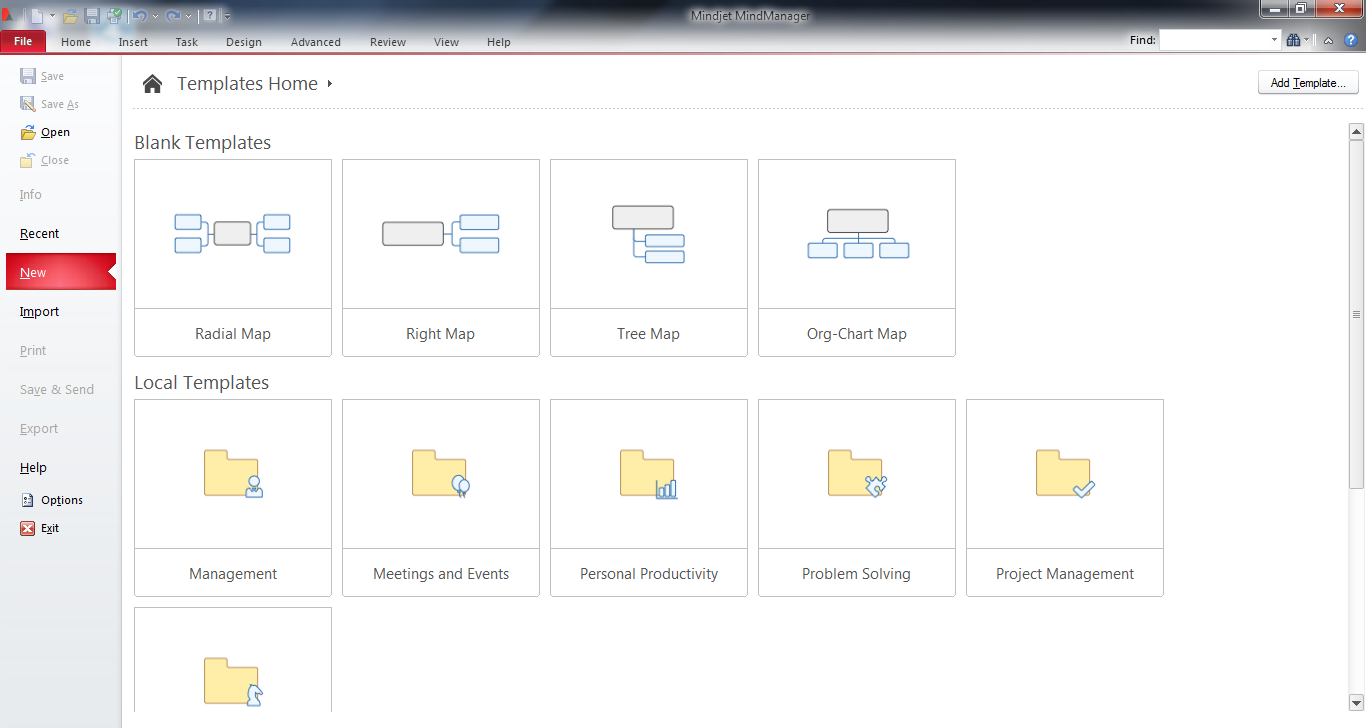
One of the key features of MindManager is its flexible brainstorming environment. Users can quickly create topics and subtopics as they develop new ideas and easily capture ideas without worrying about the final structure. Then, as the project develops, ideas can be reorganized, expanded, grouped, or connected. The software supports different visual layouts and allows you to present information in traditional mind maps, flowcharts, timelines, and other structured diagrams. This flexibility helps individuals and teams transform unstructured thoughts into organized plans and actionable information.
PROJECT PLANNING AND TASK MANAGEMENT
MindManager includes tools for managing projects and tracking individual tasks. Users can add task information such as priorities, start dates, deadlines, resources, progress, and other related information to map topics. This allows mind maps to go beyond document initiatives and become a visual workspace for project management. Tasks can be organized by phase, department, responsibility, or duration. By viewing project information in a connected map, users can more easily understand how individual activities are connected to a larger goal and identify important dependencies.
TIMELINE AND PROCESS VISUALIZATION
The software provides visual tools for visualizing schedules, processes, and workflows. Users can create timelines to show important events, milestones, deadlines, and project phases in chronological order. Process diagrams can be used to show the procedures and relationships between activities. These visual representations make it easy to communicate complex workflows with colleagues, clients, or stakeholders. By combining text with diagrams and structured information, MindManager helps users quickly review and transform project details into a format that they can understand.
INFORMATION AND RESOURCE MANAGEMENT
MindManager allows users to attach and organize various types of information on their maps. Topics can contain notes, links, documents, images, tables, and other supporting resources. This provides a centralized location for information related to a specific idea, task, or project. Instead of searching through multiple folders or applications, users can access relevant resources directly from the corresponding map topic. Filter and organization features help users focus on specific areas of a larger map, making it easier to manage large projects.
COLLABORATION AND PRESENTATION
MindManager can support collaboration and communication by helping teams create shared visual plans and communicate complex information. Maps can be used to communicate ideas during meetings, assign responsibilities, organize discussions, and document decisions. Once a project is organized, users can present the information visually or convert the map content into more structured project documents. The ability to integrate brainstorming, task information, timelines, resources, and visual diagrams into a single workspace makes MindManager a versatile productivity solution for business owners, project teams, educators, consultants, and individuals who need a clearer way to organize and communicate information.
SYSTEM REQUIREMENTS
- Supported OS: Windows 11/10/8.1/7
- Memory (RAM): 1 GB of RAM or more is required
- Hard Disk Space: 800 MB or more required