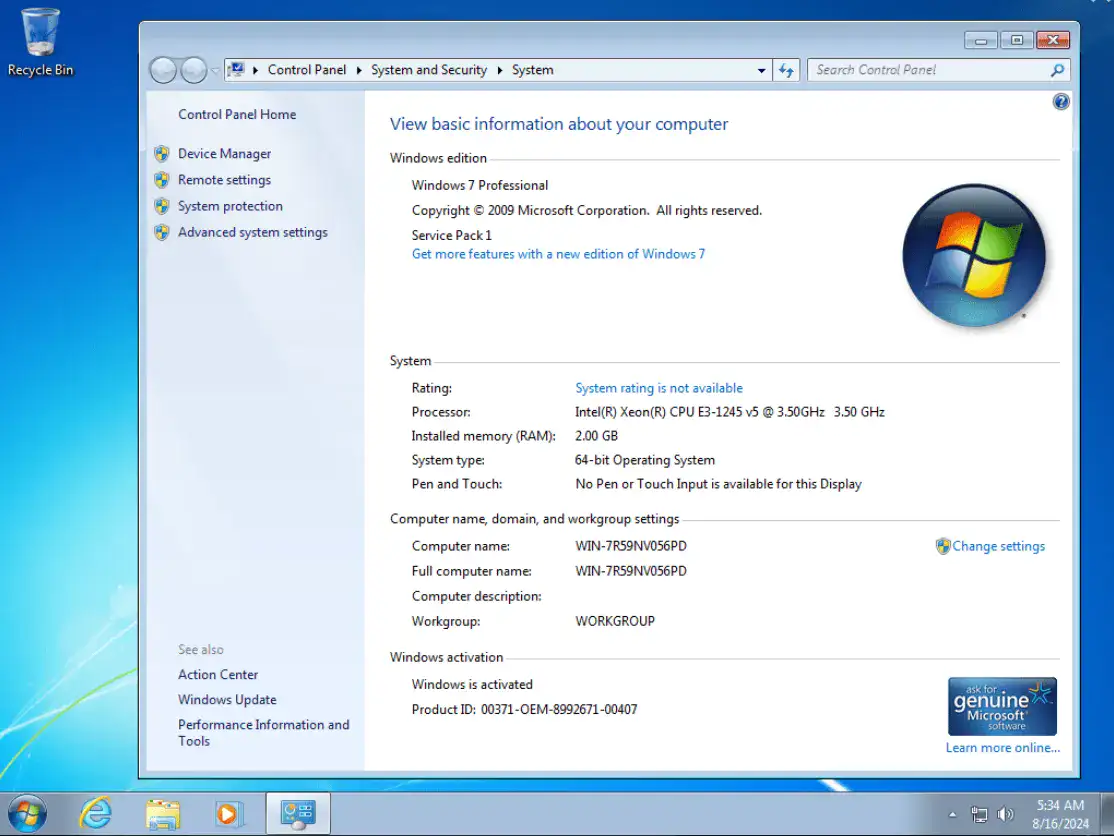

Windows 7 Professional is one of the most popular editions of Microsoft’s Windows 7 operating system, released in 2009. It is primarily aimed at business users and professionals who require more advanced features than the Home Premium edition. This edition is suitable for office and corporate environments, as it offers improved networking capabilities, domain join support, and advanced backup options.
Windows 7 Professional also includes Windows XP Mode, which allows users to run older software that is not compatible with the new system. With its user-friendly interface, fast performance, and enhanced security features, it has become a reliable operating system for businesses and power users. The balance between usability and productivity has long been the preferred choice since the introduction of new versions of Windows.
OVERVIEW OF WINDOWS 7 PROFESSIONAL
Windows 7 Professional is a powerful and versatile version of Microsoft’s Windows 7 operating system, designed to meet the needs of business professionals and small and medium-sized businesses. Released in October 2009, it builds on the success of Windows Vista by offering a more refined and user-friendly interface, faster performance, and improved stability. One of the standout features of Windows 7 Professional is the ability to join a Windows Server domain, which allows businesses to efficiently manage multiple computers and users on a network. This capability is ideal for office environments where centralized control and security are important.
Another key feature is Windows XP Mode, which provides backward compatibility for older applications that may not work on Windows 7. This allows businesses to continue using older software without interruption. Windows 7 Professional also comes with advanced backup and recovery options, allowing users to schedule automatic backups and restore their system or files when needed. Enhanced security features, such as Windows Firewall, BitLocker (available in the Professional edition with additional settings), and enhanced user account control, help protect sensitive data and reduce vulnerabilities.
FEATURES OF WINDOWS 7 PROFESSIONAL
DOMAIN JOIN AND NETWORK MANAGEMENT
Windows 7 Professional enables computers to join a Windows Server domain, a must-have feature for businesses and organizations. This capability allows IT administrators to centrally manage multiple computers and user accounts, enforce security policies, and access network resources such as shared files, printers, and applications. Joining a domain helps keep a professional environment organized, secure, and efficient. Users benefit from authentication, single sign-on to network services, software updates, and centralized permissions control, which are essential for maintaining data integrity and operational efficiency in mid-sized and large businesses.
WINDOWS XP MODE
Windows XP Mode is a feature designed to provide compatibility with Windows 7 Professional. Some businesses and professionals rely on legacy applications that are designed for Windows XP and do not work properly on newer systems. Windows XP Mode creates a virtualized Windows XP environment in Windows 7, allowing these legacy applications to run seamlessly. This prevents compatibility issues and eliminates the need for costly software upgrades. This is especially useful in industries such as accounting, engineering, and manufacturing, where legacy software is essential. This feature extends the life of legacy applications while maintaining the modern security and performance of Windows 7.
ADVANCED BACKUP AND RECOVERY OPTIONS
Windows 7 Professional includes comprehensive backup and recovery capabilities to protect critical data. Users can protect important files, documents, and system settings and schedule automatic backups to local drives or network locations. In the event of a hardware failure, accidental deletion, or software problem, users can easily recover their data or restore the system to a previous state. These advanced options include creating a system image, restoring previous versions of files, and flexible scheduling. In a business environment, this provides the minimum downtime, data continuity, and data loss protection that are essential for professional operations.
ENHANCED SECURITY FEATURES
Windows 7 Professional provides enhanced security to protect business and personal information. This includes Windows Firewall to help protect your network, enhanced User Account Control (UAC) to prevent unauthorized changes, and support for BitLocker encryption (optional) to protect data on your hard drive. These features help protect against malware, unauthorized access, and potential breaches. Combined with ongoing security updates from Microsoft, Windows 7 Professional offers a secure environment for office and home users. For organizations, this means ease of use while still allowing employees to enforce strict security policies.
IMPROVED USER INTERFACE AND PRODUCTIVITY TOOLS
Windows 7 Professional features an intuitive, visual interface that enhances productivity. The Aero Glass interface provides a clean, modern look with transparent window borders and smooth animations. Workspace improvements such as Jump Lists and pinned applications give users quick access to frequently used programs and documents. Libraries provide centralized access to documents, music, videos, and pictures, and simplify file organization. These improvements provide a productive work environment for professionals and small businesses by improving fast boot times and system responsiveness, helping users save time and complete tasks more efficiently.
REMOTE DESKTOP SUPPORT
Windows 7 Professional includes Remote Desktop, which allows users to securely access their computers remotely. This is especially useful for professionals who travel frequently or need to access their office computers from home. Remote Desktop allows you to continue working, access files, use applications, and manage systems remotely, regardless of location. For businesses, this feature supports remote work, IT support, and efficient collaboration between teams, while providing network security through encrypted connections.
LIST OF AVAILABLE WINDOWS EDITIONS
- Windows 7 Professional x64
SYSTEM REQUIREMENTS
- Processor (CPU): 1 gigahertz (GHz) or faster.
- Memory (RAM): 1 gigabyte (GB).
- Hard Disk Space: 16 gigabytes (GB).
- Graphics Card: DirectX 9 graphics device or a newer version.