Windows 7 is one of Microsoft’s most popular operating systems, officially released on October 22, 2009. It was designed as a successor to Windows Vista and focused on improving performance, speed, and a user-friendly interface. Windows 7 introduced many key features that made it very successful, including a redesigned taskbar with snap support, faster boot times, improved search functionality, and improved window management such as Aero Snap, Peek, and Shake. It also offered better hardware compatibility and security improvements over its predecessor. Many users praised Windows 7 for its stability and smooth operation, making it the preferred choice for home and business users for many years. Even after Microsoft ended official support in January 2020, Windows 7 continues to be used worldwide for its reliability and ease of use.
OVERVIEW OF WINDOWS 7
Windows 7 is a widely accepted operating system developed by Microsoft and released to the public on October 22, 2009. It was designed as the successor to Windows Vista and quickly became popular for its stability, efficiency, and user-friendly design. Unlike Vista, which was criticized for being slow and resource-intensive, Windows 7 offers smoother and faster performance, making it attractive to both casual users and professionals. Its intuitive interface is enhanced with features such as the improved taskbar, jump lists, and Aero graphics enhancements, which allow users to more easily manage multiple windows. Features such as Aero Snap, Aero Peek, and Aero Shake introduce more convenient ways to multitask and organize open applications.
FEATURES OF WINDOWS 7
IMPROVED USER INTERFACE WITH AERO FEATURES
Windows 7 introduced a more refined and visually appealing user interface, which significantly improved usability compared to previous versions. One of the most notable improvements was the Aero Glass design, which offered a smaller window border, smoother animations, and clearer navigation. Features like Aero Peek allowed users to preview their desktop by swiping on the taskbar, while Aero Snap made window management easier by automatically resizing windows that were dragged to the edge of the screen. Aero Shake was another innovation that allowed users to minimize all open windows by shaking a single active window. Together, these features create a more modern, efficient, and enjoyable experience, making multitasking simple and intuitive.
IMPROVED PERFORMANCE AND SPEED
Performance optimization was one of the key strengths of Windows 7. Unlike Vista, which was often criticized for being slow and resource-hungry, Windows 7 was designed to boot faster, run smoother, and consume less system resources. It improved memory management, ensured faster response times, and offered better compatibility with older hardware. The system requirements were also modest, allowing Windows 7 to be installed on both new and old computers without any problems. Gamers, professionals, and everyday users alike appreciated the stability and reliability of this operating system, as it did not slow down intensive applications. This performance boost was a major reason for the widespread adoption of Windows 7.
IMPROVED TASKBAR AND NAVIGATION TOOLS
The taskbar in Windows 7 has been completely redesigned and is more powerful and functional than before. Users can now pin programs directly to the desktop for quick access, reducing the need to navigate through desktop shortcuts and menus. Thumbnail previews are larger and more interactive, allowing users to quickly switch between programs. With Jump List, users can now access recent files and frequently used tasks directly from the taskbar icons. These improvements not only provide convenience, but also increase productivity by reducing clicks and navigation time. The taskbar is essentially a center for managing open windows and applications.
ADVANCED SECURITY FEATURES
Windows 7 is a more secure operating system by improving the security foundation of its predecessor. Features such as User Account Control (UAC) have been refined to be less intrusive while offering robust protection against unauthorized changes. BitLocker Drive Encryption, available in Professional and Ultimate editions, allows users to protect their data by encrypting all drives. Windows Defender and the built-in firewall are designed to protect against malicious software and cyber threats. In addition, regular updates provide quick fixes for vulnerabilities. These features make Windows 7 a more secure environment for personal and professional use, reducing the risk of hacking, viruses, and data theft.
IMPROVED NETWORKING AND HOMEGROUP
One of the standout features of Windows 7 was its focus on making networking and file sharing easier. The introduction of HomeGroup allowed users to easily connect multiple computers to a single network and share files, printers, and media without the need for complicated setup. This was especially useful for homes and small offices where multiple devices needed to work together. Windows 7 improved wireless networking capabilities, making connections faster and more reliable. With tools designed to troubleshoot and manage network issues, users had more control and convenience in setting up and maintaining their connections. This simplified networking system was a big improvement in usability.
LIST OF AVAILABLE WINDOWS EDITIONS
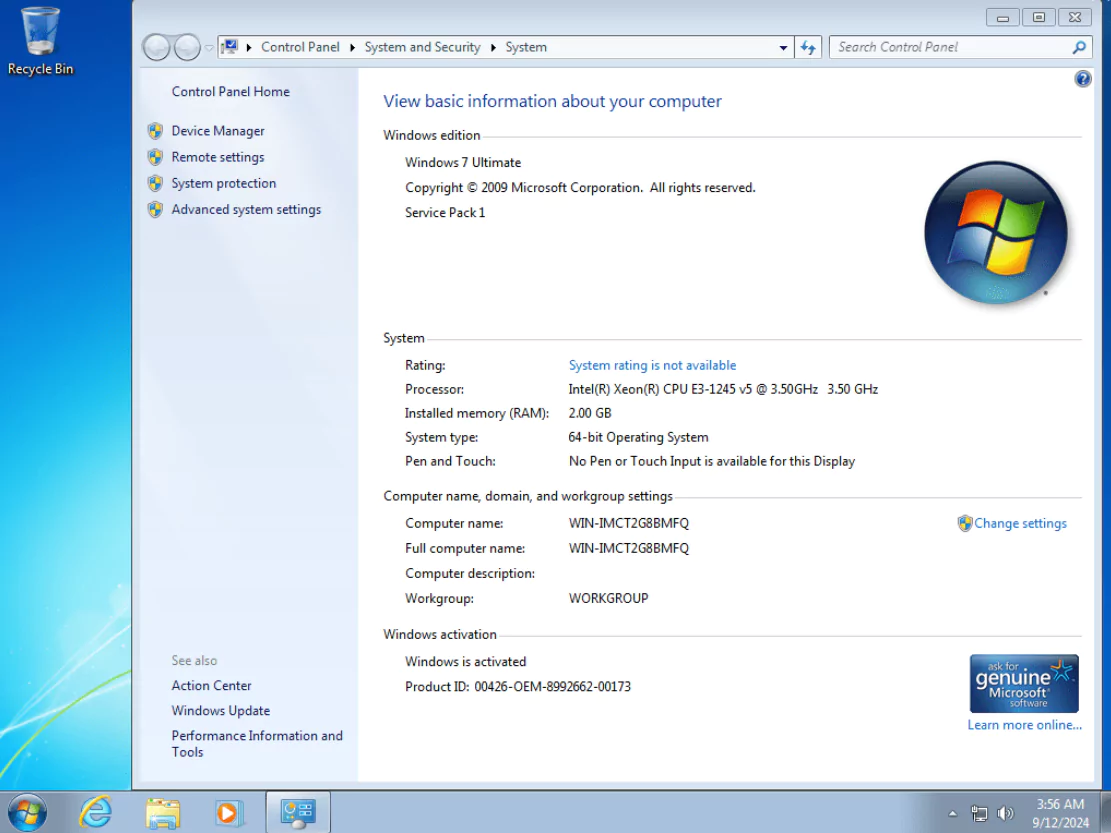
- Windows 7 Ultimate x64
SYSTEM REQUIREMENTS
- Processor (CPU): 1 gigahertz (GHz) or faster.
- Memory (RAM): 1 gigabyte (GB).
- Hard Disk Space: 16 gigabytes (GB).
- Graphics Card: DirectX 9 graphics device or a newer version.