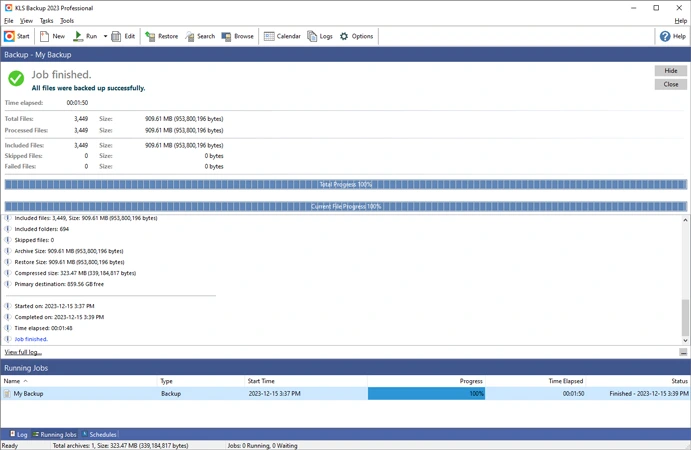

KLS Backup Professional is a powerful Windows backup and synchronization solution designed to protect files, folders, databases, email, and application data. It supports full, incremental, and differential backups, secure AES-encrypted archives, cloud storage, FTP/SFTP, and automated scheduling. It offers a reliable way to protect personal and business data from loss or accidental deletion with advanced version control and flexible recovery options.
OVERVIEW OF KLS BACKUP PROFESSIONAL
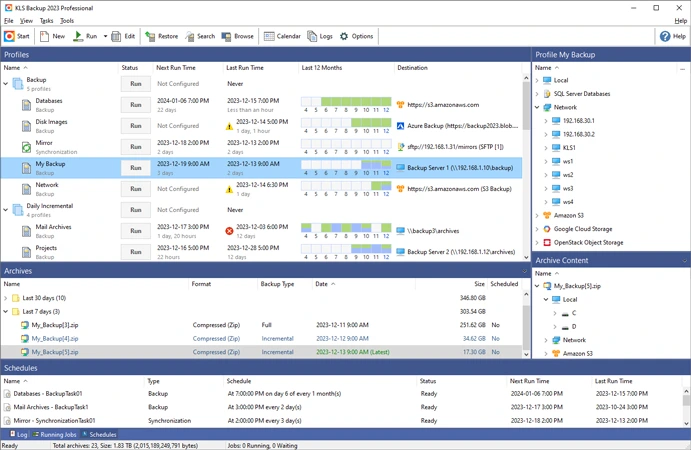
KLS Backup Professional is a comprehensive backup and synchronization software for Windows that helps users protect their valuable files, databases, emails, and application settings. It is designed for home users and businesses that need a secure, automated, and flexible backup solution. The software supports backing up data from local drives, network locations, cloud storage, FTP/SFTP servers, and WebDAV services, making it suitable for a wide variety of storage environments.
The software offers multiple backup methods, including full, incremental, and differential backups, which allow users to optimize storage space and backup speed. Backup archives can be compressed in ZIP or 7z format and protected with AES encryption to ensure data security. KLS Backup Professional also includes advanced version management, making it easy to restore previous file versions or recover lost data.
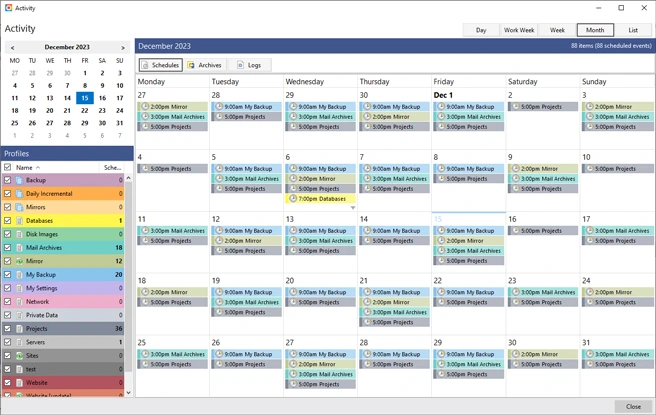
Automation is another key advantage of the software. Users can schedule backup jobs to run daily, weekly, or at custom intervals without manual intervention. Detailed logging, email notifications, and a web-based management interface simplify backup management, while a command-line interface enables advanced automation.
In addition to backup capabilities, KLS Backup Professional supports two-way file synchronization, cloud integration, and database and email backup. Its intuitive interface, extensive plugin support, and powerful recovery tools make it an excellent solution for ensuring data integrity and business continuity.
FEATURES OF KLS BACKUP PROFESSIONAL
FLEXIBLE BACKUP MODES
KLS Backup Professional supports full, incremental, and differential backups, allowing users to choose the most effective strategy for protecting their data. This flexibility reduces storage usage and allows for quick recovery when needed.
SUPPORT FOR MULTIPLE STORAGE LOCATIONS
The software can back up data to local drives, external storage devices, network folders, FTP/SFTP servers, WebDAV servers, and popular cloud platforms such as Amazon S3, Microsoft Azure, Google Cloud Storage, OneDrive, and Dropbox. This versatility allows for secure off-site backup and disaster recovery.
ADVANCED SECURITY AND COMPRESSION
Backup archives can be compressed to industry-standard ZIP or 7z formats to save storage space. Built-in AES encryption protects sensitive files from unauthorized access, while SSL/TLS secures remote data transmission.
AUTOMATIC SCHEDULING AND MONITORING
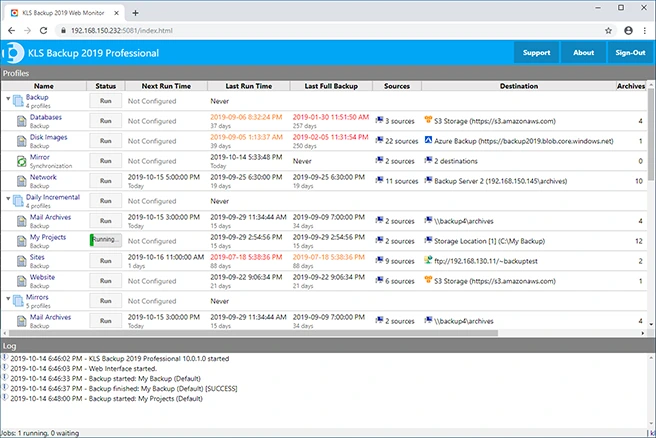
Users can automate backup and synchronization tasks using the built-in scheduler or Windows Task Scheduler. Detailed logging, email notifications, and browser-based web monitoring allow administrators to monitor backup status, identify errors, and remotely manage tasks.
VERSION MANAGEMENT AND FAST RECOVERY
KLS Backup Professional stores multiple backup versions, making it easy to restore previous file revisions or recover accidentally deleted data. Selective recovery options allow users to restore individual files or restore entire backup sets to their original or alternate locations.
SYNCHRONIZATION AND PROFESSIONAL TOOLS
The software includes two-way file synchronization to keep folders consistent across devices or cloud storage. It also supports database backup, Outlook and Thunderbird data, plug-ins for additional applications, command-line automation, backup of open files, and NTFS permission preservation, making it suitable for professional and enterprise environments.
SYSTEM REQUIREMENTS
- Supported OS: Windows 11/10/8.1/7
- Memory (RAM): 1 GB of RAM or more is required
- Hard Disk Space: 100 MB or more is required