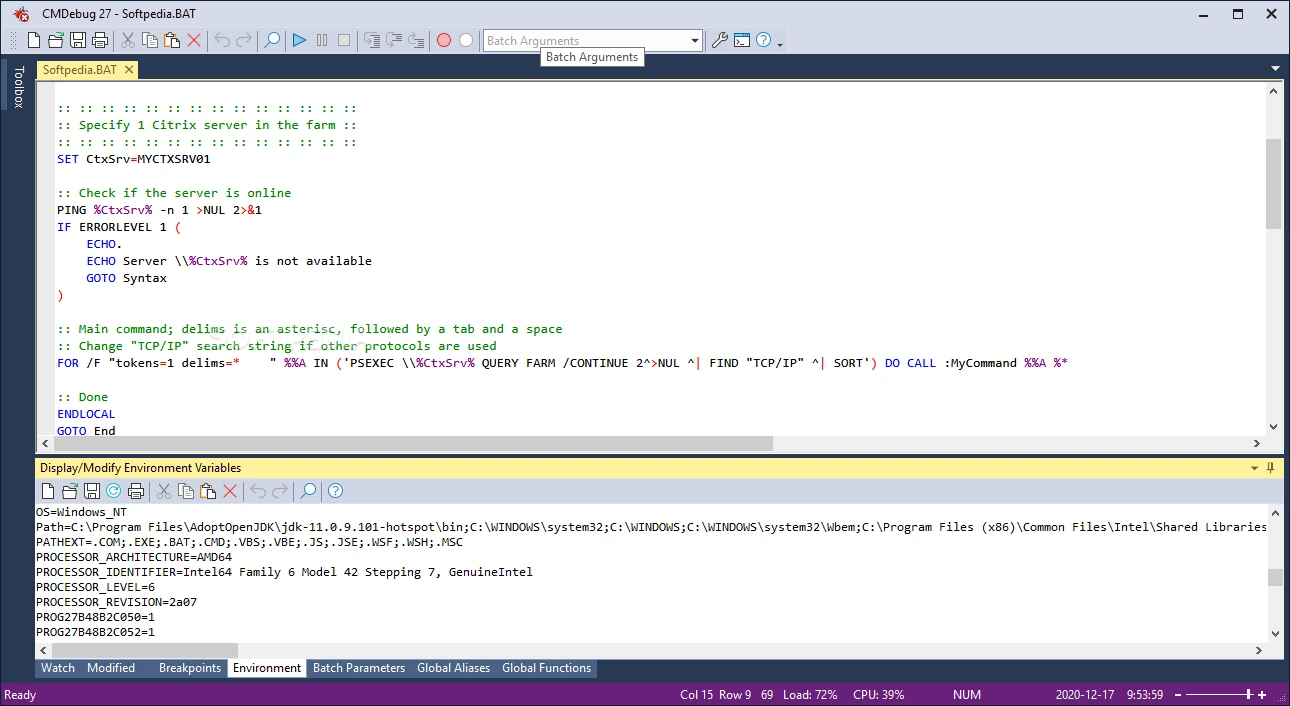

JP Software CMDebug is a professional integrated development environment (IDE) for creating, editing, and debugging Windows batch files. It supports both CMD and TCC-RT scripting languages and offers advanced debugging features such as breakpoints, single-stepping, variable monitoring, syntax highlighting, and profiling. Designed for developers, system administrators, and IT professionals, CMDebug simplifies batch script development and improves debugging accuracy and productivity.
OVERVIEW OF JP SOFTWARE CMDEBUG
JP Software CMDebug is a powerful Windows batch file editor and debugger designed to simplify the development of CMD and TCC-RT scripts. It provides a complete integrated development environment (IDE) that combines an advanced code editor with sophisticated debugging tools, making batch scripting much easier than using the standard Windows Command Prompt.
The software supports traditional Windows CMD batch files (.BAT and .CMD) and TCC-RT scripts (.BTM), giving users the flexibility to work with standard Windows scripts or JP Software’s enhanced command language. CMDebug provides syntax highlighting, smart editing, bookmarks, command suggestions, automatic indentation, and multi-file encoding support.
FEATURES OF JP SOFTWARE CMDEBUG
Professional batch script editor
CMDebug includes a full-featured editor specifically designed for writing Windows batch scripts. It includes syntax highlighting, automatic indentation, bookmarks, code folding support, and command suggestions, and supports ANSI, UTF-8, and UTF-8 with BOM and UTF-16 file formats. These editing capabilities make it easier to write and edit complex scripts while reducing syntax errors.
Advanced Debugging Environment
This software provides one of the most comprehensive debugging systems for Windows batch files. Users can step through scripts, step through or skip commands, execute them up to breakpoints, and execute conditional breakpoints based on custom expressions. The debugger allows you to quickly identify and fix script errors without restarting scripts.
Variable Monitoring and Performance Analysis
CMDebug offers special monitoring windows that display variables, aliases, changed values, breakpoints, and call stacks in real time. Users can inspect or modify variables while the script is running, making it easy to test different scenarios. The built-in performance profile measures execution time with millisecond accuracy, helping developers optimize script efficiency.
SUPPORTS CMD AND TCC-RT SCRIPTS
The program supports both standard Windows CMD batch files and the more advanced TCC-RT scripting language. Users can switch between CMD compatibility mode and TCC syntax mode depending on the project requirements. TCC-RT extends scripting capabilities with hundreds of additional commands, variables, functions, and advanced flow control structures while maintaining compatibility with traditional batch programming.
SMART DEVELOPMENT TOOLS
CMDebug includes several productivity features that simplify script development. Command Tips provide direct syntax references, while the Command Expansion window displays commands before and after aliases and variable expansions. A built-in regular expression analyzer helps you test and validate regular expressions, and a search filter helps developers quickly find relevant parts of large scripts. These tools reduce development time and improve scripting accuracy.
FLEXIBLE INTERFACE AND WINDOWS INTEGRATION
The IDE features a multi-tabbed editing window, customizable layouts, multilingual user interface support, and integrated help documentation. Developers can access variables, time, breakpoints, and call stacks through organized, dockable panels while working on multiple scripts simultaneously. CMDebug integrates seamlessly with Windows, providing a simplified environment for developing, testing, and maintaining batch automation projects.
SYSTEM REQUIREMENTS
- Supported OS: Windows 11/10/8.1/7
- Memory (RAM): 1 GB of RAM or more is required
- Hard Disk Space: 100 MB or more required