
Icecream Slideshow Maker is a complete and user-friendly software solution for those who want to turn their photo collections into dynamic video slideshows. Developed by Icecream Apps, this tool provides users with a seamless and intuitive platform to easily create professional-looking slideshows with tons of customization options.
OVERVIEW OF ICECREAM SLIDESHOW MAKER
Icecream Slideshow Maker is its customization versatility. Users can combine images and apply various transition effects to enhance the look of the presentation. This flexibility extends to the inclusion of background music, allowing users to evoke specific moods and emotions in their slideshows. Adding a text layer enhances personalization and allows users to convey messages or details alongside visual content.
The software supports a variety of output formats that ensure compatibility with various devices and platforms. Users can save their creations in a video format suitable for playback on computers, mobile devices, or online platforms. This versatility makes Icecream Slideshow Maker a valuable tool for both personal and professional use.
Icecream Slideshow Maker’s attention to detail is evident in its ability to fine-tune elements such as slide and transition durations. This level of control allows customers to produce a polished, timely presentation, and a professional and attractive final product.
FEATURES OF ICECREAM SLIDESHOW MAKER
SIMPLE DRAG-AND-DROP INTERFACE
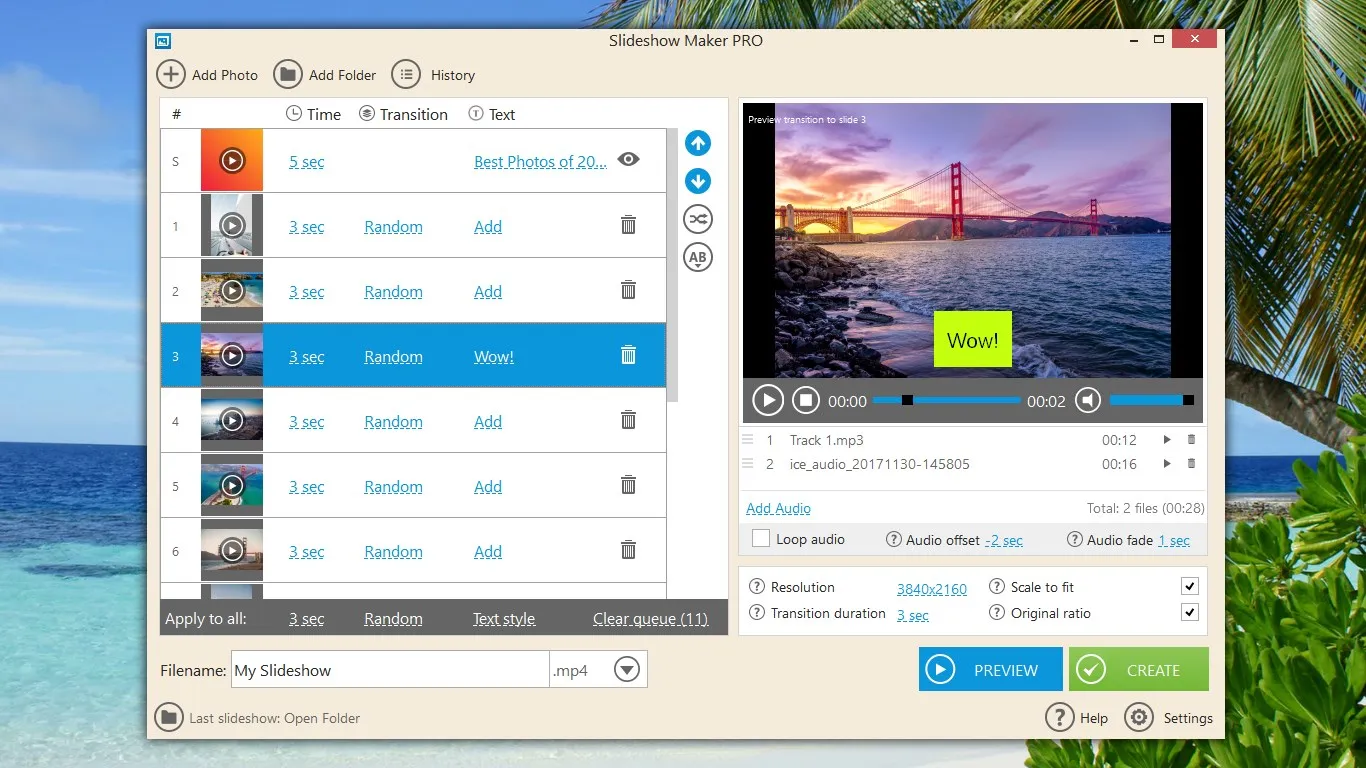
Icecream Slideshow Maker offers a simple, panel-based interface where users can add images and audio files by dragging and dropping, making the workflow intuitive even for non-technical users. Each slide appears in a list with directly adjustable timing, transitions, and text options, making it easy to organize and reorder multiple image sets. A preview window allows you to check the changes immediately, helping users quickly learn the tool’s behavior without having to read long documents or navigate complicated menus.
CURRENT TRANSITIONS AND ANIMATIONS
The software offers various transition effects between slides and additional pan-zoom-style animations applied to images, giving your slideshow a more dynamic, video-like feel. Users can adjust the duration of the effects and the mix of different transitions, so the same project can be adapted for a formal presentation, a simple family album, or a social media clip. Motion effects help avoid static, slideshow fatigue and create a sense of movement even when working with simple still images, which is especially useful for showcasing product or event highlights or travel stories.
BUILT-IN MUSIC AND AUDIO MANAGEMENT
Icecream Slideshow Maker allows users to import background music or narration in common audio formats and synchronize them with the overall length of the slideshow. Volume control, fade-in and fade-out options, and the ability to use multiple tracks in different parts of the video provide greater editing control without the need for a separate audio editor. Synchronizing transitions and slide timing with a beat or soundtrack is made easier as users can see the slide timing and audio progress in a single project timeline, helping to produce more professional, rhythmic results.
TEXT ANNOTATIONS AND TITLE
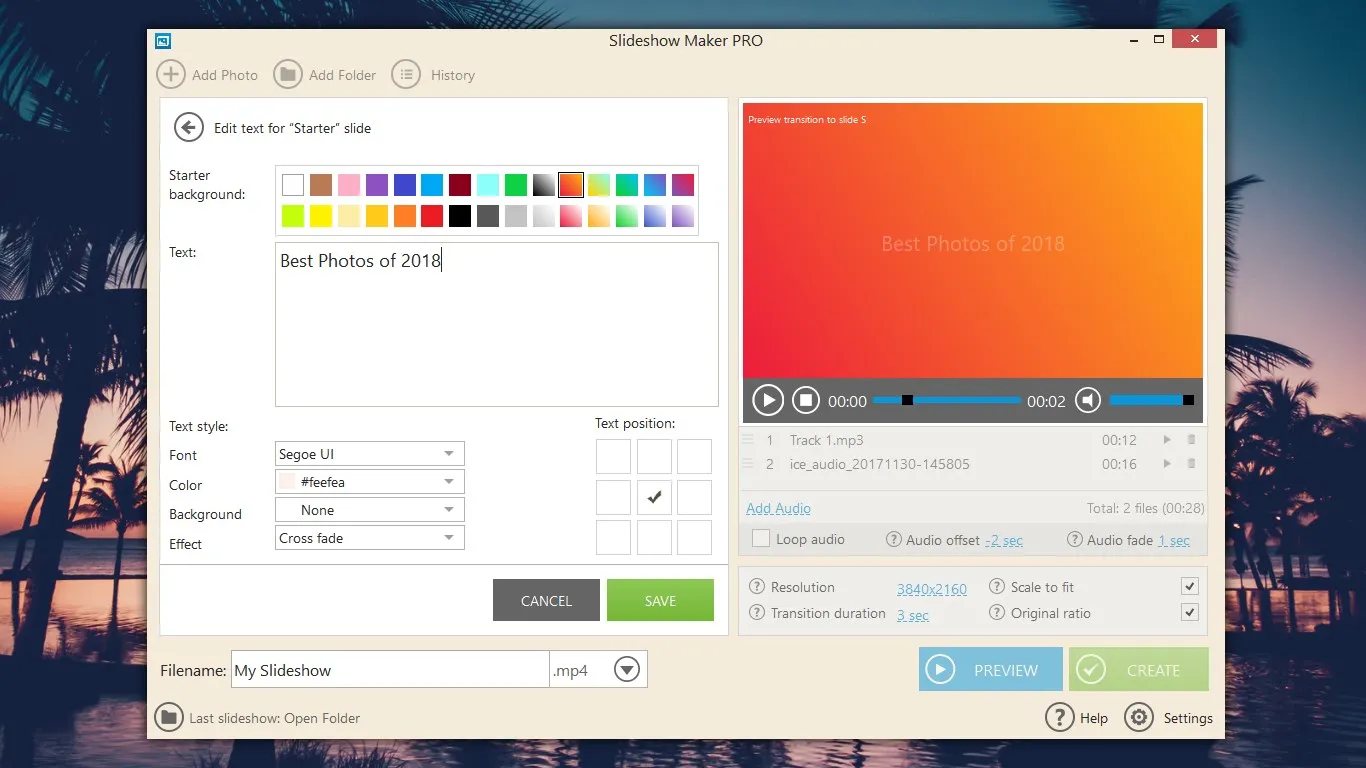
The program supports adding text overlays on individual slides, allowing users to create titles, descriptions, titles, or subtitles directly within their slideshow project. Basic formatting, including font selection, size, alignment, and color, ensures that text is easy to read and consistent with the theme of the video. This feature is especially useful for course-style content, product demos, educational presentations, and event summaries, where context, dates, or titles need to appear onscreen without relying on external video editing tools.
FLEXIBLE OUTPUT FORMAT AND COMPOSITION
Icecream Slideshow Maker can export final slideshows to standard video formats suitable for playback on computers, TVs, projectors, and online platforms. Users can choose from multiple resolution, frame rate, and quality presets, which help balance file size with video clarity depending on the target device or platform. While it is possible to create sharp, full-screen slideshows from high-resolution images, such as Full HD or higher, the low settings are useful for quick sharing via email or messaging apps when bandwidth is limited.
SAVE AND REUSE PROJECTS
The program allows users to save projects and reopen them later, which is valuable for creating long or complex slideshows that require multiple editing sessions. Saved projects retain sequences, transitions, timing, audio settings, and text overlays, so users can copy an existing slideshow and simply swap out images or music to create a new version. This reusability makes the tool useful for repetitive tasks such as regular business presentations, recurring classroom lectures, or template-based social media content.
EXPORT FOR SHARING AND PRESENTATION
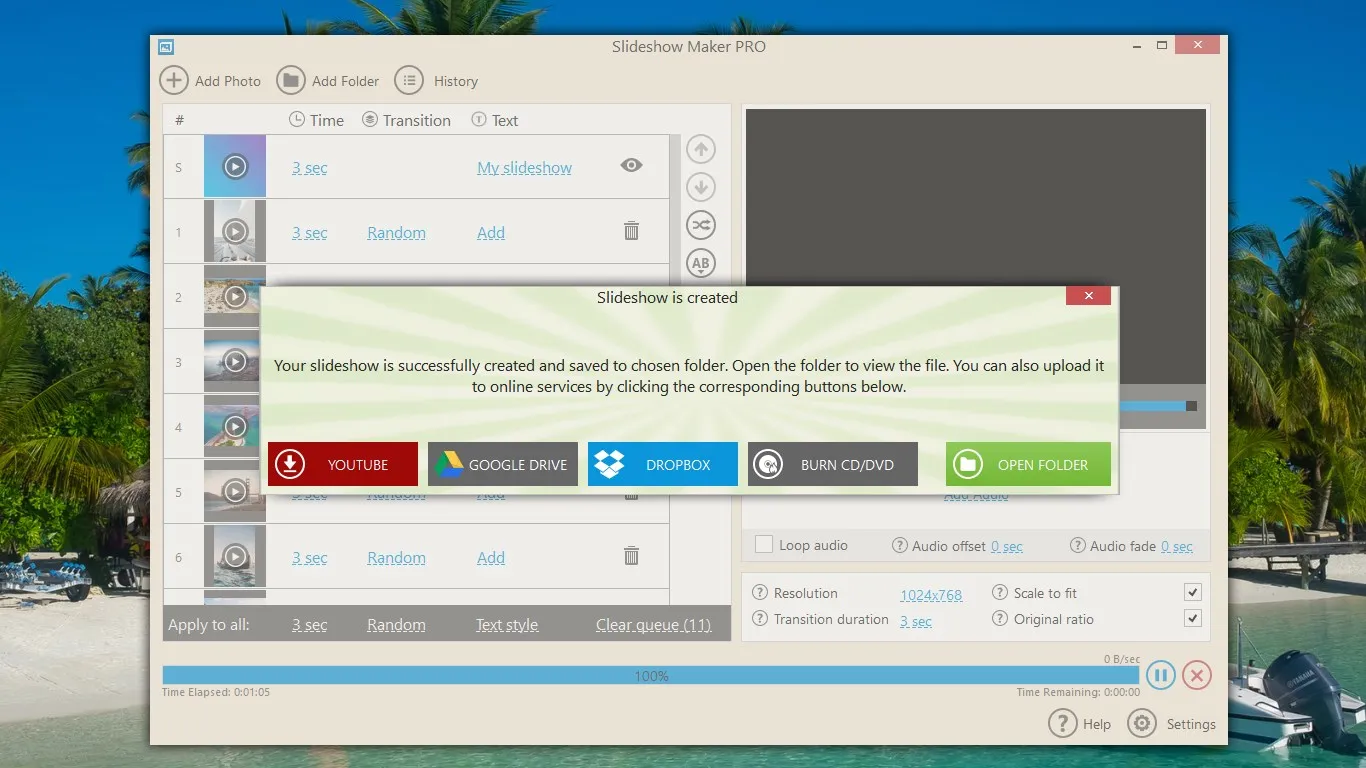
Icecream Slideshow Maker is designed to make exported videos easy to use on multiple platforms, including local playback, presentation, and online sharing. The resulting files are compatible with common media players and can be integrated into PowerPoint-like presentations or uploaded to video sharing sites and cloud services. This flexibility allows users to create once and distribute anywhere, avoiding additional conversion steps and making slideshows accessible to viewers using different devices and operating systems.
SYSTEM REQUIREMENTS
- Supported OS: Windows 11/10/8.1/7
- Memory (RAM): 2 GB of RAM or more is required
- Hard Disk Space: 200 MB or more required