
Franzis CutOut Professional is an advanced photo editing and background removal software for photographers, graphic designers, and creative professionals. It includes precise object extraction, intelligent edge detection, chroma key tools, image retouching, and realistic image stitching. It supports Photoshop plug-ins, batch processing, and professional editing features, making it easy to create high-quality image cutouts and smooth photo montages.
OVERVIEW OF FRANZIS CUTOUT PROFESSIONAL
Franzis CutOut Professional is a specialized photo editing software for precise object cutting and professional-quality photo collages. Designed for photographers, digital artists, designers, and content creators, this software uses intelligent masking algorithms to separate objects from complex backgrounds, preserving details such as hair, fur, leaves, and transparent objects.
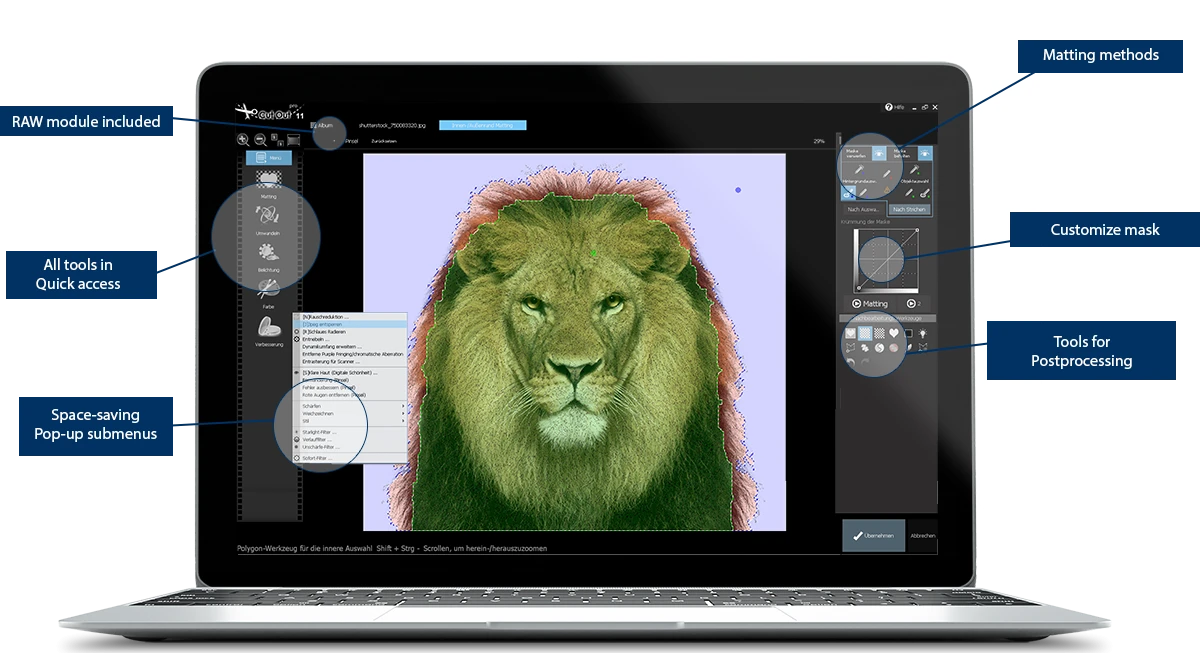
The software offers a variety of selection methods, including edge-based masking, chroma key extraction, magnetic selection tools, and smart erase functions, which allow users to work efficiently with various complex images. After isolating objects, users can replace backgrounds, create realistic photomontages, adjust lighting and color, and enhance images using integrated editing tools.
Franzis CutOut Professional also includes advanced retouching functions, such as exposure correction, noise reduction, perspective adjustment, sharpening, skin enhancement, and artistic filters. Batch processing allows users to edit multiple images at once, which improves the productivity of photographers and designers working with large image collections. Photoshop plugin support allows for seamless integration into existing editing workflows.
FEATURES OF FRANZIS CUTOUT PROFESSIONAL
SMART OBJECT SELECTION
Franzis CutOut Professional uses advanced edge detection and smart masking technology to accurately separate objects from their backgrounds. Multiple selection methods, including edge-based inside/outside background, chroma key output, and magnetic selection, allow for precise cutouts even for difficult objects such as hair, fur, smoke, glass, and leaves.
PROFESSIONAL PHOTO BLENDING
This software makes it easy to replace backgrounds and create realistic photo montages. Automatic color correction, exposure balancing, and lighting adjustments help foreground objects blend naturally with the new background. Users can create professional-looking composite images without requiring extensive editing experience.
ADVANCED IMAGE ENHANCEMENT
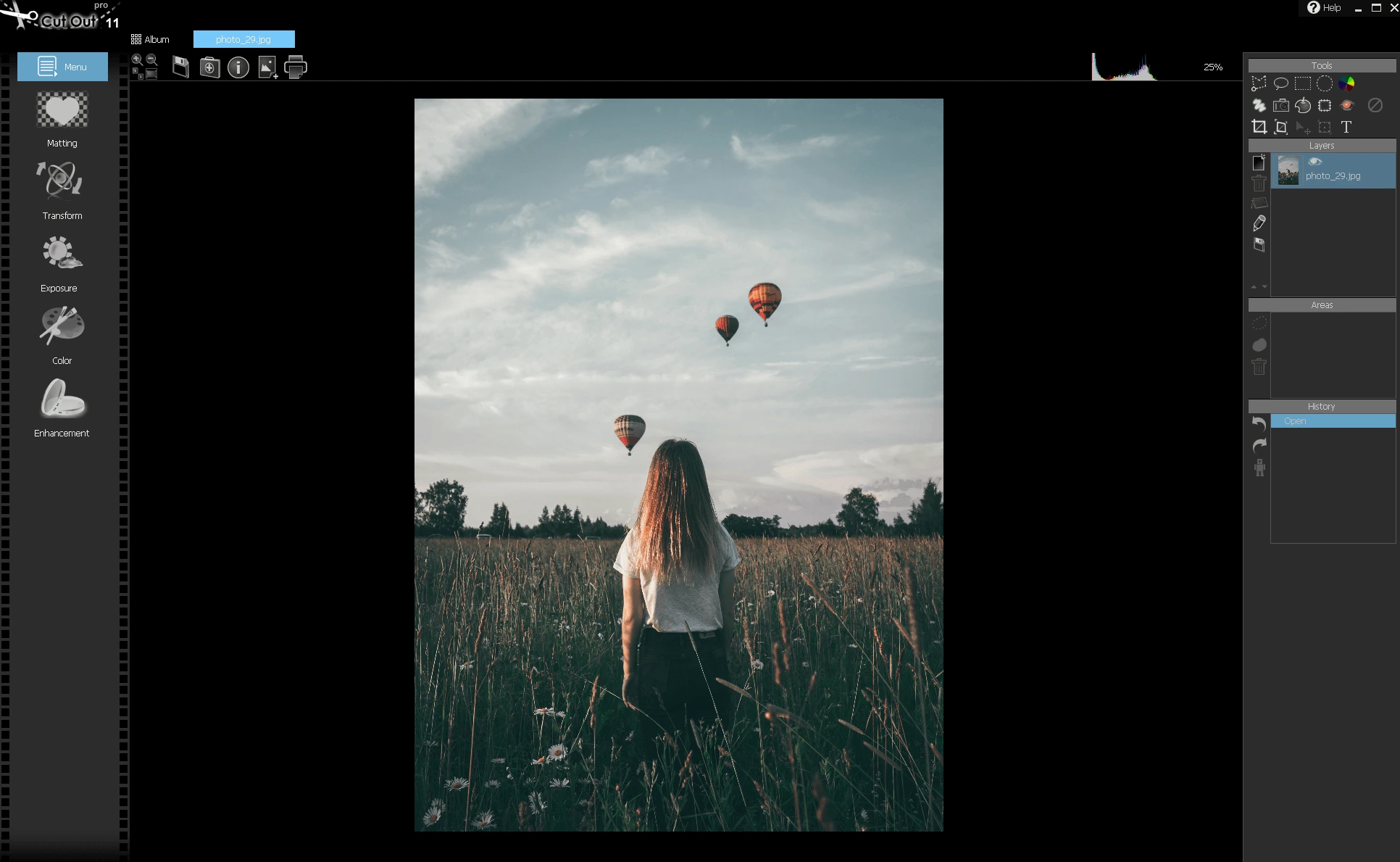
In addition to removing background blur, CutOut Professional includes a variety of editing tools, including brightness and contrast adjustments, color correction, white balance, perspective correction, sharpness, noise reduction, digital beauty enhancement, and artistic filters. These tools help improve image quality while preserving natural details.
SMART EDITING AND RETOUCHING
Integrated smart removal and retouching tools allow users to remove unwanted objects, dust spots, scratches, sensor marks, and image imperfections. Content-based editing features simplify image cleanup, preserving surrounding image details and delivering natural-looking results.
BATCH PROCESSING AND PHOTOSHOP INTEGRATION
Franzis CutOut Professional supports batch processing, allowing you to process multiple images at once for increased productivity. It also includes a Photoshop plug-in that allows photographers and designers to integrate CutOut’s advanced masking capabilities directly into their Adobe Photoshop workflow.
FLEXIBLE WORKFLOW AND EXPORT OPTIONS
The software offers an easy-to-use, streamlined workflow that is suitable for both beginners and professionals. Users can save projects for later editing, export high-resolution images in popular formats, and prepare graphics for print, web, presentations, advertising, product photography, and social media. Its streamlined interface helps you perform complex editing tasks quickly and efficiently.
SYSTEM REQUIREMENTS
- Supported OS: Windows 11/10/8.1/7
- Memory (RAM): 1 GB of RAM or more is required
- Hard Disk Space: 100 MB or more required