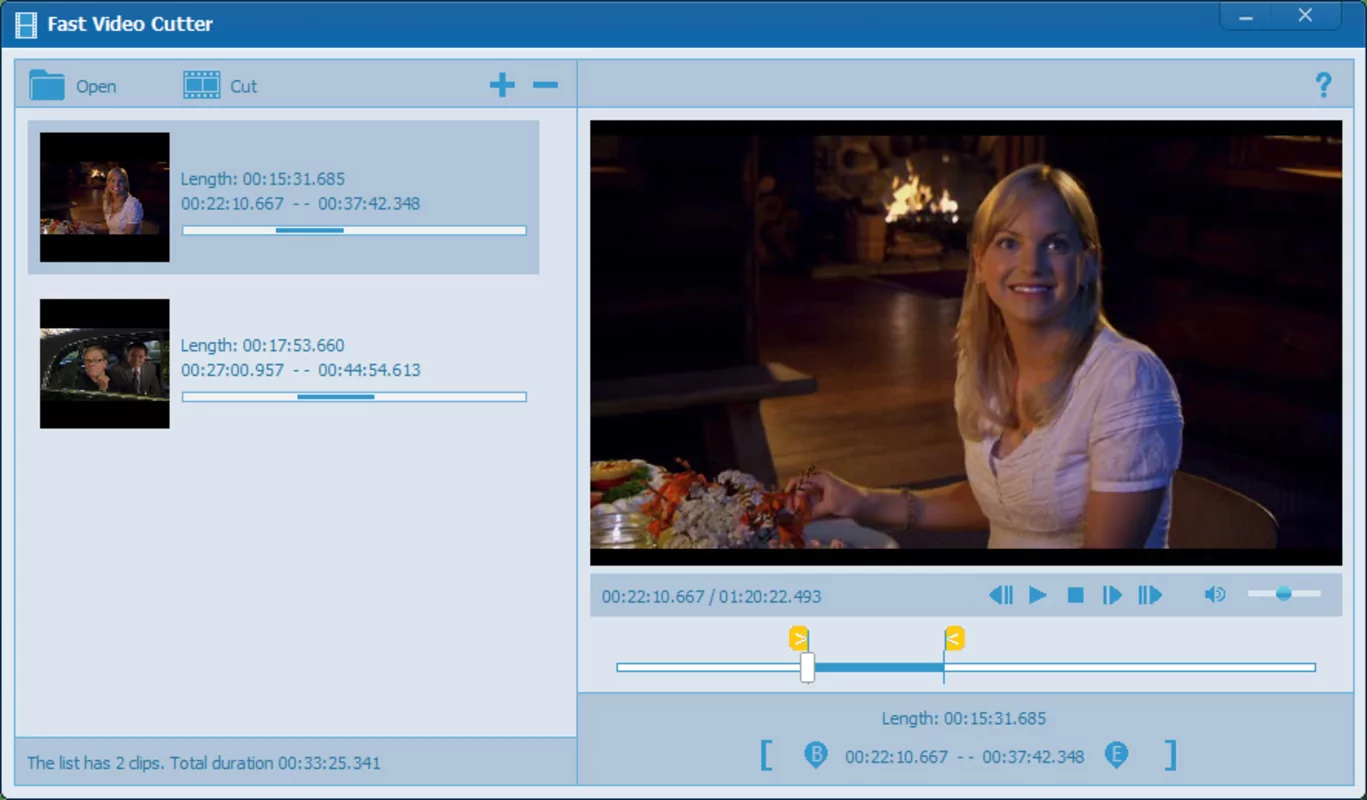
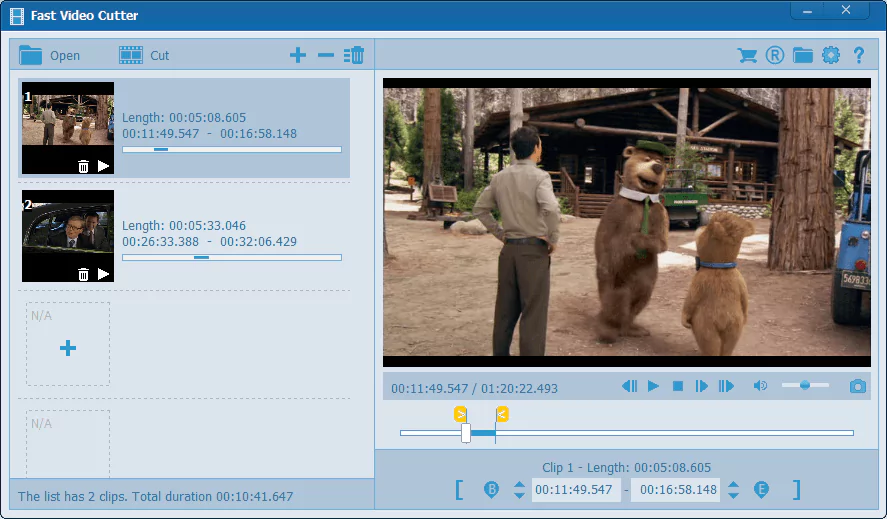

Fast Video Cutter Joiner is a desktop application that allows users to cut and join video files. It’s designed to be simple and uncluttered. The software is capable of cutting individual video files or merging multiple videos. It is also possible to cut unnecessary parts of the video, such as advertisements, commercials, trailers, etc.
OVERVIEW OF FAST VIDEO CUTTER JOINER
Fast Video Cutter Joiner is a desktop application designed to provide users with an easy and effective solution for cutting and joining video files. With a focus on ease of use and simplicity, this software offers a user-friendly platform for both novice and experienced users looking to edit their video content. Key features include the ability to trim individual video files and merge multiple videos seamlessly. The simplified design of Fast Video Cutter Joiner allows users to copy the program easily and perform important video editing tasks without unnecessary complications.
One of the key features of Fast Video Cutter Joiner is its ability to cut and remove unwanted parts from video files. This may include removing ads, commercials, trailers, or segments that users find objectionable. This feature is especially useful for those who want to create short video clips or improve their content by removing unnecessary elements. The software allows users to precisely define cut points and provides a level of control over the editing process.
FEATURES OF FAST VIDEO CUTTER JOINER
FAST AND ACCURATE VIDEO CUTTING
Fast Video Cutter Joiner aims to make video cutting simple, accurate, and efficient. It allows users to select the start and end points of a video and cut out unwanted parts in seconds. It is perfect for removing ads, trimming long videos, or extracting specific scenes. The process is simple and does not require complex editing knowledge, so even beginners can quickly complete the task. What makes the cutting process especially effective is that the software is capable of lossless cutting, which means that it preserves the original quality without re-encoding as much as possible. This ensures that your final clips retain the same clarity, sharpness, and smoothness as the original video.
SEAMLESS VIDEO JOINING ABILITY
In addition to cutting, the software also provides a reliable joining function. Users can merge multiple clips into one continuous video with just a few clicks. This is useful for merging videos, compiling highlight reels, or creating personal video collections. The joining process is fast and efficient, with smooth transitions between clips. Even large files can be merged without noticeable lag. The output can be converted to different formats, which makes it flexible for playback on different devices or sharing on different platforms. The perfect merge will ensure that there are no errors or interruptions when the final file is played.
WIDE FORMAT SUPPORT
Fast Video Cutter Joiner is very flexible in terms of file compatibility. It supports a wide range of popular video formats, including MP4, AVI, WMV, MOV, MPEG, MKV, FLV, and many others. This wide support allows users to work with almost any video file without worrying about format conversion. Furthermore, it allows you to save the output in a different format than the input, making conversions easy. Whether you need clips for mobile devices, social media platforms, or professional projects, the software will let you work with the output format of your choice.
USER-FRIENDLY INTERFACE
The software is designed to offer a simplified and easy-to-use interface. The cutting and joining functions are clearly laid out, reducing confusion for first-time users. Adding files with the drag-and-drop function is quick and convenient. The built-in preview window allows users to play the video and adjust the cutting points more precisely, thus allowing for precise editing. This accessibility makes the program suitable not only for professional editors, but also for ordinary users who want to perform simple video tasks without learning complex software.
HIGH SPEED AND EFFICIENCY
One of the most important advantages of Fast Video Cutter Joiner is its speed. It saves valuable time for users who need to process video files quickly and achieve results quickly. The software works without re-encoding, so it cuts and joins videos faster than many traditional editors. This not only reduces waiting times, but also ensures that it does not put a heavy burden on system resources. It can quickly process even large, high-resolution files, making it a practical solution for users who regularly edit and manage large video projects.
PRACTICAL USE CASES AND ADDITIONAL FEATURES
Fast Video Cutter Joiner is suitable for a wide range of applications. For example, social media content creators can use it to prepare short, engaging clips for platforms like YouTube, TikTok, or Instagram. Families can use it to compile home videos or remove unnecessary footage from footage. The precision cutting function ensures accuracy, while the joining tool helps create a polished compilation. Additional advantages include precise trimming, lightweight installation, smooth operation even on older computers, and frame-by-frame navigation. These features make the software a reliable and convenient solution for both casual and professional video editing needs.
SYSTEM REQUIREMENTS
- Supported OS: Windows 11/10/8.1/7
- Memory (RAM): 1 GB of RAM or more is required
- Hard Disk Space: 100 MB or more required