
Anvsoft Syncios WhatsApp Transfer Pro is a data management tool that allows users to transfer, backup, and restore WhatsApp data between iOS and Android devices. It supports chats, photos, videos, and attachments, ensuring data integrity during the transfer. The software offers a user-friendly interface and is suitable for cross-platform WhatsApp migration without data loss.
OVERVIEW OF ANVSOFT SYNCIOS WHATSAPP TRANSFER
Anvsoft Syncios WhatsApp Transfer Pro is a powerful and user-friendly software solution for managing WhatsApp data on iOS and Android devices. Whether you are upgrading to a new phone or just want to save your chats, this tool offers a reliable way to easily transfer, backup, restore, and export WhatsApp data.
The software allows you to fully or selectively backup your WhatsApp data, including messages, photos, videos, voice memos, emojis, and other attachments. The backups are stored locally on your computer, ensuring privacy and security without relying on third-party cloud services. When needed, users can restore their data to any supported device or selectively restore specific conversations and media, adding flexibility and control to the process.
Another key advantage is the ability to export WhatsApp messages and attachments to readable formats such as HTML, PDF, CSV, or TXT. This is especially useful for users who want to preserve important conversations for legal, business, or personal records. The exported files retain the original chat location and can be printed or shared when needed.
Syncios WhatsApp Transfer Pro is known for its intuitive interface, which makes it accessible to even the most technically savvy. A step-by-step wizard guides users through each task, from connecting devices to selecting backup and transfer options. Unlike many other transfer tools, Syncios does not require you to factory reset or uninstall WhatsApp during the transfer process, making it safer and less disruptive.
FEATURES OF ANVSOFT SYNCIOS WHATSAPP TRANSFER
COMPREHENSIVE WHATSAPP DATA MANAGEMENT TOOL
Anvsoft Syncios WhatsApp Transfer is a professional software solution for backing up, restoring, and transferring WhatsApp data on iOS and Android devices. Unlike traditional backup methods, it allows you to keep all your messages and conversations safe and accessible while keeping full control over WhatsApp chats, attachments, contacts, and media files. This software is perfect for users who want to transfer WhatsApp data between devices, recover deleted messages, or create a reliable backup without relying solely on cloud services.
INVISIBLE WHATSAPP BACKUP
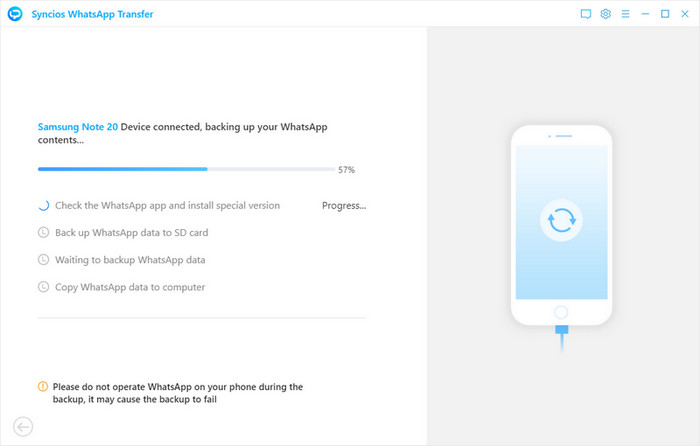
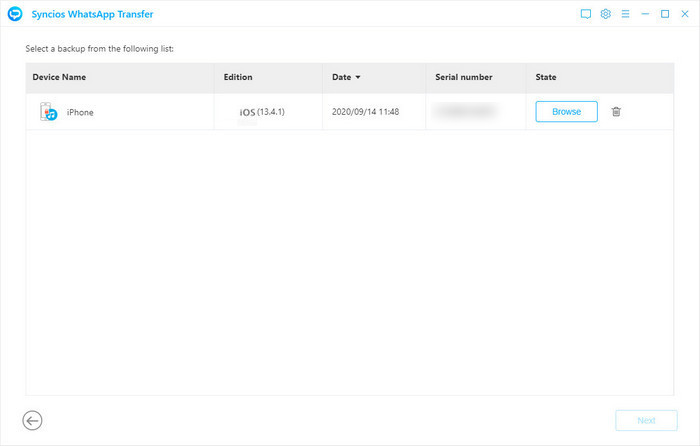
One of the key features of Syncios WhatsApp Transfer is its ability to create a complete backup of WhatsApp data. Users can back up chats, photos, videos, voice messages, and documents from their smartphones directly to their computers. Backups are stored locally, which provides an extra layer of security and control over sensitive data. The software allows for multiple backups, allowing users to maintain a history of conversations and media files without overwriting previous data.
DIRECT TRANSFER BETWEEN DEVICES
Syncios WhatsApp Transfer is perfect for transferring WhatsApp data directly from iPhone to iPhone, Android to Android, iPhone to Android, and vice versa. This feature is especially useful when upgrading to a new device or switching mobile platforms. The transfer process preserves the original chat history, media attachments, and timestamps, ensuring a seamless migration experience without data loss.
RESTORE WHATSAPP DATA WITH EASE
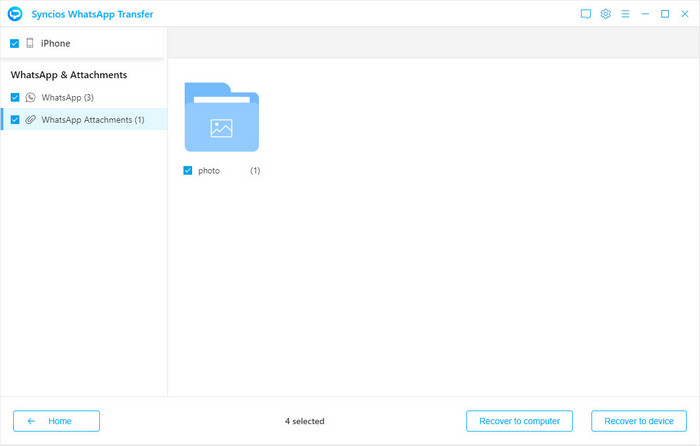
This software allows users to restore WhatsApp backups to their devices at any time. Syncios WhatsApp Transfer fully restores chats, media files, and attachments, regardless of whether they are restoring to the original device or a new phone. Users can preview the backup contents before restoring, making it easy to select specific conversations or media files. This selective restore option saves time and storage space, and offers more flexibility than standard all-or-nothing restore methods.
EXPORT WHATSAPP DATA IN MULTIPLE FORMATS
Syncios WhatsApp Transfer allows you to export WhatsApp messages and attachments in multiple formats, including HTML, PDF, CSV, TXT, etc. This is especially useful for personal records, legal documents, and printing important conversations. Users can export entire chats to media or just messages, so that their data can be used and organized outside of the mobile device environment.
CROSS-PLATFORM COMPATIBILITY AND EASE OF USE
This software is available to a wide range of users as it supports iOS and Android devices. It works with the latest versions of iOS and Android as well as older devices, ensuring wide compatibility. The interface is clean, clear, and user-friendly, allowing users to backup, transfer, and restore WhatsApp data with minimal effort. Step-by-step instructions guide users through each process, making it accessible even to those without technical knowledge.
SAFE AND RELIABLE OPERATION
Syncios WhatsApp Transfer makes all operations safe and secure. Transfer and copy data without any loss or modification, preserving the original structure, timestamp, and media quality. Since backups are stored locally on the computer, users have full control over their data without relying on the cloud, reducing potential privacy risks.
ADDITIONAL FULL MANAGEMENT FEATURES
In addition to basic backup and transfer, Syncios WhatsApp Transfer also includes features to manage multiple devices, verify backup integrity, and selectively delete unwanted conversations and attachments. Its speed and efficiency make it suitable for both personal and professional use, providing a complete solution for WhatsApp data management.
SYSTEM REQUIREMENTS
- Supported OS: Windows 11/10/8.1/7
- Memory (RAM): 1 GB of RAM or more is required
- Hard Disk Space: 100 MB or more required