
TablePlus is a modern database management application designed to help developers and database administrators efficiently manage, query, and edit databases. It supports popular database systems such as MySQL, PostgreSQL, SQLite, Microsoft SQL Server, MongoDB, and Redis. With a clean interface, an intelligent SQL editor, inline data editing, and advanced filtering tools, TablePlus simplifies database management, enabling users to perform complex database tasks with greater ease.
OVERVIEW OF TABLEPLUS
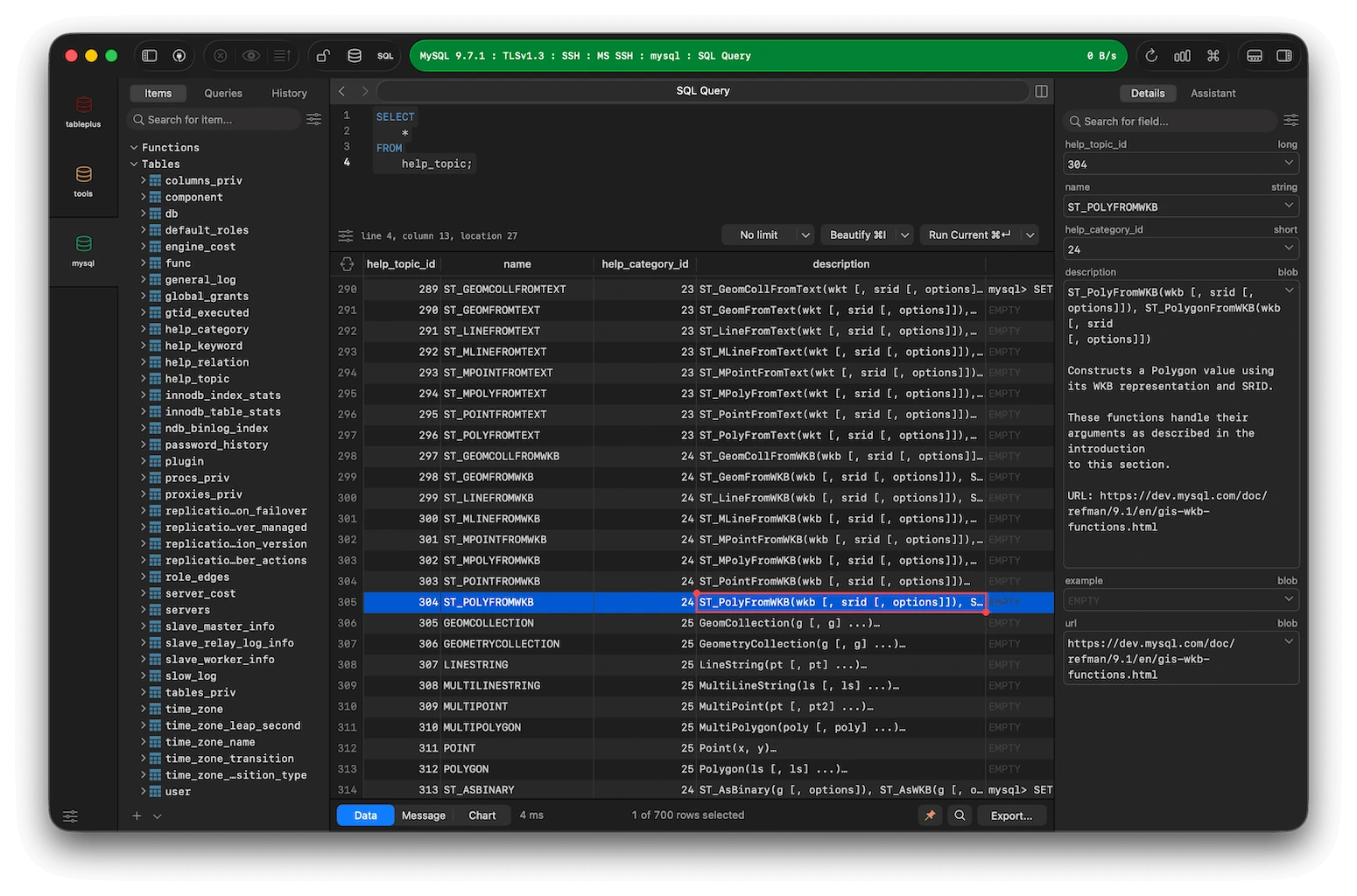
TablePlus is a powerful, user-friendly database management tool that allows developers, database administrators, and IT professionals to work with multiple database systems through a single application. It supports a variety of relational and NoSQL databases, including MySQL, PostgreSQL, SQLite, Microsoft SQL Server, MongoDB, Redis, MariaDB, and Amazon Redshift. This software provides an intuitive graphical interface for viewing database tables, editing records, managing schemas, and executing SQL queries. Its intelligent query editor includes features such as syntax highlighting, auto-completion, query history, and formatting tools to boost productivity. Users can also filter records, import and export data, and manage multiple database connections using tabs and windows.
TablePlus incorporates security features that allow users to review changes before applying them to the database. Built as a native application, it prioritizes performance and ease of use, making it suitable for both beginners and experienced professionals. Overall, TablePlus offers an effective solution for database development, maintenance, and day-to-day data management.
TABLEPLUS FEATURES
SUPPORT FOR MULTIPLE DATABASES
TablePlus supports a wide range of relational and NoSQL databases, including MySQL, PostgreSQL, SQLite, Microsoft SQL Server, MongoDB, Redis, MariaDB, and Snowflake. This flexibility allows users to manage various database systems from a single interface.
SMART SQL EDITOR
The built-in SQL editor offers features such as syntax highlighting, auto-completion, query formatting, saved queries, and query history. These tools help developers write, organize, and execute SQL statements more efficiently.
CONVENIENT DATA EDITING
Users can edit database records directly within the table view by modifying individual cells or entire rows. TablePlus also allows for the editing of query results and table structures, which simplifies day-to-day database maintenance.
ADVANCED FILTERING AND SEARCH
This application provides flexible filtering options to help users quickly locate specific records. Multiple filter criteria can be applied to refine results, making it easier to analyze large databases and find relevant information.
IMPORT AND EXPORT TOOLS
TablePlus supports importing data from various formats, including CSV, JSON, and SQL dump files. Users can also export database tables and data into supported formats such as CSV, JSON, SQL, and Excel, facilitating tasks like backups, reporting, and data migration.
SECURITY AND PRODUCTIVITY
TablePlus includes a “Safe Mode” and change-tracking tools, allowing users to review modifications before applying them to the database. Features such as multi-tab support, separate windows, keyboard shortcuts, and quick navigation help improve workflow efficiency. Implementing local authentication helps protect database connection information.
SYSTEM REQUIREMENTS
- Supported OS: Windows 11/10/8.1/7
- Memory (RAM): 1 GB of RAM or more is required
- Hard Disk Space: 100 MB or more required