O&O Defrag is a software tool designed to optimize hard drive performance by defragmenting files and organizing data more efficiently. Defragmentation is the process of rearranging fragmented data on a disk so that it can be accessed more quickly and efficiently.
O&O Defrag is a powerful Windows hard disk defragmenter, that can work with FAT, FAT32, NTFS, and NTFS5 file systems, volume sets/tapes, replace standard OS defrag utilities, run in the background, deploy and be embedded in Microsoft Management Console.
OVERVIEW OF O&O DEFRAG
The program can defragment drives manually or fully automatically in the background. As a result, it keeps your system at peak performance by avoiding the build-up of file fragmentation. Defragmentation tasks can also be scheduled using different criteria. Additional features include status reports, a cluster inspector, a command line interface, optional MMC integration, boot defragmentation, exceptional support for mobile systems, and more.
Although disk defragmentation may seem like an operation that should be performed by an expert, O&O Defrag Professional Edition is all you need, even if you are not an experienced user. Thanks to the ribbon interface, all options are one click away and all tools are at your fingertips.
To make it even easier, the application comes with a so-called “Quick Start” button that allows you to schedule automatic defragmentation either in the background when the computer is idle or at a specific time. This is particularly useful, as disk defragmentation usually requires a significant amount of resources. Computers with solid-state drives can be regularly optimized using TRIM.
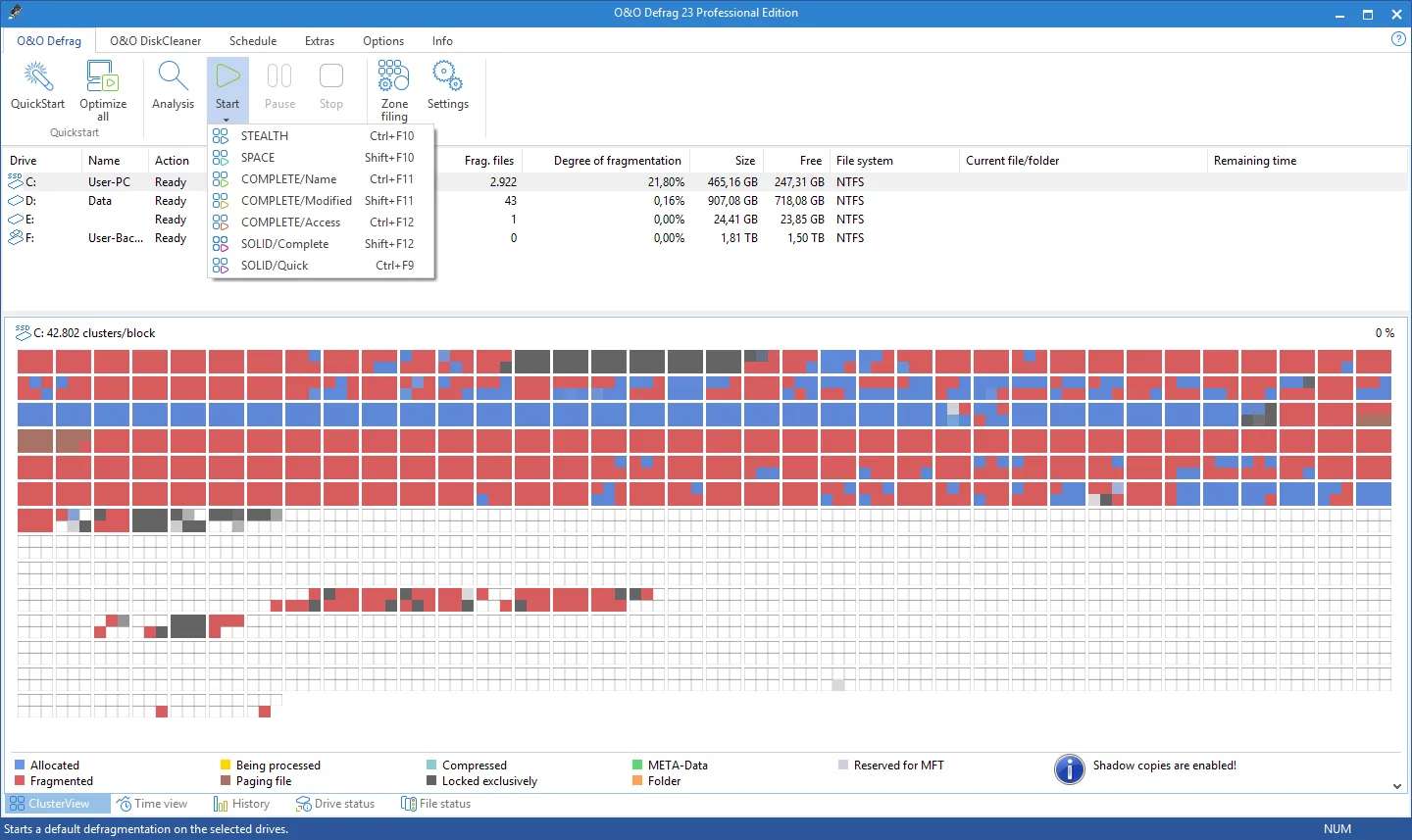
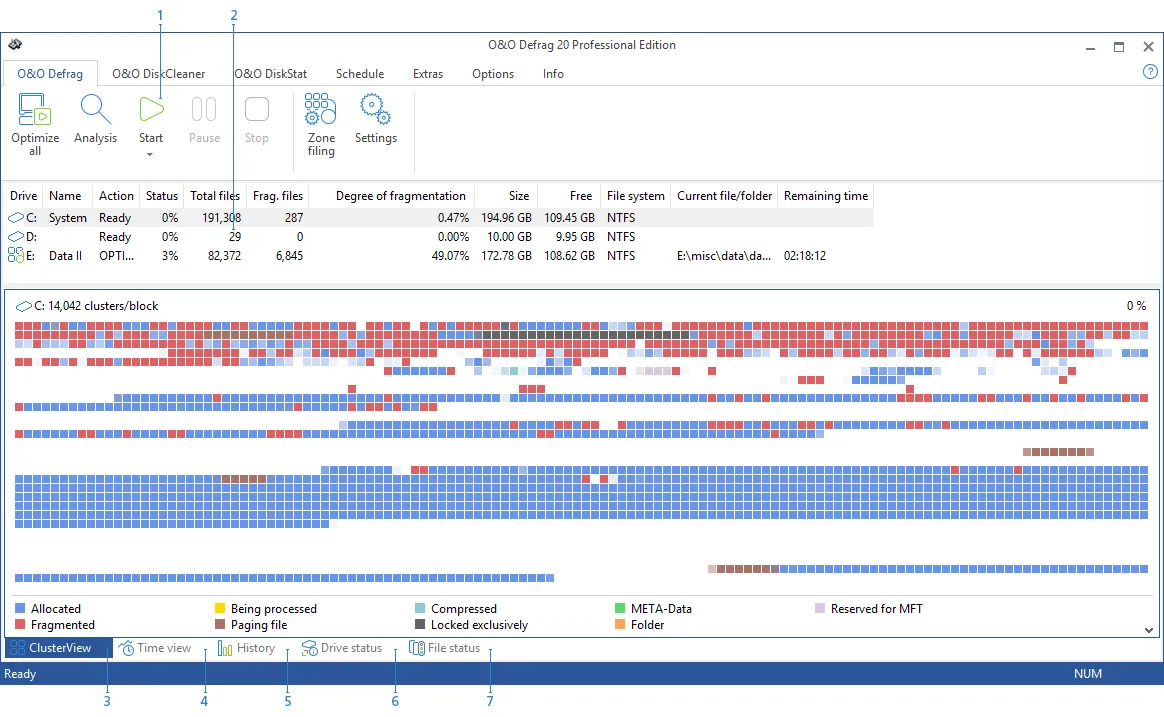
The main window of O&O Defrag Professional Edition shows a list of all available partitions, along with details on the number of fragmented files and the degree of fragmentation. The bottom panel contains the well-known graphical representation of the data in the cluster view, which shows you how the data is fragmented on the selected disk.
There are additional view modes: the time view allows you to check the cluster from the present, returning to the view of the data as it was when the drive was first analyzed. Progress is clearly shown in this area and you can evaluate the effectiveness of defragmenting your partitions with O&O Defrag Professional Edition.
FEATURES OF O&O DEFRAG
ADVANCED DISK DEFRAGMENTATION TECHNOLOGY
The O&O Defrag Professional and Server editions are designed to provide advanced disk optimization for both personal and business users. These editions intelligently reorganize fragmented files and data blocks on hard drives and SSDs, improving file access times and system responsiveness. Using multiple defragmentation algorithms such as STEALTH, SPACE, COMPLETE, etc., O&O Defrag optimizes each drive type according to its unique structure. The result is faster boot times, faster file access, and smoother overall performance. The software also supports automatic background defragmentation, allowing you to keep your drives optimized without manual intervention.
OPTIMIZED FOR SSD AND HDD PERFORMANCE
Unlike traditional defragmentation tools that focus only on HDDs, O&O Defrag Professional and Server are optimized for both hard drives and solid-state drives. For HDDs, it reorganizes files to access contiguous data, while for SSDs, it performs TRIM optimization to increase write efficiency and lifespan. The software automatically detects the drive type and uses the most appropriate optimization method. This intelligent management of read/write operations helps to maintain SSD performance while improving its operational health, making the software a versatile tool for use in modern computing environments.
COMPREHENSIVE SCHEDULING AND AUTOMATION
One of the most convenient features of O&O Defrag Professional and Server is its powerful scheduling system. Users can run automatic defragmentation routines daily, weekly, or during system downtime. This ensures continuous performance improvement without manual intervention. The software intelligently monitors system activity and only runs when it is not interfering with your work. For enterprise environments, the Server version provides centralized monitoring and automation of multiple networked systems, offering IT administrators complete flexibility to ensure server health and stability.
DETAILED PERFORMANCE MONITORING AND REPORTING
O&O Defrag includes advanced monitoring tools and detailed reporting options that give you insight into your disk performance. A real-time status display shows the current fragmentation level, disk usage, and the progress of the defragmentation job. After each process, comprehensive reports are generated that offer performance metrics, file distribution analysis, and optimization summary. For IT professionals using the server version, these reports are essential for diagnosing performance issues and keeping large storage environments efficient.
INCREASED SYSTEM STABILITY AND LONGEVITY
O&O Defrag Professional and Server continuously maintain the disk structure, eliminate fragmentation, and reduce system load and hardware wear. The software prevents slowdowns, minimizes system crashes, and minimizes file access errors due to fragmented data. It places frequently used files and applications in the optimal location on the disk, improving responsiveness and reliability. The result is a smoother and more stable computing experience, especially for users who work with large file, database or server workloads that require consistently high performance.
REMOTE MANAGEMENT AND ENTERPRISE INTEGRATION
The server version of O&O Defrag goes one step further with its remote management capabilities, allowing administrators to deploy, monitor and control defragmentation jobs on multiple systems from a single interface. It integrates seamlessly into Windows Server environments and supports Group Policy and scripting for automation. This is ideal for businesses that manage multiple machines or data centers. With centralized management, IT teams can keep all systems optimized, reduce downtime and improve productivity across the network.
SYSTEM REQUIREMENTS
- Supported OS: Windows 11/10/8.1/7
- Memory (RAM): 1 GB of RAM or more is required
- Hard Disk Space: 100 MB or more required