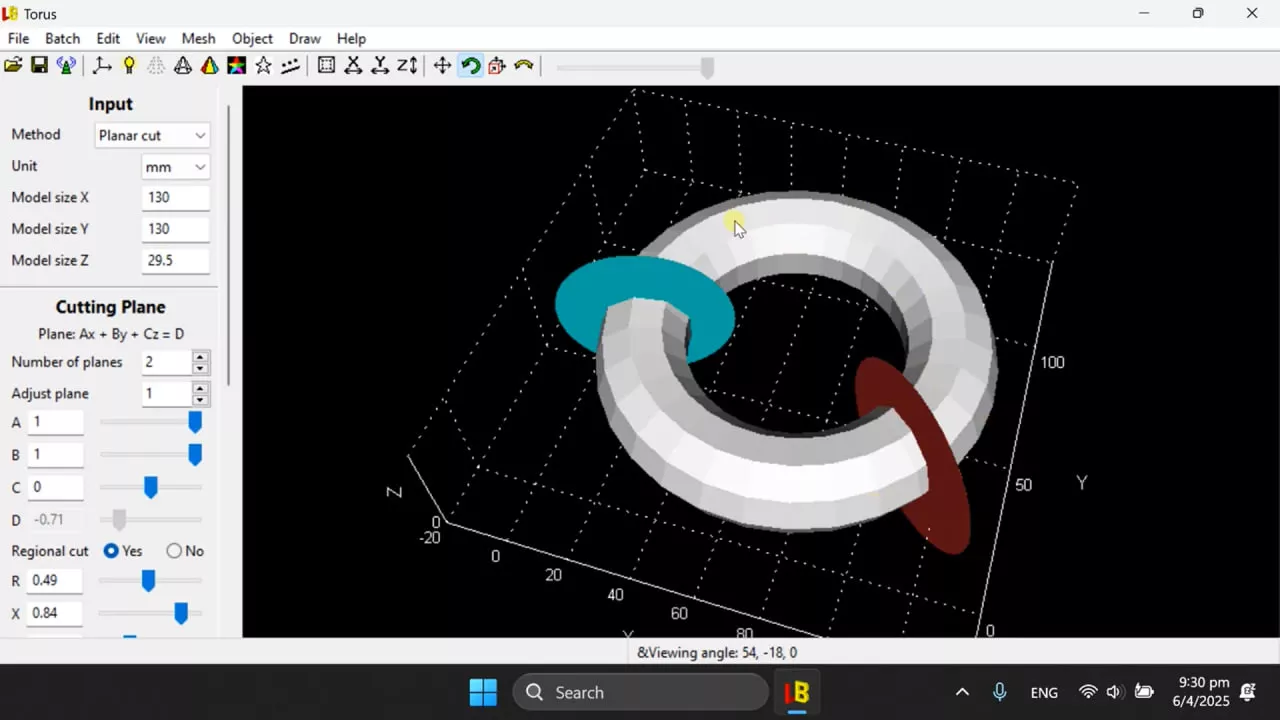
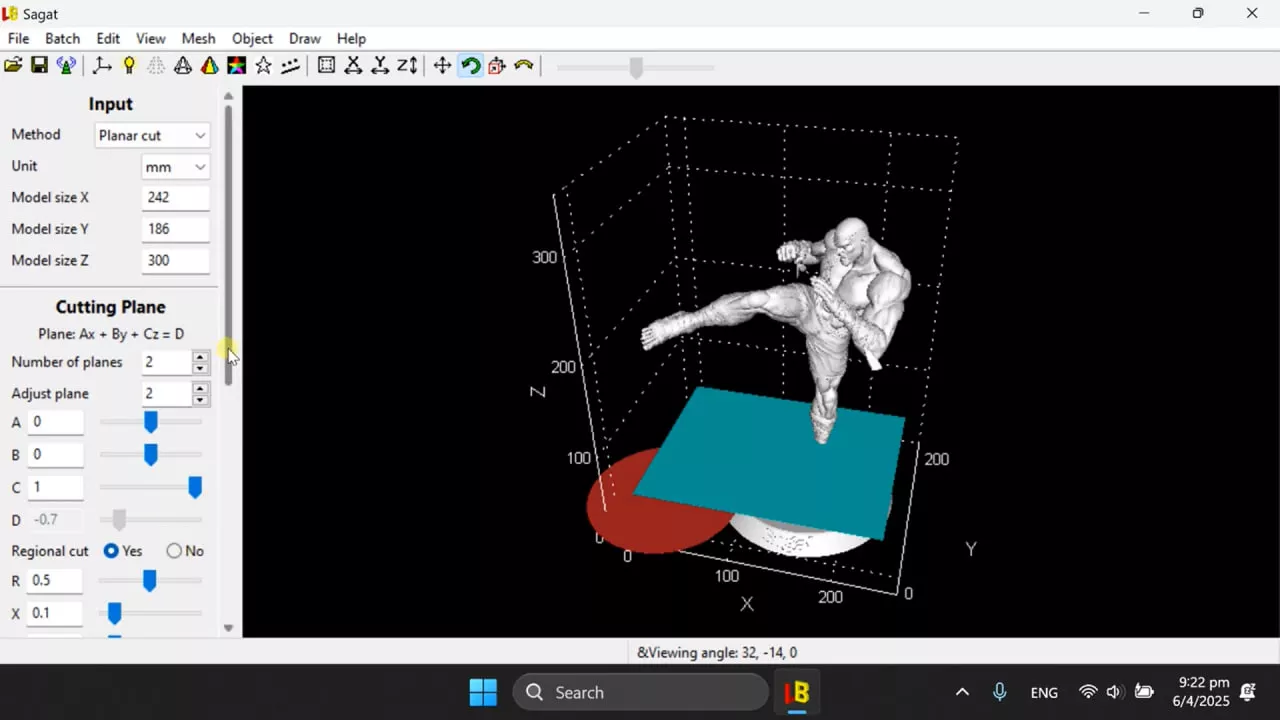

LuBan 3D is a popular software solution in the 3D modeling and design industry, especially for woodworking and carpentry projects in China. This versatile tool is designed to meet the needs of craftsmen and woodworkers, offering a comprehensive set of features to streamline design and production processes.
OVERVIEW OF LUBAN 3D
LuBan 3D allows users to create complex 3D models of carpentry projects such as furniture, cabinets, and various wood structures with unparalleled accuracy and efficiency. One of the standout features is robust parametric design capabilities that allow users to define and adjust key parameters such as dimensions, materials, and carpentry methods. In addition, the software has a huge library of pre-made parts and components commonly used in woodworking, helping to quickly assemble and modify designs using standard building blocks.
Furthermore, LuBan 3D offers seamless integration with computer numerical control (CNC) machines, a core technology in modern woodworking that automates the cutting and shaping of materials. This integration allows users to export their 3D models directly to the CNC machine, simplifying the manufacturing process and allowing accurate design execution. LuBan 3D provides woodworkers and carpenters with a powerful yet accessible platform to realize their creative visions, whether creating complex furniture or designing intricate woodwork. The user-friendly interface and intuitive workflow are suitable for all levels of users, from seasoned professionals to hobbyists exploring the art of woodworking.
Overall, Luban 3D witnesses the intersection of craft and technology, allowing artisans to push the boundaries of creativity and innovation in woodworking using the power of 3D modeling and CNC manufacturing. LuBan 3D’s comprehensive features, integrated CNC technology, and user-centered design make LuBan 3D an indispensable tool for woodworkers looking to improve their skills and realize designs with unparalleled accuracy and efficiency.
FEATURES OF LUBAN 3D
AUTOMATICALLY CREATE 3D MODELS IN MULTIPLE SHAPES
LuBan 3D excels at automatically generating a wide variety of 3D model shapes, including lithophane, stack, hash, plate, relief, module, and wireframe. This generative design capability helps designers and manufacturers quickly produce complex and creative 3D structures with minimal manual effort. These shapes allow users to transform simple drawings or input into rich, printable 3D objects, expanding creative possibilities beyond traditional modeling tools.
AUTOMATICALLY DIVISION OF LARGE MODELS FOR PRINTING
A unique feature of LuBan is its ability to automatically divide large 3D models into printable segments that fit on a standard 3D printer platform. This feature optimizes segment alignment, connection points, and layout, making it possible to print large objects on smaller machines. This significantly simplifies the task of managing large printed materials, allowing life-size or very large models to be built in parts and assembled after printing.
SUPPORT FOR MULTI-MANUFACTURING WITH LASER CUTTING AND CNC
In addition to 3D printing, LuBan supports the conversion of 3D models into 2D slices or contours for laser cutting and CNC milling. This versatility allows users to produce models using multiple machines from the same design data. This is especially useful for creating complex parts that combine different manufacturing methods or require additional processing after 3D printing.
CUSTOM DESIGN AND MOTION TOOLS FOR BEGINNERS
LuBan offers tools for creating custom 3D models from 2D images, including tools for interactive puzzle models, reliefs, and lithophane. It can also automatically create objects with moving parts, such as joints, that would normally require advanced CAD skills. This opens up the possibility of creating more accessible and complex designs and functional prototypes.
ALL-IN-ONE SOFTWARE PACKAGE FOR SNAPMAKER DEVICES
LuBan serves as an integrated software environment that combines 3D printing, cutting, laser engraving, and CNC routing specifically for Snapmaker machines. It allows users to seamlessly manage three manufacturing functions without having to switch between different applications. This integration simplifies workflows, supports multiple file formats (STL, DXF, SVG), and includes real-time job preview and simulation for greater accuracy.
FLEXIBLE LICENSE WITH TRIAL OPTIONS
LuBan is offered as commercial software with various licensing options, including monthly, annual, and lifetime plans, allowing users to customize it to meet their different needs. It also offers a 30-day free trial, allowing prospective buyers to explore the capabilities before committing financially. This architecture supports both hobbyists and professional creators who need reliable and continuous access to advanced design and manufacturing tools.
SYSTEM REQUIREMENTS
- Supported OS: Windows 11/10/8.1/7
- Memory (RAM): 1 GB of RAM or more is required
- Hard Disk Space: 100 MB or more required