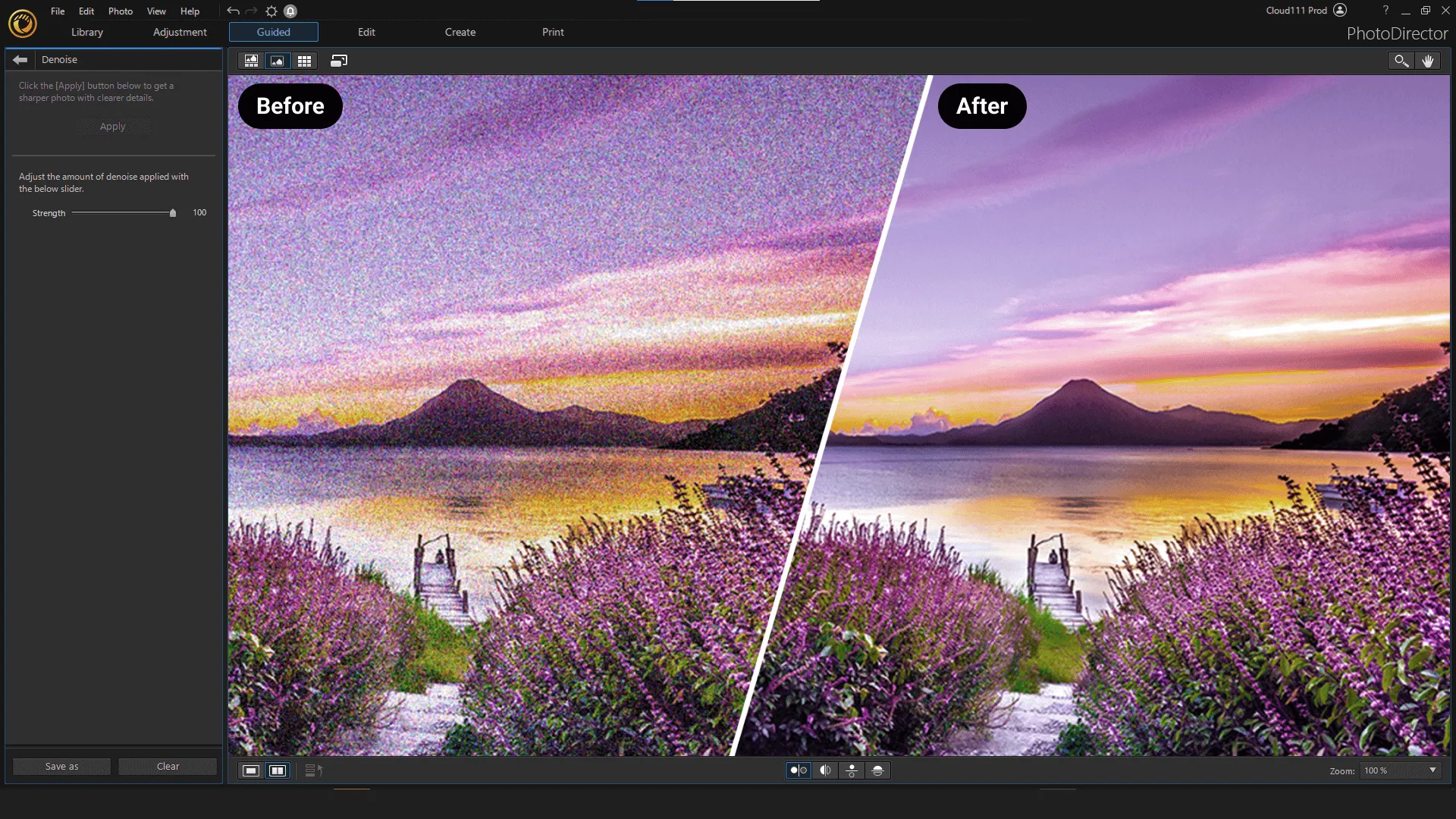
CyberLink PhotoDirector Ultra is photo editing software that provides users with a wide range of photo editing, enhancement, and editing tools. It aims to provide users with a comprehensive set of tools for editing and enhancing digital images.
OVERVIEW OF CYBERLINK PHOTODIRECTOR ULTRA
CyberLink PhotoDirector Ultra is a robust and feature-rich photo editing software designed to meet the diverse needs of photographers from beginners to professionals. PhotoDirector Ultra allows users to enhance, modify and creatively manage their digital photos with an intuitive interface and many tools. The program includes a wide range of features, including basic adjustments such as color correction, cropping, and rotation, and provides users with basic tools to enhance their images.
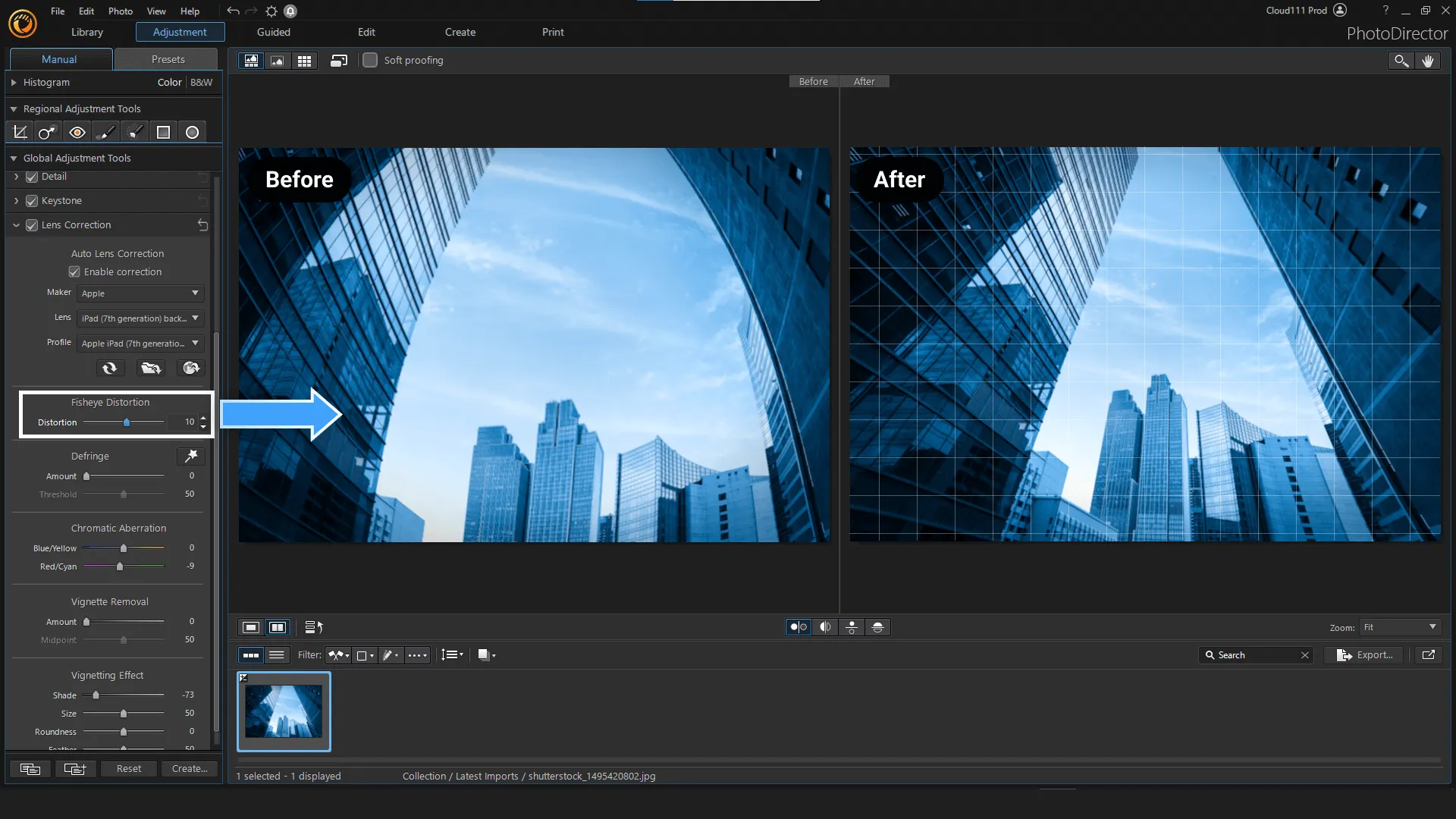
One of the highlights of PhotoDirector Ultra lies in its advanced editing capabilities. Three-way splits, lens correction, and various lighting effects allow for complex adjustments, allowing users to achieve precise and dramatic results. A three-way split feature provides precise access to image enhancements and allows users to target specific areas for adjustments. Lens correction corrects common distortions associated with different lenses and contributes to overall image quality. In addition, a variety of light effects enhance creativity and allow users to add mood and atmosphere to their photos.
PhotoDirector Ultra incorporates the latest technology with its AI object removal feature. This smart tool helps remove unwanted objects from photos and improves overall composition with precision and efficiency. The software’s forward-thinking approach is further expanded with image creation functionality, allowing users to extract objects from one image and overlay them onto another. It not only encourages creative experimentation but also expands the creative possibilities of photography, allowing users to create compelling narratives with their images.
FEATURES OF CYBERLINK PHOTODIRECTOR ULTRA
POWERFUL AI-POWERED EDITING TOOLS
CyberLink PhotoDirector Ultra integrates AI-powered tools to simplify complex editing tasks and enhance image quality. These include AI Object Removal to cleanly remove unwanted elements, AI Background Removal and Effects to isolate foreground objects, AI Background Removal to replace or model backgrounds, and AI Deblur, which is specifically tuned to highlight faces without blurring the background. There are tools to correct facial color, smooth skin, remove blemishes, whiten teeth, reduce glare, and reshape facial features (chin, jaw, forehead) to enhance portraits. Auto Tone Enhancement automatically balances brightness, contrast, shadows, and highlights to help create natural and vivid results.
ADVANCED LAYER-BASED COMPOSITION AND IMAGE MANAGEMENT
PhotoDirector Ultra provides full support for layers, allowing you to flexibly combine images, text, graphics, and effects. Blending modes, masks, clipping layers, group layers, and alignment tools give users creative control over how elements are combined. Layer history lets you track changes and revert to previous versions of layers, reducing risk when experimenting. The image management side also includes an AI-powered face recognition engine (FaceMe) that helps tag, organize, and search for images based on detected faces. Metadata, EXIF data, and organization tools allow users to efficiently filter and browse large image libraries.
CREATIVE EFFECTS, STYLES, AND ENHANCEMENTS
To facilitate artistic expression, PhotoDirector Ultra includes a wide range of creative effects and modeling tools. There are AI modeling engines that analyze images and automatically apply painting effects (sketch, watercolor, mosaic, and oil painting). Brushes, preset effect sets, and templates let you quickly create stylized images. Other tools such as distortion, distortion, light rays, glare, and lens effects help transform ordinary photos into stunning scenes. Panorama and 360° photo editing is supported, and the “little planet” effect expands the creative possibilities, especially for landscape, travel, or depth-of-field photography.
FINE COLOR CONTROL AND OPTICAL CORRECTION
PhotoDirector Ultra provides detailed color and optical control, allowing users to precisely correct and enhance images. Lens distortions (fisheye, barrel/pincushion distortion), color distortion, and vignetting are included. RGB curve adjustment allows you to fine-tune the tones of each of the red, green, and blue channels. Split toning allows you to colorize shadows and highlights separately. There are tools to selectively adjust the hue, saturation, and brightness of a specific area or object. Tools such as water removal help restore the brightness and contrast of landscapes or bright scenes.
VIDEO-TO-PHOTO, MOTION EFFECTS, HYBRID TOOLS
One of the standout features of PhotoDirector Ultra is the ability to creatively extract still images from video: for example, extract high-resolution motion images from 4K video, create multiple images, create a panorama stitched from frames, or select the best faces from a group of video clips. Motion still effects allow users to freeze some parts of a scene while keeping others still, creating artistic frozen motion images (similar to film stills). This combines motion and moving media in innovative ways, expanding what is possible beyond just static image editing.
WORKFLOW EFFICIENCY, EXPORT OPTIONS, AND SYSTEM INTEGRATION
PhotoDirector Ultra is designed for continuous workflow. Non-destructive editing lets you layer edits on top of the original image while preserving the original image. Batch processing, automatic file naming, automatic cropping, multiple cropping tools, bevel shift, or radial filters help speed up repetitive tasks. The software supports common RAW formats, high-resolution output, and multiple export formats. Integration with cloud backup (selections, projects, presets) helps maintain continuity across devices or versions. Performance requirements are reasonable: it can run on modern systems without requiring too many resources, but artificial intelligence and high-resolution features benefit from more RAM or a capable GPU configuration.
SYSTEM REQUIREMENTS
- Supported OS: Windows 11/10/8.1/7
- Memory (RAM): 1 GB of RAM or more is required
- Hard Disk Space: 100 MB or more required